Search your own business name and read the page the way a new customer would. A brand SERP audit is how you find out whether what Google and AI assistants say about you is actually true.
For many brands, that page now starts with AI-written text, not with your homepage. It can quote old prices, a former address or opening hours you changed months ago.
Ranking first for your own name does not prevent this. Being found and being described correctly are two separate problems.
This article gives you a repeatable method. You will build a branded query set, check each surface by location and device, log every claim, and trace each wrong claim back to the page it came from.
That source page is what you can fix. The AI Overview, knowledge panel, People also ask, ChatGPT, Gemini and Perplexity mostly repeat what other pages say.
It is written for small business owners, WooCommerce store owners, marketers and in-house SEOs in Australia, the UK, the USA and Bangladesh who want a practical process they can run every month.
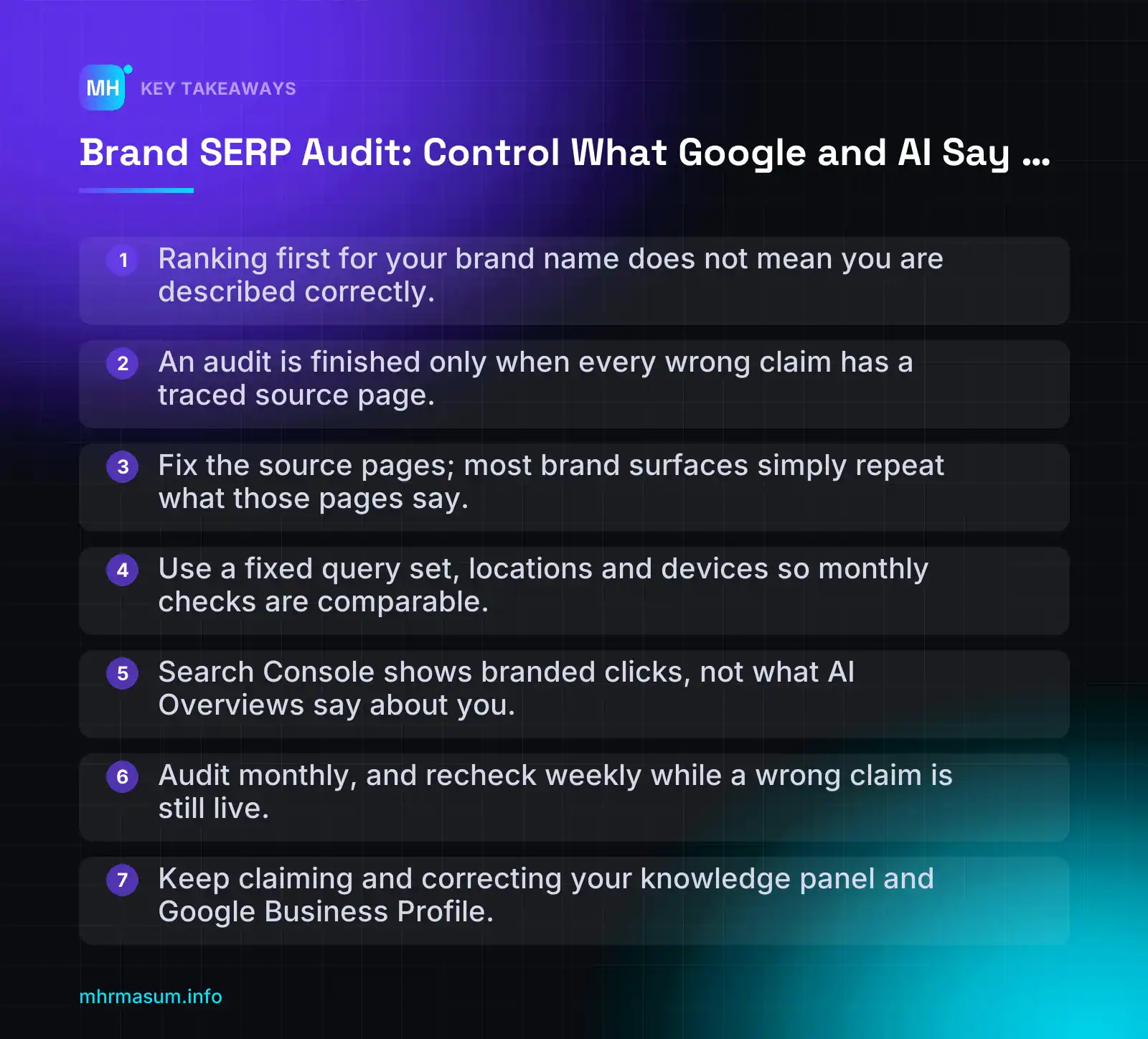
Key Takeaways
- Ranking first for your brand name does not mean you are described correctly.
- An audit is finished only when every wrong claim has a traced source page.
- Fix the source pages; most brand surfaces simply repeat what those pages say.
- Use a fixed query set, locations and devices so monthly checks are comparable.
- Search Console shows branded clicks, not what AI Overviews say about you.
- Audit monthly, and recheck weekly while a wrong claim is still live.
- Keep claiming and correcting your knowledge panel and Google Business Profile.
What a brand SERP audit covers (and what it does not)
A brand SERP audit is a repeatable check of everything Google and AI assistants show when someone searches your brand name. It ends with a log of wrong or outdated claims and the source page behind each one.
That last part matters most. A list of screenshots is not an audit. An audit is only finished when every problem has a source, because the source is what you can fix.
“We rank number one for our own name, so our brand results are fine.”
Ranking first for your name only means your homepage is the top blue link. The AI Overview, the panel, People also ask and the AI assistants can still describe old prices, a former address or a competitor’s product as yours. Ranking well and being described correctly are separate problems.
The surfaces you will audit
Each surface has a different owner and a different level of control. Use this table to set expectations before you start, for yourself and for any client or manager.
| Surface | Who writes it | Your control | How you influence it |
|---|---|---|---|
| AI Overview (now often in the right-hand column on desktop) | Google’s AI, from pages it selects | Low | Correct the pages it draws from; use the feedback option on the Overview |
| Knowledge panel / Google Business Profile | Google, from web sources; GBP from you and the public | Medium to high (once claimed or verified) | Claim the panel, suggest edits, keep GBP accurate |
| Sitelinks | Google, generated automatically | Low to medium | Clear site structure, internal links, accurate page titles |
| Organic top 10 | You and third parties | Medium | Own pages, social profiles, directory listings, press |
| People also ask | Google, from third-party and own pages | Low | Publish clear answers to the questions shown |
| Review sources (Google reviews, Trustpilot, sector sites) | Customers | Low (you can respond, not edit) | Respond publicly, ask genuine customers to review, report policy-breaking reviews |
| Images and videos | You, the press, customers, YouTube | Medium | Publish good, labelled images and branded video |
| ChatGPT | OpenAI’s model, plus web results when it searches | Low | Correct the cited sources and the third-party pages that describe you |
| Gemini | Google’s model, plus Google Search data | Low | Same as above; the Google results usually feed it |
| Perplexity | Perplexity’s model, from cited web pages | Low | Fix the cited pages, which it lists openly |
| Google AI Mode | Google’s AI, from pages it selects | Low | Fix the linked sources; use the feedback option |
Notice the pattern. For most surfaces, your real lever is the source page, not the surface itself. That is why the method in this article is built around tracing claims back to sources.
If your organic top 10 includes your Instagram, TikTok or YouTube profiles, you can measure how those profiles perform with Search Console platform properties.
Where this fits next to Entity SEO and brand authority work
This article is a hands-on method: what to search, what to record, how to find the source and how to fix it.
It does not cover long-term strategy for building entity signals, such as how to earn mentions, structure your About page or build authority in your niche. That belongs in separate work. For the authority side, read Topic-Level Authority SEO, and for the people behind the brand, Author Pages SEO in WordPress.
Think of it this way:
- Entity and authority work makes Google and AI tools understand who you are.
- A brand SERP audit checks whether what they say is true, and fixes it when it is not.
One gap the audit will expose: Search Engine Journal reports that AI tools often recognise a brand but rarely recommend it, because their shortlists are built from third-party roundups such as “best X” lists (Search Engine Journal). The audit records that gap. Closing it is authority work.
What you end up with
By the end of the full process, you will have five deliverables:
- A query set: your brand name, common misspellings and brand plus modifier searches (reviews, price, contact, complaints).
- Screenshots: dated captures of each surface, per location and device.
- A claim log: every statement made about you, marked correct, outdated or wrong.
- A source map: the page each wrong claim comes from.
- A fix plan: who changes what, with a date to recheck.
A single row in the claim log looks like this:
Date:       03/11/2026
Query:      "acme plumbing reviews"
Surface:    AI Overview (desktop, right-hand column), Sydney
Claim:      "Acme Plumbing closes at 5pm on weekdays"
Status:     Wrong (hours changed to 7pm in March 2026)
Source:     Old directory listing, cited in the Overview
Fix:        Update directory listing; confirm GBP hours
Owner:      Office manager
Recheck:    03/12/2026
Why branded results changed in late 2026
For years, a brand SERP had a predictable layout. Your homepage with sitelinks on the left, and a knowledge panel or Business Profile on the right.
That layout is changing for many brands, and the change moves AI-written text into the most visible spot on the page.
AI Overviews moved to the right-hand column
On 2 November 2026, Search Engine Roundtable reported that Google has moved AI Overviews for many brand keywords into the right-hand column on desktop (Search Engine Roundtable). Before this, they appeared at the top or in the middle of the main results.
The same report quotes an observer who sees them further down the page on some searches instead. So the layout is not uniform.
This is a reported observation, not a Google announcement. Google has not announced any change for branded queries. Check your own brand SERP on desktop before you assume it applies to you.
How often AI Overviews appear for brand searches has also jumped. Semrush cites the following figures (Semrush):
| Dataset | Earlier reading | Later reading |
|---|---|---|
| DemandSphere (tracked branded queries) | 26.12% on 1 Sept 2026 | Peak of 90.48% on 27 Sept; 82.06% on 29 Sept |
| Ahrefs (US desktop only) | 65.1% in August 2026 | 82.91% on 29 Sept |
The two datasets agree on where coverage ended up, but not on how big the jump was. DemandSphere shows a rise from about a quarter of queries. Ahrefs shows a rise from about two-thirds. They track different query sets and Ahrefs covers only US desktop, so treat both as direction, not as a forecast for your brand.
An earlier test by Chris Long found AI Overviews for 93 of 100 enterprise brands, with Google itself and news publishers as the exceptions. Most of those Overviews sat mid-page at the time (Search Engine Roundtable).
What this means for your knowledge panel
Barry Schwartz described AI Overviews as effectively replacing brand knowledge panels. Whether or not that holds for every brand, the first thing a searcher reads about you may now be AI-written text built from third-party pages, not your homepage snippet or your panel.
That changes the risk:
- Your homepage title and meta description are written by you.
- Your knowledge panel is built from web sources, and you can claim it and suggest changes.
- The AI Overview summarises whatever pages Google selects, including old directories, review sites and forum threads.
Keep managing the panel anyway. Google says panels update automatically as information on the web changes, that official representatives can claim a panel and suggest changes, and that anyone else can use the Feedback link (Google Knowledge Panel Help).
Google also says that changing the source of the information usually changes the panel, and that title changes need substantial evidence (Google Knowledge Panel Help). The same source-first logic is the best lever you have for AI Overviews too.
For local businesses, the Business Profile often still appears for brand searches. If yours has been suspended, the AI Overview may be filling that gap with whatever it finds; fix that first with the GBP reinstatement guide.
Why Search Console will not show you this
Search Console tells you that people searched your brand and clicked. It does not show what the AI Overview said about you.
Gary Illyes has implied that click and query data are unlikely to come to Search Console’s AI reporting (Search Engine Roundtable). Open your property and check what that reporting currently shows, because features change. Do not plan your monitoring around data that may never arrive.
Your branded query data is still useful for spotting drops in clicks, and the Search Console-first reporting method explains how to separate branded from non-branded traffic. But the content of AI answers has to be checked by hand or with third-party tools.
Decision rule:
- If your brand name triggers an AI Overview, audit it every month.
- If it does not trigger one today, check again monthly anyway; coverage has been moving fast.
- If the Overview contains a wrong claim, recheck it every week until the source is fixed.
If you would rather have someone run the first audit with you, you can book a free consultation.
Set up the audit: queries, locations and a recording sheet
Most brand SERP audits fail before the first search. Someone types the brand name once, from the office, logged in to Google, and treats that page as what customers see.
A useful audit needs a fixed query set, a fixed set of locations and one sheet where every claim is logged the same way. That consistency lets you compare this month with next month.
“I searched our name this morning and it looked fine.”
One search from one logged-in browser in one city tells you very little. Personalised results, location and device all change the page. AI answers can also change from one run to the next. AirOps reports that only about 30% of brands stay visible between consecutive AI answers (AirOps). Treat a single check as a sample, not a result.
Build your branded query set
Start with a template, then replace the placeholders with your real brand, products, competitors, cities and leadership names.
[brand]
[brand] reviews
[brand] complaints
is [brand] legit
[brand] pricing
[brand] vs [competitor]
[brand] [city]
[brand] founder
[brand] CEO
[brand] [product name]
[brand] alternatives
Each query tests something different:
- Reviews, complaints and “is it legit” show what a cautious buyer finds just before paying.
- Pricing shows whether old price pages, third-party listings or AI answers quote figures you no longer charge.
- “vs competitor” and “alternatives” show whether you appear in comparisons or only in other brands’ content.
- City, founder and product queries test location data, people entities and product facts separately.
Then add the queries people actually use. In Google Search Console, go to Performance > Search results, click + Add filter, choose Query, then switch the match type to Custom (regex).
Write a regex that covers your brand name, common misspellings, spacing variants and any non-Latin spellings. For a fictional brand called “Acme Tech”:
(?i)(acme ?tech|akme ?tech|acmee|acmetek|acme technologies|অ্যাকমি)Sort by impressions and copy any branded query with meaningful volume into your set, especially ones that suggest doubt, such as “refund”, “scam” or “cancel”. If your branded numbers look odd, see how to build a Search Console-first SEO report.
Search Console will not cover the AI side. Gary Illyes has implied that click and query data are unlikely to come to Search Console’s AI performance reporting (Search Engine Roundtable). Check what the report shows in your own property today. For now, AI answer monitoring has to be manual or done with third-party tools.
Check each market separately (AU, UK, US, BD)
If you sell in more than one country, your brand SERP is really several SERPs. Review platforms, local packs, news results and AI sources all differ by market.
- Australia: expect Productreview.com.au and local directories. Check google.com.au results for your main city.
- United Kingdom: Trustpilot and Companies House-based pages often rank for brand queries.
- United States: check the states or metros you actually serve. Results for one state are not a stand-in for the whole country.
- Bangladesh: run English and Bengali versions of the brand name. Facebook pages and marketplace listings often rank highly.
For each market, set the region and language in Google’s own search settings. In Google Search, open Settings > Search settings and set Language and Results region. Write down what you set, because it becomes part of the evidence.
A VPN exit in Sydney or London helps, but VPN results are only approximate. Google also uses device signals, and a VPN cannot reproduce a local customer’s exact location. Treat them as a close sample and note “VPN” in the sheet. If you can, ask a colleague or client in that market to run the key queries once a quarter as a cross-check.
Clean browser settings and evidence capture
Use the same setup every time:
- Open a private or incognito window.
- Make sure you are logged out of every Google account in that window.
- Set region and language as described above.
- Run every query on desktop and on a real mobile phone. Browser device emulation does not reproduce the mobile SERP exactly.
- Do not click any results before capturing the page. Clicks can affect what you see next.
Capture a full-page screenshot, not just the top of the page. In Chrome, open DevTools, press Ctrl+Shift+P (Cmd+Shift+P on Mac) and run Capture full size screenshot. On mobile, use the scrolling screenshot option if your phone has one.
Name every file so it makes sense without opening it:
2026-11-03_google_desktop_UK-London-VPN_acme-tech-reviews.png
2026-11-03_google_mobile_AU-Sydney_acme-tech-pricing.png
2026-11-03_perplexity_desktop_US_is-acme-tech-legit.png
Then log each claim in a recording sheet. One row per claim, not one row per screenshot. A single AI Overview can produce six rows.
| Column | What to enter | Example |
|---|---|---|
| Date | Date of the check | 2026-11-03 |
| Engine | Google, AI Mode, ChatGPT, Gemini, Perplexity | |
| Query | The exact query, plus market and device | acme tech pricing (UK, desktop) |
| Surface | Where the claim appeared | AI Overview, right column |
| Claim | The statement as shown | “Plans start at £29/month” |
| Correct / wrong / outdated | Your verdict | Outdated |
| Cited URL | The source link, if one is shown | example-review-site.com/acme-tech |
| Source type | Owned, third-party, review, directory, news, forum, Wikipedia | Third-party review |
| Owner | Who in your team handles it | Marketing lead |
| Fix | Planned action | Ask the publisher to update the price |
| Status | Open, in progress, fixed, re-check | Open |
The “cited URL” and “source type” columns are the most important. They turn a list of complaints into a list of pages you can actually change.
Audit the Google results page element by element
Now work through the Google page from the AI Overview down. Do not judge the page as a whole. Check each element, log each claim and record where it came from.
Right-hand AI Overview
On 2 November 2026, Search Engine Roundtable reported that Google has moved AI Overviews for many brand keywords into the right-hand column on desktop, where knowledge panels usually sit. Previously they appeared at the top or in the middle of the main results. One observer quoted in the report said that on some pages they now appear further down instead (Search Engine Roundtable).
This is a reported observation, not a Google announcement. Barry Schwartz said AI Overviews are effectively replacing brand knowledge panels. Check your own SERP in each market and note the position every time. In an earlier test, Chris Long found AI Overviews for 93 of 100 enterprise brands, mostly mid-page (Search Engine Roundtable). Position can differ by query, device and date.
For every AI Overview:
- Record its position: right column, top of the main results, mid-page or lower down.
- Expand it fully, and open every source card, including “Show all” if it appears.
- Log every factual claim as its own row: founding date, location, prices, services, ownership, leadership and overall sentiment.
- Log every linked source, even sources that look harmless. An accurate answer citing an outdated page can turn inaccurate later.
- Note claims that have no visible source. These usually need tracing through the organic results, which section 6 covers.
Pay close attention to sentiment. A phrase such as “some customers report billing issues” is a claim, and it came from somewhere.
Knowledge panel and Google Business Profile
If a knowledge panel still appears, check it field by field:
- Name: exact spelling and legal or trading name.
- Description: where it comes from. It is often Wikipedia, and the source is usually linked under the text.
- Logo and images.
- Social profiles: are they yours, current and still active?
- Founders and key people: correct names, no former owners shown as current.
- “People also search for”: which brands Google groups you with. This shows how it understands your entity.
Note whether a “Claim this knowledge panel” option appears. Google says panels update automatically as information on the web changes. Official representatives can claim a panel and suggest changes, and anyone else can use the Feedback link (Google Search Help).
“Once we claim the panel, we can edit it like a profile.”
Claiming lets you suggest changes, not rewrite the panel. Google says changing the information at its source usually changes the panel, and that title changes need substantial evidence (Google Search Help). The source still controls the description. That is why the sheet records sources.
For founder and CEO queries, the person’s own entity matters too. Strong author and team pages on your WordPress site give Google a clear page to connect those names to.
For local businesses, open the Google Business Profile and compare it with your website:
- Business name (no added keywords)
- Primary and secondary categories
- Opening hours, including holiday hours
- Address, or service areas for a service area business
- Phone number
- Review count and average rating
Any mismatch is a row in the sheet. Do not “fix” a name by adding keywords to it. That is against Google’s guidelines and a common route to a suspended profile.
Sitelinks and the top 10 organic results
Sitelinks are chosen by Google, but they are drawn from your own site. Flag any that point to:
- Outdated pages, such as a retired service or old pricing
- Login, account or cart pages
- Thin tag or archive pages
- Old campaign or sale pages that are now empty
Then review the first 10 organic results. For each URL, mark two things: who controls it and whether it is current.
| Control | Meaning | Examples |
|---|---|---|
| Owned | You can edit it directly | Your site, your social profiles, your marketplace listings |
| Controlled by others | Neutral or friendly, but someone else edits it | Directories, partner pages, press coverage, Wikipedia |
| Hostile | Negative and unlikely to change on request | Complaint threads, critical articles, competitor comparison pages |
Flag any page dated more than two years ago that states facts about you, such as prices, team size, locations or services. AI answers often repeat these pages long after the facts have changed.
Review stars, review sites and People also ask
Note which review platforms Google surfaces for each market: Google reviews, Trustpilot, Facebook, Productreview.com.au and industry-specific sites. Then, for each one, check:
- The star rating and review count shown in the SERP
- Whether the visible reviews include old, unresolved complaints
- Whether you have a claimed business account and can reply
An old complaint with no reply reads as a current problem, to people and to AI systems summarising “what customers say”.
Finally, expand every People also ask question. Log the question, the answer shown and the source URL. Questions such as “Is [brand] a scam?” tell you what buyers worry about, even when the answer is fine.
Use this summary table while you work:
| Element | What to check | Likely source | How much control you have |
|---|---|---|---|
| AI Overview | Position, every factual claim, sentiment, every cited source | Your pages, reviews, roundups, forums, directories | Indirect: change the sources |
| Knowledge panel | Name, description, logo, socials, founders, related entities | Wikipedia, your site, official profiles | Low to medium: claim, suggest, give feedback |
| Google Business Profile | Name, categories, hours, address, phone, reviews | Your profile edits plus user suggestions | High, within Google’s guidelines |
| Sitelinks | Outdated, login, thin or old campaign pages | Your site structure and internal links | Medium: improve, redirect or noindex pages |
| Organic top 10 | Ownership, accuracy, date, tone | Your site and third parties | High for owned pages, low for hostile ones |
| Review stars and sites | Rating, count, unresolved complaints | Review platforms | Medium: replies and new reviews |
| People also ask | Questions, answers, source URLs | Any ranking page | Medium: publish clear answers on your site |
If your own pages are part of the problem, for example thin pages appearing as sitelinks or old pages still indexed, a free SEO check can show which ones need attention before you move on to the AI engines.
Audit AI answers in ChatGPT, Gemini, Perplexity and AI Mode
The Google results page is only half of your brand SERP now. Customers also ask ChatGPT, Gemini, Perplexity and Google’s AI Mode about you, and each one builds its answer from a different set of sources.
This part of the brand SERP audit has two goals. First, check that the AI tools describe you correctly. Second, check whether they recommend you when a customer asks for options.
Prompt set: who you are vs whether you are recommended
Use two kinds of prompt. They test different things and usually fail for different reasons.
- Identity prompts test whether the AI knows the facts about you: what you do, who owns you, where you are based and whether you can be trusted.
- Shortlist prompts test whether the AI puts you on its list when a customer has not named you.
Here is a starting set. Replace the brackets with your own details and keep the wording the same every month.
IDENTITY PROMPTS
What is [brand]?
Who owns [brand]?
Where is [brand] based?
Is [brand] trustworthy?
What does [brand] charge for [main service/product]?
Does [brand] deliver / work in [country or city]?
[brand] reviews

SHORTLIST PROMPTS
Best [category] in [city]
Best [category] for [use case or customer type]
Alternatives to [main competitor]
[brand] vs [main competitor]
Recommended [category] providers in [country]
Shortlist prompts matter more than most brands expect. Search Engine Journal reports that AI tools often recognise a brand but rarely recommend it, and that their shortlists are built from third-party roundups such as “best X” lists (Search Engine Journal).
So a perfect answer to “What is [brand]?” does not mean you are winning. If you are missing from the shortlist, the fix is usually off your site.
| Prompt type | What it tests | A bad result looks like |
|---|---|---|
| Identity | Accuracy of facts about you | Wrong owner, old address, old prices, closed service, confusion with a similar brand name |
| Trust | Reputation signals the AI has found | One old complaint presented as typical, or “limited information available” |
| Shortlist | Whether you are recommended | You are absent, or listed with an outdated description |
| Comparison | How you are positioned against rivals | A competitor’s feature is attributed to you, or yours to them |
Run each prompt several times
AI answers are not fixed. The same prompt can produce a different answer, a different shortlist and different sources a minute later.
AirOps reports that only about 30% of brands stay visible from one AI answer to the next (AirOps). That is a third-party figure, but the point is clear: one check per prompt is not a measurement.
Use this routine:
- Run every prompt three times per engine.
- Start each run in a clean session: logged out, or in a temporary or incognito chat where the tool offers one. Saved memory and chat history can colour the answer.
- Keep the location consistent with the market you are auditing. If you serve Australia and the UK, run the shortlist prompts for each.
- Log each claim with a frequency, such as 3/3, 2/3 or 1/3.
| Engine | Prompt | Claim | Runs seen | Correct? |
|---|---|---|---|---|
| Perplexity | Who owns [brand]? | “Founded by [former partner]” | 2/3 | No |
| ChatGPT | Best [category] in [city] | Brand listed | 1/3 | Yes (weak) |
| AI Mode | Where is [brand] based? | Old office address | 3/3 | No |
A wrong claim seen 3/3 is a priority. A wrong claim seen 1/3 still goes in the log, because it may become stable later.
Record cited sources, not just text
The answer text tells you what is wrong. The cited source tells you where to fix it. Always capture both.
- Perplexity: record every numbered source attached to the claim.
- Google AI Mode: record the linked pages shown next to or under the answer.
- ChatGPT: record the cited links when the answer uses search. If it answers without searching, there may be no source at all.
- Gemini: record any source links it shows. Where none appear, treat the claim as unsourced.
Where no source is shown, mark the claim “unsourced” in your sheet. You will trace it manually in the next step.
Audit each engine separately. Kevin Indig’s research, reported by Search Engine Journal, found that 91% of AI citations appear on only one platform (Search Engine Journal). A clean result in Perplexity tells you almost nothing about ChatGPT.
Do not expect Search Console to do this for you. Gary Illyes has implied that click and query data are unlikely to come to Search Console’s AI performance report (Search Engine Roundtable). Check what the report shows in your own property, but plan on manual checks or a third-party tool for brand monitoring.
You can still measure the visits AI tools send you. Set that up separately with our guide to tracking AI referral traffic in GA4.
Trace each wrong claim back to its source page
Every wrong claim in your log needs a source before you can fix it. AI tools and knowledge panels mostly repeat what is already published somewhere on the web.
“The AI made it up, so there is nothing we can do.”
Sometimes a model does combine facts badly. But most wrong brand claims we can trace come from a real page: an old directory listing, a stale press release, or a forgotten page on your own site. Google says the same about knowledge panels: changing the source of the information usually changes the panel (Google Search Help).
The stakes are rising too. Search Engine Journal reports that a Munich court ruled Google liable for false statements in AI Overviews (Search Engine Journal). Whatever happens legally, the practical fix is still the source.
Follow the citation first
If the engine gave a source, start there. It is the fastest route.
- Open the cited URL and use Ctrl+F (Cmd+F on Mac) to find the matching sentence.
- Copy the exact sentence into your log. Small wording differences matter when you search for copies later.
- Note the page date, or “no date shown” if there is none.
- If the sentence is not on the page, the page may have been updated since the engine read it. Check an archived copy in the Wayback Machine (web.archive.org) to confirm what it used to say.
- If the page never said it, the engine may have merged two sources. Treat the claim as unsourced and move to the next step.
Exact-phrase search for unsourced claims
For claims with no citation, search for the wording yourself. Distinctive phrases often lead straight to the original page.
- Search the distinctive phrase in quotes, such as “family-run since 2009” or “specialists in industrial cleaning”.
- Search old facts with the brand name: an old address, old phone number, old price, former owner or discontinued service.
- Exclude your own site to see third-party copies, then search only your site to find internal ones.
- Run the same searches in Bing as well as Google. Some AI tools rely on other indexes, and a page that ranks poorly in Google can still be the source.
"[brand]" "12 Old Street"
"[brand]" "$49 per month"
"[brand]" "founded by [former partner]"
"family-run since 2009" -site:yourdomain.com
site:yourdomain.com "12 Old Street"
site:yourdomain.com filetype:pdf "[old price or old fact]"
Check your own site first
It is uncomfortable, but your own website is often the source of the wrong claim. It is also the source you can fix fastest.
- Old blog posts and news pages: “We’ve moved to…” or “Our new prices for 2022” posts still get read as current.
- Archived “About” pages: old versions under different URLs, or old team bios that name former owners.
- Staging and development subdomains: such as staging.yourdomain.com with old copy that was never blocked from indexing.
- PDFs: brochures, price lists and company profiles rarely get updated. See our guide to PDF SEO for how they appear in search.
- Outdated structured data: Organization or LocalBusiness markup with an old address, phone number, logo or founder. View the page source and search for “address”, “founder” and “sameAs”.
- Author and team pages: stale bios can misdescribe who runs the business. Our guide to author pages in WordPress covers how to keep them accurate.
A quick crawl of your own domain can catch most of these at once. If you would like a second pair of eyes, start with a free SEO check.
Common hidden sources
Once your own site is clean, work through the third-party sources that AI tools and Google lean on for brand facts.
| Source | What typically goes wrong | What to check |
|---|---|---|
| Wikipedia | Old ownership, old figures, merged history | The article and its references; who cited what |
| Wikidata | Wrong founding date, website, headquarters or logo | Each property on the item, including old URLs |
| Crunchbase | Old founders, old funding, wrong category | Profile overview and people section |
| Old company size, address or description | Company page “About” tab; founders’ job titles | |
| Business directories | Old address and phone copied across many sites | Major national directories, chamber of commerce and industry listings |
| Google Business Profile | Old hours, services or service area | Your profile and any duplicate listings (see our service area business guide) |
| Old press releases | Launch claims, old prices, old partnerships | Newswire archives and syndicated copies |
| Marketplace listings | Discontinued products, old seller details | Amazon, eBay, Daraz, Etsy and similar seller pages |
| “Best X” roundups | Outdated description or missing from the list | The roundups the AI cited for your shortlist prompts |
Log every trace the same way
Use one entry per claim. Fill in every field, even when the answer is “unknown”. This is what makes next month’s audit comparable.
CLAIM:          "[Brand] is based at 12 Old Street, Leeds"
CORRECT FACT:   Moved to 45 New Road, Leeds (2024)
ENGINE:         AI Mode (3/3), Perplexity (2/3)
CITED URL:      https://example-directory.com/listing/brand-ltd
MATCHED TEXT:   "Brand Ltd, 12 Old Street, Leeds LS1 ..."
SOURCE TYPE:    Third-party directory
LAST UPDATED:   No date shown (Wayback copy from 2023 matches)
ALSO FOUND ON:  2 other directories; yourdomain.com/brochure.pdf
FIX ROUTE:      Update own PDF; claim and edit 3 directory listings
OWNER / DATE:   [name], logged 3 Nov 2026
STATUS:         Open
Decision rule: one page or many?
Before you start fixing, count how many pages carry the claim. That decides the size of the job.
| Pages carrying the claim | Action |
|---|---|
| 1 page | Edit or request an edit on that page, then re-check next cycle |
| 2 pages | Fix both, starting with the one the engines cite |
| 3 or more pages | Write a source-replacement plan: fix your own pages, update the high-authority sources, and publish one clear, current page that states the correct fact |
A claim found on three or more pages needs a source-replacement plan, not just one edit. If you only fix the cited page, the engine will often pick up one of the other copies on the next run.
With every claim traced and logged, you have a clear fix list. The next section covers how to work through it, from your own site to directories, knowledge panel feedback and Google’s removal tools.
Fix or replace the source
By now every wrong claim in your recording sheet should have a source page next to it. This is where the real work starts.
Google and the AI tools repeat what the web says about you. If you change what the web says, the answers usually follow. If you only complain about the answer, the source stays live and the claim keeps coming back.
Use this table to choose a fix route for each source type before you take any action.
| Source type | Fix route | Tool | Realistic expectation |
|---|---|---|---|
| Your own page (outdated, wrong, duplicate) | Update, 301 redirect to the correct page, or noindex | Your CMS, Search Console URL Inspection | Changes appear after Google recrawls. You cannot force a date. |
| Your own page that needs to vanish urgently | Temporary hide while you fix or remove it properly | Search Console Removals tool | Hidden for about six months. It is not a permanent fix. |
| Third-party page you can influence (directory, partner, press) | Ask the publisher to correct it and send evidence | Email, the publisher’s contact form, directory dashboard | Depends entirely on the publisher. Some never reply. |
| Third-party page that has changed or been deleted, but Google shows the old version | Ask Google to refresh its copy | Refresh Outdated Content tool | Only works when the live page no longer contains the content. |
| Knowledge panel fact | Fix the underlying source, then suggest an edit | Claimed panel or the Feedback link | Google reviews it. Title changes need substantial evidence. |
| Third-party page that will not change | Publish and earn stronger, more current sources | Your site, profiles, roundups, reviews | Slow. You are outweighing the old source, not deleting it. |
Your own pages
Start here. It is the only source you fully control, and AI tools often quote old pages from your own site: an old pricing page, a closed branch, a retired service, or a founder bio from five years ago.
For each wrong claim that traces back to your site, pick one action:
- Update the page if it is still useful. Correct the facts, change the visible “last updated” date only if you have made a real change, and request indexing in URL Inspection.
- Consolidate with a 301 redirect if an old page duplicates a newer one. For example, redirect
/pricing-2023/to/pricing/. If you have moved domains before, check that old URLs still redirect. Our site migration SEO guide covers this. - Noindex the page if it must stay live for users but should not appear in search, such as an old press release archive or a staff-only policy.
<!-- In the <head> of a page you want kept out of search results -->
<meta name="robots" content="noindex, follow">
Do not block a noindexed page in robots.txt. Google has to crawl the page to see the noindex tag.
Use the Search Console Removals tool only when something must disappear from results quickly, such as a leaked internal document or a page with a wrong phone number that is costing you calls. A temporary removal lasts about six months. During that time you still need to update, redirect, noindex or delete the page, otherwise it can return.
Pages you can ask someone to change
Directories, partner sites, local news, review platforms, old supplier pages and industry associations often carry outdated facts about you. AI answers pick these up as readily as your own site.
Send a short, specific request. Make it easy for the editor to say yes:
Subject: Correction request – [Brand name] listing on [page title]

Hi [Name],

Your page [URL] lists our address as [old address].
We moved on [month year]. The correct address is [new address].

Evidence: [link to your Contact page] and [link to your Google Business Profile].

Could you update the listing? Happy to send anything else you need.

Thanks,
[Name, role, company email]- Send it from a company email address, not Gmail. It proves you speak for the business.
- Ask for one change per email. Long lists of edits tend to get ignored.
- Log the date sent, the contact and the reply in your recording sheet.
At the same time, update every profile you control: Google Business Profile, Bing Places, Apple Business Connect, LinkedIn, Facebook, Instagram, industry directories and marketplace seller pages. If you run a service-area business, check that your hidden address and service areas are set correctly. See our service area business GBP setup guide.
Dead or changed pages still showing in Google
Sometimes the publisher fixes the page, or deletes it, but Google still shows the old title or snippet. This is the job for the Refresh Outdated Content tool (Google Search Help).
The tool is at search.google.com/search-console/remove-outdated-content. It works for pages you do not own, but only in two situations:
- The page is gone and returns a 404 or 410 error, but Google still lists it.
- The page has changed and the content you want removed is no longer on the live page, but Google still shows the old version in the snippet or cache.
If the live page still contains the content, the request will be denied. Open the URL in a private window and confirm the change yourself before you submit.
For pages on your own site, use the Search Console Removals tool instead.
Knowledge panel edits
Google says knowledge panels update automatically as information on the web changes. Official representatives can claim a panel and suggest changes, and anyone else can use the Feedback link (Google Knowledge Panel Help).
- Search your brand name while signed in to the Google account you want to verify with.
- If the panel shows a “Claim this knowledge panel” option, follow the verification steps.
- Once verified, use Suggest edits on the specific fact that is wrong. Add a short reason and a link to a public page that supports the correct fact.
- If you cannot claim it, use the Feedback link under the panel.
Google also says that changing the source of the information usually changes the panel. Title changes need substantial evidence. If the source will not change a description, you can submit feedback (Google Knowledge Panel Help).
In practice, fix the source first, then suggest the edit, so the reviewer can see the correct fact on a live page.
Remember the reported change from the earlier section: on some branded searches, AI Overviews now appear where the panel used to sit. Check your own results to see which one appears for your brand.
Sitelinks
You cannot choose sitelinks directly. Google selects them from your site structure. You can influence which pages appear:
- Give key pages clear, distinct titles (About, Pricing, Contact, Locations), not “Home | Brand” on every page.
- Link to them from your main navigation and footer with plain, descriptive anchor text.
- Noindex, redirect or remove pages you do not want shown, such as an old careers page, a test page or a login screen.
When the source cannot be fixed: replace it
Some publishers never reply. Some old articles will stay online for good. In those cases, build better sources that outweigh the old one.
1. Publish clear fact pages on your own site. Each should answer one set of facts plainly:
- About: what you do, founding year, owner or leadership, headquarters, countries served.
- Pricing: current prices or ranges, with the date they were last reviewed.
- Locations: every open branch, with closed branches clearly marked or removed.
- Press facts: a short fact sheet journalists and AI tools can quote directly.
Named, real people with proper bios also help AI tools connect your brand to its leadership. Our author pages guide shows how to set those up in WordPress.
2. Keep Organization structured data consistent with those pages and your profiles. A minimal example for your home page or About page:
{
  "@context": "https://schema.org",
  "@type": "Organization",
  "name": "Example Plumbing Ltd",
  "url": "https://www.example.com/",
  "logo": "https://www.example.com/logo.png",
  "foundingDate": "2012",
  "address": {
    "@type": "PostalAddress",
    "streetAddress": "12 High Street",
    "addressLocality": "Leeds",
    "postalCode": "LS1 1AA",
    "addressCountry": "GB"
  },
  "sameAs": [
    "https://www.linkedin.com/company/example-plumbing",
    "https://www.facebook.com/exampleplumbing",
    "https://www.instagram.com/exampleplumbing"
  ]
}
Every value in the markup must match the visible page and your Google Business Profile. Structured data that contradicts the page adds to the confusion rather than solving it.
3. Get into current third-party roundups. Search Engine Journal reports that AI tools often recognise a brand but rarely recommend it, and that their shortlists are built from third-party roundups such as “best X” lists (Search Engine Journal). For each shortlist prompt you failed, look at which roundups the AI cited. Then:
- Contact the authors of roundups that are updated regularly and offer accurate details, a product sample or a demo.
- Make sure your information on comparison and review sites is current.
- Do not pay for placement on lists that hide the fact that they are paid.
4. Deal with reviews properly. Old, unresolved complaints are a common source of negative AI summaries.
- Reply to old complaints calmly. Explain what changed, without arguing or sharing customer details.
- Ask recent customers for reviews through a normal follow-up email or receipt link.
- Ask every customer, not only the happy ones. Selective asking (review gating) is against many platforms’ rules.
- Never offer discounts, gifts or entry into prize draws in exchange for reviews where the platform prohibits it. Fake and incentivised reviews are also restricted under consumer protection law in many countries, so check the rules for each market you serve.
If you would like a second pair of eyes on which sources to fix first, you can book a free consultation.
Common mistakes in brand SERP audits
Most failed brand SERP audits do not fail because the fixes were hard. They fail because the audit recorded the wrong thing, or the fix was aimed at the answer instead of the source.
Myth 1: claiming the panel gives you control
“If I claim my knowledge panel, I can edit what Google and AI say about my brand.”
Claiming a panel lets you suggest changes. It does not let you write the panel, and it has no direct effect on ChatGPT, Gemini, Perplexity or AI Overviews.
Google says the panel updates as information on the web changes, and that changing the source usually changes the panel (Google Knowledge Panel Help). The fix is at the source. Claim the panel because it gives your suggestions more weight, then go and correct the pages it is drawing from.
Myth 2: feedback will correct the AI Overview
“I sent feedback on the AI Overview, so it will be corrected.”
The feedback button is a signal to Google, not a support ticket. Google has not published a correction process or a timeline for brand claims in AI Overviews.
Send feedback when an answer is clearly wrong. Log the date in your sheet. But assume nothing will change until the source page changes, and keep working on the source.
Search Engine Journal has reported that a Munich court ruled Google liable for false statements in AI Overviews (Search Engine Journal). For serious, damaging claims, speak to a lawyer in your own jurisdiction. Do not treat that ruling as a general fix.
Checking only while logged in, or in one country
Your own browser is personalised by your search history, your location and your Google account. Your results page may not match what a new customer in Sydney or Manchester sees.
- Run checks in a private window, signed out.
- Check every market you sell in. A Dhaka-based agency serving UK clients needs UK results, not only Bangladeshi ones.
- Record the location, device and date with every screenshot.
Checking each prompt once
AI answers change between runs. AirOps reports that only about 30% of brands stay visible from one AI answer to the next (AirOps). A single check tells you what happened once, not what customers usually see.
Run each important prompt several times, on different days, and record how often you appear. A brand that appears in 2 out of 5 runs has a different problem from one that appears in 0 out of 5.
Auditing one AI tool and assuming the rest match
Kevin Indig’s research, reported by Search Engine Journal, found that 91% of AI citations appear on only one platform (Search Engine Journal). A clean ChatGPT answer tells you nothing about Perplexity or AI Mode. Audit each engine separately.
Logging the answer text without the sources
“Gemini says we close at 5pm” is not actionable. “Gemini says we close at 5pm, citing an old Yelp listing” is. Without the cited URL, you cannot trace or fix anything.
Capture the cited links every time. Where a tool shows no sources, note that and look for the claim’s wording on the web.
Fixing your site but not the directories
Updating your Contact page while twenty directories still show the old address leaves the old address as the majority version. Correct your own profiles the same day and send correction requests to the rest.
Using the Refresh tool too early
The Refresh Outdated Content tool only works once the third-party page has changed or gone (Google Search Help). Submitting while the content is still live gets the request denied and wastes time. Check the live page first.
Contradictory facts between GBP, website and social profiles
If your website says “Open Saturdays”, your Google Business Profile says “Closed Saturdays” and Facebook says “Saturdays by appointment”, every AI tool has to guess. Pick one version of each fact and use it everywhere.
| Fact | Website | Google Business Profile | Social profiles | Directories |
|---|---|---|---|---|
| Business name | ✔ | ✔ | ✔ | ✔ |
| Address or service area | ✔ | ✔ | ✔ | ✔ |
| Phone number | ✔ | ✔ | ✔ | ✔ |
| Opening hours | ✔ | ✔ | ✔ | ✔ |
| Services or product categories | ✔ | ✔ | ✔ | ✔ |
Be careful when you edit GBP to fix inconsistencies. Large edits made all at once can trigger verification checks. If that happens, see our GBP suspension guide.
Treating “mentioned” as “recommended”
An AI that describes your brand correctly when asked about it may still leave you off every “best X in [city]” list. Being known and being shortlisted are separate results, and they need separate columns in your sheet.
| Prompt type | What to record | What a failure means |
|---|---|---|
| Identity (“What does [brand] do?”) | Accuracy of each fact, cited sources | A wrong or outdated source exists |
| Shortlist (“Best [service] in [city]”) | Included yes/no, position, competitors named, roundups cited | You are missing from the sources the AI uses for recommendations |
If you are not sure whether the problem is your site, your profiles or your third-party coverage, start with a free SEO check to rule out technical issues on your own pages first.
Troubleshooting: when the wrong claim keeps coming back
Sometimes you fix the source, wait, re-run the query, and the wrong claim is still there. This usually means there is a second source you have not found yet, or the answer comes from a system that has not caught up.
Work through the symptom first, then the cause. Do not resubmit the same fix again and again.
| Symptom | Likely cause | What to do |
|---|---|---|
| The claim persists after you fixed the source page | Google has not recrawled the page yet. Other copies of the old text exist, such as syndicated posts, scraped pages or directory profiles. The AI model may have been trained on older data. | Check the live URL in Search Console URL Inspection and request indexing. Search a unique phrase from the old text in quotes to find copies. Test the AI tool with web search on and off to see which version it uses. |
| An old address appears in the AI Overview | An old directory listing or a duplicate Google Business Profile still shows the previous address. | Search the old address in quotes. Update or close each listing. Check for a duplicate profile and deal with it through Business Profile support. |
| A competitor appears in your knowledge panel | “People also search for” reflects what searchers look up. It is not editable. | Do not file feedback for this. Strengthen distinct brand signals: a clear About page, consistent profiles, and third-party coverage that names you specifically. |
| No knowledge panel at all | Google does not have enough consistent information to treat your brand as a clear entity. Note that AI Overviews may now appear in that space for brand searches. | You cannot request a panel. Make your facts consistent across your site, social profiles and trusted third-party sources, then keep auditing. |
| Refresh Outdated Content request denied | The page still exists and still contains the content, so Google sees nothing outdated to refresh. | Contact the site owner first. The tool only helps after the page is gone or has changed. |
| ChatGPT names the wrong founder and shows no citation | The answer most likely comes from training data, not a live web search. | Re-run with web search enabled. If the live answer is correct, the old answer reflects older data. If the live answer is also wrong, find the cited page and fix it. |
| Fixed in Google, still wrong in Perplexity or Gemini | Each engine cites different pages. | Treat each engine as a separate audit, with its own source list. |
Why AI answers lag behind your fix
There are two ways an AI tool can answer a question about your brand.
- From training data. The model learned facts from a snapshot of the web taken at some point in the past. Your fix is not in that snapshot.
- From live retrieval. The tool searches the web now, reads current pages and cites them.
Answers that draw on live retrieval usually update sooner than answers from training data. No one can tell you exactly when either one will change, so do not promise clients a date.
This is also why fixing a single source is rarely enough. Kevin Indig’s research, reported by Search Engine Journal, found that 91% of AI citations appear on only one platform (Search Engine Journal). The page Perplexity relies on may be one that Google never shows you.
When the knowledge panel will not update
Google says knowledge panels update automatically as information changes on the web, and that changing the source of the information usually changes the panel (Google Knowledge Panel Help).
If the source will not change a description, submit feedback instead. Official representatives can claim the panel and suggest changes. Anyone else can use the Feedback link (Google Knowledge Panel Help).
For title changes, such as the panel calling you “Software company” when you are an agency, Google asks for substantial evidence. Gather it before you submit.
Check the boring technical causes too
Your corrected page can only help if Google can crawl and index it. If URL Inspection reports a problem, fix that first. My guide to Crawled – Currently Not Indexed covers the most common reasons.
John Mueller has said that technical SEO still matters for AI search (Search Engine Journal). A blocked or noindexed About page is a common reason a wrong third-party claim wins.
When to stop doing SEO and escalate
“If we publish enough positive content, the false claim will disappear.”
That approach is fine for outdated facts. It is the wrong route for defamatory, legally sensitive or private content.
- If a page makes false and damaging statements, or exposes personal information, use Google’s legal removal request routes in its Legal Help Center.
- Get proper legal advice for your jurisdiction before you contact the publisher.
- Keep screenshots, dates and URLs from your recording sheet as evidence.
For context, Search Engine Journal reports that a Munich court ruled Google liable for false statements in AI Overviews (Search Engine Journal). Treat that as a reported case, not a general rule. Ask a lawyer whether it applies to you.
Make it repeatable: monthly cadence and tracking
A single audit gives you a snapshot. Branded results and AI answers keep changing, so the audit only becomes useful once you repeat it.
Run it monthly. Run an extra check after any of these events:
- A rebrand or name change
- An office move or new service area
- A price or plan change
- A new founder, CEO or ownership change
- A major Google change to the results page
The last point is current. On 2 November 2026 Search Engine Roundtable reported that Google has moved AI Overviews for many brand keywords into the right-hand column on desktop. Before this they sat at the top or middle of the main results, and one observer said they appear further down on some pages (Search Engine Roundtable). Google has not announced this. Check your own brand SERP and note in your sheet where the AI Overview appears.
A 60-minute monthly re-audit
Use the same queries, locations and devices as last month. If you change the setup, you cannot compare the results.
| Step | What to do | Time |
|---|---|---|
| 1. Re-run queries | Search your brand, brand + reviews, brand + pricing, brand + location and founder name in each target country. Screenshot the full page, including the right-hand column. | 15 min |
| 2. Re-run prompts three times | Run each prompt three times in ChatGPT, Gemini, Perplexity and AI Mode. Record every run, not just the best one. | 20 min |
| 3. Compare claims with last month | Mark each claim as new, unchanged, fixed or returned. | 10 min |
| 4. Update fix statuses | Change “requested” to “done”, “denied” or “waiting” with the date. | 5 min |
| 5. Log new sources | Add any newly cited domain or URL, along with the engine that cited it. | 10 min |
Why three runs? AirOps reports that only about 30% of brands stay visible from one AI answer to the next (AirOps). One run per prompt tells you very little. Three runs show you whether a claim is stable or random.
Prompt: "Who owns Acme Plumbing Sydney?"
Engine: Perplexity   Date: 2026-11-03
Run 1: Correct founder, cites acmeplumbing.com.au/about
Run 2: Correct founder, cites directory-site.example
Run 3: Old founder, cites old-news.example/2019-article
Status: Unstable – old-news.example still live → add to fix list
Measuring progress
Track a small set of numbers each month. Choose metrics you can collect the same way every time.
| Metric | Where it comes from | What good looks like |
|---|---|---|
| Wrong claims open / closed | Your recording sheet | Open count falls; few claims marked “returned” |
| Share of AI Overview sources you own or control | Cited links in AI Overviews and AI Mode | More citations point to your site, your profiles or pages you can edit |
| Shortlist appearances per prompt | “Best X in Y” prompts, three runs each | You appear in more runs, not just in answers about your own brand |
| Branded clicks | Search Console, regex query filter | Stable or rising, read alongside impressions |
| AI referrals | GA4 custom channel group | Visible, separate from generic Referral |
The shortlist metric matters because recognition and recommendation are different things. Search Engine Journal reports that AI tools often recognise a brand but rarely recommend it, and that their shortlists are built from third-party roundups such as “best X” lists (Search Engine Journal).
Branded clicks in Search Console: go to Performance → Search results → Add filter → Query → Custom (regex). Include misspellings and the founder’s name if people search for it.
(?i)acme|akme|acme plumbing|john smith plumberDo not expect AI-specific click or query data inside Search Console. Gary Illyes has implied that this data is unlikely to come to the AI performance report (Search Engine Roundtable). Check what your property shows today, and keep the AI part of this audit manual or tool-based. For a cleaner reporting setup, see Rank Tracking Accuracy: A Search Console-First SEO Report.
AI referrals in GA4: go to Admin → Data display → Channel groups → Create new channel group. Add a channel called “AI Assistants” with this condition:
Session source  matches regex
chatgpt\.com|perplexity\.ai|gemini\.google\.com
Move the new channel above Referral, or GA4 will classify those sessions as Referral first. My full walkthrough is in Track AI Referral Traffic in GA4. If much of your traffic lands in Unassigned, fix that first using GA4 Unassigned Traffic: Find and Fix the Causes.
Advanced tips
- Keep an internal “brand facts” page as your single source of truth. List the legal name, trading names, founding year, founder, addresses, phone numbers, service areas, prices and the approved short description. Every profile update, press bio and About page should copy from it.
- Keep a dated change log. Record every change you make: “2026-11-03: updated Yelp address”, “2026-11-05: 301 redirected /old-team/ to /about/”. When a claim changes, you can see which fix probably caused it.
- Watch the cited domains for each competitor. Run the same “best X” prompts and note which roundups and directories the engines cite for your competitors. Those pages are where shortlists come from, and they are your outreach list.
- Prioritise the third-party pages that are cited most often across engines. Sort your source log by how many engines and runs cite each URL. A roundup cited by three engines deserves more attention than a page that appeared once.
- Keep your author and founder pages strong. Founder errors often come from thin or missing bio pages. See Author Pages SEO in WordPress.
If you would like a second pair of eyes on your first audit or your fix list, you can book a free consultation.
Frequently Asked Questions
What is a brand SERP audit?
It is a structured check of everything Google and AI assistants show when someone searches your brand name. You record each claim, mark it correct, outdated or wrong, and find the page each wrong claim comes from. The output is a fix plan, not just a folder of screenshots.
How often should I audit my brand search results?
Monthly is a sensible default, because AI Overview coverage for branded searches has changed quickly. If you find a wrong claim, recheck that query weekly until the source page is corrected and the answer updates. Also run a check after any rebrand, move, price change or new product launch.
Can I edit what an AI Overview says about my business?
No, you cannot edit the Overview directly. You can use its feedback option, but the stronger lever is correcting the pages it draws from, such as old directory listings, review sites or outdated pages on your own site. Once those sources change, the summary usually follows over time.
How do I fix wrong information in my Google knowledge panel?
If you are an official representative, claim the panel and suggest changes from it; anyone else can use the Feedback link. Google says panels update as information on the web changes, so correcting the underlying source pages matters most. Expect title changes to need substantial supporting evidence.
Does Google Search Console show what AI Overviews say about my brand?
No. Search Console shows branded queries, impressions and clicks, which is useful for spotting drops, but not the text of AI answers. You need to check the content by hand or with third-party tools, and confirm what Search Console's AI reporting currently includes in your own property.
How do I check what ChatGPT, Gemini and Perplexity say about my brand?
Run the same branded query set in each tool, in a clean session, and record the answer and any cited sources. Repeat each query more than once, because AI answers vary between runs. Where a tool lists its sources, as Perplexity does, start your fixes with those pages.
Why does Google show outdated information about my business?
Usually because an older page still says it, such as a directory listing, press article, forum thread or forgotten page on your own site. Google and AI tools summarise what they find, not what you intend. Tracing each claim to its source is the fastest way to find what needs updating.
Final Thoughts
Start small this week. Build your branded query set from the template and your Search Console regex filter, choose the locations and devices that matter to your customers, and set up one claim log.
Then run the first pass. For every wrong or outdated claim, find the source page and give the fix an owner and a recheck date. That is what turns a brand check into an audit.
Repeat it every month, and weekly for any live error. Over time the log shows which sources keep causing problems, and that tells you where longer-term entity and authority work will pay off.
Want help applying this to your site? Run the free SEO check or book a free consultation with MD Harunur Rashid. Free SEO check · Book a free consultation