← Products / MHR Remote
v1.2.1Remote desktop · Windows + any device · by MHRMasumMHR Remote Your PCs, from any device.
Install MHR Remote on a Windows PC and reach it from a browser, phone, tablet or the Android app — your own PCs without anyone there to click Allow, or a client’s PC with a support link. Chat, PC sound, files both ways and touch controls made for phones.
From $9/year · Plan active within 2 hours · Pay with bKash
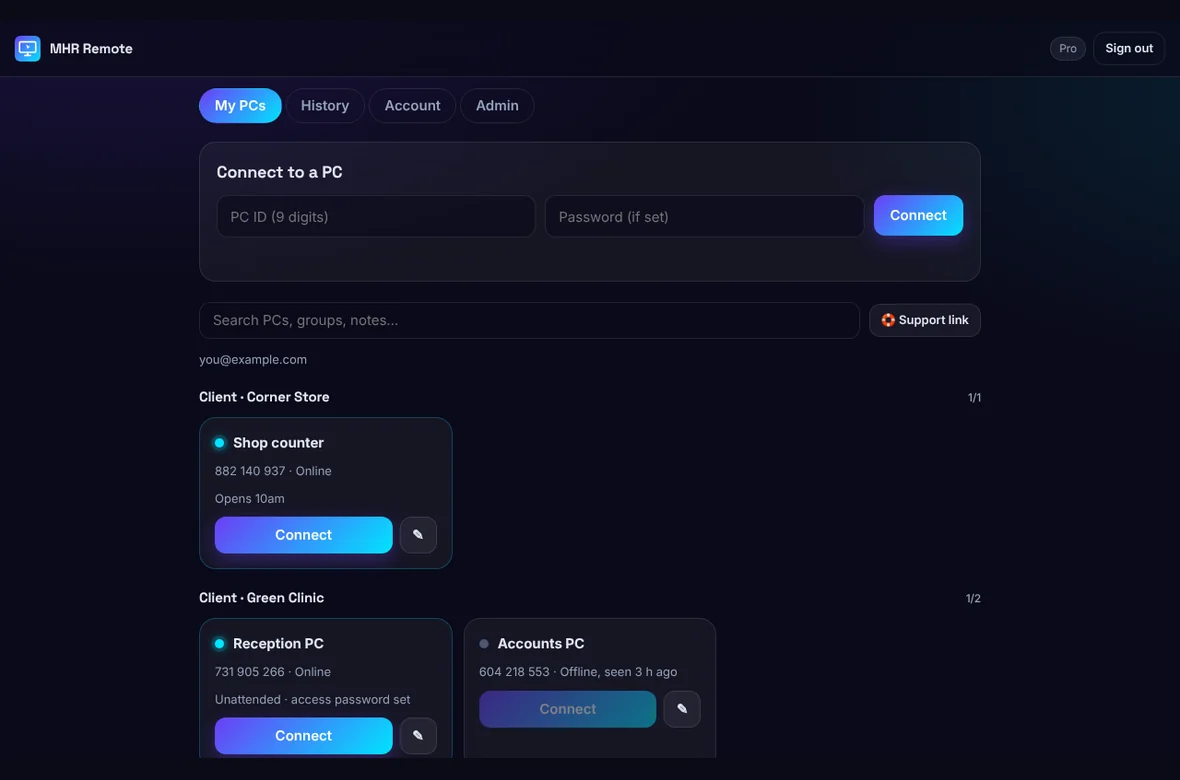
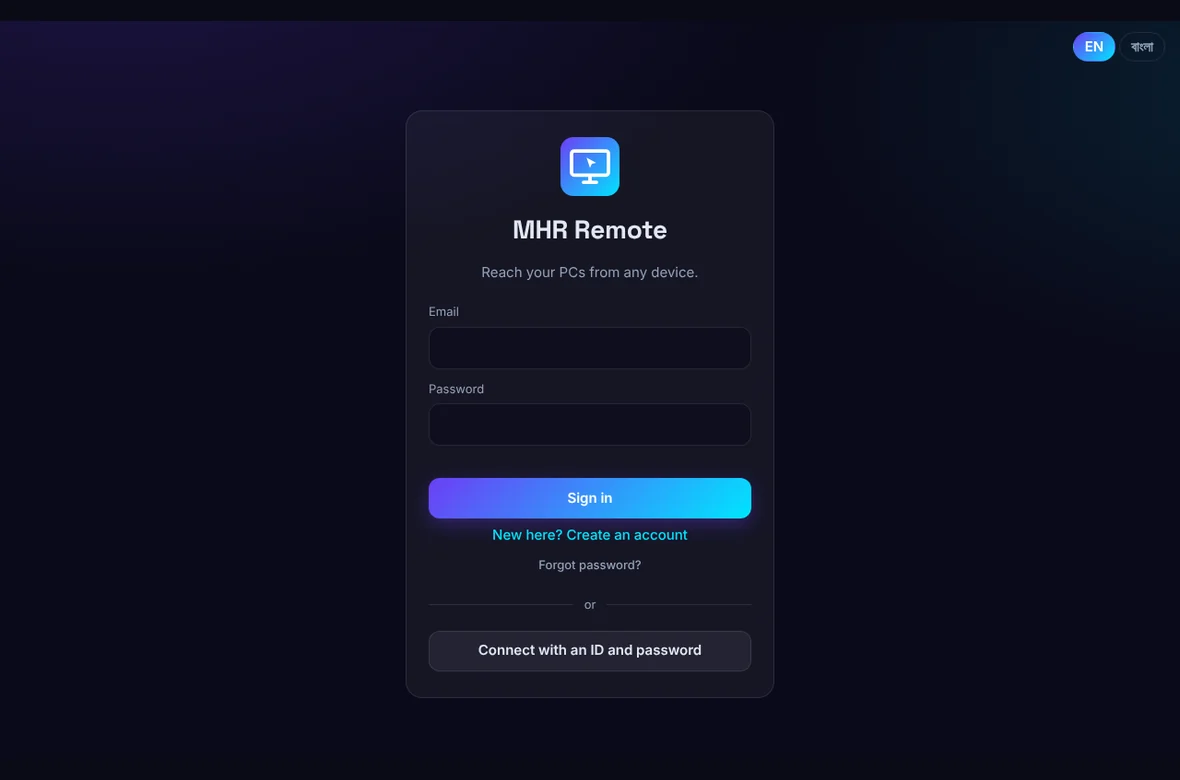
The real web app, shown with sample PCs.
- Works in any browser — nothing to install to connect
- Android app
- Unattended access to your own PCs
- Support links for clients
- Encrypted WebRTC connection
- English and বাংলা
Remote support that connects and is easy on a phone.
Built by an SEO consultant who helps clients and runs several PCs — wanting Chrome-Remote-Desktop-style reliability, real phone controls, and a price that works in Bangladesh.
Connect from any device
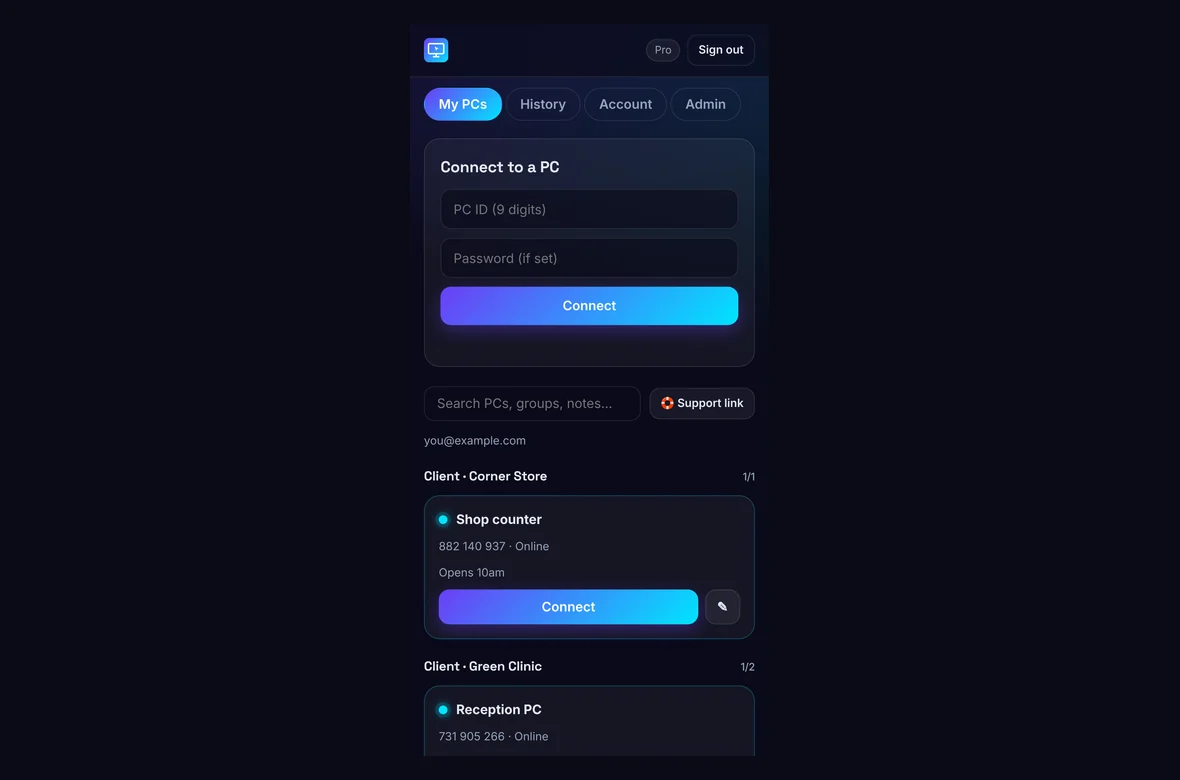
Open remote.mhrmasum.info on a PC, Mac, Chromebook, iPhone, iPad or Android phone — or use the Android app. Add the site to your home screen and it opens like an app.
Three ways in
Your own PCs connect through your account with no prompt. Others can use an access password, or the person at the PC clicks Allow or Deny.
Phone controls that work
Touch mode (tap where you want to click) or Trackpad mode, pinch to zoom, two-finger scroll, press-and-hold for right-click, and a real keyboard panel with Ctrl, Alt, Win, arrows and F-keys.
Chat, sound and files
Chat with the person at the PC, hear the PC’s sound, and send files both ways — from your phone to the PC and from the PC to your phone.
Support links for clients
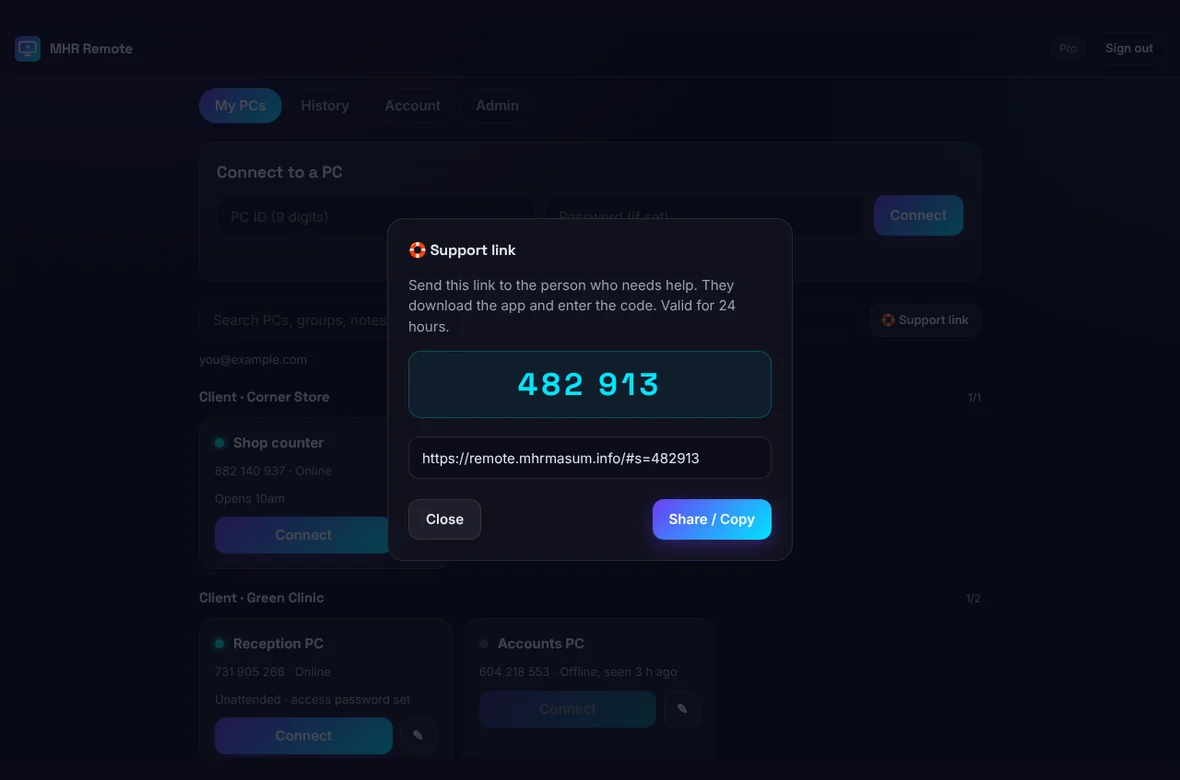
Send a client a link with a 6-digit code. They download the app, type the code and click Allow — and you’re on their screen.
Address book and history
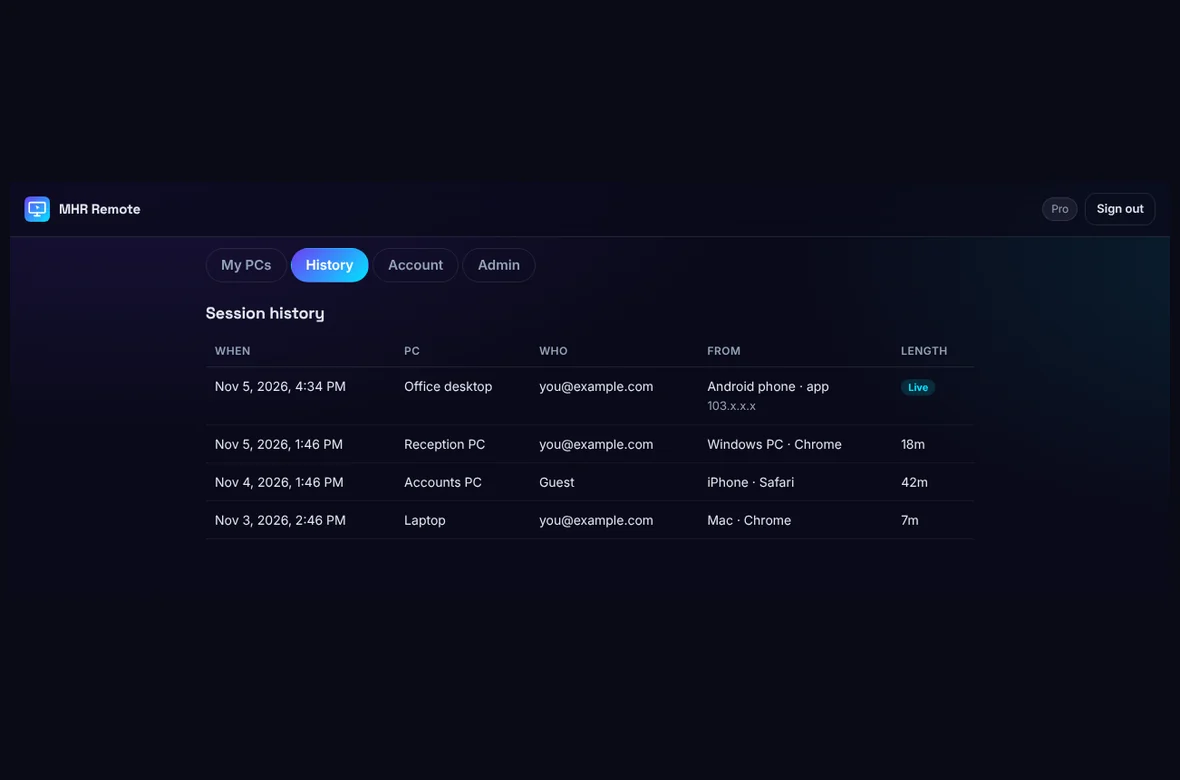
Group PCs by client, add notes, search, and see every session: who connected, from which device, when and for how long.
Always visible
While someone is connected, the PC shows a red bar with their name and device and a Disconnect button. No hidden mode.
Connects through tough networks
A direct encrypted connection when possible, and an automatic relay through our own server when a network blocks it.
Up and running in three steps.
- 1Install on the PC
Run MHR-Remote-Setup.exe on the Windows PC you want to reach. It gets a permanent 9-digit ID and starts with Windows.
- 2Add it to your account
Create an account on remote.mhrmasum.info, then click Add to my account in the PC app. That PC now appears under My PCs.
- 3Connect from anywhere
Open remote.mhrmasum.info or the Android app, sign in and tap Connect. No Allow prompt for your own PCs.
26 features in 4 groups.
Every plan includes every feature — plans differ only by the number of technicians.
Browser viewer for PC, Mac, Chromebook, iPhone, iPad and Android; add to home screen like an app.
Full-screen, keeps the screen on, Back button protection, a clear “No connection — Try again” screen, saves files from the PC to Downloads.
The web viewer and Android app load from our server, so improvements reach you without reinstalling.
Your account’s PCs connect without anyone at the PC.
Set a password in the PC app to connect without an Allow click.
Guests connecting with the ID are always asked first.
A link and 6-digit code for a client, valid for 24 hours.
Touch or Trackpad mode, pinch zoom, Fit, right-click by press-and-hold, drag, gesture guide.
A small ring shows where each click lands — blue for left-click, yellow for right-click.
Tap Ctrl, Alt, Shift or Win and it stays on for your next key — Ctrl then c copies.
Typing panel above your phone keyboard (autocorrect, voice and Bangla work), plus Ctrl, Alt, Shift, Win, Esc, Tab, arrows and F1–F12.
Task Manager, Lock PC, Alt+Tab and more from the Keys menu.
Switch monitors and quality.
Chat both ways; hear the PC’s sound.
Send files to the PC, and receive files from it.
Send clipboard text to the PC.
Groups (for example per client), notes, search and online status.
Who connected, from which device, when and for how long.
Change password; forgot-password by email.
English and বাংলা.
A 9-digit ID that stays the same.
Runs in the tray; closing the window doesn’t stop it.
After sleep or a network change.
Shows the viewer’s name and device, with Disconnect and chat.
New versions install themselves.
Optional Windows service: lock and sign-in screen, UAC prompts, admin windows and Ctrl+Alt+Del.
See it working.
Real screens from MHR Remote (demo data). Click to enlarge.
Facts from the app.
Counted from the app code and its tests — no made-up users, ratings or speed claims.
Made by MHRMasum (MD Harunur Rashid), an SEO consultant with 17+ years of hands-on work. MHR Remote v1.2.1. Runs on its own server at remote.mhrmasum.info.
The PC you control: Windows with the MHR Remote app · to connect from: any modern browser (PC, Mac, iPhone, iPad, Android) or the Android appThe tech behind MHR Remote.
A Windows host app, a small Windows service and a web app you open on any device — connected with WebRTC.
- Windows host
- Browser on any device
- WebRTC
- Electron + .NET service
Host app (Windows)
- ElectronThe app on the PC you want to reach.
- JavaScriptScreen sharing, input, chat, policies and the connection logic.
- WebRTCThe live screen and input stream — encrypted, direct when possible, relayed when not.
- WebSockets (ws)Signalling: how the two sides find each other.
- electron-updaterKeeps the host app up to date by itself.
- PowerShellA small helper for Windows input.
Windows service
- C# / .NET Framework 4MhrRemoteSvc, a Windows system service installed with the host app.
Web app (any device)
- JavaScriptThe viewer at remote.mhrmasum.info — no framework, one small script.
- WebRTCReceives the screen and sends your clicks and keys.
- Progressive Web AppCan be installed on a phone or PC like an app (web manifest + service worker).
Checked from the installed host app and the live web app on 6 Nov 2026. Curious how something works? Ask the developer.
Every feature on every plan — and a Free plan to start.
Prices in US dollars, with the Taka amount you send by bKash (৳125 per US dollar). Every plan includes every feature.
Starter · 1 technician
For one person- No session time limit
- Unlimited PCs to control
- Chat, sound and files
- Support links for clients
Pro · 5 technicians
For a small team- Everything in Starter
- Up to 5 technicians
- Unlimited PCs to control
- Updates included
Agency · unlimited
For IT teams and agencies- Everything in Pro
- Unlimited technicians
- Unlimited PCs to control
- For IT teams and agencies
Not ready to pay? The Free plan works with every feature, with sessions up to 30 minutes. Lifetime = 2 × the yearly price.
Pay with bKash, then send us the Transaction ID.
Your MHR Remote account is switched to your plan within 2 hours.
- Open the bKash app and choose Send MoneySend to 01841497987
- Amount: the price of your planChoose your plan in the form.
- Reference: your email addressThe email of your MHR Remote account
- Send us your payment detailsUse the form — or email info@mhrmasum.info with the Transaction ID, your email address and your plan.
- Your plan is switched onWithin 2 hours. We switch your MHR Remote account to the plan you paid for — sign in at remote.mhrmasum.info and connect.
If a plan ends, nothing is lost.
If you don’t renew, your account returns to the Free plan: everything still works, with sessions up to 30 minutes.
- Your PCs, IDs, groups, notes and session history
- Every feature, including chat, sound and files
- Sessions longer than 30 minutes
Why this split: You can always reach your PCs — a paid plan just removes the time limit.
Questions before you install
Straight answers from how the app actually works.
Not sure it fits your PC? Ask me directly — I built MHR Remote.
Do I need to install anything to connect?
+
Only on the PC you want to control. To connect, open remote.mhrmasum.info in any browser — on a PC, Mac, iPhone, iPad or Android — or use the Android app.
Do I have to click Allow every time?
+
Not for your own PCs. Add the PC to your account (Add to my account in the PC app), sign in on your phone and tap Connect — it connects straight away. Guests always need an Allow click or the access password.
Is there an iPhone app?
+
Not yet. On iPhone and iPad, open remote.mhrmasum.info in Safari and tap Share → Add to Home Screen; it opens full screen like an app.
Can I help a client who isn’t on my account?
+
Yes. Tap Support link and send them the link. They download the app, type the 6-digit code and click Allow.
Can it control the Windows lock screen or UAC prompts?
+
Yes, since version 1.2.1. Turn on “Sign-in screen control” in MHR Remote on the PC — Windows asks for admin rights once to install the small MHR Remote Service. Then you can see and use the lock and sign-in screen, answer UAC prompts, click in admin windows and send Ctrl+Alt+Del. Without it, you control the PC while someone is signed in.
What does the Free plan include?
+
Every feature, with sessions up to 30 minutes. Paid plans remove the time limit.
Windows says “Windows protected your PC” — is that normal?
+
Yes, for now. The installer isn’t code-signed yet, so Windows SmartScreen shows a warning. Click More info, then Run anyway.
How do I pay, and when is my plan active?
+
Pay with bKash Send Money to 01841497987, then send us the Transaction ID with the form on this page (or email info@mhrmasum.info). Your MHR Remote account is switched to your plan within 2 hours. There are no automatic card charges — renew with bKash when you want to.
What’s a technician?
+
A person who connects to PCs with your plan. Starter is for one person; Pro covers 5; Agency has no limit. The number of PCs you control isn’t limited.
How do I get my plan after paying?
+
Create your free account on remote.mhrmasum.info first, then pay with bKash and send the Transaction ID with the same email. We switch that account to your plan.
Is there a free trial?
+
You don’t need one: the Free plan has every feature, with sessions up to 30 minutes, for as long as you like.
Release timeline
The PC app updates itself — your ID and settings are kept.
Sign-in screen control: the optional MHR Remote Service lets you use the lock and sign-in screen, UAC prompts and admin windows, and send Ctrl+Alt+Del.
New design, English / বাংলা, groups and notes, history, account and password reset, support links, chat, PC sound, files both ways, the viewer’s name and device on the PC, auto-update, Android app 1.1.
Phone controls rebuilt: Touch and Trackpad modes, typing panel, key row; viewer name on the controlled-by bar; stable PC ID.
First release: Windows app with a 9-digit ID, browser viewer for every device, account, access password and Allow prompt, own relay server, Android app.
Reach your PCs from anywhere.
From $9/year. Free plan with 30-minute sessions · paid plans from bKash · plan active within 2 hours.
More MHR software: all products · free plugins · MHR LumeRank SEO