← Products / MHR Image Optimizer Pro
v3.2.1WordPress plugin · image optimization · by MHRMasumMHR Image Optimizer Pro Smaller images, WebP and AVIF, and every original kept safe.
MHR Image Optimizer Pro compresses your Media Library and even the images your theme loads from outside it, keeps the original as a backup, and serves WebP or AVIF to browsers that support them. Logos, icons, small images and WooCommerce images are protected by default, and any image can be restored with one click.
From $28/year · Key within 2 hours · Pay with bKash
Illustration of the Media Library status column
- 7-day free trial
- Staging sites never use a license
- Runs on your server — no outside API
- Original backed up before every change
- Original image URLs keep working
- WordPress 5.8+ · PHP 7.4+
Image optimization that runs on your own server.
No per-image credits and no outside service — plus a full image SEO and audit toolkit, built by an SEO consultant with 14+ years of hands-on work.
Your images never leave your server
All compression and conversion runs inside PHP with GD or Imagick. There is no outside optimization API, no per-image credits and no shell tools.
Every original is kept, restore is one click
Backups are on by default. Restore one image from the Media Library row action, or use Restore All. Emergency repair and image reference repair fix broken URLs after a change.
WebP and AVIF without changing your URLs
URL-safe mode keeps the original file in place. Images are wrapped in a <picture> tag with WebP/AVIF sources, so old links, sitemaps and other plugins keep pointing at the same files.
Protection rules that avoid the usual damage
Logos, icons, favicons, site icons, badges, QR codes and signatures are skipped by keyword. Images under 300 × 300 px or 15 KB are skipped. WooCommerce images are protected. A copy that comes out larger than the original is not used.
Images outside the Media Library too
Hosting Root Images scans your WordPress root (or folders you choose) for theme and hard-coded images, optimizes them with backups, and can deliver their modern-format copies.
An image SEO and audit toolkit
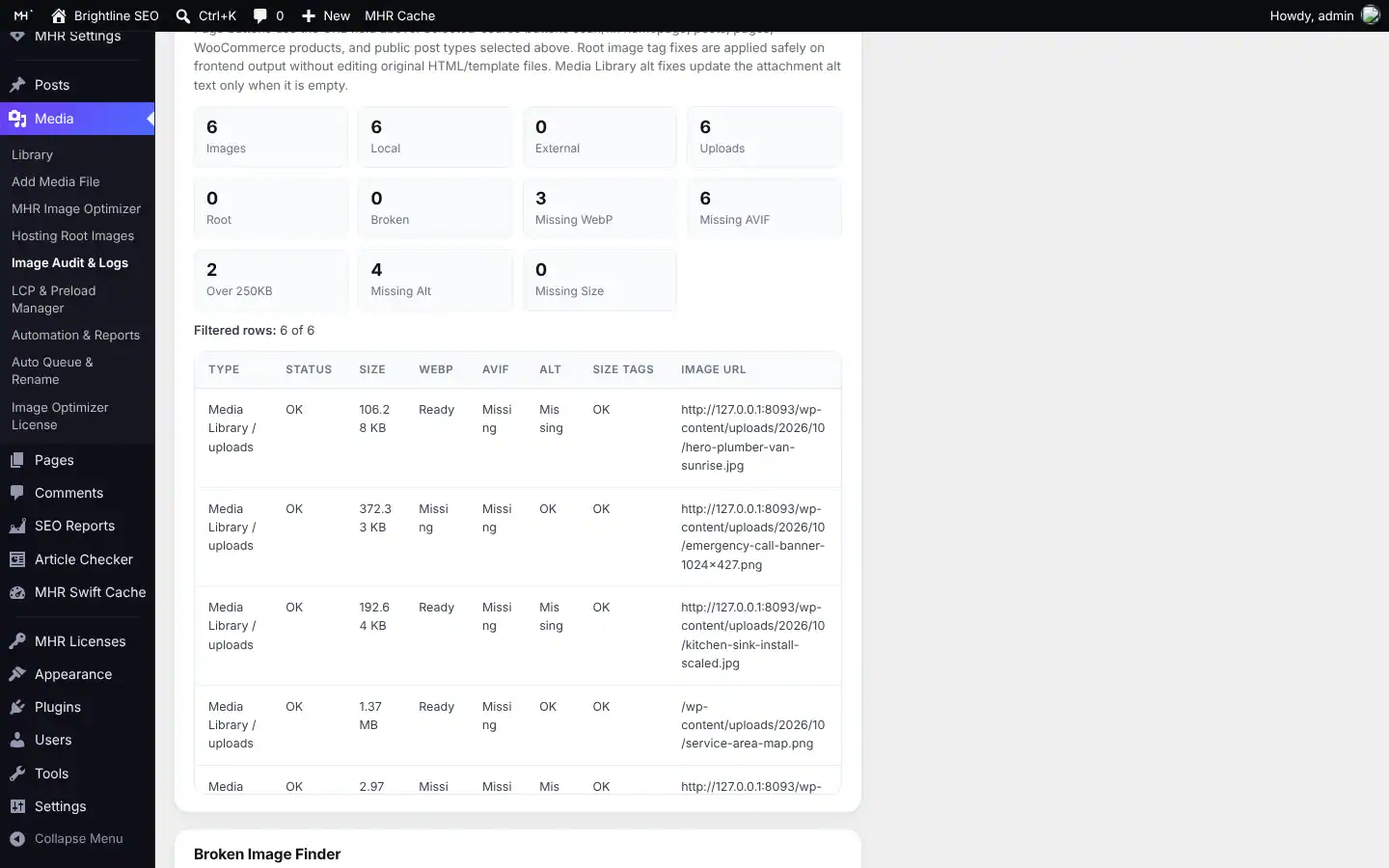
Page and whole-site image scans, broken image finder, missing-alt fixer with templates, LCP image preload, scheduled scan and fix, CSV exports and a report.
Up and running in three steps.
- 1Check your server
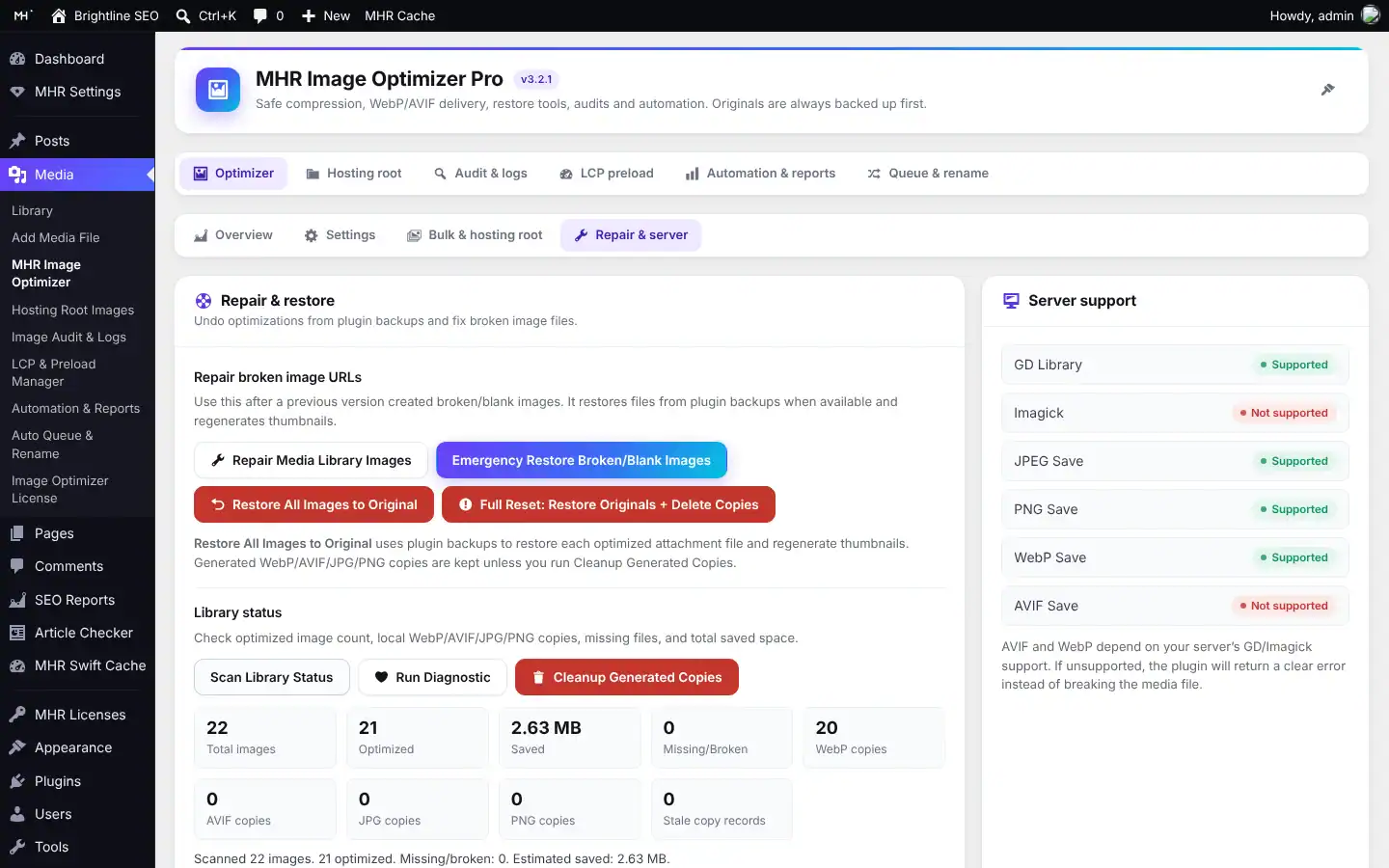
The Repair & server tab shows GD, Imagick and WebP/AVIF save support.
- 2Optimize the library
Run the bulk optimizer — the original is backed up first, and protected images are skipped.
- 3Serve modern formats
WebP/AVIF copies are served through a <picture> tag, so your image URLs stay the same.
30 features in 6 groups.
Every plan includes every feature — plans differ only by the number of live sites.
Shrinks JPG, PNG, WebP and AVIF files; keep the same format (default) or convert.
JPEG 78, WebP 78, AVIF 55, PNG compression 8 by default, all adjustable.
Scales down images wider than a set width (default 2560 px; 0 turns it off).
Run the whole library, or background batches on a schedule (off by default).
A copy is used only if it saves at least the minimum percentage and is not larger than the original.
Images over 80 megapixels are skipped instead of crashing the request.
Created next to the original (WebP on by default).
Serves AVIF or WebP to browsers that support them; existing <picture> tags are left alone.
Adds lazy loading, decoding="async" and missing width/height.
The first images skip lazy loading and get fetchpriority="high".
Finds missing WebP/AVIF copies on visited pages and builds them in the background.
The original is saved before every change (on by default).
The original file is never deleted after conversion, so links keep working.
Elementor, site icon and WooCommerce upload folders by default.
No automatic replacements or fixes unless you start them.
Authors can only optimize or restore images they can edit; site-wide tools are for administrators.
Optimized, percentage saved, format, “Backup available”, or why an image was skipped.
Optimize image, Restore original, Repair URL.
Find, optimize (with backups) and deliver images outside the Media Library.
Checks images on the homepage, posts, pages, WooCommerce products and other public post types.
Generate missing WebP/AVIF, optimize oversized images, fix missing dimensions and alt text.
Lists images that fail to load.
Preloads the featured image, the logo and URLs you add, with fetchpriority.
Weekly when turned on, with “new or updated only” and an optional admin email.
Builds alt text from titles, file names or a template — rule based, not AI.
Preview, then rename with metadata, post content and Elementor URL updates.
On Apache and LiteSpeed, an old URL of a renamed file is 301-redirected to the new one.
Restore All originals, Emergency repair, Cleanup generated copies, Full Reset (type RESET).
Shows GD, Imagick and JPEG/PNG/WebP/AVIF save support.
Download settings as a .json file and import it on another site.
See it inside WordPress.
Real screens from MHR Image Optimizer Pro (demo data). Click to enlarge.
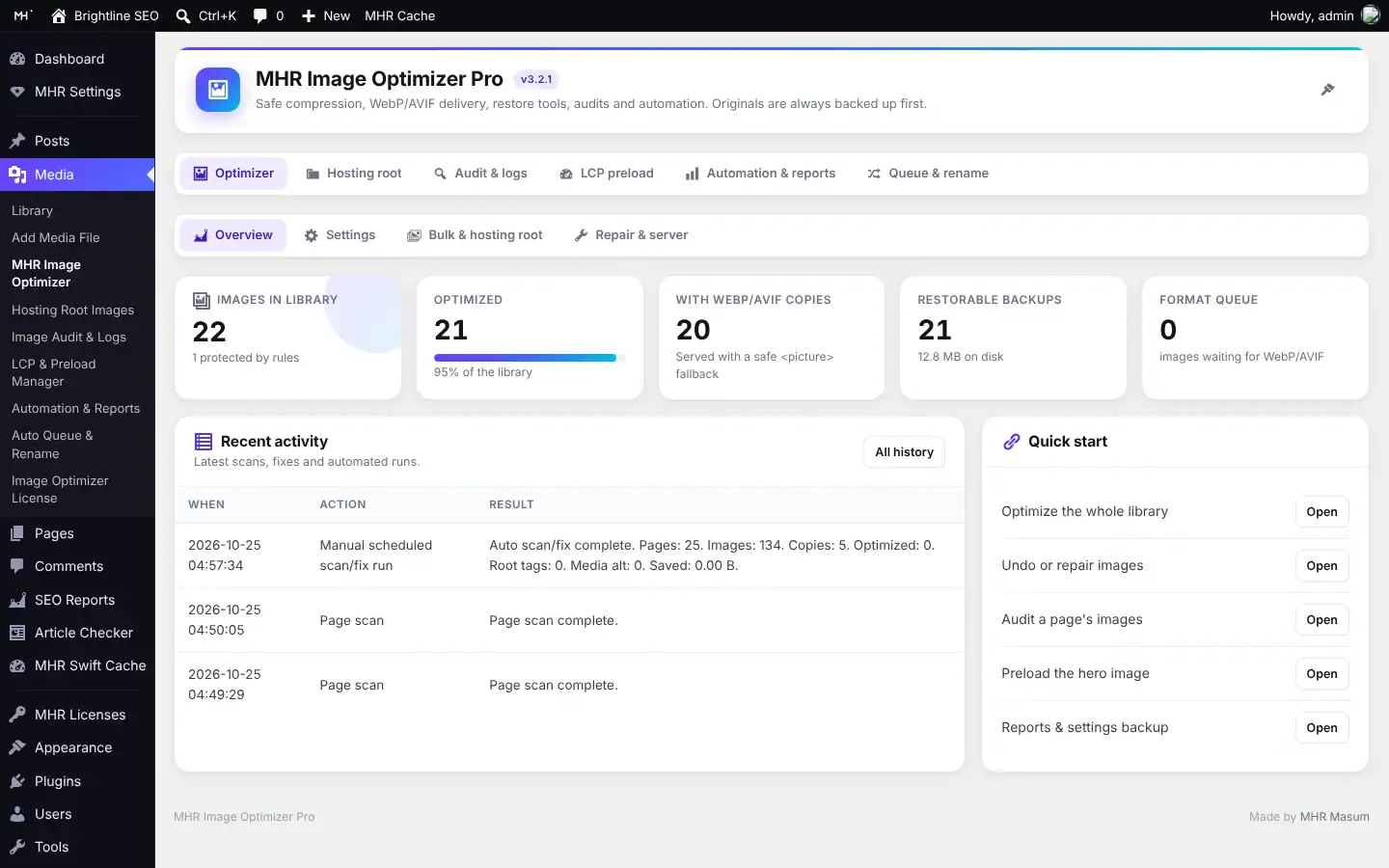
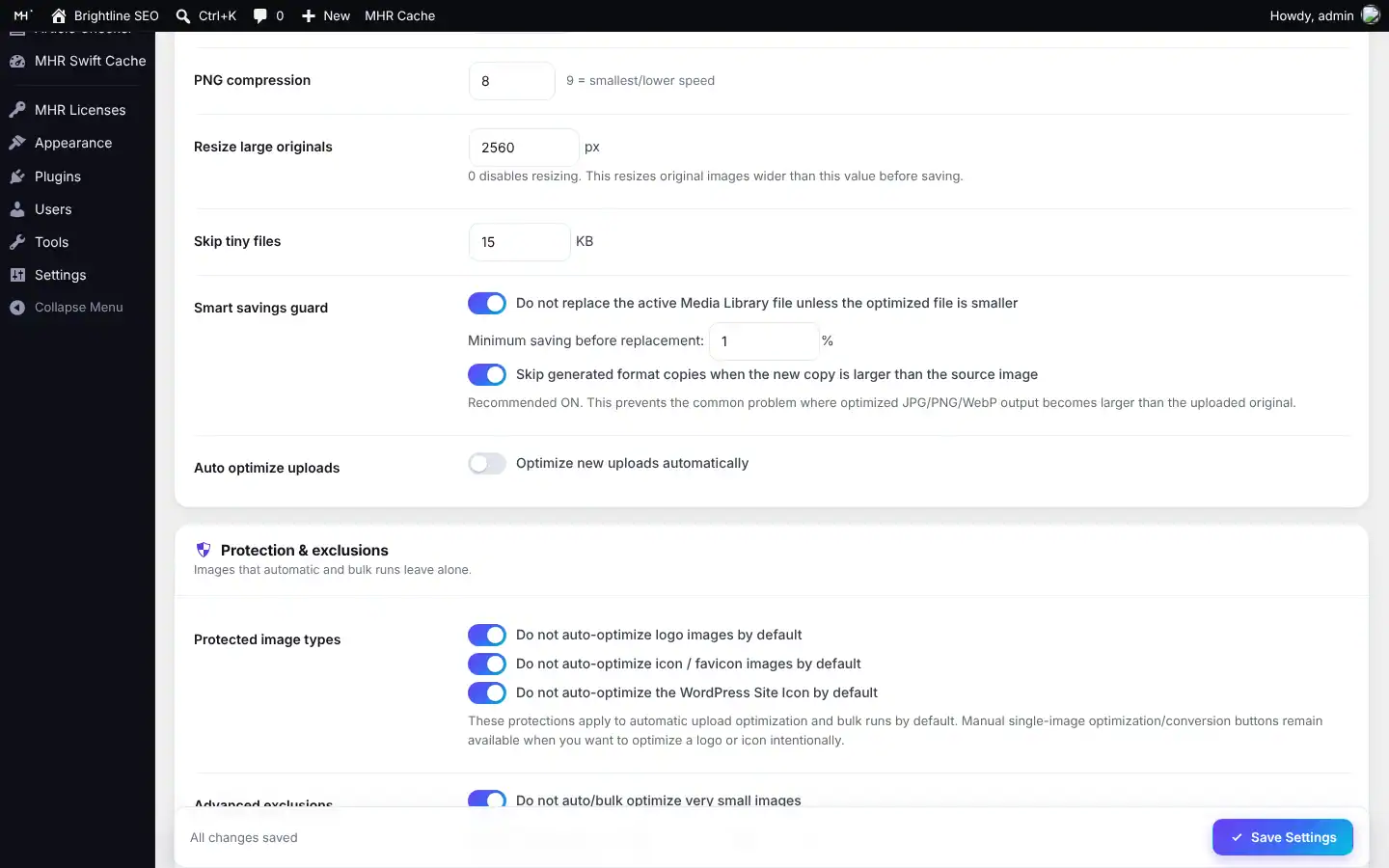
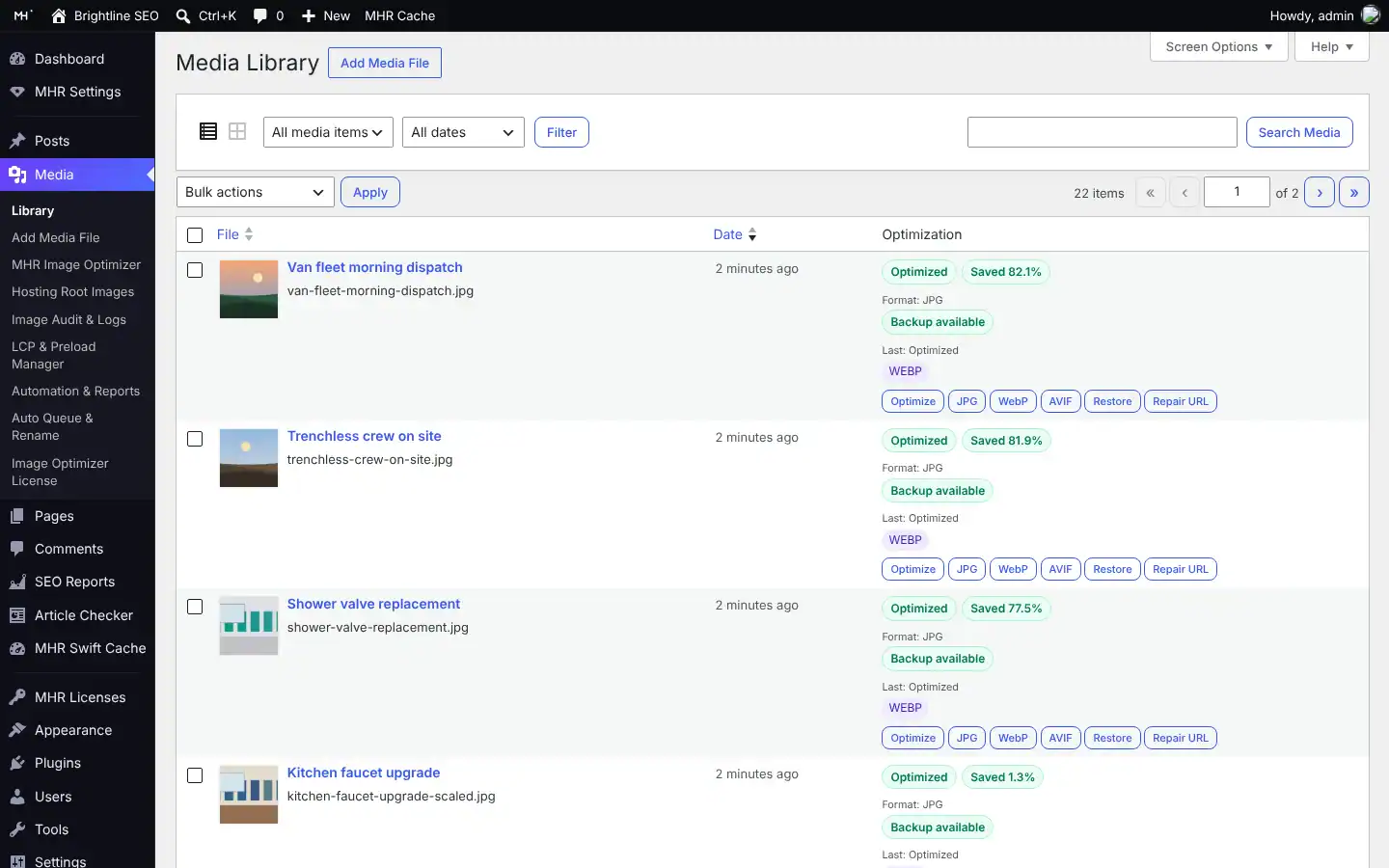
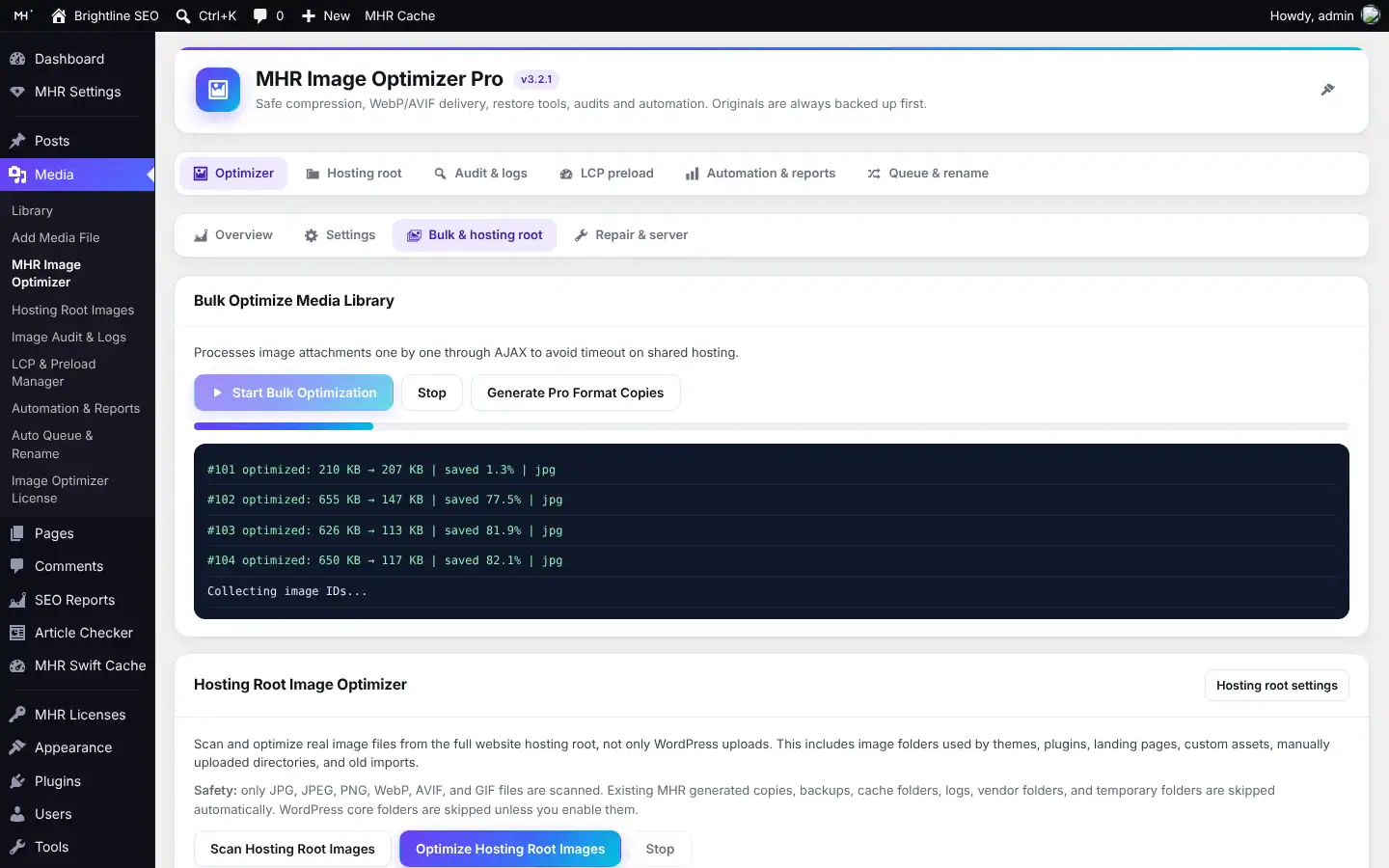
Facts from the code.
Counted from the plugin code — no made-up users, ratings or speed claims.
Made by MHRMasum (MD Harunur Rashid), an SEO consultant with 14+ years of hands-on work. MHR Image Optimizer Pro v3.2.1.
WordPress 5.8+ · PHP 7.4+ · GD or ImagickOne key per plan. Staging is always free.
Prices in US dollars, with the Taka amount you send by bKash (৳125 per US dollar). Every plan includes every feature.
1 site
For one website- Every feature
- Updates while your key is active
- Staging, local & dev sites free
- 7-day free trial
5 sites
For freelancers & small agencies- Everything in 1 site
- One key on up to 5 live sites
- Staging, local & dev sites free
- 7-day free trial
Unlimited sites
For agencies- Everything in 5 sites
- Unlimited live sites
- Staging, local & dev sites free
- 7-day free trial
Staging, local and dev sites never use a license. 7-day free trial, tracked per website. Lifetime = 2 × the yearly price.
Pay with bKash, then send us the Transaction ID.
Your license key and the plugin download arrive by email within 2 hours. Trying it first? Pick “Free 7-day trial” — no payment needed.
- Open the bKash app and choose Send MoneySend to 01841497987
- Amount: the price of your planChoose your plan in the form.
- Reference: your website addressFor example example.com
- Send us your payment detailsUse the form — or email info@mhrmasum.info with the Transaction ID, your email address and your website.
- Get your key by emailWithin 2 hours. Install the plugin, paste the key on its License screen, done.
Your site keeps working. Nothing is deleted.
We’ll email you a renewal link before your plan ends. If you don’t renew, the plugin locks a few days after the end date. Your settings are kept, and paying again unlocks everything.
- Optimized images stay optimized and WebP/AVIF copies stay on disk
- Front-end WebP/AVIF delivery keeps serving them
- Preload links keep working
- “Restore original” in the Media Library always stays available
- Optimize on upload, bulk and scheduled jobs
- The auto modern-format queue
- The admin tools (behind a renew panel)
Why this split: You must always be able to undo changes to your own media — locking restore would hold your images hostage.
Questions before you install
Straight answers from how the plugin actually works.
Not sure it fits your site? Ask me directly — I built MHR Image Optimizer Pro.
Does it upload my images to an outside server?
+
No. Everything runs on your own hosting with GD or Imagick. There is no outside API and no credit system.
Can I undo an optimization?
+
Yes, if backups are on (the default). Use “Restore original” on any image in the Media Library, or Restore All from the Repair & server tab.
Will my image URLs change?
+
Not with URL-safe mode, which is on by default. The original file stays at its URL and WebP/AVIF copies are added next to it and served through a <picture> tag. URLs change only if you use the Rename Manager on purpose.
Will it ruin my logo or icons?
+
Logos, icons, favicons and site icons are skipped by default, along with images matching protected keywords and images under 300 × 300 px or 15 KB. You can edit these rules.
Does my server support WebP and AVIF?
+
It depends on your host’s GD or Imagick build. The Repair & server tab runs a diagnostic, and the Overview tab warns you if WebP is not available. Without it, same-format compression still works.
Is it safe for WooCommerce and Elementor?
+
WooCommerce product and category images are protected by default, and Elementor upload folders are excluded. Image reference repair and rename update Elementor data as well as post content. Test on staging first, as with any image change.
What are “Hosting Root Images”?
+
Images that live outside the Media Library, for example in your theme or a custom folder. The plugin can scan them, optimize them with a backup and serve modern-format copies. This tool is off until you turn it on.
How is MHR Image Optimizer Pro different from ShortPixel or Imagify?
+
Those are well-known image optimizers. MHR Image Optimizer Pro processes every image on your own server with a yearly or lifetime license, so there are no per-image credits. It keeps originals, serves WebP/AVIF through <picture> without changing URLs, and adds site-wide image audits, a hosting-root image optimizer, an alt text generator, LCP preload and a rename manager in the same plugin. Compression results depend on your server’s GD or Imagick, so compare on staging.
Does the alt text generator use AI?
+
No. It builds alt text from the attachment title, file name, post or product title, or a template you write. It does not describe the picture.
What happens when my license ends?
+
Your images stay optimized and your WebP/AVIF copies keep being served. Nothing is deleted. Optimizing and the admin tools lock until you renew, and you can still restore originals from the Media Library. Renewing unlocks everything at once.
What happens if I uninstall it?
+
Scheduled tasks are cleared. Settings and logs are removed only if you turned on “Delete data on uninstall”. Image files, backups and copies are never deleted.
How do I pay, and when do I get my key?
+
Pay with bKash Send Money to 01841497987, then send us the Transaction ID with the form on this page (or email info@mhrmasum.info). Your license key and the plugin download arrive by email within 2 hours. A renewal reminder is emailed 5 days before your plan ends — there are no automatic card charges.
How do I try it before buying?
+
Choose “Free 7-day trial” in the form on this page — no payment needed. The trial has every feature, is tracked per website, and reinstalling the plugin does not restart it.
Does a staging site use one of my sites?
+
No. Staging, local and dev sites are free and never use a site slot.
Release timeline
Every update arrives in Dashboard → Updates while your key is active.
Licensing: 7-day trial, license key and automatic updates from mhrmasum.info; License screen under Media → Image Optimizer License.
New admin design on all six screens; Overview tab with library stats; settings export/import; 301 redirects for renamed images; per-image permission checks; AVIF detection on more PHP builds; EXIF orientation kept.
Safer upgrade defaults; risky root optimization and auto-generation kept opt-in; Elementor/theme safe mode.
Frontend Auto Modern Format Queue; Safe Image Rename Manager.
Auto Scheduled Scan & Fix, Image SEO Alt Generator, image reference repair, reports.
Image Audit & Logs, page scanner, broken image finder, LCP & Image Preload Manager, missing alt fixer, CSV exports.
Lighter images today, the originals kept forever.
From $28/year. 7-day free trial, staging sites free, key within 2 hours.
More MHR plugins: all products · free plugins · MHR LumeRank SEO