← Products / Universal SEO Reports
v1.8.1WordPress plugin · client SEO reporting · by MHRMasumUniversal SEO Reports – GA4, GSC & GBP One live SEO report per client — clear, monthly, done for you.
Universal SEO Reports turns GA4, Google Search Console and Google Business Profile data into a branded report page for every client — month by month, with wins and next steps written in.
From $24/year · Key within 2 hours · Pay with bKash
Illustration of a client report — no real data
- 7-day free trial
- Staging sites never use a license
- Read-only Google access
- Reports live on your domain
- WordPress 6.0+
Client reporting that lives on your domain.
Built by an SEO consultant who reports to clients every month — 17+ years of hands-on SEO turned into one reporting plugin.
Your domain, your brand
Reports are WordPress pages at /report/<slug>/. Each project has its own client logo and accent colour, and the report header uses your site logo. Design the page in Gutenberg or Elementor and drop in [usr_report_post].
One Google login for all clients
Connect once with Google OAuth. Each project then needs only a GA4 property ID and a Search Console property (URL or sc-domain:).
Month by month, not just “last 30 days”
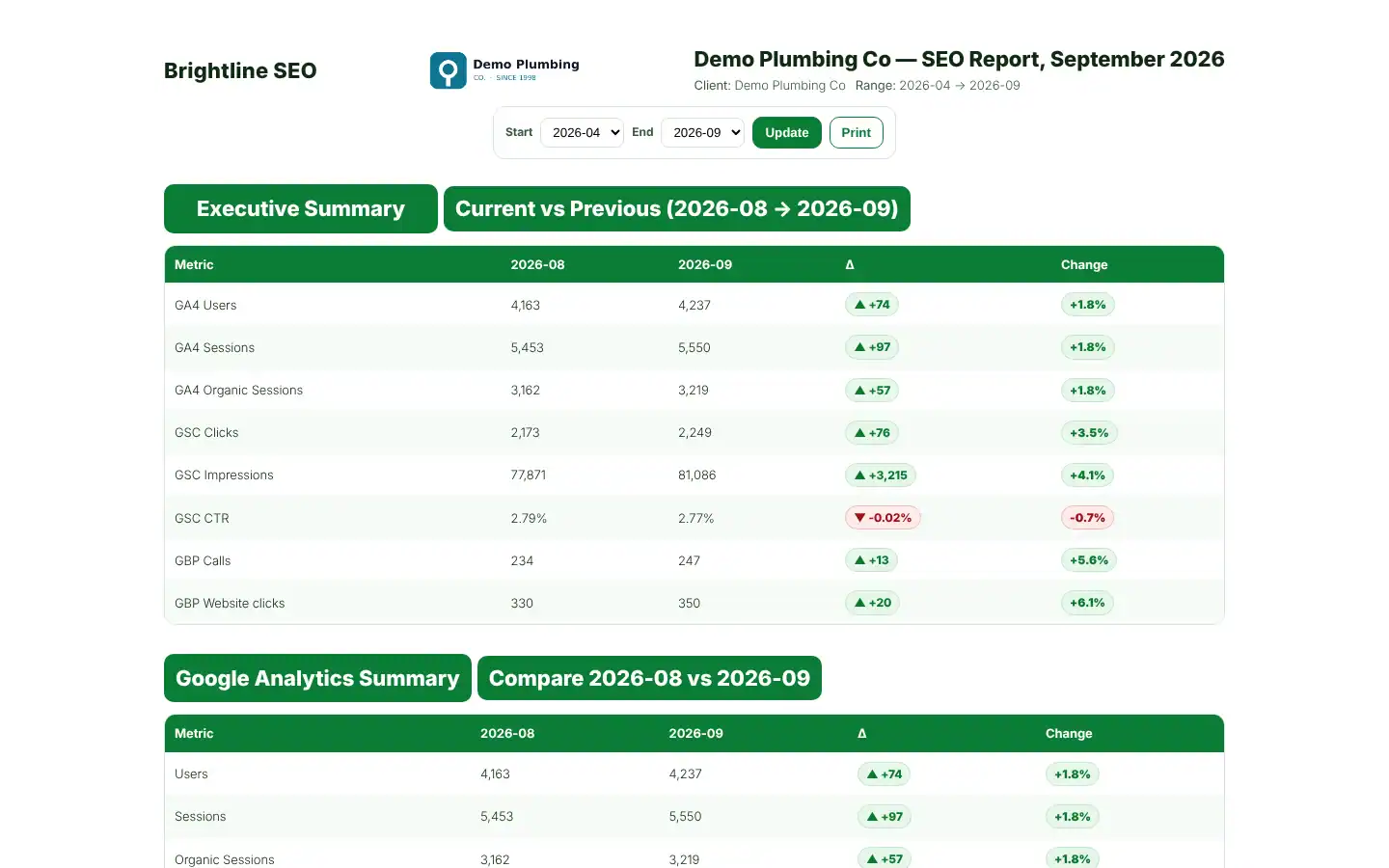
Numbers are stored per month, so a report can show any range of synced months. Every key metric shows previous vs current, the change and the percentage.
Wins and suggestions written for you
The report lists SEO wins and suggestions from the numbers: clicks or organic sessions up or down by 15% or more, organic traffic up while key events fall, GBP calls up or down.
Query and page insight clients understand
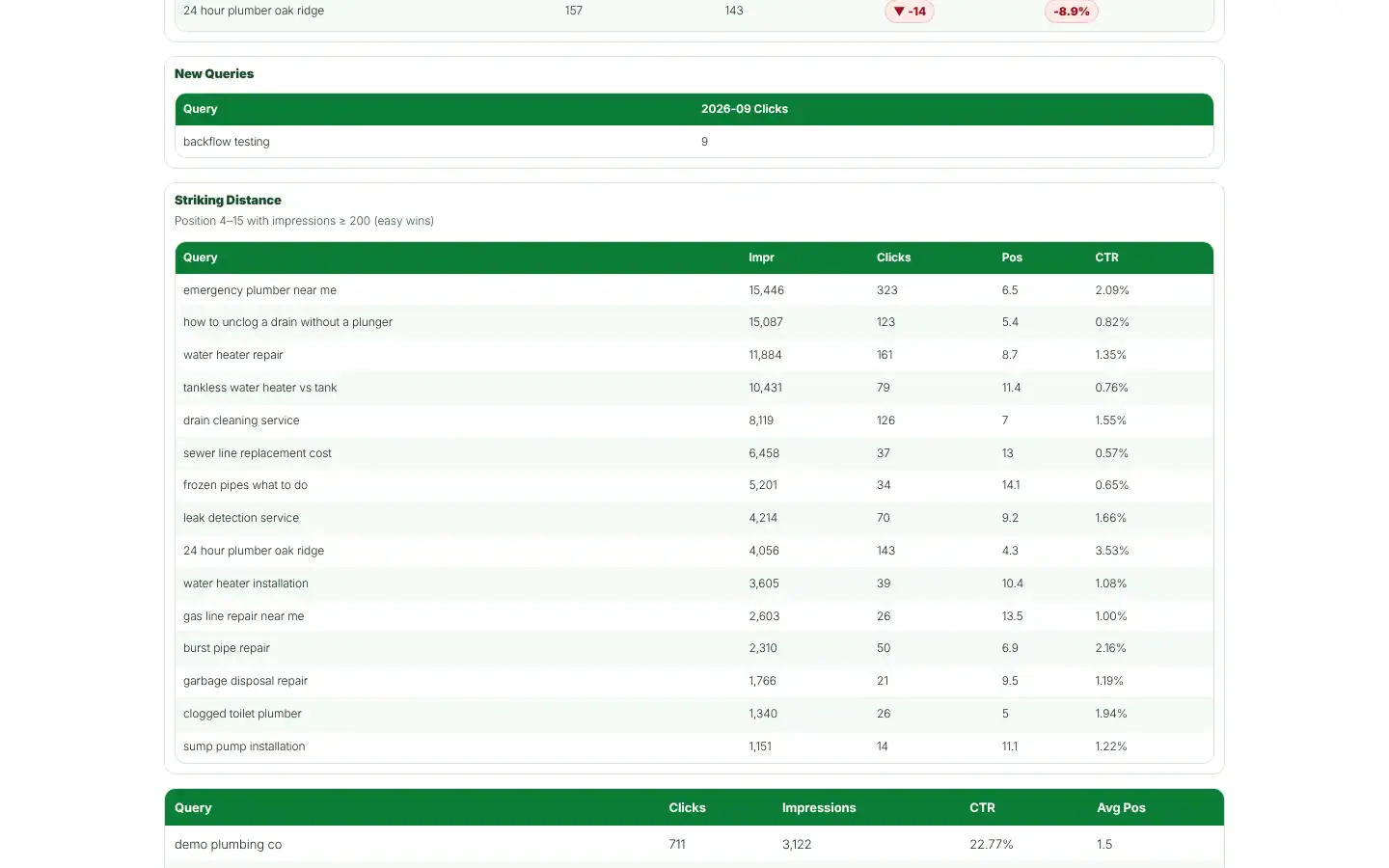
Top pages and top queries, winners and losers month over month, new pages, new queries, and striking-distance queries (position 4 to 15 with 200+ impressions).
You control who sees each report
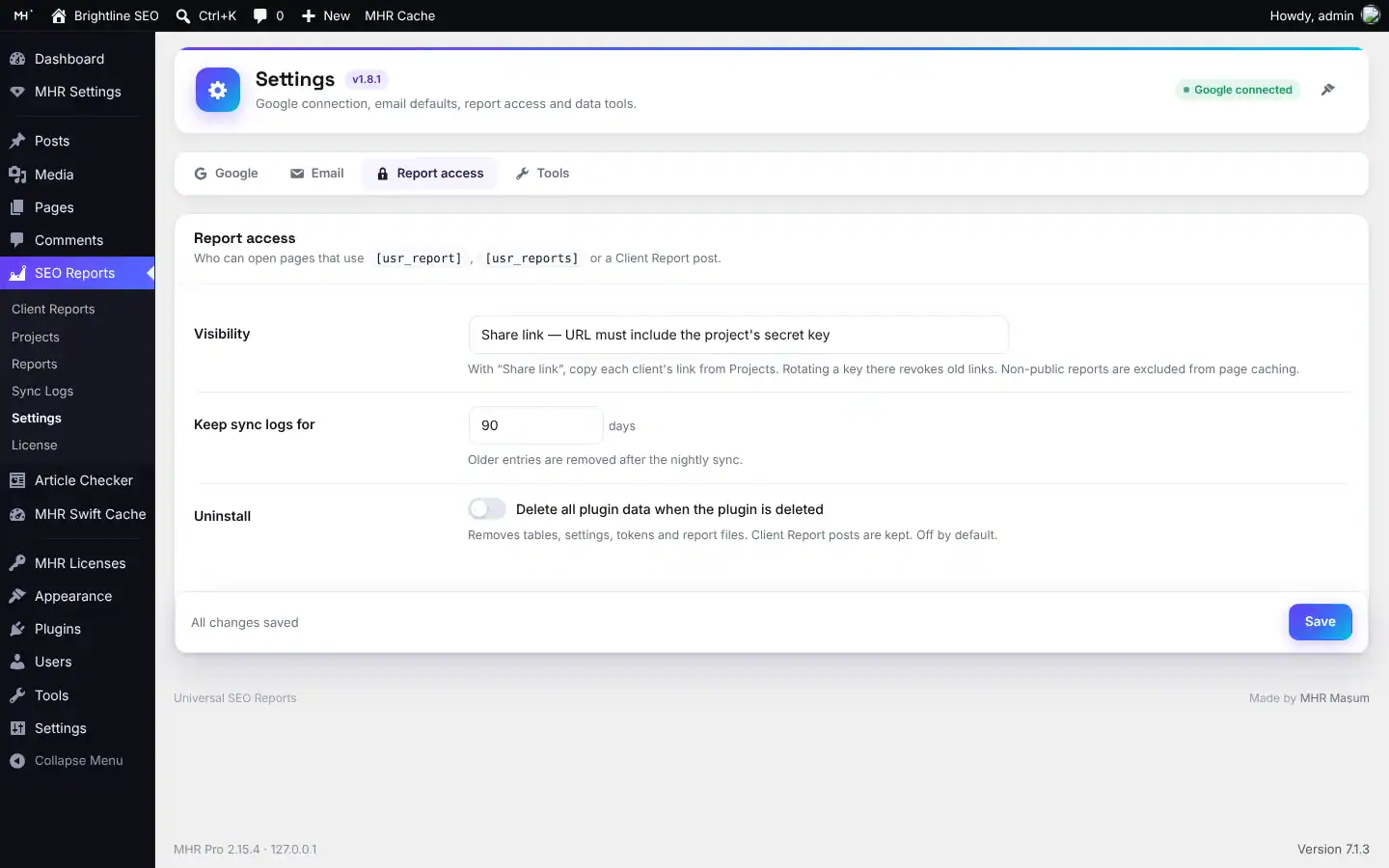
Choose Public, Share link (a secret key per project; rotate it to cancel old links) or Admins only. Non-public reports tell page caches not to store them.
Up and running in three steps.
- 1Connect Google
Create an OAuth client in Google Cloud, paste the Client ID and Secret, and click Connect with Google. One login covers every client.
- 2Add a project
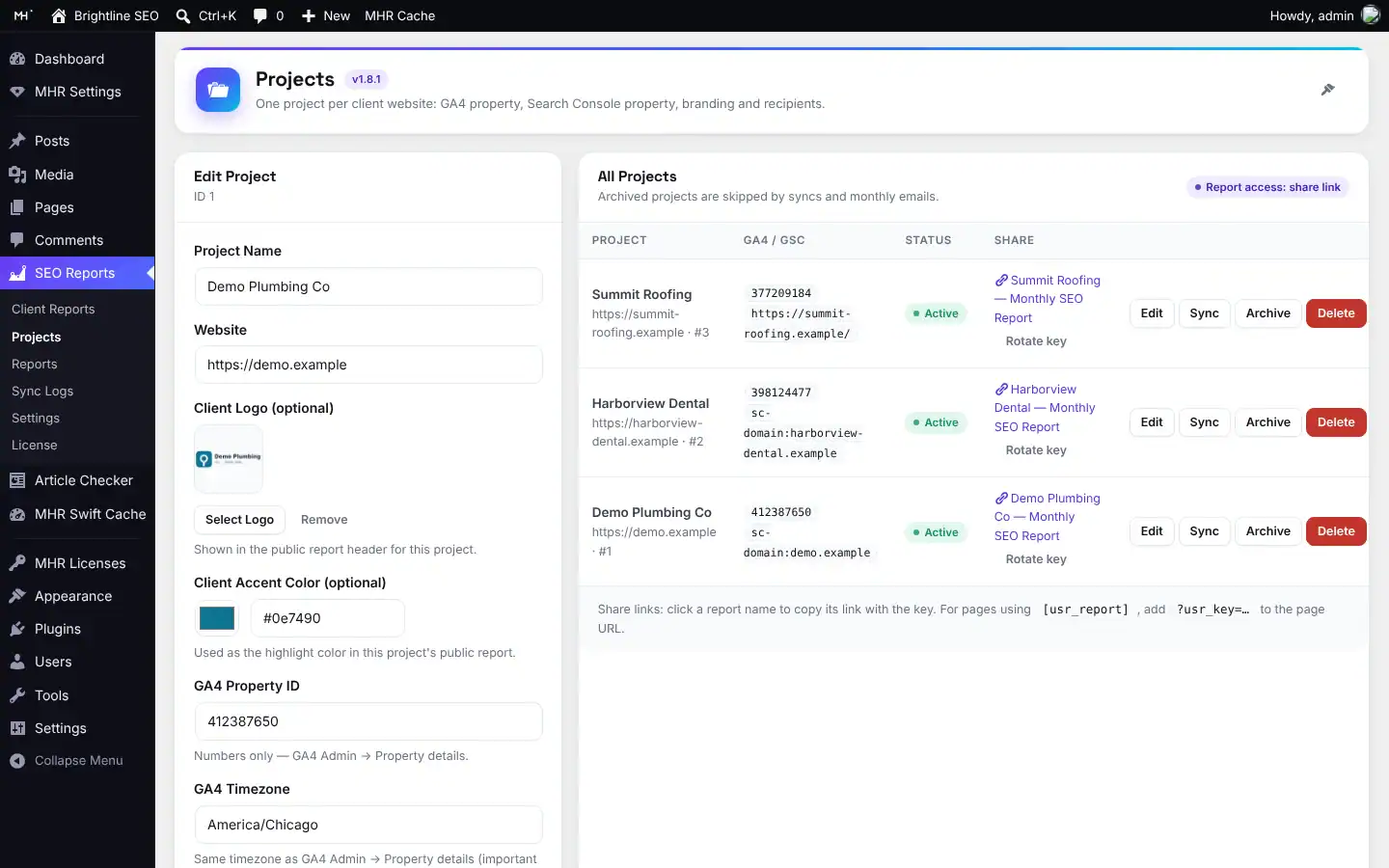
One project per client: GA4 property ID, Search Console property, client logo and accent colour.
- 3Share the link
Choose Public, Share link or Admins only, then send the report link or let the monthly email go out.
Full setup guide (about 15 minutes)
- Install and activate
Upload the plugin zip and activate it. The 7-day trial starts on its own; add a key later under SEO Reports → License.
- Create a Google Cloud project
At console.cloud.google.com create a project, then in APIs & Services → Library enable the Google Analytics Data API and the Google Search Console API. Nothing else is needed.
- Set up the consent screen
In Google Auth Platform choose External, name the app, and add the read-only scopes analytics.readonly and webmasters.readonly. Click Publish app: in Testing mode Google ends the connection after 7 days.
- Create the OAuth client
Credentials → Create credentials → OAuth client ID → Web application. Paste the redirect address shown in SEO Reports → Settings (it has a Copy button), then copy the Client ID and Client Secret.
- Connect in WordPress
Paste the Client ID and Secret in SEO Reports → Settings, save, and click Connect Google account with the Gmail that can see your clients' properties. Set report Visibility to Share link.
- Check Google access
That Gmail needs Viewer (or higher) on each client's GA4 property and Owner or Full user on each Search Console property.
- Add a project per client
Name, website, optional logo and colour, GA4 property ID (numbers only), the GA4 timezone exactly as GA4 shows it, the Search Console property (sc-domain:example.com recommended) and report recipients.
- Run the first sync
Click Run Sync Now on the SEO Reports dashboard and check Sync Logs. After that it syncs every night. Google Business Profile numbers are entered by hand under Reports → GBP (Manual).
- Share the report
Copy the client's share link from Projects and send it, or let the monthly email go out. Rotate key cancels old links.
- redirect_uri_mismatch
- The redirect address in Google must match the one in Settings exactly (https, www, no extra slash).
- Sync stops after a week
- The Google app is still in Testing. Publish it and connect again.
- GA4 shows 0
- Check the property ID, the Gmail's access and the timezone.
- Search Console data missing
- Use sc-domain:example.com for a domain property, or the exact https://…/ address for a URL-prefix property.
46 features in 7 groups.
Every plan includes every feature — plans differ only by the number of live sites.
Current month against the previous one for users, sessions, organic sessions, clicks, impressions and CTR — with the change shown clearly.
GA4 and Search Console side by side for any date range you choose.
Winners, losers and new pages and queries every month, so you see what moved.
Queries in positions 4–15 with real impressions — the easiest wins for next month.
Plain-English wins and next steps generated from the numbers.
Where visitors come from, month against month.
Monthly GBP numbers added to the same report.
CSV exports for GA4, GSC, top pages and top queries, and a print-ready layout.
One OAuth login from Settings → Google covers every client project; disconnect any time.
Only the Analytics and Search Console read scopes are requested.
The Client Secret is never shown again in the page; leave the field blank to keep the stored one.
GA4 months are built in each property’s own timezone, set per project.
Project name, website, client logo and accent colour for the report.
GA4 property ID, GA4 timezone and Search Console property (URL or domain property).
Report email addresses per project, checked as valid emails.
Archived projects are skipped by syncs and monthly emails, and come back with one click.
Deleting a project asks you to type DELETE.
Copy the private link for each Client Report post, or rotate the key to cancel old links.
WP-Cron updates every active project around 02:30 site time.
Update on demand from the admin.
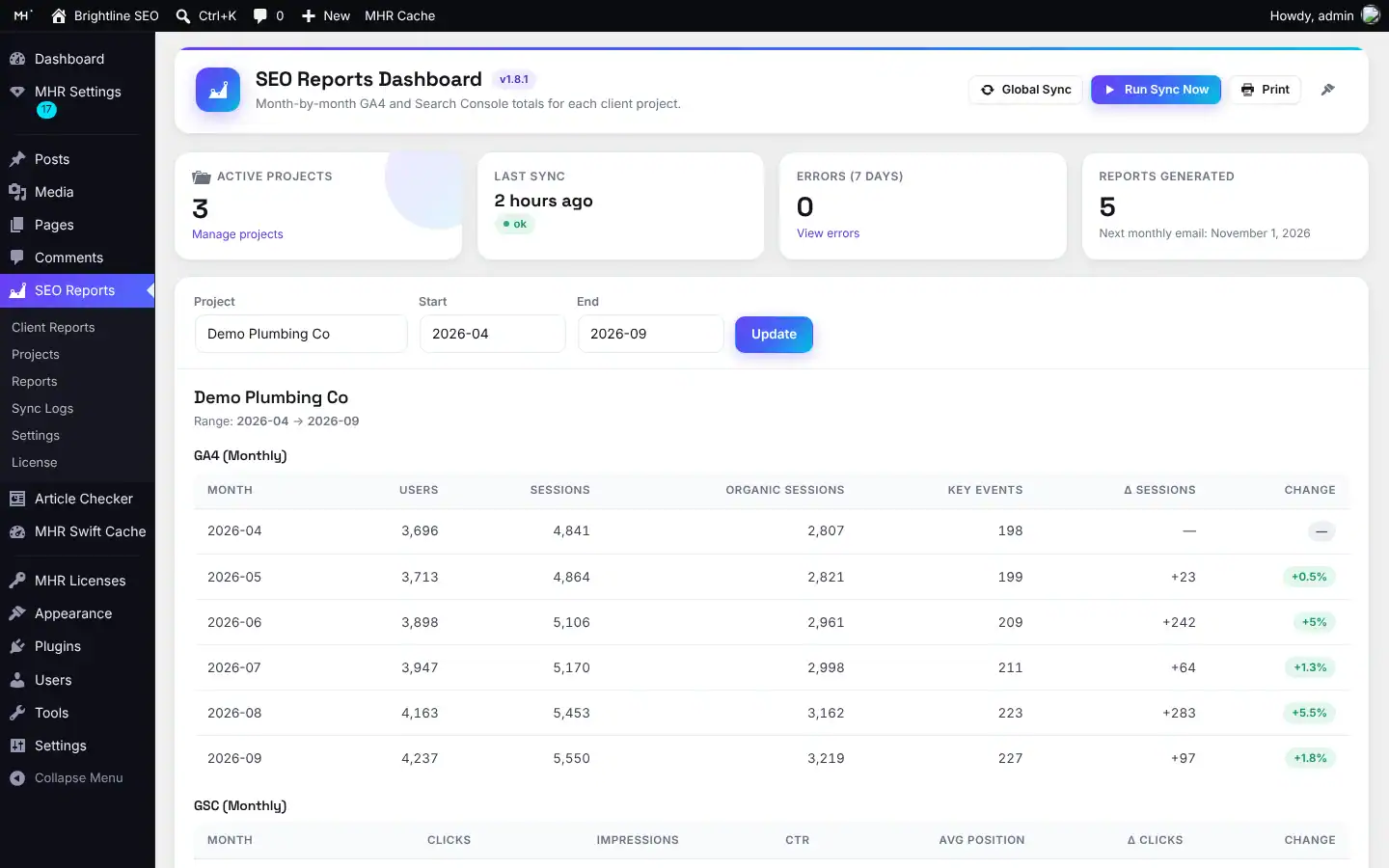
Users, sessions, engaged sessions, engagement rate, average session duration, key events and organic sessions.
Top pages by sessions (with users, views, key events) and users by country, per month.
Clicks, impressions, CTR, average position and top queries.
If Google returns no rows for a month, the stored numbers stay and a warning is logged.
Current vs previous month with change and % change.
Google Analytics, Search Console and Google Business Profile sections.
GA4 and GSC side by side for the chosen range.
Countries, current vs previous month.
Winners, losers, new pages, new queries and striking-distance queries.
A short written list for the client.
Viewers choose start and end months.
The print view shows only the report area, so “Save as PDF” in the browser gives a clean file.
GA4 monthly, GSC monthly, top pages and top queries.
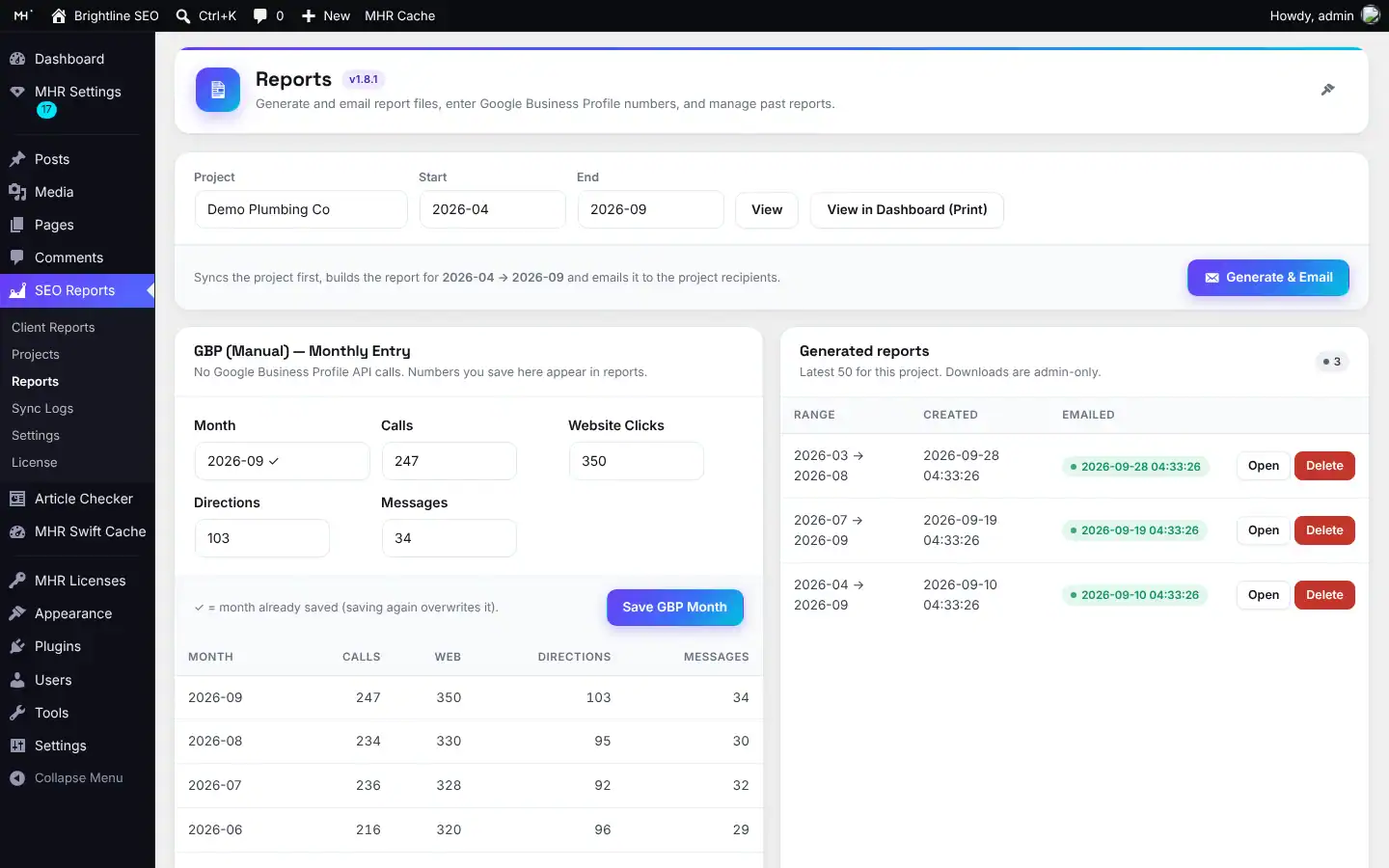
Add calls, website clicks, directions and messages under Reports. Months you already saved are filled in, and the last 12 are listed.
For any month range, from Reports.
About every 30 days, covering the last 6 full months, sent to project recipients or the default recipients.
Set the sender name on report emails.
Open or delete past files (admins only).
Report files get random names in a folder with index.php and .htaccess (no directory listing).
Active projects, last sync status, errors in the last 7 days, reports generated and next monthly email date.
OK / Warnings / Errors tabs, project filter, Clear logs and automatic retention (default 90 days).
Google, Email, Report access and Tools.
Settings and projects as JSON; the secret, Google token and share keys are never exported.
“Delete all plugin data on uninstall”, off by default.
SEO Reports → License: 7-day trial, your license key and automatic updates in Dashboard → Updates.
Capability and nonce checks on every admin action.
See it inside WordPress.
Real screens from Universal SEO Reports (demo data). Click to enlarge.
Facts from the code.
Counted from the plugin code — no made-up users, ratings or speed claims.
Made by MHRMasum (MD Harunur Rashid), an SEO consultant with 17+ years of hands-on work. Universal SEO Reports – GA4, GSC & GBP v1.8.1. In use today for clients including D.A. Academy, Sofhor Tourism, Yellystone Outdoors, Tinni’s Bakeshop, Aimer Merchants, Infosystem and Ready for Ten.
WordPress 6.0+ · a Google Cloud OAuth clientThe tech behind Universal SEO Reports – GA4, GSC & GBP.
A WordPress plugin that talks to Google’s APIs directly and builds each client report page on your own site.
- WordPress plugin
- GA4 + GSC + GBP
- Encrypted tokens
- ≈5,300 lines of PHP
Plugin
- PHP 7.4+All the plugin logic runs on your own server, inside WordPress.
- WordPress APIsSettings, admin screens, AJAX with nonce checks and WP-Cron for background jobs.
- MHR License Server SDKLicense checks signed with Ed25519 (libsodium) and updates in Dashboard → Updates.
- MHR Admin UI kitThe shared admin design: tabs, cards, toggles, dark mode — no page builder.
Google data
- Google OAuth 2.0Each client connects their Google account once.
- GA4 Data APIUsers, sessions, channels and pages (runReport).
- Search Console APIClicks, impressions, CTR, positions and queries (searchAnalytics).
- Business Profile APIsThe client’s Google Business Profile locations and numbers.
Data & security
- Own database tablesReport data stored on your site.
- AES-256 (OpenSSL)Google tokens are stored encrypted.
- CSV & print layoutExports and a print-ready report.
Checked from the plugin code on 6 Nov 2026. Curious how something works? Ask the developer.
One key per plan. Staging is always free.
Prices in US dollars, with the Taka amount you send by bKash (৳125 per US dollar). Every plan includes every feature.
1 site
For one website- Every feature
- Updates while your key is active
- Staging, local & dev sites free
- 7-day free trial
5 sites
For freelancers & small agencies- Everything in 1 site
- One key on up to 5 live sites
- Staging, local & dev sites free
- 7-day free trial
Unlimited sites
For agencies- Everything in 5 sites
- Unlimited live sites
- Staging, local & dev sites free
- 7-day free trial
Staging, local and dev sites never use a license. 7-day free trial, tracked per website. Lifetime = 2 × the yearly price.
Pay with bKash, then send us the Transaction ID.
Your license key and the plugin download arrive by email within 2 hours. Trying it first? Pick “Free 7-day trial” — no payment needed.
- Open the bKash app and choose Send MoneySend to 01841497987
- Amount: the price of your planChoose your plan in the form.
- Reference: your website addressFor example example.com
- Send us your payment detailsUse the form — or email info@mhrmasum.info with the Transaction ID, your email address and your website.
- Get your key by emailWithin 2 hours. Install the plugin, paste the key on its License screen, done.
Your site keeps working. Nothing is deleted.
We’ll email you a renewal link before your plan ends. If you don’t renew, the plugin locks a few days after the end date. Your settings are kept, and paying again unlocks everything.
- Published client report pages ([usr_report], [usr_reports], Client Report posts) with the data already synced
- Share links and Print
- Report files already sent
- Dashboard, Projects, Reports (generate, GBP entry), Sync Logs and Settings
- Run Sync Now, CSV export, export/import
- The nightly sync and the monthly email pause — data stops updating, nothing breaks
Why this split: Your clients already have the links. Breaking their report pages would hurt you with your client, so client-facing output stays up and only the work screens lock.
Questions before you install
Straight answers from how the plugin actually works.
Not sure it fits your site? Ask me directly — I built Universal SEO Reports.
Do I need my own Google Cloud project?
+
Yes. Create an OAuth client in Google Cloud, paste the Client ID and Secret into SEO Reports → Settings → Google, and add the redirect URI from the readme (/wp-admin/admin-post.php?action=usr_oauth_callback). Then click Connect with Google.
What can it read from my Google account?
+
Only what the two read-only scopes allow: Google Analytics data and Search Console data. It cannot change anything in your Google accounts.
Does it pull Google Business Profile data automatically?
+
No. In this version you type the GBP numbers (calls, website clicks, directions, messages) for each month under Reports. The form remembers months you already saved.
Can my clients see each other’s reports?
+
Not if you choose “Share link” or “Admins only” in Settings → Report access. With “Share link”, each project has its own secret key, and only someone with that link can open the report. The default is Public, so change it if your reports are private.
Is the report file a real PDF?
+
Not yet. The generated file is an HTML report saved with a .pdf name, used for the email flow. For a real PDF today, open the report page and use Print → Save as PDF.
How often does data update?
+
A sync runs every night, and you can press Run Sync Now at any time. The monthly email runs about every 30 days and covers the last 6 full months.
Can I design the report page myself?
+
Yes. Create a Client Report under SEO Reports → Client Reports, pick the project and month range in the side box, and place [usr_report_post] anywhere in Gutenberg or Elementor.
How many clients can I add?
+
The code sets no project limit. Your license limits how many WordPress sites you install the plugin on, not how many client projects each site holds.
What happens when my license ends?
+
Admin screens lock, but nothing is deleted. Your clients’ report pages and share links keep working with the data already stored. Pay again and everything unlocks at once.
Does it work with page caching plugins?
+
Public reports can be cached as normal. Share-link and admin-only reports tell caching plugins not to store the page.
How is this different from a hosted reporting dashboard such as AgencyAnalytics?
+
Universal SEO Reports – GA4, GSC & GBP runs inside your own WordPress site. Client data stays in your own database, the report lives on your domain, and you pay a yearly or lifetime plugin license. It focuses on GA4, Search Console and manual GBP numbers, so if you need other data sources, a hosted tool may suit you better.
Can I move my setup to another site?
+
Yes. Settings → Tools exports settings and projects as JSON. Secrets, the Google token and share keys are left out, so you reconnect Google on the new site.
How do I pay, and when do I get my key?
+
Pay with bKash Send Money to 01841497987, then send us the Transaction ID with the form on this page (or email info@mhrmasum.info). Your license key and the plugin download arrive by email within 2 hours. A renewal reminder is emailed 5 days before your plan ends — there are no automatic card charges.
How do I try it before buying?
+
Choose “Free 7-day trial” in the form on this page — no payment needed. The trial has every feature, is tracked per website, and reinstalling the plugin does not restart it.
Does a staging site use one of my sites?
+
No. Staging, local and dev sites are free and never use a site slot.
Release timeline
Every update arrives in Dashboard → Updates while your key is active.
Licensing: 7-day trial, license key and automatic updates from mhrmasum.info; License screen under SEO Reports → License. When a license or trial ends, published report pages, shortcodes and share links stay readable.
New admin design on every screen; report access (Public / Share link / Admins only) with key rotation; archive and restore projects; generated reports list; dashboard stats; Sync Logs filters, clear and retention; settings and projects export/import; GBP pre-fill; project recipients.
First release: Google OAuth connection, monthly GA4 and GSC totals, month-by-month comparison, wins and suggestions, report files by email.
Send every client a report they can open with one link.
From $24/year. 7-day free trial, staging sites free, key within 2 hours.
More MHR plugins: all products · free plugins · MHR LumeRank SEO