← Products / MHR Swift Cache
v5.7.1WordPress plugin · page cache · by MHRMasumMHR Swift Cache Fast cached pages that stay safe for forms, carts and logged-in users.
MHR Swift Cache saves public pages as ready HTML and serves them to visitors, while logged-in users, carts, password pages and any response that is not safe to share go straight to WordPress. Start with page caching only, then add minification, defer and preload one step at a time, with rollback snapshots behind every change.
From $28/year · Key within 2 hours · Pay with bKash
Illustration of the cache header you can check yourself
- 7-day free trial
- Staging sites never use a license
- Never edits wp-config.php
- Safe Mode and rollback snapshots
- WooCommerce and page-builder safeguards
- WordPress 5.8+ · PHP 7.4+
A careful page cache, with a Safe Mode button for the day something breaks.
Built for shared hosting (Apache, LiteSpeed, Nginx), WooCommerce and page builders by an SEO consultant with 14+ years of hands-on work.
It refuses to cache what should not be shared
Only successful public HTML responses are stored. Logged-in users, excluded cookies, POST, login and range requests, a mismatched Host header, non-200 responses, responses that set a cookie, Cache-Control: private, CSP nonces, redirects, errors and password-protected posts all skip the cache.
Safe Mode and rollback built in
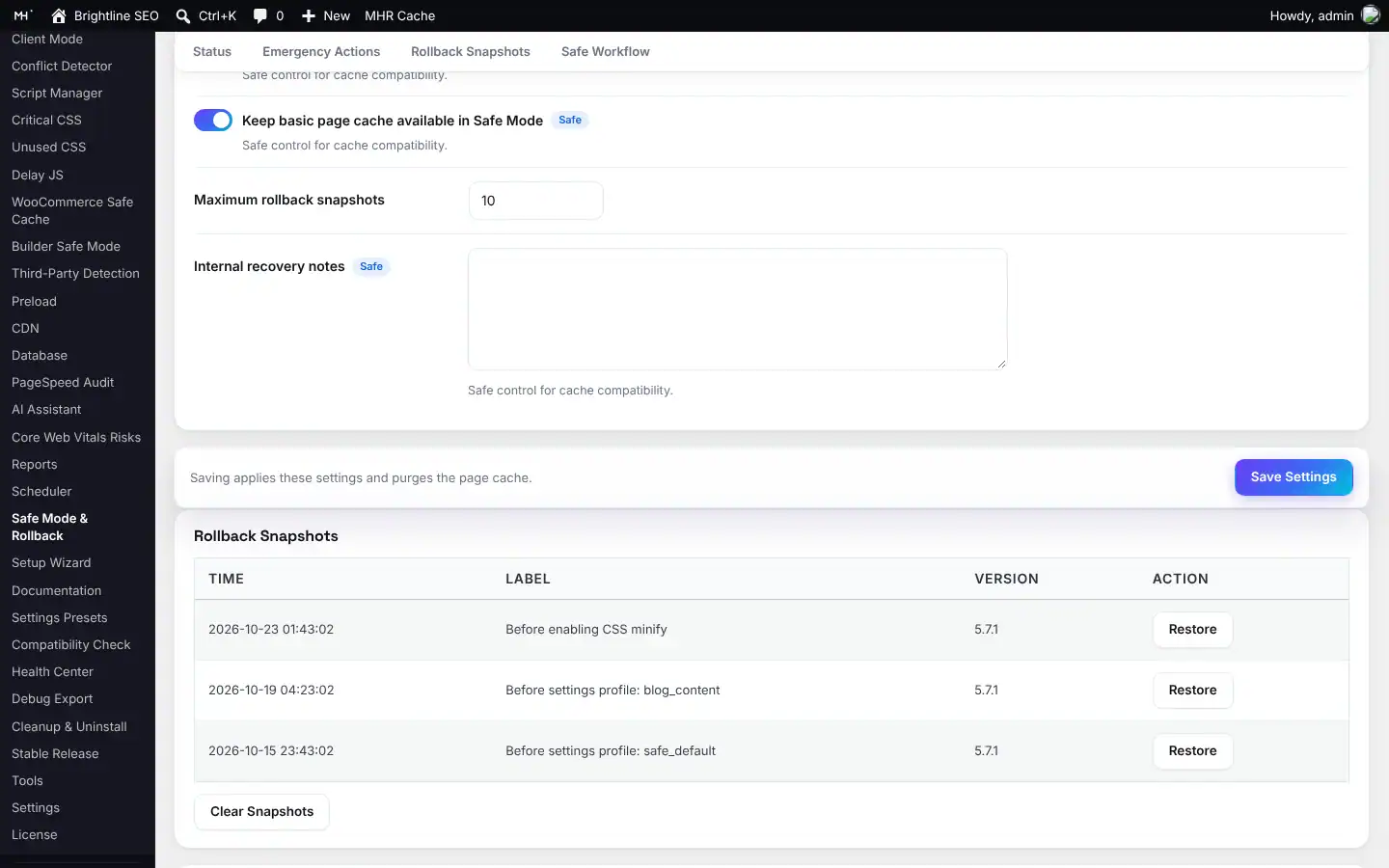
One click (also from the admin bar: “Emergency Safe Mode ON”) stops cache serving and all front-end changes. Snapshots are taken before a profile is applied, before a settings import and before AI-suggested settings are applied.
Optional early cache, careful about ownership
The early-cache drop-in serves cookie-free, query-free requests before WordPress loads (X-MHR-WP-Cache: HIT; early). It is installed only when you click, refuses to replace another plugin’s drop-in, and never edits wp-config.php.
Six built-in profiles
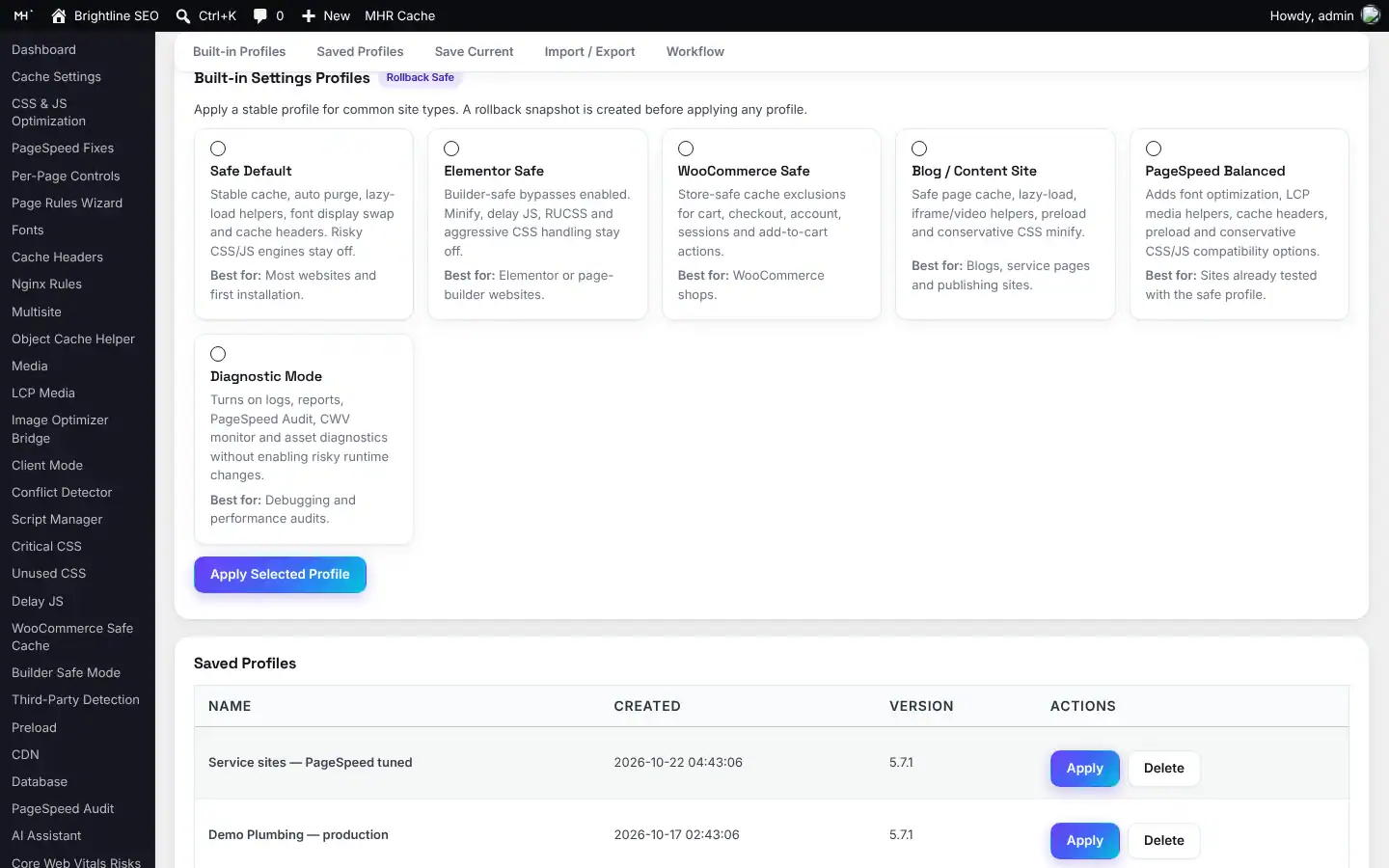
Safe Default, Elementor Safe, WooCommerce Safe, Blog / Content Site, PageSpeed Balanced and Diagnostic Mode. Save your own tested settings as a profile and apply it on the next site.
Speed helpers you turn on one at a time
CSS and JS minification with real syntax parsers and original-file fallback, dependency-aware defer, script delay for handles you choose, reviewed stylesheet removal per page, lazy load, LCP image priority, font-display, resource hints, CDN rewrite.
Agency tools
Client Mode hides advanced and risky screens for client handoff, the Page Rules Wizard sets common exclusions, and Debug Export gives you a masked support file.
Up and running in three steps.
- 1Install and pick a profile
Start with Safe Default, or Elementor Safe, WooCommerce Safe, Blog / Content Site, PageSpeed Balanced or Diagnostic Mode.
- 2Check it works
Open a public page twice in a private window: X-MHR-WP-Cache shows MISS, then HIT.
- 3Add speed helpers one at a time
Minify, defer, delay and lazy load are off on fresh installs. A rollback snapshot is taken before a profile is applied.
44 features in 7 groups.
Every plan includes every feature — plans differ only by the number of live sites.
Saves successful public HTML pages and serves them to visitors; private responses skip it.
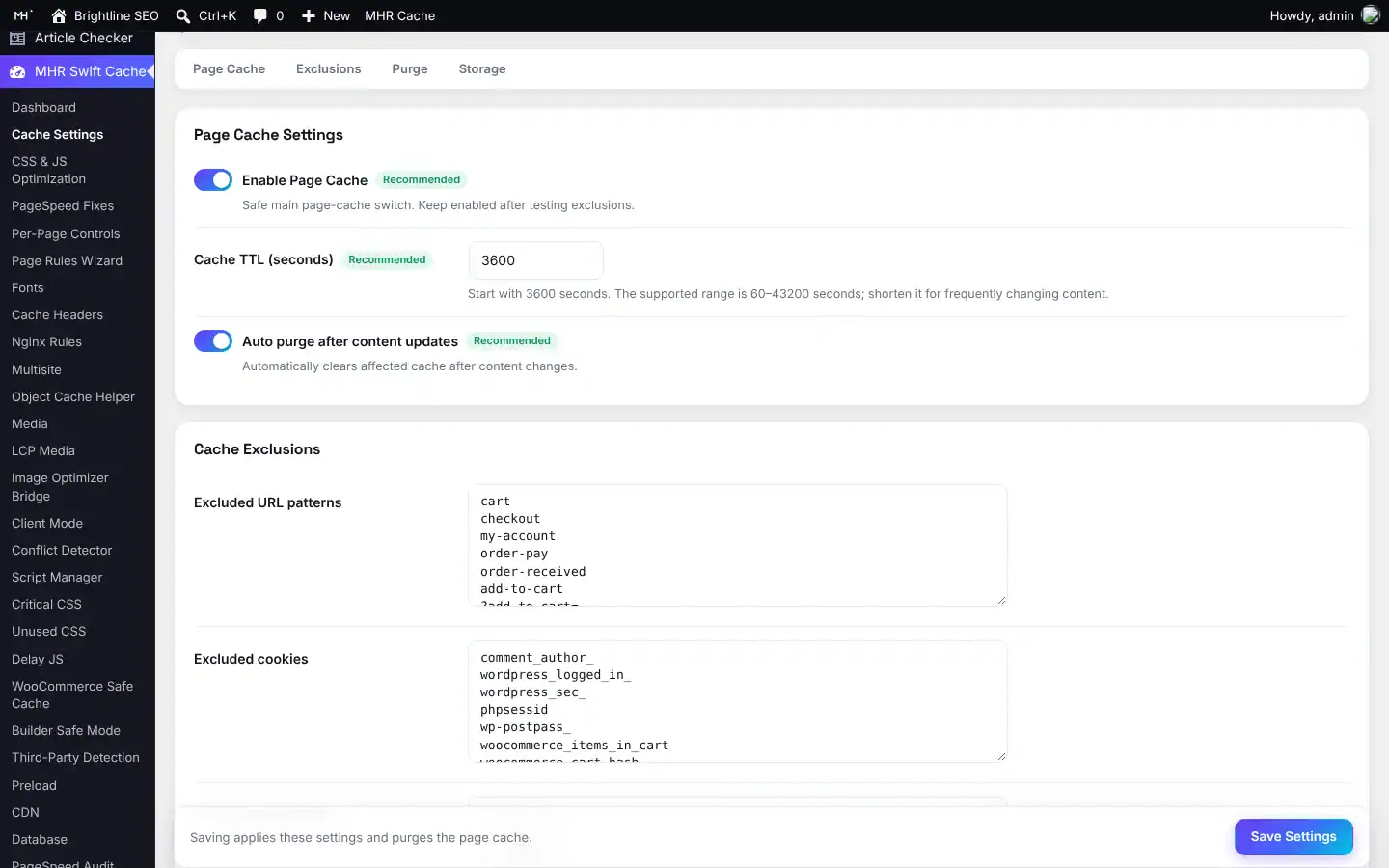
You choose how long pages stay cached; default 1 hour, capped at 12 hours.
Separate cached copies for whitelisted query strings and for devices; purging a URL clears all its copies.
Each site on a multisite network has its own cache folder.
Atomic writes, versioned cache entries, hourly expiry cleanup and log rotation.
Stops the cache folder growing without limit (default 20,000 files, oldest removed first).
X-MHR-WP-Cache: MISS / HIT lets you check caching yourself.
Serves cookie-free pages before WordPress loads; single-site, you set WP_CACHE yourself.
Purge everything, a single URL, or the page you are on from the admin bar.
Clears the cache after content updates and approved comments.
Clears product, shop and category pages after a product update.
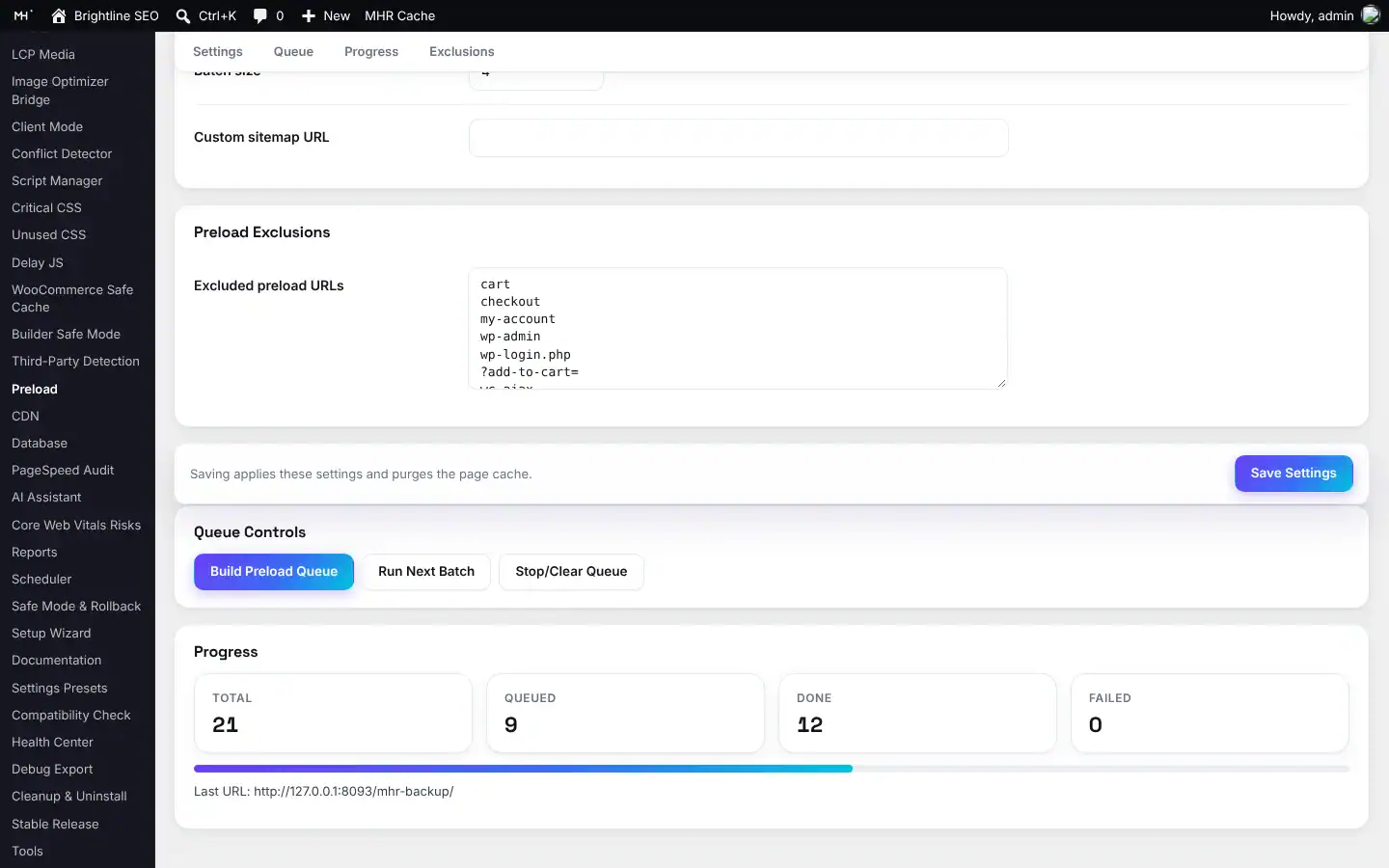
Warms the cache from your homepage, recent content and sitemap, in locked batches with progress and exclusions.
Runs purge, preload and database cleanup on a schedule, with a WP-Cron health check.
Clears Cloudflare or BunnyCDN on request with your own zone ID and token.
Keep URL patterns and cookies out of the cache; whitelist query strings.
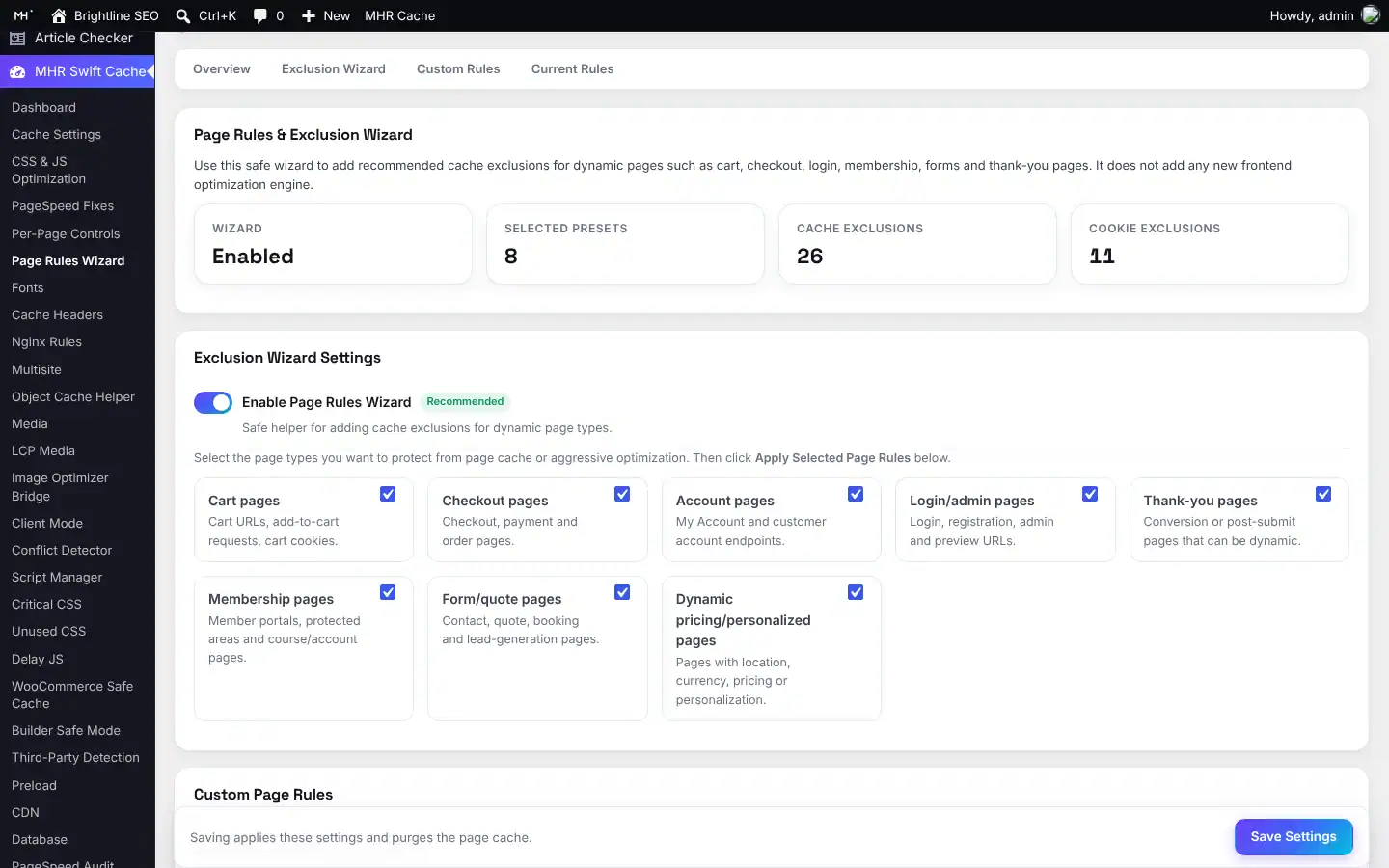
One-click exclusion groups for cart, checkout, account, login/admin, thank-you, membership, form/quote and dynamic-pricing pages.
Bypasses cart, checkout, my-account, add-to-cart requests, order pages and cart/session cookies.
Elementor safe mode, no optimizations in builder previews, auto purge after an Elementor save.
An “MHR Swift Cache Controls” box in the editor for page-level settings.
Lists likely plugin conflicts and server checks before you switch things on.
Real syntax parsers with size limits, cached output and the original file as fallback; SRI-protected files are left untouched.
Dependency-aware defer on WordPress 6.3+.
Delays only the script handles you pick, with a timeout and recovery.
Removes a stylesheet only on the page paths you list; theme, builder, global and WooCommerce-sensitive styles are protected.
Unload CSS/JS by keyword, with a “never unload on these URLs” list.
font-display mode, font preload, font cache headers, icon/emoji cleanup and preconnect.
For images (skip the first N, exclusion keywords) and for iframes and videos.
Shows a thumbnail until the visitor clicks.
Gives the main image and hero background priority.
Apply, remove and restore generated rules on Apache-style servers, with automatic backups.
Copy-ready Nginx snippets with an install guide.
Serves CSS, JS, images, fonts and uploads from your CDN, with exclusions.
Revisions, auto drafts, trash, spam, expired transients and more — see what will be removed before you run it.
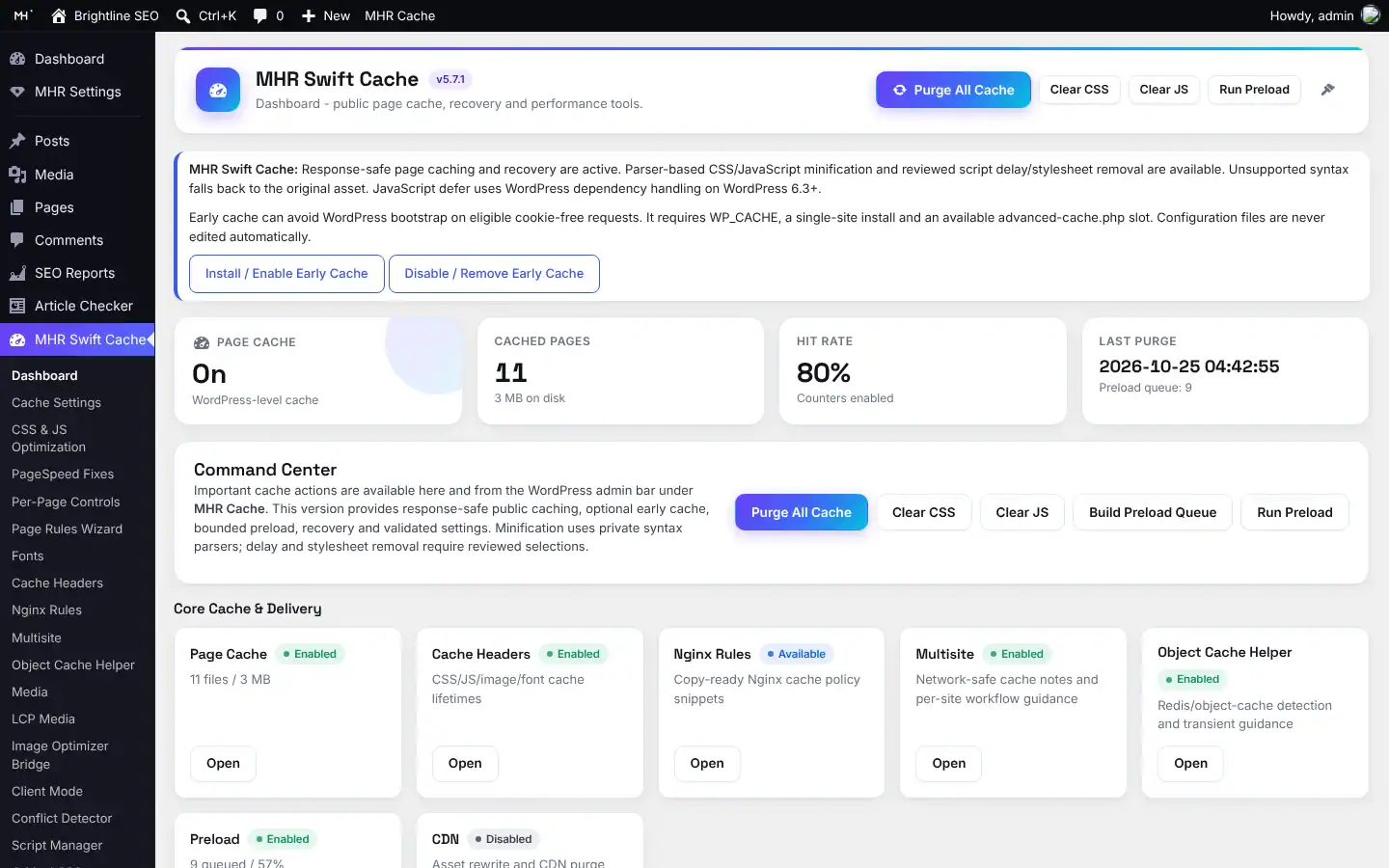
Cache status or Safe Mode, early-cache state, cached pages and size, hit rate, last purge and preload queue.
Heuristic checks of your HTML and assets that point you to the right fix.
Hits, misses, hit rate, stored pages and asset diagnostics, exportable as JSON.
Cache checks inside WordPress Site Health.
A log viewer and a support file with settings masked.
Uses your own OpenAI key and runs only when you click Analyze; full page content is not sent.
“Apply suggested settings” changes only allowlisted settings and takes a rollback snapshot first.
Six built-in profiles plus your own saved profiles, with import and export.
Simple, Advanced or Developer view; hide advanced tools and the admin bar menu.
Purge all, purge this page, clear CSS, clear JS, run preload, Safe Mode ON, Page Rules Wizard.
Every destructive action asks first.
See it inside WordPress.
Real screens from MHR Swift Cache (demo data). Click to enlarge.
Facts from the code.
Counted from the plugin code — no made-up users, ratings or speed claims.
Made by MHRMasum (MD Harunur Rashid), an SEO consultant with 14+ years of hands-on work. MHR Swift Cache v5.7.1.
WordPress 5.8+ · PHP 7.4+One key per plan. Staging is always free.
Prices in US dollars, with the Taka amount you send by bKash (৳125 per US dollar). Every plan includes every feature.
1 site
For one website- Every feature
- Updates while your key is active
- Staging, local & dev sites free
- 7-day free trial
5 sites
For freelancers & small agencies- Everything in 1 site
- One key on up to 5 live sites
- Staging, local & dev sites free
- 7-day free trial
Unlimited sites
For agencies- Everything in 5 sites
- Unlimited live sites
- Staging, local & dev sites free
- 7-day free trial
Staging, local and dev sites never use a license. 7-day free trial, tracked per website. Lifetime = 2 × the yearly price.
Pay with bKash, then send us the Transaction ID.
Your license key and the plugin download arrive by email within 2 hours. Trying it first? Pick “Free 7-day trial” — no payment needed.
- Open the bKash app and choose Send MoneySend to 01841497987
- Amount: the price of your planChoose your plan in the form.
- Reference: your website addressFor example example.com
- Send us your payment detailsUse the form — or email info@mhrmasum.info with the Transaction ID, your email address and your website.
- Get your key by emailWithin 2 hours. Install the plugin, paste the key on its License screen, done.
Your site keeps working. Nothing is deleted.
We’ll email you a renewal link before your plan ends. If you don’t renew, the plugin locks a few days after the end date. Your settings are kept, and paying again unlocks everything.
- Cached pages keep serving
- Front-end optimizations keep running, so the site does not change overnight
- Content edits still purge the cache, so visitors never get stale pages
- The MHR Swift Cache admin screens and tools (behind a renew panel)
- Scheduled preload and database clean-up pause
Why this split: A locked license must never leave stale or broken pages live, so caching and purging on edits keep working.
Questions before you install
Straight answers from how the plugin actually works.
Not sure it fits your site? Ask me directly — I built MHR Swift Cache.
Will it break my forms, cart or checkout?
+
It is built not to. Logged-in users, POST requests, responses that set a cookie and pages marked private are never cached. For WooCommerce, turn on WooCommerce Safe Cache to bypass cart, checkout, my-account, order pages and cart cookies. The Page Rules Wizard adds exclusions for quote, booking and membership pages. Always test on staging first.
How do I know it is working?
+
Open a public page twice while logged out and check the response header. X-MHR-WP-Cache: MISS on the first visit and HIT on the second means the cache is working. Logged-in pages always bypass the cache, so test in a private window.
Does it edit wp-config.php?
+
No. The optional early cache needs WP_CACHE set to true, which you add yourself. The plugin will not overwrite another plugin’s advanced-cache.php.
What if something on my site breaks after I turn on an option?
+
Turn on Safe Mode (also in the admin bar as “Emergency Safe Mode ON”). It stops cache serving and all front-end changes. Then purge caches and restore a tested rollback snapshot. If you cannot reach wp-admin, rename the plugin folder by FTP or cPanel.
Does it work on Nginx and LiteSpeed?
+
Page caching runs inside PHP, so it works on Apache, LiteSpeed and Nginx. The .htaccess rules are for Apache-style servers. On Nginx, use the copy-ready rules on the Nginx Rules screen and add a deny all rule for /wp-content/cache/mhr-wp-cache/, as the readme explains.
Can I use it with another cache plugin?
+
Do not run two full page caches at the same time. If WP Rocket, LiteSpeed Cache, Autoptimize or Perfmatters is active, do not turn on the same minify, delay or unused-CSS features twice. The Conflict Detector lists likely clashes.
How is MHR Swift Cache different from WP Rocket?
+
WP Rocket is a well-known paid cache plugin. MHR Swift Cache focuses on safe defaults: a fresh install turns on page caching only, every front-end change is opt-in, rollback snapshots are taken before profiles, imports and AI suggestions, and Safe Mode stops everything in one click. It also includes Client Mode for agencies, a database cleanup with preview, CDN purge for Cloudflare and BunnyCDN, and an optional AI Assistant that uses your own key. Try both on staging and keep the one that suits your site.
Will it improve my PageSpeed score?
+
It can help, because cached pages skip WordPress’s page building and the optional helpers target common PageSpeed issues. We do not promise a score. The scores inside the plugin are estimates from your HTML and assets, not Google PageSpeed or Lighthouse results. Measure with PageSpeed Insights before and after.
Does the AI Assistant send my content to OpenAI?
+
Only if you turn it on, add your own key and click Analyze. It sends site and version info, diagnostic reports, redacted settings and the problem you type. It does not fetch or send full page content. OpenAI charges your own account.
Does it compress images or install Redis?
+
No. The Image Optimizer Bridge and Object Cache Helper screens show status and guidance only. For image compression, use MHR Image Optimizer Pro.
What happens when my license ends?
+
Your site keeps working. Cached pages keep serving and nothing is deleted. Content edits still purge the cache. The admin screens lock until you renew, and scheduled preload and database clean-up pause. Renewing unlocks everything at once.
How do I pay, and when do I get my key?
+
Pay with bKash Send Money to 01841497987, then send us the Transaction ID with the form on this page (or email info@mhrmasum.info). Your license key and the plugin download arrive by email within 2 hours. A renewal reminder is emailed 5 days before your plan ends — there are no automatic card charges.
How do I try it before buying?
+
Choose “Free 7-day trial” in the form on this page — no payment needed. The trial has every feature, is tracked per website, and reinstalling the plugin does not restart it.
Does a staging site use one of my sites?
+
No. Staging, local and dev sites are free and never use a site slot.
Release timeline
Every update arrives in Dashboard → Updates while your key is active.
Licensing: 7-day trial, license key and automatic updates from mhrmasum.info; License screen under MHR Swift Cache → License.
Admin redesign with the MHR Admin UI kit, confirmation dialogs, Dashboard stats, database cleanup preview, automatic snapshot before import, cache-file cap.
Parser-based CSS/JS minification with original-file fallback; rebuilt script delay with explicit selection; reviewed per-page stylesheet removal.
Wider OpenAI model choice; one-click apply of reviewed AI suggestions with snapshots and expiry.
Renamed to MHR Swift Cache (settings kept from MHR WP Cache); stricter settings validation.
Safe response checks, atomic writes, query/device variants, per-site storage; optional early cache; Site Health checks; preload locking.
Cache your pages without breaking checkout.
From $28/year. 7-day free trial, staging sites free, key within 2 hours.
More MHR plugins: all products · free plugins · MHR LumeRank SEO