← Products / MHR Vault
v1.1.3Password manager · Chrome, Edge, Brave + Android · by MHRMasumMHR Vault Your logins, locked to you.
A password manager that only you can open. Your logins, cards, notes and 2FA codes are encrypted on your device with your master password — we never see them. Autofill as you browse, carry everything to your phone, and move off LastPass in minutes.
From $25/year · Key within 2 hours · Pay with bKash
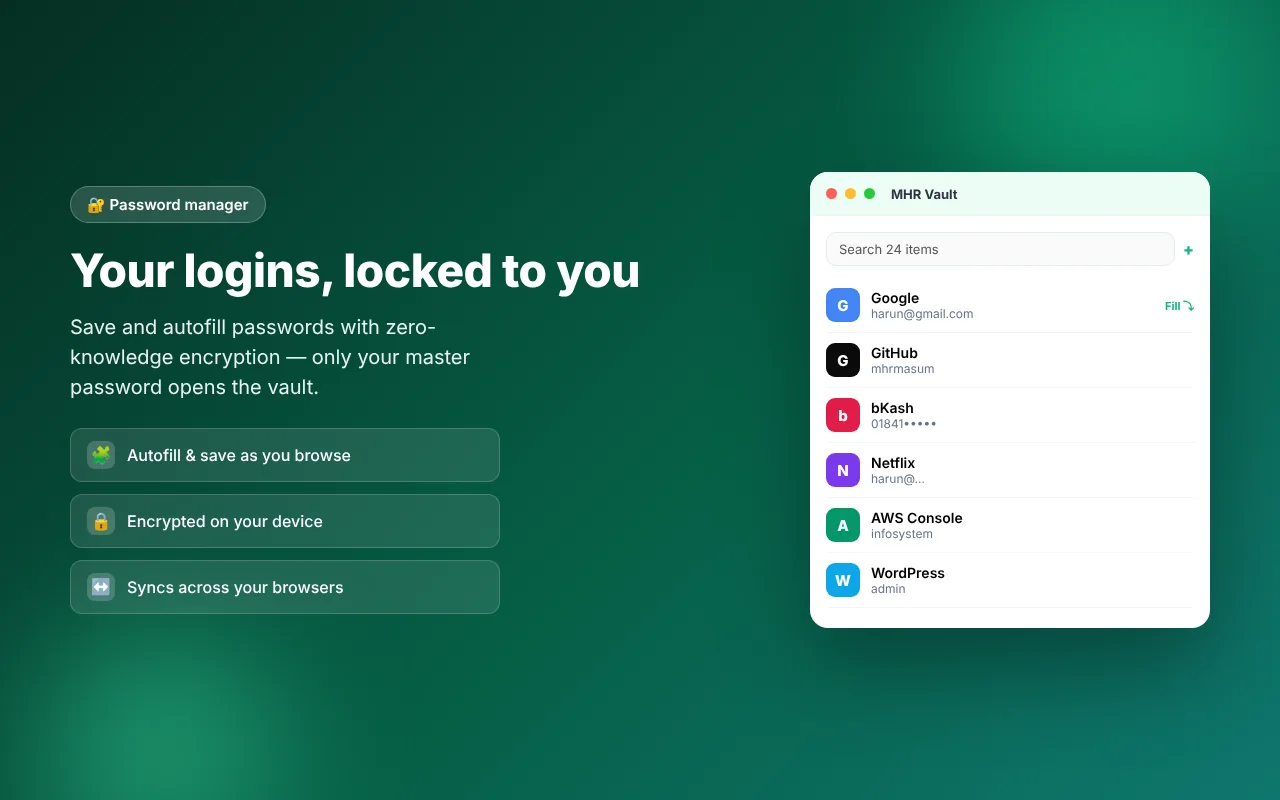
The MHR Vault extension with sample logins.
- Zero-knowledge encryption
- Chrome · Edge · Brave
- Android app included
- Built-in 2FA codes
- Sync across your browsers
- Works offline
Everything a password manager should do — and nothing we can read.
Built to replace LastPass, without the subscription traps.
Zero-knowledge encryption
Your vault is encrypted with a key made from your master password. It never leaves your device, so no one — not even the server — can read your data.
Autofill & save
Offers to save new logins and fills them on the right site with one click. Credentials are matched locally in your browser.
Built-in 2FA codes
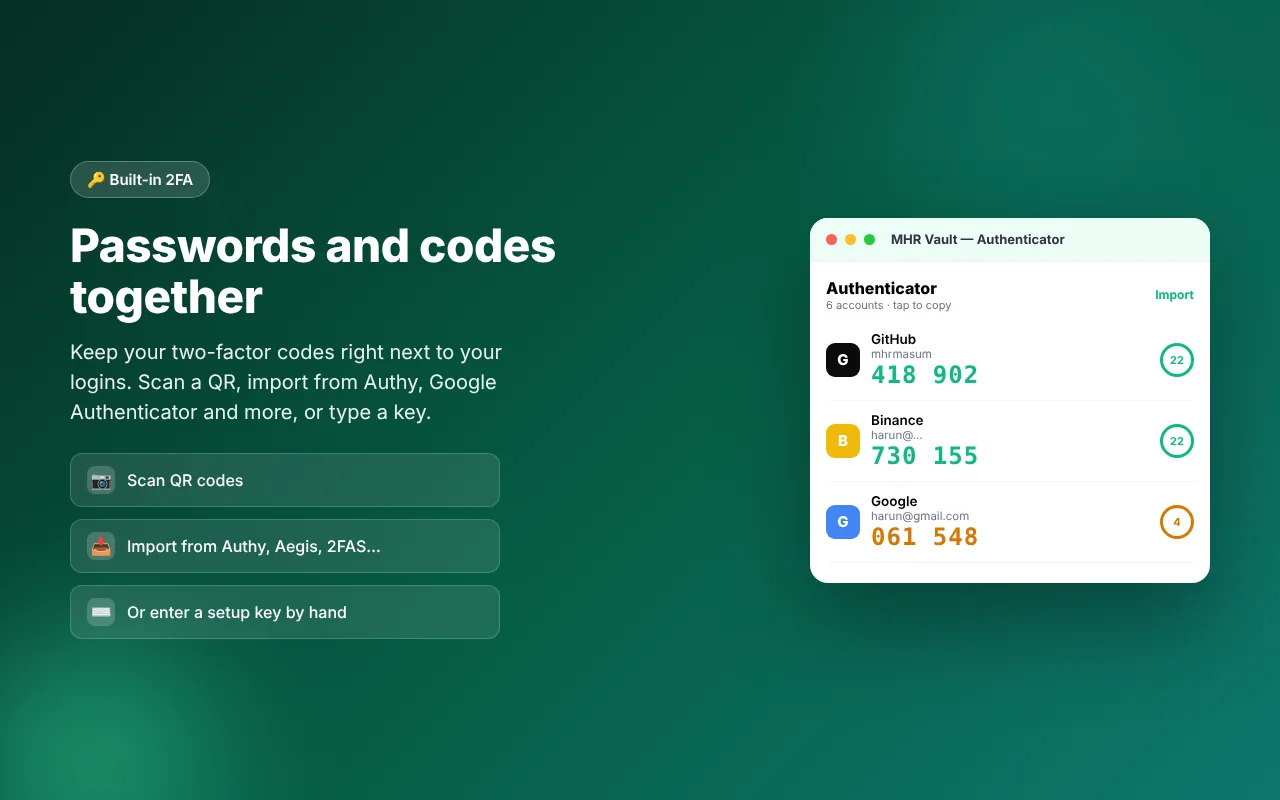
Keep your authenticator codes next to your passwords. Scan a QR, import from Google Authenticator, Authy, Aegis, 2FAS and more, or type a key.
One-click import
Move from LastPass or Chrome in minutes. Duplicates are detected automatically so nothing is copied twice.
Sync across browsers
Sign in on another computer and your encrypted vault follows you — still unreadable to the server in transit and at rest.
Android app included
Autofill in apps and Chrome, an authenticator for your 2FA codes, approve browser sign-ins with number matching, and unlock with your fingerprint.
Generator & health
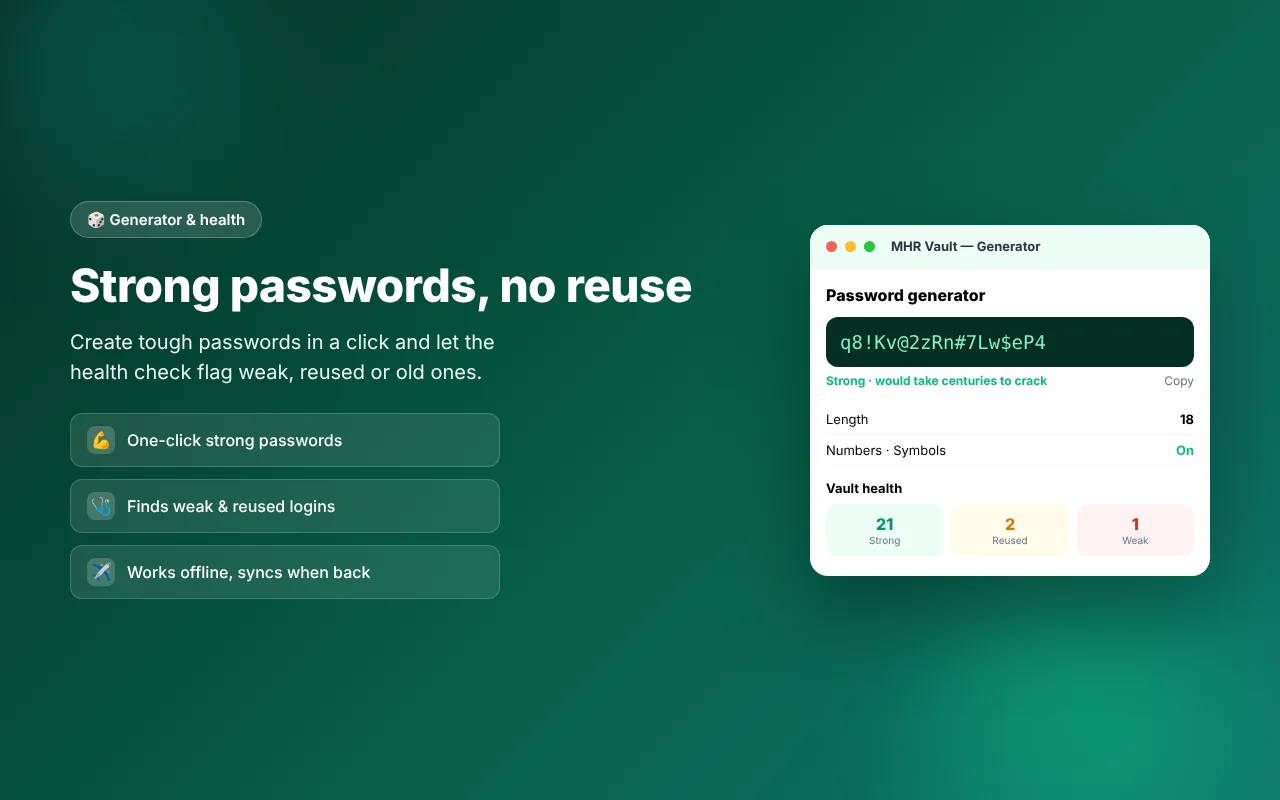
Create strong passwords and spot weak, reused or old ones with the built-in health check.
Works offline
Your vault is on your device, so it opens and fills even with no connection. Sync catches up when you’re back online.
Up and running in three steps.
- 1Install
Add MHR Vault to Chrome, Edge or Brave, and the app to your Android phone.
- 2Set your master password
One password you remember. It unlocks everything and is never sent anywhere.
- 3Import, then sync
Bring in your LastPass or Chrome passwords — duplicates are filtered out — then sign in on your other browsers and your vault is there.
19 features in 5 groups.
One plan with every feature: personal.
Everything in one encrypted vault.
Find any login in a second.
Encrypted with a key made from your master password, on your device.
Opens and fills without a connection; sync catches up later.
Fills logins on the right site with one click.
Offers to save new logins.
The same extension in all three.
Sign in on another computer and your vault follows you.
Codes next to the login they belong to, tap to copy.
Add a code from a QR on screen.
From Google Authenticator, Authy, Aegis, 2FAS and more.
Or type the key by hand.
And in Chrome on your phone.
Your 2FA codes on the phone.
Approve browser sign-ins with number matching.
Unlock with your fingerprint.
Strong passwords in one click — length, numbers and symbols.
Flags weak, reused or old passwords.
Duplicates filtered out for you.
See it in the browser.
Real screens from MHR Vault (demo data). Click to enlarge.
What one licence covers.
What you get with one licence — no made-up users, ratings or speed claims.
Made by MHRMasum (MD Harunur Rashid), an SEO consultant with 17+ years of hands-on work. MHR Vault v1.1.3. Your master password is never sent anywhere.
Chrome, Edge or Brave on your computer · the Android app for your phone · one master password you rememberOne licence. Every feature, on your browsers and phone.
Prices in US dollars, with the Taka amount you send by bKash (৳125 per US dollar). Yearly or lifetime — the same plan either way.
Personal
All your browsers + the Android app- Every feature
- Chrome, Edge and Brave
- The Android app
- Sync and updates
One licence covers the extension on your browsers and the Android app. Pay by bKash and your key is emailed to you. Lifetime = 2 × the yearly price.
Pay with bKash, then send us the Transaction ID.
Your license key and the MHR Vault download link arrive by email within 2 hours.
- Open the bKash app and choose Send MoneySend to 01841497987
- Amount: the price of your planChoose your plan in the form.
- Reference: your email addressThe one you want your key sent to
- Send us your payment detailsUse the form — or email info@mhrmasum.info with the Transaction ID, your email address and your plan.
- Get your key by emailWithin 2 hours. Install MHR Vault and enter your key.
Yearly or lifetime — your vault stays yours.
Yearly is $25 and renews each year. Lifetime is $50 once and includes all future updates — the better deal if you’ll use it long term.
- Your vault stays encrypted on your devices
- Your master password is never sent anywhere
- A yearly licence covers features, updates and sync for that year
Why this split: No subscription traps: pay once for lifetime, or yearly if you prefer.
Questions before you install
Straight answers from how the app actually works.
Not sure it fits your setup? Ask me directly — I built MHR Vault.
Can you see my passwords?
+
No. Everything is encrypted on your device with your master password before it’s stored or synced. We only ever hold data we can’t read.
What if I forget my master password?
+
Because only you hold the key, we can’t reset it or recover your vault — that’s what makes it secure. Keep your master password safe.
Does it work on my phone?
+
Yes. The Android app is included: autofill in apps, an authenticator for your 2FA codes, and fingerprint unlock.
Can I move from LastPass?
+
Yes — import your LastPass or Chrome export in a couple of clicks, with duplicates filtered out.
Which browsers does it work in?
+
Chrome, Edge and Brave. Sign in on each one and your encrypted vault syncs between them.
Does it work offline?
+
Yes. Your vault is on your device, so it opens and fills with no connection. Sync catches up when you’re back online.
How do I pay, and when do I get my key?
+
Pay with bKash Send Money to 01841497987, then send us the Transaction ID with the form on this page (or email info@mhrmasum.info). Your license key and the MHR Vault download link arrive by email within 2 hours. A renewal reminder is emailed 5 days before your plan ends — there are no automatic card charges.
Yearly vs lifetime?
+
Yearly is $25 and renews each year. Lifetime is $50 once and includes all future updates — the better deal if you’ll use it long term.
What does one licence cover?
+
The MHR Vault extension on your browsers and the Android app.
Release timeline
What changed in each version of the extension and the app.
Logins saved from Android apps now show the app’s name instead of an android:// address, and opening one no longer tries to launch an app.
Smarter import: the same login saved in LastPass and Chrome under different addresses (mail.google.com and accounts.google.com, www., http/https) is recognised, duplicates are skipped and missing 2FA codes or notes filled in, and you choose which password to keep when they differ. Chrome exports of Android-app logins come in too.
Android app and phone approval: approve sign-ins on a new browser from your phone by matching a number, with a recovery code if you lose the phone.
First release: zero-knowledge vault for logins, cards and notes, autofill and save, 2FA codes, password generator and health check, import from LastPass, Chrome, Bitwarden and 1Password, and sync across your browsers.
Your logins, locked to you.
From $25/year. Key by email within 2 hours · pay with bKash.
More MHR software: all products · free plugins · MHR LumeRank SEO