← Products / MHR Toolkit
v1.6.2Free Chrome extension · SEO & web tools · by MHRMasumMHR Toolkit Every SEO check you do daily. One free extension.
MHR Toolkit puts an SEO toolbar on every page, a SEOquake-style panel on Google, an Ahrefs-style page report, local rank tracking and free keyword data in your browser — plus the small tools you open ten times a day. Built for my own client work, free for you.
Free · no license key · Chrome, Edge & Brave
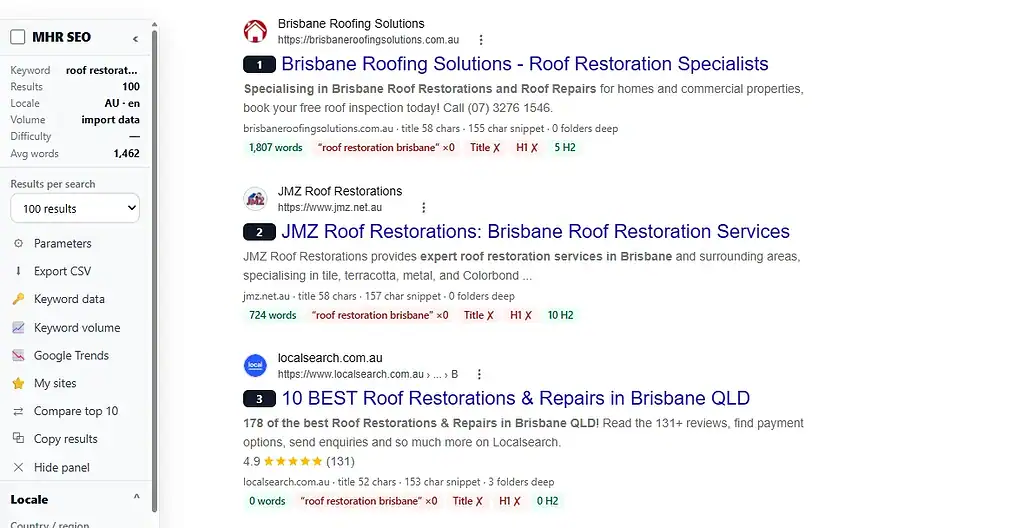
A real Google search with MHR Toolkit on.
- 21 tools in one extension
- Free — no license key
- Data stays in your browser
- Free data sources by default
- Chrome, Edge and Brave
- Regular updates
One extension instead of ten.
I used SEOquake, the Ahrefs toolbar, Keywords Everywhere, Wappalyzer, WhatFont, ColorZilla and a cookie editor every day for client SEO. MHR Toolkit does those jobs in one extension, without duplicate data, and uses free data sources by default.
SEO toolbar on every page
Score, status and redirects, indexability, title and description length, H1, words, links, missing alt, schema, load time and Ahrefs Domain Rating — plus links, broken links, headings and alt overlays.
Google side panel
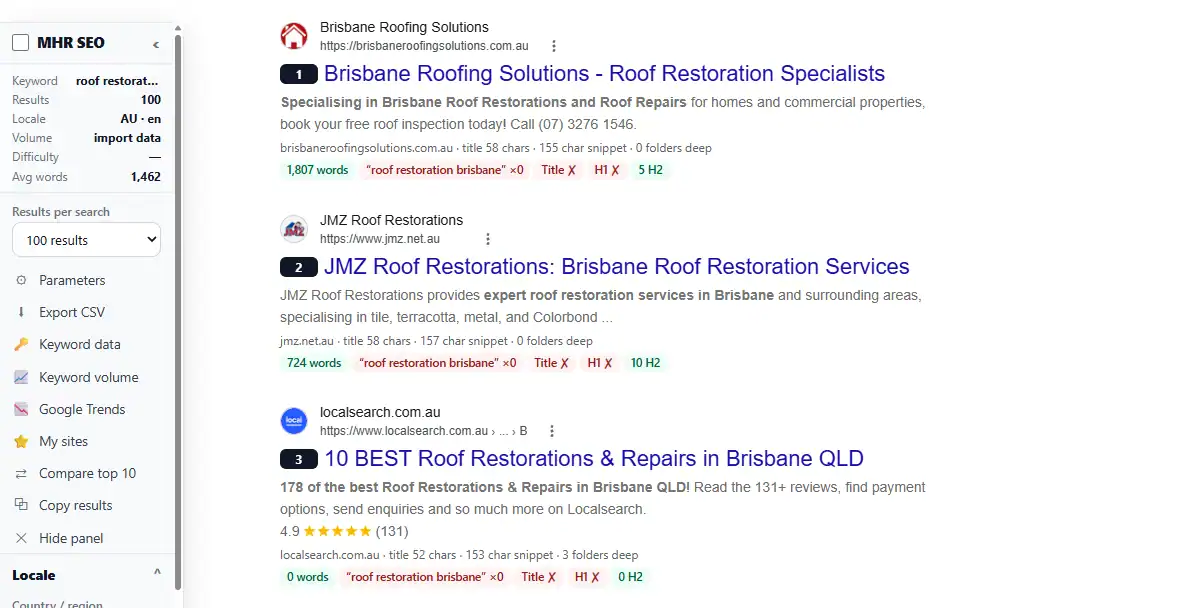
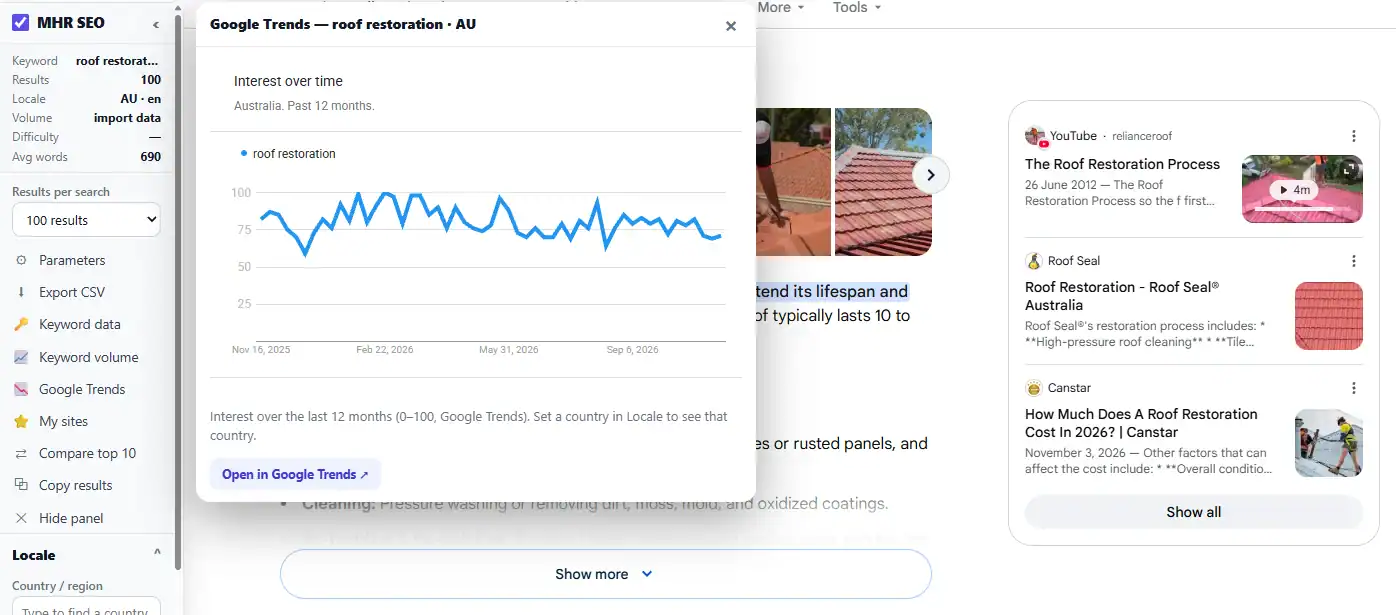
Numbered results, your sites highlighted at every position, up to 100 results on one page, difficulty from the top 10, words and keyword uses per result, metrics, CSV and a country, language and city changer.
Ahrefs-style SEO Report
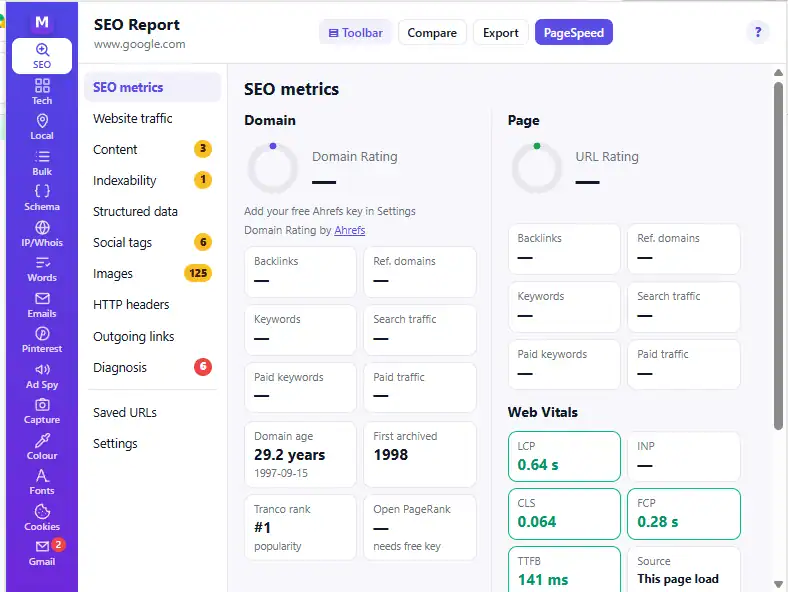
Domain Rating, Web Vitals, rendered vs raw HTML, indexability, schema tree, social tags, images, HTTP headers, outgoing links and a diagnosis with about 30 checks.
Local SEO tools
Google Maps rank grid with heat map and share of local voice, Maps listings extractor, Google review link with QR card, and a schema generator pre-filled from the page.
Free keyword data
Import Google Keyword Planner files, add Bing and Search Console, collect ideas from Google, YouTube, Bing, Amazon, eBay and DuckDuckGo, and save keywords to a collection.
Pinterest research
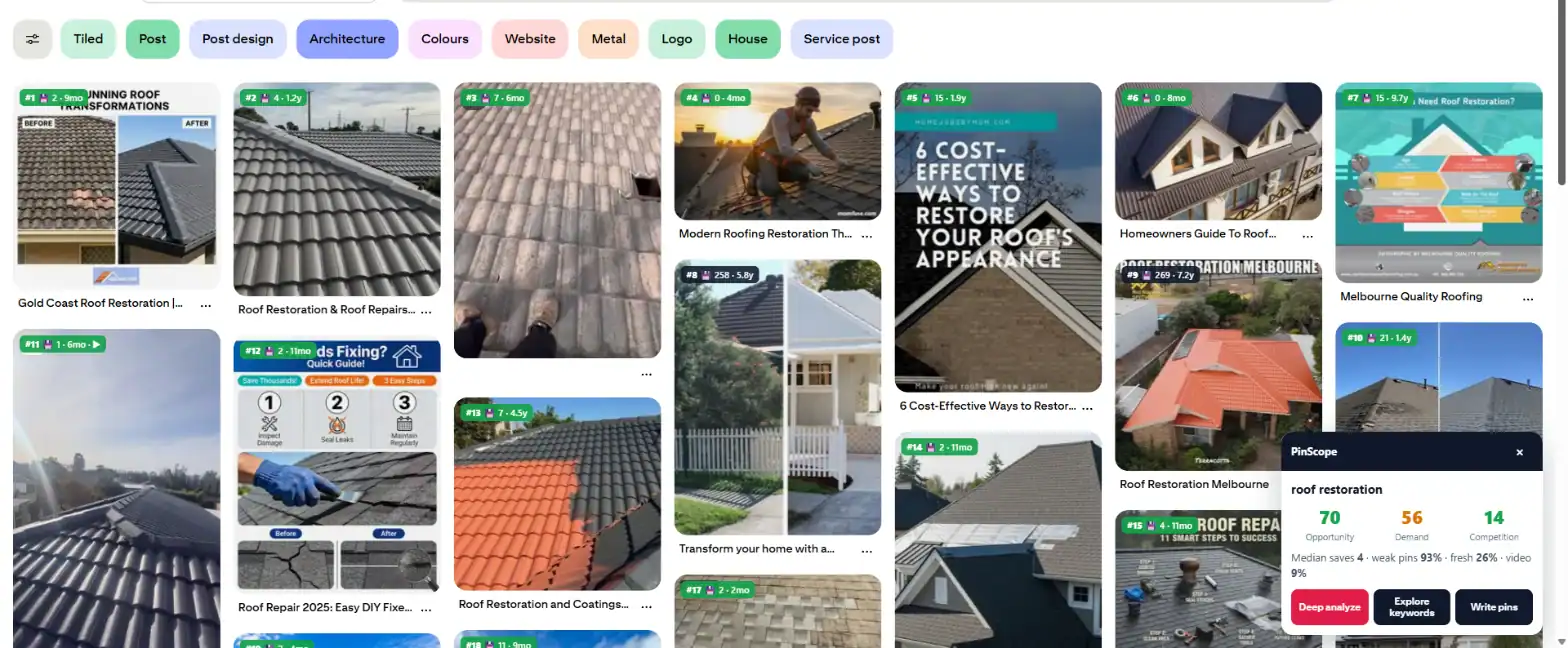
PinScope inside: keyword explorer, top pins analyzer, bulk compare, relative Pinterest search volume and trends for 27 regions.
Everyday web tools
Tech profiler (186 signatures), IP and Whois, word counter, email finder, colour picker, font finder, cookie editor, screenshots and device view.
No duplicate data
Each tool has one home and domain data is fetched once and shared, so the toolbar, Google panel and report never repeat the same lookup.
Up and running in three steps.
- 1Download
Enter your name and email on this page. The zip downloads straight away and the link is emailed to you.
- 2Install
Unzip it to a folder you keep (for example Documents\MHR Toolkit). Open chrome://extensions, switch on Developer mode, click Load unpacked and choose the mhr-toolkit folder. Pin it from the puzzle icon.
- 3Use it
Open any site and press Alt+Shift+S for the SEO toolbar, search Google to see the side panel, or click the icon for all 21 tools.
29 features in 6 groups.
Everything is included and free — no plans and no license key.
On any page (Alt+Shift+S): score, status, index, title, description, H1, words, links, schema, load time, DR.
Metrics, traffic, content, indexability, schema, social, images, headers, links, diagnosis, saved URLs.
Ahrefs DR (free), domain age, first archived, Tranco rank, Open PageRank, optional Semrush and Ahrefs API data.
Up to 20 domains or URLs side by side, best value per column, CSV.
Up to 1,000 URLs with every redirect hop, status, canonical and indexability.
See a page as Googlebot, Bingbot, GPTBot, ClaudeBot or a phone.
Positions, my sites at every position, metrics per result, CSV, copy results.
Loads pages 2–10 under page 1, one at a time, and stops if Google asks for verification.
Difficulty from top-10 DR, words, keyword uses, title/H1 match and average words.
Every country, 98 languages and a city, for local rank checks.
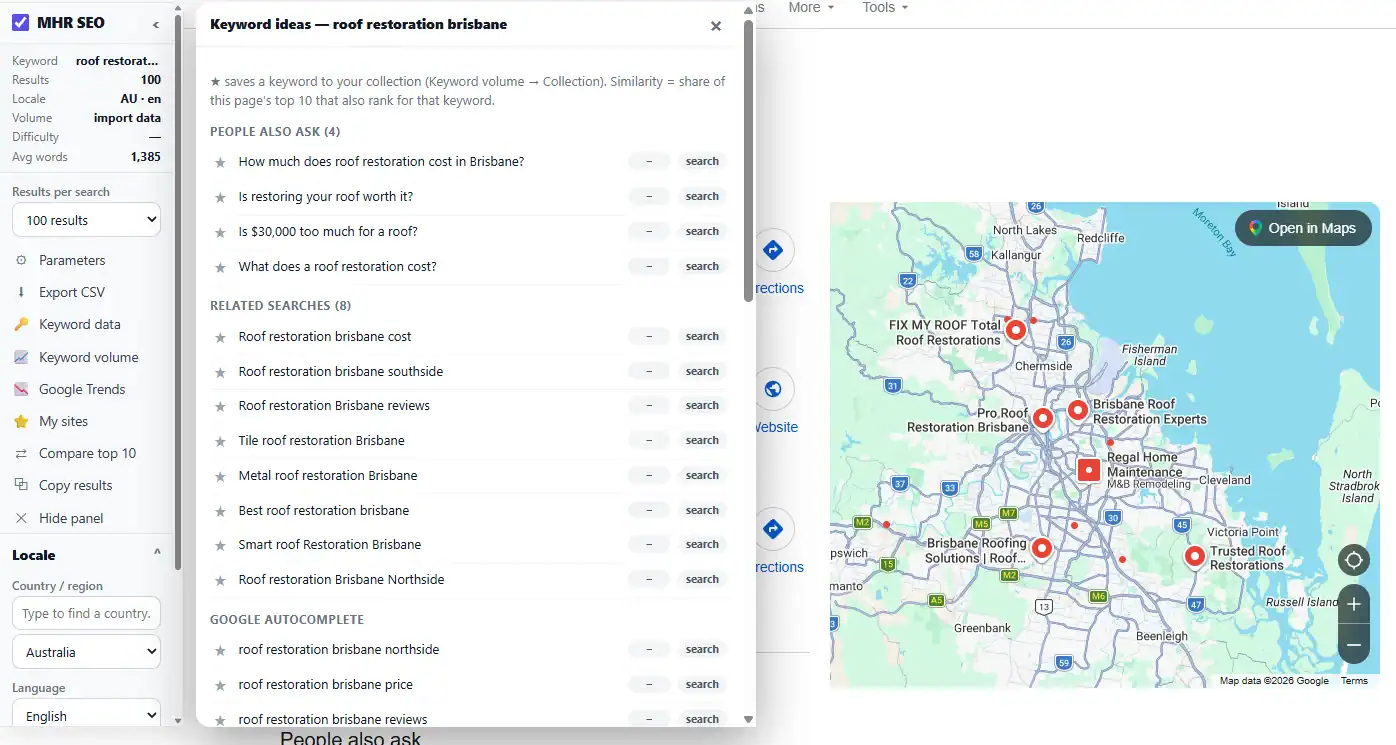
People also ask, related searches, autocomplete, similarity score, Google Trends chart.
Keyword Planner CSV import, Bing Webmaster and Google Search Console, shown on Google and in the word counter.
Google, YouTube, Bing, Amazon, eBay and DuckDuckGo with A–Z and question expansion.
Star keywords anywhere and export them.
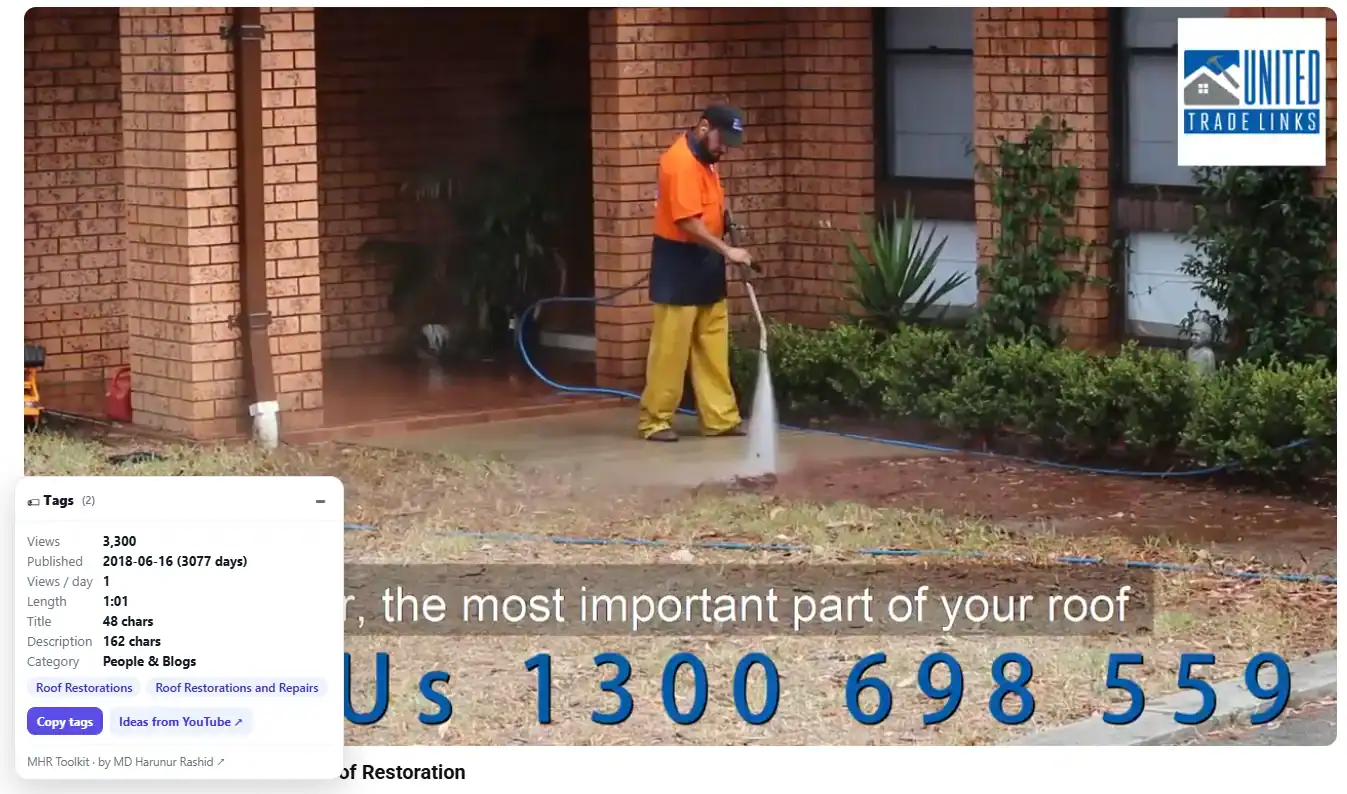
Tags, views per day and stats on every video page.
Google Maps rank from 3×3 to 9×9 points, heat map, ARP, share of local voice, competitors.
Up to 200 listings with rating, reviews, category, phone and website to CSV.
Google review link, QR code and a printable card.
LocalBusiness, Service, FAQ, Breadcrumb and WebSite in one linked graph.
Keyword explorer, top pins analyzer, bulk compare, content studio and projects.
Relative Pinterest search volume and month-on-month change for each keyword.
27 Pinterest Trends regions with peak month and trend line.
186 technologies: CMS, themes, plugins, analytics, hosting and CDN.
Server IP, host, RDAP whois with expiry countdown, DNS, SPF and DMARC.
Words, reading time, readability, keyword density; right-click any selection.
LinkedIn profile to likely emails, with the company’s own address pattern.
Eyedropper with contrast checker, WhatFont-style finder, cookie editor.
Full-page screenshots and phone, tablet and laptop views.
Ad library searches for any brand, and unread Gmail count on the icon.
See it in your browser.
Real screens from MHR Toolkit on live sites. Click to enlarge.
Facts from the extension.
Counted from the app code and its tests — no made-up users, ratings or speed claims.
Made by MHRMasum (MD Harunur Rashid), an SEO consultant with 17+ years of hands-on work. MHR Toolkit v1.6.2. Free data sources by default: Ahrefs DR, Tranco, RDAP, Wayback, Google and Bing suggestions, Pinterest Trends.
Desktop Chrome, Edge or Brave · installed with “Load unpacked” until the Chrome Web Store listing is live · optional free API keys (Ahrefs, Open PageRank, Bing) for extra dataFree. No license key, no account.
Enter your name and email — the download starts straight away, and the link and install steps are emailed to you. You also get an email when a new version is out (unsubscribe any time).
v1.6.2 · Desktop Chrome, Edge or Brave · installed with “Load unpacked” until the Chrome Web Store listing is live · optional free API keys (Ahrefs, Open PageRank, Bing) for extra data
Questions before you install
Straight answers from how the app actually works.
Not sure it fits your PC? Ask me directly — I built MHR Toolkit.
Is MHR Toolkit really free?
+
Yes. It is free to download and use, with no license key and no account. Enter your name and email on this page and the download starts straight away.
Which browsers does it work in?
+
Desktop Google Chrome, Microsoft Edge and Brave (any Chromium browser with extensions). It does not run on phones.
How do I install it?
+
Unzip the download to a folder you keep, open chrome://extensions, switch on Developer mode, click Load unpacked and choose the mhr-toolkit folder. Pin it from the puzzle icon. A Chrome Web Store listing is planned.
How do I update it?
+
Download the new version, unzip it over the same folder and click the reload icon on MHR Toolkit in chrome://extensions. Your settings and saved data are kept.
Where does my data go?
+
Settings, saved keywords and scans stay in your browser. The extension contacts only the services a tool needs, such as Ahrefs for Domain Rating, Tranco, RDAP whois, Google and Bing suggestions and Pinterest Trends, plus any API keys you add yourself.
Do I need API keys?
+
No. Everything works with free sources. Optional free keys add more: Ahrefs (if Ahrefs asks for one), Open PageRank and Bing Webmaster for keyword impressions. Semrush and paid Ahrefs data are optional.
Does it show Google search volume?
+
Google only gives exact volume inside Keyword Planner, so you import a Keyword Planner file and the volumes show on Google, in the word counter and on the keyword page. Bing and Search Console data can be added for free.
Will Google block me?
+
The extension reads Google and Maps at a human pace and stops if Google asks for verification. Heavy features (100 results, rank grid, similarity) load one page at a time.
I found a bug or want a feature
+
Use “Ask a question” on this page or the ? button in the extension — every report is read and most are fixed in the next version.
Release timeline
Download the new zip and reload — your settings are kept.
Pinterest search volume, ideas from 6 sites, keyword collection, difficulty, words per result, similarity, Google Trends, YouTube tags.
Up to 100 Google results per search, PinScope Pinterest research, free keyword volume (Keyword Planner, Bing, Search Console).
Ahrefs-style SEO Report with Domain Rating, Web Vitals and user agent switcher; every country and 98 languages in the locale changer.
SEOquake-style metrics and Google side panel, full diagnosis and Compare page.
Local rank grid, Maps extractor, review QR, bulk URL checker, schema generator, capture, Ad Spy and right-click word count.
First release: SEO toolbar, tech profiler, IP & Whois, word counter, email finder, colour picker, font finder, cookie editor and Gmail checker.
All your SEO tools. One free extension.
Free · no license key · Chrome, Edge and Brave.
More MHR software: all products · free plugins · MHR LumeRank SEO
Your download is ready
Download the zip ↓We also emailed this link to you, with the install steps. It works until .