You changed a slug, merged two categories or moved to HTTPS, and now you are not sure if Google still credits the old URL’s links. Understanding how redirects pass ranking signals answers that question, and it decides whether your edits protect your rankings or quietly leak them.
Google recently explained how redirects work with canonicalisation. A 301 hands the old URL’s signals to the new one. A 302 leaves them on the old URL.
That sounds simple. On a real WordPress or WooCommerce site, though, redirects come from several places at once: WordPress core, plugins, .htaccess, Nginx and your CDN.
This article explains how Google clusters URLs and picks a canonical. It shows how each redirect type affects that choice, and how to keep your other canonical signals in line with your redirects.
It then walks through a practical audit for finding chains, accidental 302s and redirects that point to the wrong place.
It is written for store owners, small business owners, marketers and in-house SEOs who make routine URL changes and want them handled correctly.
Key Takeaways
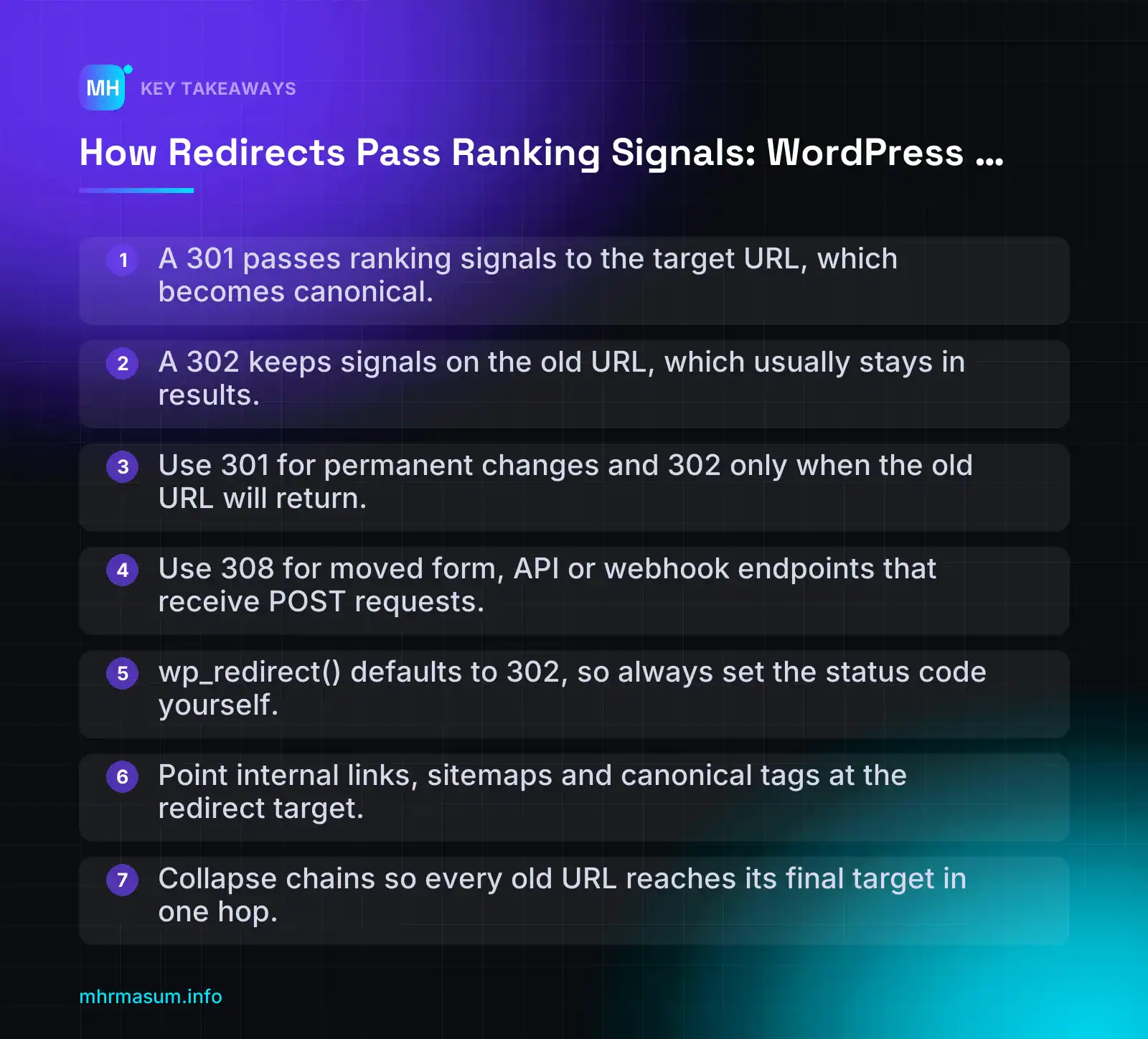
- A 301 passes ranking signals to the target URL, which becomes canonical.
- A 302 keeps signals on the old URL, which usually stays in results.
- Use 301 for permanent changes and 302 only when the old URL will return.
- Use 308 for moved form, API or webhook endpoints that receive POST requests.
- wp_redirect() defaults to 302, so always set the status code yourself.
- Point internal links, sitemaps and canonical tags at the redirect target.
- Collapse chains so every old URL reaches its final target in one hop.
The short answer: what Google clarified about redirects and ranking signals
Google’s Gary Illyes and Cherry Prommawin recently discussed how redirects interact with canonicalisation (Search Engine Journal). This was an explanation of how Google already works, not a new announcement or documentation change.
The summary: a 301 hands the old page’s ranking signals to the new URL, and that new URL becomes the canonical. A 302 does not transfer ranking signals, so the old address keeps them and stays visible in results.
How clustering works
Google does not treat every URL as a separate document to rank. It groups near-identical URLs into a cluster, then picks one URL from that cluster as the canonical.
The canonical is the URL Google shows in results. The signals collected by the other URLs in the cluster are consolidated onto that canonical.
A redirect is one of the clearest ways to tell Google which URL in a cluster should be the canonical. Here is an example:
Cluster (near-identical content):
  http://example.com/blue-widget
  https://example.com/blue-widget
  https://www.example.com/blue-widget/
  https://www.example.com/blue-widget/?utm_source=newsletter

Chosen canonical:
  https://www.example.com/blue-widget/

Result: links and other signals pointing at any of these
are consolidated onto the canonical.
301 vs 302 in Google’s own words
According to the discussion reported by SEJ, both 301 and 302 redirects help Google cluster URLs. The difference is what happens after clustering.
| Redirect | Clustering | Ranking signals | URL shown in results |
|---|---|---|---|
| 301 (permanent) | Yes | Passed to the new URL | The new (target) URL |
| 302 (temporary) | Yes | Not transferred; stay with the old URL | Usually the old (source) URL |
Google recommends the 301 as the way to name the canonical. A 302 tells Google that the move is temporary and that you plan to bring the old URL back.
The decision rule follows directly from this:
If the change is permanent, use a permanent server-side redirect. Use a temporary redirect only when the old URL is definitely coming back.
Google’s own redirect guidance adds a warning. Use permanent redirects only when you are sure the redirect won’t be reverted (Google Search Central).
Why this matters for everyday WordPress edits, not just migrations
Most people think about redirects during a domain move. On a typical WordPress or WooCommerce site, routine edits create redirects far more often.
Each of these everyday changes creates a redirect, or needs one:
- Slug edits. WordPress core stores the previous slug in the
_wp_old_slugmeta field. Thewp_old_slug_redirectfunction then sends visitors from the old post URL to the new one. Test this on your own post types rather than assuming it covers every case. Plan slugs carefully from the start; see SEO friendly URLs in WordPress. - Deleted or discontinued products. A product URL with links and history needs a deliberate decision. You can redirect it to a close replacement, keep it live as out of stock, or let it return 404/410. The discontinued products guide for WooCommerce covers each state.
- Merged categories. If two thin product categories become one, permanently redirect the retired category URL to the surviving one.
- HTTP to HTTPS. Every
http://request should get a single 301 to itshttps://equivalent. - www vs non-www. Pick one version and permanently redirect the other.
- Trailing slashes. WordPress’s
redirect_canonicalfunction normalises many URL variations, including trailing slashes, to match your permalink structure. Server or CDN rules can conflict with it. - Permalink structure changes. Changing from
/2024/05/post-name/to/post-name/changes every post URL at once. Each old URL needs to map to its new equivalent.
The risk in these small edits is that they add up quietly. An HTTPS rule, a www rule and a slug change can stack into a three-hop chain on one URL. A plugin can also add a 302 where a 301 was intended.
Many sites end up with these layered redirects. If you would rather have someone untangle them, that is the kind of technical SEO help I provide.
How each redirect type affects canonical selection
Google’s redirect documentation lists the methods Google supports. It sorts them from the type Google is most likely to interpret correctly to the least likely (Google Search Central).
Google’s canonicalisation guidance calls redirects a strong signal that the target should become canonical. It describes rel="canonical" as also strong and sitemap inclusion as weak (Google Search Central).
The redirect type controls how quickly Google sees that signal and how strong it is.
| Type | Permanent or temporary (Google) | When Google sees it | Canonical effect | When to use it |
|---|---|---|---|---|
| HTTP 301 | Permanent | HTTP response | Strong signal that the target is canonical | Default choice for any permanent URL change |
| HTTP 308 | Permanent | HTTP response | Strong signal that the target is canonical | Permanent moves where the request method must be kept (for example, POST endpoints) |
| HTTP 302 | Temporary | HTTP response | Weak signal; the source usually stays canonical | Short-term moves where the old URL will return |
| HTTP 303 | Temporary | HTTP response | Weak signal; the source usually stays canonical | Post-form “see other” responses, not SEO moves |
| HTTP 307 | Temporary | HTTP response | Weak signal; the source usually stays canonical | Temporary moves that must keep the request method |
| Meta refresh, 0 seconds | Permanent | When the HTML is parsed | Treated as a permanent redirect | Only when you cannot set server-side redirects |
HTTP Refresh header, 0 seconds |
Permanent | HTTP response | Treated as a permanent redirect | Only when you cannot send a 301/308 |
| Meta refresh, delayed (over 0 seconds) | Temporary | When the HTML is parsed | Treated as temporary | Rarely; avoid for SEO moves |
JavaScript location |
Permanent | Only after rendering | Can work, but Google sees it later and less reliably | Last resort when server-side and meta refresh are impossible |
| Crypto redirect (a link saying “we’ve moved”) | Listed under permanent | When the page and its link are processed | Least reliable; Google may not recognise it as a redirect | Absolute last resort, such as hosts with no control |
Server-side 301 and 308
Server-side redirects are part of the HTTP response itself. Googlebot sees them before it downloads or renders any HTML. Server-side redirects are also the type Google says take effect fastest.
You can check what a URL actually returns from the command line:
curl -I https://example.com/old-product/

HTTP/2 301
location: https://example.com/new-product/
Google’s redirect doc includes a PHP example along these lines:
<?php
header('HTTP/1.1 301 Moved Permanently');
header('Location: https://www.example.com/newurl');
exit();
Both 301 and 308 are permanent. Under the HTTP specification, a client following a 301 may change a POST request into a GET. A 308 tells the client to keep the original method and body.
For normal pages, products and posts, that difference does not matter, because crawlers and browsers request them with GET. Use 301 for these.
Use 308 when a permanent move affects things that receive POST requests:
- Form submission endpoints
- API or webhook URLs, such as a payment gateway callback
- AJAX handlers that you have moved to a new path
With a 301 on these endpoints, the submitted data can be silently dropped.
“Every redirect loses 15% of link equity, so avoid redirects wherever you can.”
No fixed loss percentage per redirect appears in Google’s documentation. Google describes a server-side permanent redirect as a strong signal that the target should be canonical. In the discussion above, Google explained that a 301 hands the old page’s signals to the new URL.
Redirects still have real costs, and those costs are what to manage:
- Chains. Each extra hop delays crawling and adds another place for something to break.
- Slower crawling. Googlebot has to make extra requests before it reaches content.
- Irrelevant targets. Redirecting a discontinued product to the homepage does not give Google a near-identical page, so the URLs may not cluster at all.
- Conflicting signals. A redirect target that is canonicalised elsewhere, or is missing from internal links, weakens Google’s confidence in it.
Temporary 302, 303 and 307
Google treats all three as temporary. Googlebot follows them, but the source URL usually stays as the canonical and keeps its place in results.
Legitimate uses are short-lived:
- Sending a product URL to a holding page during a short stock problem, when the product will return
- Geo or language routing, where the original URL remains the main entry point
- Maintenance pages for a few hours
- Seasonal swaps that you will reverse, such as a sale landing page (see Black Friday SEO for WooCommerce for why an evergreen URL is often better)
The common mistake is an accidental 302. PHP’s wp_redirect() defaults to 302 unless you pass a status code. Some plugins and hosting panels also default to 302. Always check the status code you are actually sending.
Meta refresh (0 seconds vs delayed)
Google reads an instant meta refresh as permanent and a delayed one as temporary. Because it lives in the HTML, Google only sees it once the page is fetched and parsed, not in the HTTP response.
Last resort only: use this when your host will not let you set server-side redirects.
<!-- Last resort: instant meta refresh (treated as permanent) -->
<meta http-equiv="refresh" content="0; url=https://www.example.com/new-page/">
Setting content="5; url=…" makes it a delayed refresh, which Google treats as temporary. Delayed refreshes are also confusing for visitors, so avoid them for URL moves.
JavaScript location redirects
Google only sees a JavaScript redirect after the page goes through its Web Rendering Service. Google’s documentation says to use JavaScript redirects only when server-side and meta refresh redirects are not possible.
<!-- Last resort: JavaScript redirect, seen by Google only after rendering -->
<script>
  window.location.replace("https://www.example.com/new-page/");
</script>
“A JavaScript redirect is just as good as a 301.”
It isn’t. Google lists JavaScript redirects near the bottom of its order and only processes them after rendering. Rendering can happen later than crawling, so the signal arrives late and is less dependable.
JavaScript also misfires more often. A blocked script, a consent banner or an error on the page can stop the redirect from running.
On WordPress there is rarely a reason to use one. You can set a redirect in a plugin, in PHP, or at server or CDN level. If a theme or third-party script is redirecting visitors with JavaScript, investigate why. Unexpected script-driven redirects are also a spam and security warning sign; see the back button hijacking audit.
Finding out which layer is sending each redirect is the first step in getting SEO for WordPress sites under control. The layers are WordPress core, a plugin, .htaccess, Nginx or the CDN. The audit steps later in this article cover how to check each one.
Redirects are only one canonical signal: keep the others aligned
A redirect tells Google which URL you prefer. It is not the only thing Google reads before it picks a canonical.
Google’s canonical documentation describes redirects and rel=”canonical” as strong signals that a URL should become canonical. It describes sitemap inclusion as a weak signal (Google Search Central). The same page also says to link internally to the canonical URL.
Google weighs all of these signals together. When they agree, consolidation is quick and predictable. When they disagree, Google has to choose, and it may not choose the URL you want.
Internal links, sitemaps and rel=canonical
After you add a redirect, the rest of your site should point to the redirect’s target. Do not keep pointing at the old address.
- Internal links: menus, footer links, buttons, in-content links and related-product blocks should use the final URL. Each internal link to a redirected URL adds a hop for users and crawlers, and it sends a mixed signal.
- XML sitemaps: list only URLs that return 200 and that you want indexed. A redirected URL in a sitemap says “index this” while the server says “this has moved”.
- rel=canonical: the canonical tag on the target page should point to itself. A canonical tag should never point to a URL that redirects.
Here is a quick way to check one URL from the command line. It shows each hop and the status code it returns:
curl -sIL https://example.com/old-product/ | grep -iE "^HTTP|^location"

HTTP/2 301
location: https://example.com/product/new-product/
HTTP/2 200
One 301 followed by a 200 is the result you want. If you see two or more redirects before the 200, you have a chain. A later section covers how to fix chains.
What happens when signals conflict
These are the conflicts I see most often on WordPress sites:
- The main menu still links to the old URL. The page was renamed and the redirect works, but the custom menu item still stores the old link. Every page on the site now links to a redirect.
- The XML sitemap lists a redirected URL. This is common when a sitemap is cached, is generated by a second plugin, or is a static file left over from an old site.
- A canonical tag points to a URL that redirects. For example, page A has a canonical to B, and B 301s to C. You are sending Google two different instructions, and neither of them is clean.
- Hreflang or structured data still uses old URLs. Product schema
urlvalues and hreflang alternates are often hard-coded and get forgotten.
“Once the 301 is in place, Google will sort out the rest.”
A 301 is a strong signal, but it is still a signal, not a command. If dozens of internal links, the sitemap and a canonical tag all point somewhere else, you are working against your own redirect. Fix the other signals so they agree with it.
| Signal | Should point to | Where to fix it in WordPress |
|---|---|---|
| Navigation menus | Final 200 URL | Appearance > Menus (classic themes) or Appearance > Editor > Navigation (block themes). Custom links do not update themselves. |
| In-content links | Final 200 URL | Edit the posts. For bulk changes, run a database search-and-replace only after a full backup. |
| XML sitemap | Indexable 200 URLs only | Yoast SEO: Settings > Content types and Advanced. Rank Math: Sitemap Settings. Clear page and CDN caches, then resubmit in Search Console. |
| rel=canonical | Self, or the preferred 200 URL | The Canonical URL field in the Yoast or Rank Math Advanced tab of each post or product. Leave it blank unless you need an override. |
| Product feed links | Final 200 product URL | Your feed plugin or the Google for WooCommerce sync settings. |
| Structured data / hreflang | Final 200 URL | SEO plugin schema settings, theme templates, or the multilingual plugin. |
On WooCommerce, internal links come from many places at once: categories, product grids, upsells and blog posts. My guide to WooCommerce internal linking shows where to look for them.
Decision rule: redirect or canonical?
Redirect when users no longer need the old URL. Use a 301 when the page has moved, has been merged or has been replaced. In those cases nobody should land on the old version.
Use a canonical when the URL must stay reachable. Some URLs do a real job for users or tracking:
- Sorting parameters such as
?orderby=priceon a category page. - Campaign parameters such as
?utm_source=newsletter. Redirecting these can strip the parameters before analytics records them. - Filter and attribute combinations that shoppers use but that you do not want indexed. My faceted navigation guide for WooCommerce covers these in detail.
Google’s documentation also advises using permanent redirects only when you are deprecating a duplicate page (Google Search Central).
Common WordPress and WooCommerce redirect scenarios (and the right response)
Most redirect mistakes come from using one response for every situation. Use the table below to choose the status for each case, then read the notes that follow.
| Situation | Correct status | Target | Why |
|---|---|---|---|
| Post or product slug changed | 301 (often handled by WordPress core) | New slug URL | Same content at a new address |
| Product temporarily out of stock | No redirect (200) | None | The page will be needed again. Update availability instead |
| Product discontinued, close replacement exists | 301 | Replacement product | Meets the same user need |
| Product discontinued, no replacement | 301 to category, or 404/410 | Closest relevant category, or none | Redirect only if the target is genuinely relevant |
| Two categories or tags merged | 301 | Surviving category or tag | Consolidates duplicate archives |
| Permalink structure or category base changed | 301 (pattern rule) | New URL pattern | Every old URL needs a one-to-one match |
| Short promotion page, returning soon | 302 or keep it live | Temporary page | The original URL should keep its signals |
| Spam or hacked URLs | 404 or 410 | None | Nothing relevant to pass on |
Changed post or product slug
WordPress core stores the previous slug in a _wp_old_slug post meta value. When someone requests the old URL and it would otherwise return a 404, the wp_old_slug_redirect function sends them to the current URL. Products are a post type, so they usually get the same behaviour.
Adding a plugin redirect on top of this can cause double handling. Some SEO plugins also create a redirect automatically when you change a slug. You can then end up with two rules for the same URL, or a chain if you rename the slug again later.
Verify how your own setup behaves before adding anything:
- Change a test post’s slug.
- Request the old URL with the
curlcommand shown above. - Check which system answers. Look for a plugin’s redirect log entry or a response header that identifies it.
- Keep one system responsible for slug redirects and turn off automatic creation in the other.
For slug rules, including non-Latin characters, see my article on SEO-friendly URLs in WordPress.
Deleted or discontinued product
If a close equivalent exists, such as a newer model or the same item in a new pack size, 301 to that product. If there is no equivalent, 301 to the most specific relevant category.
Do not redirect to the homepage by default. If many unrelated products redirect to the homepage, Google may treat those redirects like soft 404s. The old URLs drop out and their signals are not consolidated anywhere useful.
If nothing relevant exists, a 404 or 410 is the honest answer. A useful custom 404 page with search and category links still helps the visitor.
Out-of-stock product
Keep the page live, returning 200. Mark the product as out of stock in WooCommerce so the availability in your structured data and feed updates. Add a back-in-stock notice or links to alternatives.
“Out-of-stock pages hurt SEO, so redirect them until stock returns.”
Redirecting a page and then removing the redirect a few weeks later is exactly the kind of reverted redirect Google advises against for permanent redirects. It also takes the page away from the people searching for that product.
Merged categories or tags
When you merge two overlapping categories, 301 the retired category URL to the surviving one. Then update menus, breadcrumbs and any widgets that link to the retired category.
For thin tags that you are deleting with no clear match, a 404 is fine. Do not redirect hundreds of tags to the blog homepage.
Changed permalink structure or category base
Moving from /2024/05/post-name/ to /post-name/, or renaming /product-category/, changes every URL on the site at once. WordPress may guess some old URLs through redirect_canonical, but do not rely on guessing for a structural change.
Old: /product-category/shoes/running/
New: /shop/shoes/running/
Rule: ^/product-category/(.*)$  →  /shop/$1  (301)
Write explicit pattern rules, then test a sample of old URLs from Search Console and your analytics. Treat a structural change like a small migration. My WordPress site migration guide covers the checks to run afterwards.
A note on Merchant Center
Product links in your feed should point to the final 200 URL, not a redirected one. After you change slugs or categories, confirm that your feed plugin regenerates the links. Check the current landing page requirements in Google Merchant Center Help before you assume a redirected link is acceptable. Policies change, and product disapprovals cost sales directly.
If you would like someone to check whether your redirects, canonicals and feed links agree, start with a free SEO check.
Plugin redirects vs server-level redirects: which to use
On a WordPress site, a redirect can live in several places. Where a rule lives decides how fast it runs, who can change it and how easily it clashes with other rules.
Google only sees the final HTTP response. It cannot tell whether a 301 came from a plugin or from Nginx. The layer still matters because it decides how reliable, fast and maintainable your redirects are.
Where each layer runs in the request
When a browser or Googlebot requests a URL, the request passes through these layers in order. The first layer that returns a redirect wins. The layers after it never run.
- CDN or edge rules, for example redirect rules in your CDN or host dashboard. These run before the request reaches your server.
- The web server: Apache (
.htaccessor the virtual host config) or Nginx (the server block). - PHP and WordPress core. WordPress loads, then runs its own redirects. These include
redirect_canonical()for things like trailing slashes and non-canonical query URLs, andwp_old_slug_redirect()for posts whose slug changed, which uses the stored_wp_old_slugvalue. - Plugins and theme code, such as Redirection, Rank Math, Yoast SEO Premium or custom code in
functions.php. These usually run in PHP after WordPress has loaded.
Request
  → CDN / edge rules          (fastest, no server work)
  → Apache .htaccess / Nginx  (no PHP, no database)
  → WordPress core            (PHP + database loaded)
  → SEO / redirect plugins    (PHP + database + plugins loaded)
  → Page renders (200) if nothing redirected
This order explains many odd results. A CDN rule can quietly override a plugin rule you have just edited. An old .htaccess line can send users somewhere your plugin dashboard knows nothing about.
Trade-offs at a glance
| Factor | Plugin redirects | Server-level (.htaccess / Nginx) | CDN / edge rules |
|---|---|---|---|
| Ease of use | Easiest. Form in wp-admin, no file access needed | Needs file or server access and syntax knowledge | Dashboard-based, but each provider has its own rule syntax |
| Logging | Often includes hit logs and 404 logs (check each plugin) | Only through server access logs | Depends on the provider and plan |
| Who can edit | Any admin, and sometimes editors | Developers or the host | Whoever holds the CDN account |
| Speed | Slowest. PHP and WordPress must load first | Fast. No PHP or database | Fastest. The request never reaches the origin |
| Page caching | May not fire if a cache serves the old URL before PHP runs | Runs before most page caches | Redirect responses may be cached, so purge after changes |
| Risk of breaking things | Low per rule, but rules pile up and conflict | A syntax error in .htaccess can return a 500 for the whole site |
A broad pattern can redirect far more than you meant |
When a plugin is fine
Plugin redirects are a sensible default for one-off editorial redirects:
- A blog post was merged into a better guide.
- A product was permanently removed and has a close replacement.
- A page slug was changed and you want a visible record of it.
- Non-technical staff need to add redirects without server access.
Use a plugin that logs hits, so you can see which redirects still get traffic. A 404 log is also useful because it shows broken URLs worth redirecting.
Check current features on each plugin’s wordpress.org page before you choose. Look for import and export (CSV or server formats), 404 logging, regex support, and whether redirects can be grouped or exported to .htaccess or Nginx. Features and free or premium splits change, so do not rely on a feature list you read a year ago.
When to move rules to .htaccess, Nginx or the CDN
Use this decision rule:
- Site-wide rules belong at server or CDN level. This covers HTTP to HTTPS, non-www to www (or the reverse), trailing slash rules, old domain to new domain, and whole-folder moves.
- Individual URL redirects can live in a plugin, as long as logging is on and someone owns the list.
- Large pattern-based migrations with hundreds or thousands of rules usually belong at server level. Then WordPress does not have to load just to send a 301.
“It’s safer to add the HTTPS redirect in the plugin as well, just in case.”
It isn’t. Never define the same rule in more than one layer. If the CDN forces HTTPS, Nginx adds www and a plugin adds a trailing slash, one request can become three hops. If two layers disagree, you get a loop. Duplicated rules across layers are the most common cause of redirect chains and loops on WordPress.
Write down which layer owns each type of rule, and keep that note with your site documentation.
Step-by-step: run a WordPress redirect audit
A redirect audit answers three questions. Does every old URL reach a live, indexable page? Does it get there in one hop? Does the rest of the site already point to the final URL?
Work through these steps in order. Record each URL in a simple sheet like this:
| Old URL | Rule source | Hops | Codes in chain | Final URL | Final status | Action |
|---|---|---|---|---|---|---|
| /shop/blue-mug | Redirection plugin | 3 | 301 → 301 → 301 | /product/blue-mug/ | 200 | Point directly to final URL |
| /summer-sale/ | Rank Math | 1 | 302 | /sale/ | 200 | Change to 301 if permanent |
| /old-guide/ | .htaccess | 2 | 301 → 404 | /guide-v2/ | 404 | Redirect to the correct live page |
Step 1: Export every redirect source
You cannot fix conflicts you cannot see. Collect rules from every place they can live:
- Redirect plugin: export all rules (CSV or JSON) from Redirection or similar.
- SEO plugin: Rank Math, Yoast SEO Premium and others have their own redirect modules. Export or screenshot them.
- .htaccess: copy the file from the site root. Check for rules above and below the
# BEGIN WordPressblock. - Nginx config: ask your host or developer for the server block (often under
/etc/nginx/sites-enabled/). Look forreturn 301andrewrite … permanent. - CDN or host dashboard: redirect rules, page rules and bulk redirect lists. Many managed WordPress hosts also have their own redirect screen.
- Theme and custom code: search
functions.phpand any must-use plugins for redirect calls. - WordPress core slug history: old slugs stored in
_wp_old_slug.
Two quick checks if you have shell or WP-CLI access:
# Find redirect code in the theme and plugins
grep -rn "wp_redirect\|wp_safe_redirect\|template_redirect" wp-content/themes wp-content/mu-plugins

# List old slugs WordPress will redirect from (adjust the table prefix)
wp db query "SELECT post_id, meta_value FROM wp_postmeta WHERE meta_key = '_wp_old_slug';"
Merge everything into one list and note the source layer for each rule.
Step 2: Crawl the site and the old URLs
Run two crawls with any desktop SEO crawler.
- A normal site crawl from the homepage. This finds internal links that still point to redirecting URLs.
- A list-mode crawl of old URLs that never appear in your current navigation.
Build the list-mode input from:
- The source URLs from Step 1.
- Target URLs from your backlink tool (the pages other sites link to).
- GA4 landing pages from the last 12–16 months: Reports → Engagement → Landing page, or an Exploration with the landing page dimension.
- Old XML sitemaps, archived exports or a pre-migration crawl.
- Search Console’s Performance report (Pages tab) over the longest available date range.
Set the crawler to follow redirects and report the full chain. You want the status code of every hop, the number of hops and the final URL with its final status.
Step 3: Trace chains hop by hop
Confirm anything suspicious from the command line. curl shows exactly what each layer returns:
curl -sSIL --max-redirs 10 http://example.com/shop/blue-mugTrimmed output:
HTTP/1.1 301 Moved Permanently
Location: https://example.com/shop/blue-mug

HTTP/2 301
location: https://www.example.com/shop/blue-mug

HTTP/2 301
location: https://www.example.com/product/blue-mug/

HTTP/2 200
How to read it:
- Each status line is one hop. Here there are three redirects before the 200.
- Each
Locationheader shows where that hop sends you. Hop 1 fixes HTTPS, hop 2 adds www, and hop 3 is the editorial redirect. - Match each hop to a layer from Step 1. Here the HTTPS and www rules are probably at server or CDN level, and the last hop comes from a plugin. The fix is to redirect HTTP and non-www straight to the final URL, or to let one server rule handle protocol and host together.
- A 302 or 307 in the middle of the chain means that hop is temporary. Check whether it should be permanent.
- A final 404 or 5xx means the chain ends somewhere useless.
The -I flag sends a HEAD request, and a few servers answer HEAD differently from GET. To check many URLs with GET requests, use a summary line instead:
while read url; do
  curl -s -o /dev/null -L --max-redirs 10 \
    -w "$url  %{http_code}  %{num_redirects}  %{url_effective}\n" "$url"
done < old-urls.txt
Hop limits and loop patterns are covered in the next section.
Step 4: Check Search Console
Go to Indexing → Pages and look at the reasons pages are not indexed.
- Page with redirect is normal. Google found a redirecting URL and indexes the target instead. Scan the examples for URLs that should not redirect, such as a live product page.
- Redirect error needs fixing. Typical causes are a chain that is too long, a loop, a URL that grows past the maximum length, or a bad or empty URL in the chain. Check the exact definitions in Search Console Help for the Page indexing report.
Then use URL Inspection on the target URL, not only the old one. Check that the target is indexed and that the Google-selected canonical matches the URL you chose. If Google picked a different canonical, your other signals probably disagree with the redirect. If the target sits in “Crawled – currently not indexed”, the problem is the page itself, not the redirect. Our guide on diagnosing crawled but not indexed pages covers that case.
Step 5: Fix, then update internal links and sitemaps
Point every old URL to the final 200 URL in one hop. Edit the original rule rather than stacking a new rule on top.
- Use 301 (or 308) for permanent moves. Keep 302 or 307 only for genuinely temporary situations.
- Remove duplicate rules so each redirect lives in exactly one layer.
- Redirect only to a relevant equivalent page. Do not send every old URL to the homepage.
Then remove the redirect from your own site’s links:
- Menus and widgets: replace old URLs with the final URLs.
- In-content links: search-replace old URLs in posts and products. Back up first, and use a tool that handles serialised data.
- XML sitemaps: list only final 200 URLs. No redirecting URLs.
- Canonical tags and hreflang: they must reference final URLs.
- Product feeds: make sure the product link in your Merchant Center feed is the final URL. Check current Google Merchant Center Help for landing page requirements before relying on redirects there.
- Structured data: update
urland@idvalues that still use old addresses.
Step 6: Validate and monitor
- Re-crawl the same old-URL list and the full site. Every old URL should show one hop to a 200, and internal links should show no redirects.
- Purge caches, both the page cache and the CDN, so stale redirect responses do not hide your fixes.
- In Search Console, open the Redirect error issue and click Validate Fix. Validation can take days or weeks.
- If you use Bing Webmaster Tools, submit changed final URLs there too. See our IndexNow setup for WordPress.
- Keep permanent redirects in place long term. Old backlinks, bookmarks and cached links keep sending people and crawlers to those URLs for years.
- Re-run a light version of this audit every quarter and after every migration, theme change or plugin switch.
Timing matters as well. The November 2026 core update finished on 24 November and the December core update has been preannounced, so log your redirect change dates to avoid confusing redirect effects with update effects.
If the audit turns up conflicts you would rather not untangle alone, you can book a free consultation and we will go through your redirect map together.
Finding and fixing redirect chains and loops
A redirect chain is when one URL redirects to another URL that also redirects, and so on. A redirect loop is a chain that never ends because it eventually points back to a URL it already visited.
Chains waste crawl requests, slow down users and make it harder to see which URL you actually want treated as canonical. Loops are worse. A looping URL returns no content at all, so Google cannot index it or the page it was meant to reach.
Typical WordPress chain patterns
Most WordPress chains are not planned. They build up over time as separate rules each add one hop: an HTTPS rule, a www rule, a trailing slash fix, then a plugin redirect added after a product was renamed.
Here is a typical example from a WooCommerce store that changed its permalink base and later renamed a product:
http://example.com/shop/old-product
  → 301 https://example.com/shop/old-product          (HTTPS rule)
  → 301 https://www.example.com/shop/old-product      (www rule)
  → 301 https://www.example.com/shop/old-product/     (trailing slash, WordPress)
  → 301 https://www.example.com/product/new-product/  (plugin redirect)
That is four hops for a single old link. Every rule is “correct” on its own. Together, they form a chain.
The fix is to send the old URL straight to the final destination in one hop:
http://example.com/shop/old-product
  → 301 https://www.example.com/product/new-product/

https://example.com/shop/old-product/
  → 301 https://www.example.com/product/new-product/
To get there:
- Add a specific rule for the old path that points to the full final URL, including scheme, host and trailing slash.
- Place that specific rule before your generic HTTPS and host rules, so it fires first. The examples in the next section show how.
- Make the rule match both with and without a trailing slash.
- Flatten older redirects. If an old rule points to a URL that now redirects again, edit the old rule to point at the current final URL.
- Update internal links, menus, sitemaps and product feeds to the final URL, so nothing on your own site starts a chain.
You can check any URL from the command line. curl shows every hop:
curl -sIL http://example.com/shop/old-product | grep -iE "^(HTTP|location)"

HTTP/1.1 301 Moved Permanently
location: https://www.example.com/product/new-product/
HTTP/2 200
One 301 and then a 200 is the result you want. For a whole site, a crawler such as Screaming Frog can export every chain in bulk (Reports > Redirects > Redirect Chains in current versions).
| Chain pattern | Usual cause | Fix |
|---|---|---|
| HTTP → HTTPS → www | Separate HTTPS and host rules | Combine into one rule that sends both to the canonical scheme and host |
| No slash → slash → new URL | Plugin rule only matches the slashed version | Make the rule match both versions and point to the final URL |
| Old slug → newer slug → newest slug | Product renamed more than once | Point every old slug directly at the current URL |
| Old domain → new domain → new path | Migration rule plus later restructuring | Update the migration map to final URLs |
| Redirect → category page → filtered URL | Redirect target was itself changed later | Re-check redirect targets after every structural change |
Typical loop causes
Loops on WordPress almost always come from two layers disagreeing about what the “correct” URL is. The common causes are:
- WordPress Address or Site Address doesn’t match the server host rule. For example, Settings > General says
https://example.combut the server forceswww. WordPress sends users back to non-www, the server sends them to www, and the loop begins. Also check whetherWP_HOMEandWP_SITEURLare hard-coded inwp-config.php. - CDN or proxy SSL mode clashes with a server HTTPS rule. If the CDN connects to your server over HTTP (for example a “Flexible” SSL mode), the server sees every request as HTTP and redirects to HTTPS. The CDN then requests over HTTP again, forever.
- A plugin rule reverses a server rule. The server adds a trailing slash, and a redirect plugin removes it. Or an old plugin redirect sends
/a/to/b/while a newer server rule sends/b/back to/a/. - A caching plugin serves a cached redirect. You fixed the rule, but the cache still holds the old 301 response. Browsers also cache 301s, which makes a fixed problem look unfixed, or a broken one look fine.
To diagnose a loop, run curl -sIL and read the location headers. When you see the same two URLs repeating, find which layer issues each one: CDN, server config, .htaccess, WordPress or a plugin. Then decide on one canonical form and make every layer agree with it.
Googlebot’s hop limit
According to Google’s crawler documentation, Google’s crawlers follow up to 10 redirect hops by default. If the chain is longer, the crawl stops and Search Console reports the URL as Redirect error in the Page indexing report (Onely summary).
Search Console Help groups Redirect error under a few causes: a chain that is too long, a loop, a redirect URL that grows past the maximum URL length, and a bad or empty URL in the chain. Check the current Help page for the exact wording.
Ten hops is the hard limit, not the target. Google’s site-move guidance prefers sending users and crawlers straight to the final URL. If a chain cannot be avoided, keep it to 3 hops or fewer, and always fewer than 5.
Don’t confuse Redirect error with Page with redirect. Page with redirect is not an error. It simply means Google indexed the target URL instead of the redirecting one, which is what a working redirect should produce.
“It loads in my browser, so it’s fine.”
This is the most common reason chains go unnoticed. Browsers follow more hops than Googlebot, so a 12-hop chain can still load for you. Your browser may also be serving a cached redirect, and when you are logged in to WordPress you may bypass the page cache and see different behaviour from a visitor. Always test with curl or a crawler, logged out, with caches purged.
One timing note: the December 2026 core update has been preannounced, so avoid large redirect changes during the rollout, or you won’t be able to tell whether a ranking change came from your fix or from the update.
.htaccess and Nginx redirect examples for WordPress
The examples below use https://www.example.com as the canonical form. Replace it with your own canonical scheme and host, and make sure it matches the WordPress Address and Site Address in Settings > General.
Before you edit anything:
- Back up the current
.htaccessor Nginx config file. - Test on staging first if you have it. The same staging-first habit I recommend when you update the PHP version on WordPress and WooCommerce applies here.
- Keep SSH or file-manager access open, so you can undo a rule that takes the site down.
Apache .htaccess
WordPress already uses mod_rewrite, so using RewriteRule for your redirects keeps everything in one module and makes the order easier to predict. Mixing Redirect/RedirectMatch with RewriteRule works, but the two modules don’t run in file order, which causes confusing results.
Note that in .htaccess, the path in a RewriteRule has no leading slash. Google’s redirects documentation shows ^/service$ because its example is for the main server config, where the slash is included.
Single page 301, matching with or without a trailing slash:
RewriteEngine On
RewriteRule ^old-page/?$ https://www.example.com/new-page/ [R=301,L]
Whole folder 301, keeping the rest of the path:
RewriteRule ^old-folder/(.*)$ https://www.example.com/new-folder/$1 [R=301,L]The mod_alias equivalent, if you prefer it and don’t mix it with rewrite rules for the same paths:
RedirectMatch 301 ^/old-folder/(.*)$ https://www.example.com/new-folder/$1HTTPS and canonical host in one hop:
RewriteEngine On
RewriteCond %{HTTPS} off [OR]
RewriteCond %{HTTP_HOST} !^www\.example\.com$ [NC]
RewriteRule ^(.*)$ https://www.example.com/$1 [R=301,L]
If your site sits behind a CDN or load balancer that terminates SSL, %{HTTPS} may always read as off and this rule will loop. In that case check the forwarded protocol header instead, after confirming your proxy sends it:
RewriteCond %{HTTP:X-Forwarded-Proto} !https [OR]
RewriteCond %{HTTP_HOST} !^www\.example\.com$ [NC]
RewriteRule ^(.*)$ https://www.example.com/$1 [R=301,L]
410 for a product removed for good:
RewriteRule ^product/discontinued-widget/?$ - [G]The [G] flag returns 410 Gone and stops processing.
Nginx
Nginx has no .htaccess. Rules go in the site’s server block, usually in a file under /etc/nginx/sites-available/ or /etc/nginx/conf.d/. On many managed WordPress hosts you can’t edit this file and must use the host’s redirect tool instead.
Single page 301 with an exact-match location:
location = /old-page { return 301 https://www.example.com/new-page/; }
location = /old-page/ { return 301 https://www.example.com/new-page/; }
An exact match covers only one form, so add both the slashed and unslashed versions.
HTTP and non-canonical host to the canonical host in one hop:
server {
    listen 80;
    listen [::]:80;
    server_name example.com www.example.com;
    return 301 https://www.example.com$request_uri;
}

server {
    listen 443 ssl;
    listen [::]:443 ssl;
    server_name example.com;
    # ssl_certificate and ssl_certificate_key lines here
    return 301 https://www.example.com$request_uri;
}

server {
    listen 443 ssl;
    listen [::]:443 ssl;
    server_name www.example.com;
    # main WordPress configuration here
}
Each wrong combination goes straight to https://www.example.com, so no request needs two hops.
Rewrite with a regex capture for a folder move:
rewrite ^/old-folder/(.*)$ https://www.example.com/new-folder/$1 permanent;permanent returns a 301. redirect would return a 302, which is a common copy-and-paste mistake.
410 for a removed product:
location = /product/discontinued-widget/ { return 410; }After every change, test the syntax and only reload if the test passes:
sudo nginx -t && sudo systemctl reload nginxWhen to use 410 or 404 instead of a redirect
A redirect should send people to a page that genuinely replaces the old one. Redirecting everything to the home page or a broad category is not a replacement, and Google may treat it as a soft 404 anyway.
| Situation | Response |
|---|---|
| Product replaced by a close successor or new URL | 301 to the new product |
| Product renamed or moved category | 301 to the new URL |
| Product gone for good, no close equivalent | 410 (or 404) |
| Page removed, may return later | 404 |
| Product temporarily out of stock | Keep the page live with 200, no redirect |
Both 404 and 410 tell Google the page is gone. 410 states clearly that the removal is intentional and permanent, which makes your intent obvious in logs and audits.
Where to place rules relative to the WordPress block
In .htaccess, put your redirects above # BEGIN WordPress. The WordPress block sends every unknown path to index.php with the [L] flag, so rules below it may never run. WordPress can also rewrite everything between its own markers when permalinks are saved, which would delete rules placed inside.
# BEGIN Custom redirects
RewriteEngine On

# 1. Specific redirects first (straight to final URLs)
RewriteRule ^shop/old-product/?$ https://www.example.com/product/new-product/ [R=301,L]
RewriteRule ^product/discontinued-widget/?$ - [G]

# 2. Folder redirects next
RewriteRule ^old-folder/(.*)$ https://www.example.com/new-folder/$1 [R=301,L]

# 3. Generic HTTPS + host rule last
RewriteCond %{HTTPS} off [OR]
RewriteCond %{HTTP_HOST} !^www\.example\.com$ [NC]
RewriteRule ^(.*)$ https://www.example.com/$1 [R=301,L]
# END Custom redirects

# BEGIN WordPress
# (leave WordPress's own rules unchanged)
# END WordPress
The order matters. Specific rules first, generic rules last, so an old product URL on HTTP reaches the new product in one hop instead of first being redirected to HTTPS.
In Nginx, the host and HTTPS redirects live in their own server blocks, as shown above, so they run before WordPress. Inside the canonical server block, place location = redirects and rewrite lines above the location / { try_files $uri $uri/ /index.php?$args; } block. Exact-match locations take priority regardless of position, but keeping redirects together at the top makes the file easier to audit.
Finally, purge every cache: your caching plugin, server cache, CDN cache and your own browser. Then re-test the changed URLs logged out with curl -sIL and confirm each one returns a single 301 followed by a 200, or a clean 410.
Troubleshooting: when redirects don’t consolidate signals
Sometimes a redirect is live, but Google still treats the old URL as the main one. This is usually not a mystery. Something in the setup is sending Google a mixed message, or Google simply hasn’t recrawled the old URL yet.
Google explained that it clusters near-identical URLs, picks one canonical, and moves the cluster’s ranking signals to that URL. A 301 hands the old page’s signals to the new URL. Google does not transfer ranking signals on a 302 (Search Engine Journal). In most cases, the fix is to make every signal agree with the redirect.
First, allow for timing
Google only sees a redirect when it recrawls the old URL. Changing a rule on your server does nothing in Google’s index until Googlebot requests that old address again.
- Popular, frequently crawled URLs may be picked up within days.
- Deep pages, old blog posts and products with few links can take weeks or longer.
- Server-side redirects take effect fastest, because Google sees them without rendering the page (Google Search Central).
If the redirect has only been live for a few days, check that it works correctly and then wait. Don’t keep changing it.
Keep redirect changes out of the December 2026 core update window (Google Search Status Dashboard). Then you can tell an update’s effect apart from a redirect problem.
Google still shows the old URL
A 301 should eventually show the new URL in results. A 302 keeps the old one, because a temporary redirect tells Google the original URL is still the one that matters.
Check these in order:
- Status code. Run
curl -sILon the old URL and confirm the first response is301or308, not302or307. - Who sends the redirect. A CDN, hosting panel or plugin may override your server rule with a 302. The response headers often show this, for example a
serverorx-redirect-byheader. - Internal links. Menus, footers, related products and old blog posts that still link to the old URL keep voting for it.
- Sitemaps. Make sure your XML sitemap lists only the new URL.
- Whether Google has recrawled it. Use URL Inspection on the old URL and look at the last crawl date.
$ curl -sIL https://example.com/old-page/ | grep -iE "^HTTP|^location"
HTTP/2 302
location: https://example.com/new-page/
HTTP/2 200

# Problem: 302 for a permanent move. Change it to 301.
Target URL not indexed
If the target can’t be indexed, Google has nowhere to move the signals. The old URL may then stay as “Page with redirect” in Search Console, while the new one doesn’t rank.
Common reasons:
- The target has noindex. This often happens after a staging copy is pushed live or an SEO plugin setting is changed. If you use noindex on purpose elsewhere, check that it hasn’t spread to the target. My guide to noindex on shareable WordPress pages covers how these settings get applied.
- The target is blocked by robots.txt. Google can’t crawl it, so it can’t confirm the content.
- The target is a soft 404 or thin. Redirecting many unrelated URLs to the homepage or a generic category can be treated as a soft 404. The old page’s relevance doesn’t carry over to a page that doesn’t match it.
- The target simply isn’t valued yet. If URL Inspection shows “Crawled – currently not indexed”, treat it as a quality and internal-linking problem, not a redirect problem.
‘Duplicate, Google chose different canonical’
This status means you declared one canonical but Google picked another. In redirect work, it usually appears on the new URL when Google still sees the old version, or a variant of it, as the stronger candidate.
Look for:
- A canonical tag on the target that points somewhere else, such as the old URL, a parameter version or the staging domain.
- A variant that still returns
200:http://,www, no trailing slash, or uppercase letters. - Hreflang, structured data or Open Graph URLs that still reference the old address.
- A redirect that was removed too early, so the old URL now returns
200or404again.
Use URL Inspection on the target and compare “User-declared canonical” with “Google-selected canonical”. The Google-selected URL tells you which address you need to redirect or clean up.
Troubleshooting table
| Symptom | Likely cause | How to check | Fix |
|---|---|---|---|
| Old URL still in results months later | 302 or 307 used for a permanent move | curl -sIL on the old URL |
Change the rule to 301 or 308 at the source (server, CDN or plugin) |
| Old URL still in results after a few days | Not recrawled yet | URL Inspection: last crawl date | Wait. Make sure the redirect is correct and the new URL is linked internally |
| Target “Excluded by ‘noindex’ tag” | Noindex on the target | View source, URL Inspection, SEO plugin settings | Remove noindex from the target |
| Target “Blocked by robots.txt” | Disallow rule covers the target path | robots.txt report in Search Console | Edit the Disallow rule |
| Target reported as soft 404 | Irrelevant or thin target, often the homepage | Page indexing report; compare old and new content | Redirect to the closest relevant page, or return 404/410 |
| “Duplicate, Google chose different canonical” | Target’s canonical points elsewhere, or a variant still returns 200 | URL Inspection: user-declared vs Google-selected canonical | Self-referencing canonical on the target; redirect every variant |
| Old URL dominates crawl stats and links | Internal links and sitemap still use the old URL | Site crawl, sitemap file | Update links and sitemap to the final URL |
| Old URL reappears in the index | Redirect removed too early | Redirect source of truth, server logs | Put the 301 back and keep it long term |
“Every hop in a redirect loses a fixed percentage of PageRank.”
There is no published figure behind this, and Google’s explanation is about signals moving to the canonical, not a per-hop tax. The real cost of chains is practical: more crawl requests, slower pages and more places for a rule to break. Shorten chains for those reasons.
Advanced tips and an ongoing redirect hygiene checklist
Redirects are not a one-off job. Every product removed, slug edited or category renamed adds a rule. Without a routine, a clean redirect setup turns into chains, loops and forgotten 302s within a year or two.
Redirect governance for teams
Keep one source of truth for redirects. That might be the Redirection plugin, your SEO plugin, the server config or the CDN. It shouldn’t be all four.
If you must use more than one layer, record which layer handles which job. For example:
- Server or CDN: HTTPS, www/non-www and domain-level rules.
- Plugin: individual page, post and product redirects that editors manage.
For every rule, record the owner, the date and the reason. A simple shared sheet works if your plugin doesn’t store notes.
| Source | Target | Type | Layer | Owner | Date | Reason |
|---|---|---|---|---|---|---|
| /product/blue-mug-v1/ | /product/blue-mug/ | 301 | Plugin | Store manager | 2026-03-14 | Duplicate product merged |
| /sale/ | /black-friday/ | 302 | Plugin | Marketing | 2026-11-20 | Temporary campaign; review 2026-12-05 |
| http://* | https://* | 301 | Server | Developer | 2024-01-10 | HTTPS enforcement |
Add a review date to every 302. Temporary redirects that nobody revisits are one of the most common reasons signals don’t move.
Review 404s on a schedule
Use the 404 log in your redirect plugin or your server access logs. Sort by hits, then decide on each URL:
- Is there a genuinely relevant replacement? Redirect it with a 301.
- Is the content gone with no equivalent? Leave it as 404 or return 410.
- Is it junk? Bot probes such as
/wp-login.php.bakor random strings need no redirect.
Don’t redirect every 404 to the homepage. It doesn’t help the user, and Google may treat it as a soft 404 anyway.
Pruning old rules
Keep permanent redirects long term, especially for URLs that have backlinks, appear in old emails, or were printed on packaging and flyers.
Only remove a rule when all of these are true:
- Server logs show no meaningful hits on the source URL for several months.
- A backlink tool shows no external links pointing to it.
- No internal links, sitemaps or product feeds reference it.
The best pruning job is often collapsing chains, not deleting rules. Point every old source straight at the current final URL.
Query strings and UTM parameters
Decide on purpose whether a rule keeps or drops parameters. Dropping UTM tags breaks campaign attribution. Passing every parameter can create duplicate URLs.
- Apache:
RewriteRulekeeps the query string by default. TheQSDflag discards it. - Nginx:
return 301 /new/;drops the query string. Add$is_args$argsto keep it. - Plugins: Redirection lets you choose per rule whether to match exactly, ignore parameters, or pass them to the target. Check the options in your installed version.
# Nginx: keep UTM and other parameters
location = /old-offer/ {
    return 301 /new-offer/$is_args$args;
}

# Test
$ curl -sI "https://example.com/old-offer/?utm_source=newsletter" | grep -i location
location: /new-offer/?utm_source=newsletter
If campaign traffic suddenly appears as direct or unassigned after a redirect change, a dropped parameter is a likely cause. My guide to fixing GA4 unassigned traffic walks through that diagnosis.
Monthly checklist
| Item | Pass criteria | Tool |
|---|---|---|
| Internal links to redirects | No internal links point to a 3xx URL | Site crawler (Screaming Frog, Sitebulb or similar) |
| Redirect chains | Every redirect reaches the final URL in one hop | Crawler redirect chain report; curl -sIL |
| Redirect loops | None found | Crawler; Search Console “Redirect error” |
| Temporary redirects | Every 302/307 has a reason and a review date that hasn’t passed | Redirect plugin or server config; source-of-truth sheet |
| Redirect targets | All return 200, are indexable and have a self-referencing canonical | Crawler; URL Inspection |
| XML sitemaps | Contain only final 200 URLs, no redirected URLs | Crawler (sitemap audit); Search Console Sitemaps report |
| Page indexing report | No unexpected rise in “Redirect error” or “Page with redirect” | Search Console > Indexing > Pages |
| 404 log | High-traffic 404s reviewed; relevant ones redirected | Redirect plugin log; server access logs |
| Old URLs as landing pages | Redirected URLs don’t appear as landing pages with sessions | GA4 > Reports > Engagement > Landing page |
| Parameter handling | UTM parameters survive redirects where attribution matters | curl -sI with a test UTM; GA4 traffic acquisition |
| Rule layers | No conflicting rules between CDN, server and plugin | Response headers via curl; source-of-truth sheet |
If an old URL shows up as a GA4 landing page with sessions, the redirect isn’t firing for real users. The page is still being served directly. Check caching and the CDN first.
Run this checklist monthly, and again after any migration, theme change, plugin swap or large product clean-up. A 20-minute review is far cheaper than recovering lost signals months later.
Frequently Asked Questions
Do 301 redirects pass PageRank and link equity?
Yes. Google treats a permanent server-side redirect as a strong signal that the target should be canonical, and it consolidates the old URL’s signals onto it. Google does not document a fixed percentage lost per redirect. The real risks are chains, irrelevant targets and conflicting signals.
Is a 302 redirect bad for SEO?
Not if the move really is temporary. A 302 tells Google the old URL is coming back, so the old URL usually stays canonical and keeps its signals. It becomes a problem when you use it by accident for a permanent change.
How long should I keep a 301 redirect in place?
Google’s site move guidance recommends keeping redirects for as long as possible, and generally for at least one year. If the old URL still has external links or gets traffic, keep the redirect indefinitely. Removing redirects saves little and can bring back 404s on URLs that people still link to.
Does WordPress automatically redirect a post when I change its slug?
Usually, yes. WordPress stores the old slug in the _wp_old_slug field and redirects visitors to the new URL. Test this on your own post types and product URLs instead of assuming it covers every case. It does not handle full permalink structure changes.
Should I redirect a deleted product to my homepage?
Generally, no. The homepage is not a near-identical page, so Google may not consolidate signals and may treat the redirect like a soft 404. Redirect to a close replacement or the most relevant category. If there is none, return a 404 or 410.
How do I check whether a redirect is a 301 or a 302?
Run curl -I on the old URL and read the status line and location header. Browser developer tools (Network tab) and most crawling tools show the same information. Check every hop, because a chain can mix 301s and 302s.
How many redirect hops will Googlebot follow?
Google’s crawling documentation says Googlebot follows up to 10 redirect hops. Treat that as an upper limit, not a target. Each extra hop slows crawling and adds another point of failure, so aim for one hop from every old URL.
Final Thoughts
Start by listing every redirect on your site and the layer that sends it: WordPress core, a plugin, .htaccess, Nginx or the CDN. Then check the status code and the final target of each one.
Change accidental 302s to 301s, collapse chains into a single hop, and replace irrelevant targets such as homepage redirects with the closest matching page.
Finally, align your other signals. Update internal links, XML sitemaps and canonical tags so they point at the redirect targets. Then use the Page indexing report in Google Search Console to confirm that Google is choosing the canonicals you intended.
Want help applying this to your site? Run the free SEO check or book a free consultation with MD Harunur Rashid. Free SEO check · Book a free consultation