Most WordPress site owners set up Google Search Console and never open Bing Webmaster Tools. That leaves a gap: if Bing has not indexed a page, Microsoft Copilot and Bing AI summaries cannot cite it.
Bing is no longer only about a modest share of blue-link clicks. Its index feeds Microsoft’s AI answers, and Bing Webmaster Tools is the only free source of first-party data on how often those answers cite your pages.
The good news is that setup is quick. If your site is already verified in Search Console, you can import it in a few minutes and skip manual verification.
This guide walks you through the whole process for WordPress and WooCommerce: pre-setup checks, importing or verifying your site, submitting the right sitemap and connecting IndexNow so new and updated URLs reach Bing quickly.
It is written for small business owners, store owners, marketers and in-house SEOs who want Bing set up properly once, without errors caused by firewalls, old sitemaps or staging settings.
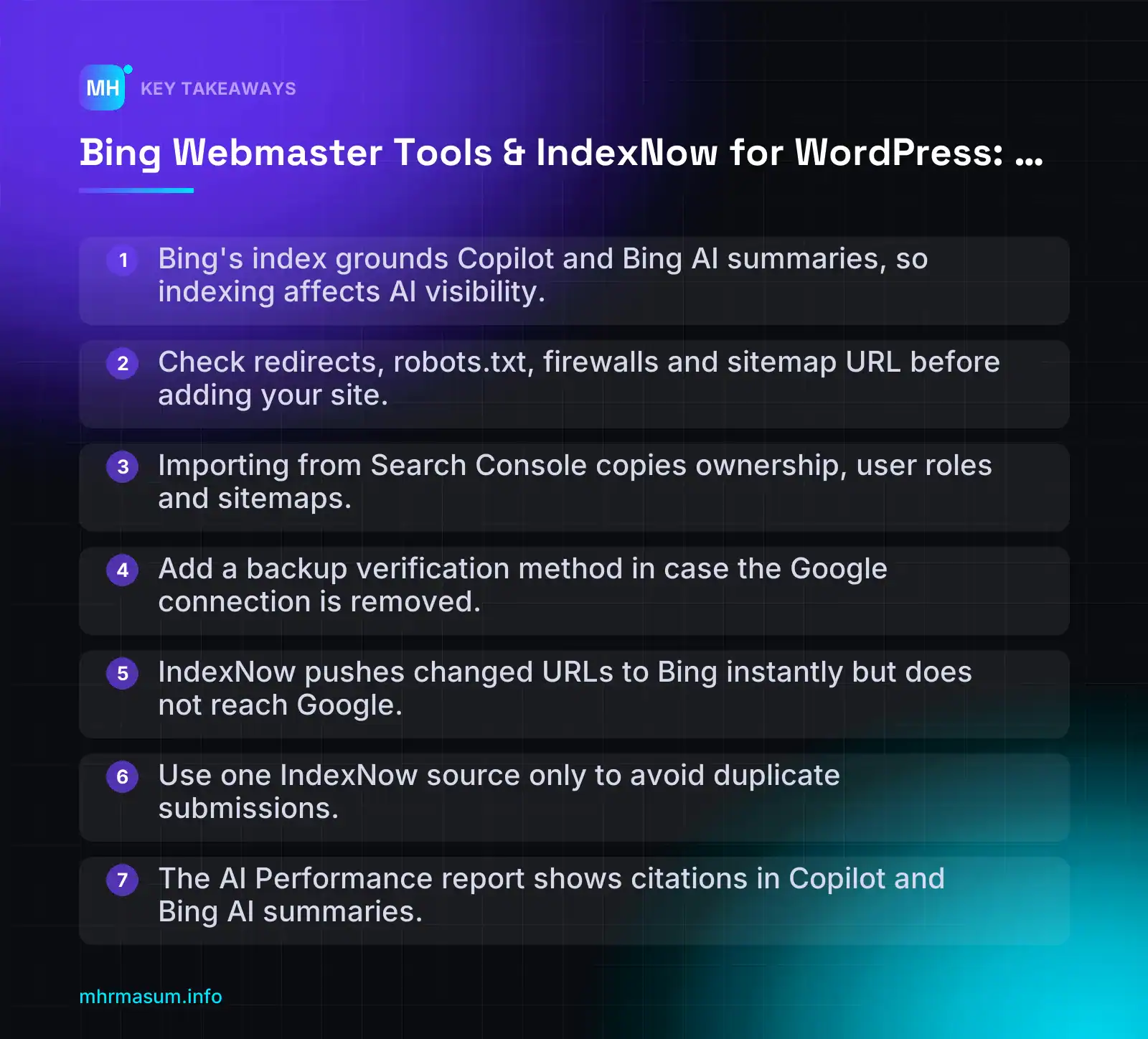
Key Takeaways
- Bing’s index grounds Copilot and Bing AI summaries, so indexing affects AI visibility.
- Check redirects, robots.txt, firewalls and sitemap URL before adding your site.
- Importing from Search Console copies ownership, user roles and sitemaps.
- Add a backup verification method in case the Google connection is removed.
- IndexNow pushes changed URLs to Bing instantly but does not reach Google.
- Use one IndexNow source only to avoid duplicate submissions.
- The AI Performance report shows citations in Copilot and Bing AI summaries.
What Bing Webmaster Tools Is and Why Bing’s Index Matters for AI Answers
Bing Webmaster Tools (BWT) is Microsoft’s free counterpart to Google Search Console. It shows how Bing crawls, indexes and ranks your site. It also lets you send URLs straight to Bing instead of waiting for a crawl.
Once your site is verified, you can use BWT to:
- Monitor indexing and see which pages Bing has found, crawled and indexed.
- Submit XML sitemaps and check when Bing last processed them.
- Inspect individual URLs to confirm indexing status and spot crawl or markup problems.
- Browse your site structure in Site Explorer, folder by folder.
- Fix on-page issues flagged in the SEO reports, such as missing titles, meta descriptions or alt text.
- Track AI citations in the AI Performance report, which shows how often Copilot and Bing AI summaries cite your pages.
Bing Webmaster Tools vs Google Search Console
If you already use Search Console, most of BWT will feel familiar. The table maps the main features across both tools.
| Task | Google Search Console | Bing Webmaster Tools |
|---|---|---|
| Clicks, impressions, queries | Performance report | Search Performance |
| Check a single URL | URL Inspection | URL Inspection |
| Sitemaps | Sitemaps report | Sitemaps |
| Push URLs for fast crawling | Indexing API (limited to job posting and livestream pages) | IndexNow (any page type) |
| Browse site structure | No direct equivalent | Site Explorer |
| AI answer visibility | AI Overviews and AI Mode data is counted inside the standard Performance report, with no separate citation count. Check your own property for newer generative AI reporting. | AI Performance report (citations in Copilot, Bing AI summaries and partner integrations) |
Google states that traffic from its AI features is included in the Performance report under the Web search type (Google Search Central). For more detail on what Google does and does not separate out, see my guide to Search Console generative AI performance reports.
The Indexing API row matters most. Google’s Indexing API is not a general “index my page” button. I cover its rules in Google Indexing API in 2026. IndexNow, by contrast, works for any page, but it does not reach Google.
Copilot, Bing AI summaries and partner integrations
Microsoft Copilot answers and Bing AI summaries are grounded in Bing’s search index. The logic is simple: if Bing has not crawled and indexed a page, it cannot cite that page in those answers.
Microsoft says the AI Performance report covers Copilot, Bing AI summaries and “select partner integrations” (Search Engine Land). I use Microsoft’s wording here on purpose. You will see many claims about which third-party chatbots use Bing. Treat them as unconfirmed unless the vendor has documented it officially.
What this means in practice:
- A page that is blocked, slow to be discovered or excluded from Bing’s index is invisible to Copilot.
- Fast, accurate indexing in Bing is now about AI visibility as well as blue links.
- BWT is the only place you get first-party data from Microsoft on those citations.
Why now: Read more and Popular Links tests
Bing is still actively changing its organic results. In October 2026 it was seen testing two snippet changes:
- A “Read more” link at the end of organic snippets, pointing to the same URL as the title. Bing tested this on Copilot results earlier (Search Engine Roundtable).
- A “Popular Links” label on sitelinks (Search Engine Roundtable).
Both are tests, not launches. They may change or disappear. They do show that Microsoft is still putting work into organic search, and its search and ads revenue grew 12% in Q1 FY27 (Search Engine Roundtable).
“Bing traffic is too small to bother with.”
This was a reasonable view a few years ago. It no longer holds. BWT now gives you first-party AI citation data that no other free tool provides. Setup takes about 10 minutes if you import from Search Console. Even if Bing sends you modest clicks, the visibility data and IndexNow are worth that time.
Before You Start: Pre-Setup Checklist for WordPress and WooCommerce
Most BWT problems I see come from the site rather than the tool. A blocked bot or a wrong sitemap URL will produce errors that look like Bing issues. Spend five minutes on these checks first.
1. Choose your canonical version and confirm redirects
Decide which single version of your domain is the real one. It should be HTTPS, with either www or non-www. All other versions should 301-redirect to it in one hop.
Test all four variants:
curl -I http://example.com
curl -I http://www.example.com
curl -I https://example.com
curl -I https://www.example.com

Expected: three return "301" with a Location header
pointing to your chosen version; one returns "200".
Also check Settings > General in WordPress. The WordPress Address and Site Address must match the canonical version. If you recently moved domains, read Site Migration SEO before adding the site to Bing.
2. Make sure bingbot is not blocked
Open https://yourdomain.com/robots.txt and look for rules that block Bing. A safe WordPress default looks like this:
User-agent: *
Disallow: /wp-admin/
Allow: /wp-admin/admin-ajax.php

Sitemap: https://example.com/sitemap_index.xml
Watch for a User-agent: bingbot group with Disallow: /. That is sometimes added by mistake when people block AI crawlers. My guide to AI crawler control for WordPress explains how to block training bots without blocking search bots.
Then check your security layers. robots.txt can be fine while a firewall still challenges the bot.
- Cloudflare: in Security > Events, filter by user agent “bingbot”. Look for Managed Challenge or Block actions. Make sure any custom rules or bot settings allow verified bots.
- Wordfence: review Firewall > Rate Limiting and Live Traffic. Aggressive crawler limits can return 503 errors to bingbot.
- Hosting firewalls: some hosts rate-limit unknown crawlers. Ask support if you see unexplained blocks.
Genuine bingbot resolves to a search.msn.com hostname on reverse DNS. BWT also has a Verify Bingbot tool once you are set up.
3. Untick “Discourage search engines”
Go to Settings > Reading and confirm “Discourage search engines from indexing this site” is unticked. This box is often left on after a staging site goes live. It also adds a noindex directive, which IndexNow plugins may respect by skipping submissions.
4. Find your sitemap URL
Only one plugin should generate your sitemap. Find the correct URL before you start.
| Sitemap source | Default URL |
|---|---|
| Yoast SEO | /sitemap_index.xml |
| Rank Math | /sitemap_index.xml |
| WordPress core (no SEO plugin sitemap) | /wp-sitemap.xml |
Open it in a browser. It should load as XML, list only indexable URLs and use your canonical domain. If /wp-sitemap.xml redirects to /sitemap_index.xml, your SEO plugin has replaced the core sitemap. That is normal.
5. Have your Google account ready
If you plan to import from Search Console, sign in with the Google account that has owner access to the GSC property. Import brings across the property, user roles and sitemaps, and skips verification (Bing Webmaster Tools Help).
Pre-setup checklist
| Item | Where to check | Pass condition |
|---|---|---|
| Canonical domain | curl or a redirect checker; Settings > General | One HTTPS version returns 200; others 301 to it in one hop |
| robots.txt | /robots.txt | No Disallow: / for * or bingbot; sitemap line present |
| Firewall and CDN | Cloudflare Security > Events; Wordfence Live Traffic | No challenges, blocks or 503s for verified bingbot |
| Search engine visibility | Settings > Reading | “Discourage search engines” unticked |
| Sitemap | Yoast/Rank Math /sitemap_index.xml or core /wp-sitemap.xml | Loads as XML, canonical URLs only, no noindex pages |
| Google account | Search Console > Settings > Users and permissions | You are listed as Owner of the property |
For a wider site health review, work through my WordPress technical SEO checklist, or run a free SEO check to catch blocking issues before you connect Bing.
Step 1: Add Your Site by Importing from Google Search Console
If your site is already verified in Google Search Console, importing is the fastest way to get into Bing Webmaster Tools. It usually takes a few minutes, and you skip manual verification completely.
Bing’s own Getting Started Checklist covers the same flow. Button labels sometimes change, so check that page if anything below looks different in your account.
- Go to bing.com/webmasters.
- Sign in with a Microsoft, Google or Facebook account. Use an account you plan to keep long term, such as a shared company login rather than a personal one.
- Click Add a site. You will see two options: import from Google Search Console, or add your site manually.
- Choose Import from GSC.
- Sign in to the Google account that has access to your Search Console properties.
- Review the permission request and allow Bing to read your Search Console data.
- Tick the sites you want to bring across.
- Click Import.
Once the import finishes, the sites appear in your Bing dashboard. Data does not fill in straight away. Expect reports to stay empty or thin for a few days while Bing crawls and processes the site.
What the import copies
The import brings across three things:
- Verified ownership. Bing accepts Google’s verification, so you don’t need a meta tag, file or DNS record.
- User roles. People with access in Search Console can be given matching access in Bing.
- Sitemaps. Sitemaps submitted in Search Console are added to Bing automatically.
The import does not copy Google’s performance data, indexing history or manual actions. Bing builds its own reports from its own crawl.
After importing, open Sitemaps in Bing and check that the list looks right. If you have changed SEO plugins since you first set up Search Console, Bing may import an old sitemap URL that now redirects or returns a 404. We deal with this properly in Step 2.
Limits and gotchas
| Situation | What happens | What to do |
|---|---|---|
| Bing lists fewer sites than Search Console | Sites already in your Bing account are left out, and some properties are grouped under one address | Check your existing Bing site list before you assume the import failed |
| Domain property vs URL-prefix property in GSC | Google treats these as different property types. Bing may show them under a single site address | After import, confirm the site URL Bing shows matches your canonical version (https, www or non-www) |
| A team member doesn’t appear | Bing can only add users who already have a Bing Webmaster Tools account | Ask them to sign up at bing.com/webmasters first, then add them under user management |
| You disconnect the Google account later | If you remove access under Profile > Disconnect, Bing may ask you to verify the site again | Add a backup verification method (see the next section) before you disconnect |
“I imported from Search Console, so verification is done for good.”
Not always. Imported ownership depends on the Google connection staying in place. If the person who connected Google leaves the business, or someone revokes Bing’s access in their Google account, you could lose access. That is why it makes sense to add a meta tag or DNS record as a backup.
Decision rule: import or verify manually?
- Import if you own the site, Search Console is already verified, and the Google account belongs to the business.
- Verify manually if you are an agency or freelancer working on a client’s site, and the Google account belongs to the client or a previous agency.
- Verify manually if the site isn’t in Search Console yet, or the Search Console setup is messy. This is common after a domain move. If that sounds familiar, our site migration SEO guide explains how to clean up properties first.
Step 1 (Alternative): Verify Manually with XML File, Meta Tag or DNS
To verify manually, choose Add a site, enter the full site URL and pick a verification method. Bing currently offers three: an XML file upload, an HTML meta tag and a DNS CNAME record.
Enter the URL exactly as your site serves it, for example https://www.example.com/. Bing then gives you a unique code for the method you choose.
Before you choose a method, check the current list on Bing’s add-and-verify help page, which is linked from the Getting Started Checklist.
Meta tag via Yoast, Rank Math or AIOSEO
This is the easiest method for most WordPress sites. Bing gives you a tag like this:
<meta name="msvalidate.01" content="YOUR_CODE" />Don’t paste the whole tag into your theme. Put only the code from the content attribute into your SEO plugin, so it stays in place when you change themes.
- Yoast SEO: Yoast SEO > Settings > Site connections > Bing field.
- Rank Math: Rank Math SEO > General Settings > Webmaster Tools > Bing Webmaster Tools field.
- AIOSEO: All in One SEO > General Settings > Webmaster Tools > Bing.
Plugin menus move between versions. If you can’t find the field, search the plugin’s own documentation for “Bing verification”.
After saving, clear your page cache and CDN cache, then check the live homepage source before you click Verify:
curl -s https://www.example.com/ | grep msvalidateIf nothing comes back, the tag isn’t being output. The usual causes are caching, a staging site instead of live, or the plugin’s head output being turned off.
XML file upload
Bing generates a file called BingSiteAuth.xml. Download it and upload it to your site’s root folder, which is usually public_html, using your host’s file manager or SFTP. Use the file Bing gives you exactly as it is. Don’t recreate it by hand.
The file must load at the root address and return a 200 status, not a redirect:
curl -I https://www.example.com/BingSiteAuth.xml
HTTP/2 200
Security plugins, maintenance-mode plugins and some firewall rules block unknown XML files. If verification fails, check the response code before anything else.
DNS CNAME for whole-domain control
With this method, Bing gives you a CNAME record to add at your DNS provider, such as Cloudflare, your registrar or your host. It looks like this:
Type:  CNAME
Name:  YOUR_BING_CODE
Value: verify.bing.com
TTL:   Auto / 3600
Use the exact values shown in your Bing account. If you use Cloudflare, set the record to DNS only (grey cloud), not proxied. DNS changes can take time to spread, so if Bing doesn’t confirm straight away, wait and try again.
You can confirm the record is live with:
nslookup -type=CNAME YOUR_BING_CODE.example.comWhich method should you choose?
| Method | Survives theme change? | Survives SEO plugin change? | Needs host or DNS access? | Good for staging? |
|---|---|---|---|---|
| Meta tag in SEO plugin | Yes | No, you must re-enter the code | No, WP admin only | Rarely, because staging is usually private or noindexed |
| Meta tag hard-coded in theme | No | Yes | No | No |
| XML file | Yes | Yes | Yes (file access) | Only if publicly reachable |
| DNS CNAME | Yes | Yes | Yes (DNS access) | Not needed, verify the live domain instead |
“Once Bing says verified, I can tidy up and delete the tag.”
Don’t. Bing can recheck verification, and removing the tag or file can cost you access later. The same happens if you change themes with a hard-coded tag, or switch from Yoast to Rank Math without copying the code across.
For sites you plan to keep for years, DNS is the most durable option. It doesn’t depend on WordPress, your theme or your host. That makes it a good backup even if you also use the meta tag. It belongs on any solid WordPress technical SEO checklist.
Agencies managing client sites can ask the client’s IT contact to add the DNS record once, and it will outlast theme, plugin and hosting changes. If you’d like help sorting out verification across several properties, you can book a free consultation.
Step 2: Submit and Monitor Your XML Sitemaps
If you imported from Google Search Console, open Sitemaps in the left menu first. Your sitemaps may already be listed. If they are, skip to the status checks below.
If the list is empty, or you verified manually, add it yourself:
- In Bing Webmaster Tools, select the correct site from the property dropdown at the top.
- Go to Sitemaps > Submit sitemap.
- Paste the full URL of your sitemap index, including
https://and the correct host (www or non-www). - Click Submit.
Also add a Sitemap: line to your robots.txt. It costs nothing and helps crawlers that never see your Webmaster Tools account.
Sitemap: https://www.example.com/sitemap_index.xmlSubmit the index, not every child sitemap
Submit the index sitemap only. Bing reads the index and finds the child sitemaps (posts, pages, products and so on) from it. Submitting each child separately creates a messy report and makes it harder to spot which file is failing.
Common index locations in WordPress:
| Source | Usual index URL |
|---|---|
| WordPress core (no SEO plugin) | /wp-sitemap.xml |
| Yoast SEO | /sitemap_index.xml |
| Rank Math | /sitemap_index.xml |
| All in One SEO | /sitemap.xml |
| SEOPress | /sitemaps.xml |
Open the URL in your browser before submitting it. If it redirects or shows a 404, fix that first. Only one plugin should generate sitemaps. If core sitemaps and an SEO plugin both output one, disable the extra.
Which sitemaps to submit for WooCommerce
For a store, the sitemap should list the pages you actually want people to land on from search. In most cases that means:
- Include:
productsitemap,product_cat(product category) sitemap, pages, and blog posts. - Usually exclude: product tag archives, attribute archives (such as
pa_colour), author archives and date archives. These are often thin or near-duplicate pages. - Never include: cart, checkout, my-account, search results or filtered URLs with parameters.
In Yoast or Rank Math, you control this by setting a taxonomy or post type to “not shown in search results” (noindex). That also removes it from the sitemap. Check the taxonomy settings after installing any new WooCommerce extension, because some add their own archives.
Sitemap vs IndexNow: why you need both
A sitemap is a discovery hint that Bing reads on its own schedule. It is a full list of your indexable URLs, and Bing may take days to fetch it again.
IndexNow is a push notification. It tells Bing that a specific URL has just been added, changed or removed. That is what you set up in Step 3.
“Once IndexNow is switched on, I don’t need a sitemap any more.”
Not true. IndexNow only reports changes from the moment it is enabled. The sitemap is the complete inventory that catches older URLs, missed pings and pages changed outside WordPress. Keep accurate <lastmod> dates in it too, so Bing can see which URLs have actually changed.
Reading sitemap status
Each submitted sitemap shows a status, a last-crawled date and a URLs discovered count. Exact labels can differ slightly between accounts, but they map to these situations:
| Status | What it means | What to do |
|---|---|---|
| Success | Bing fetched and parsed the file. | Compare URLs discovered with the number of indexable pages you expect. A big gap usually means a child sitemap is missing or broken. |
| Pending / Processing | Submitted but not fetched yet. | Wait a few days. Do not resubmit repeatedly, because it will not speed things up. |
| Error / Couldn’t fetch | Bing could not download or read the file. | Open the URL in a private browser window. Check for 403s from security plugins or a CDN/WAF blocking Bingbot, redirects, invalid XML (often a PHP warning printed above the XML), or a host mismatch. |
| URLs discovered = 0 | The file loaded but no URLs were read. | Check that the index actually links to child sitemaps and that the URLs use the same protocol and host as the verified site. |
Mistake: a sitemap full of URLs you don’t want indexed
The most common problem I see in store audits is a sitemap that lists:
- Noindexed URLs, which send Bing contradictory signals.
- Redirected URLs, often left behind after a slug change or a domain migration.
- Deleted or permanently discontinued products that now return 404 or 410.
Every URL in a sitemap should return 200, be indexable and be its own canonical. Temporarily out-of-stock products that you plan to restock can stay. Products removed for good should come out of the sitemap and either redirect to a close alternative or return 410. For a full pass over these checks, use the WordPress technical SEO checklist.
Step 3: Set Up IndexNow on WordPress
IndexNow lets your site tell search engines about a changed URL at the moment it changes, instead of waiting to be recrawled. For WordPress sites that publish or update often, and especially for stores, this is the most useful thing you can switch on after verification.
It is an open protocol launched by Microsoft Bing and Yandex in October 2021. The specification is published at indexnow.org.
How IndexNow works (key file + ping)
There are two parts:
- A key file. You generate a key (a string of letters, numbers and dashes) and host it as a text file at your site root, for example
https://www.example.com/a1b2c3d4e5f6.txt. The file contains only the key. It proves you control the host. - A ping. When a URL is added, updated or deleted, your site sends it, along with the key, to an IndexNow endpoint such as
https://api.indexnow.org/indexnoworhttps://www.bing.com/indexnow.
One submission is shared with all participating engines. According to indexnow.org these currently include Bing, Yandex, Naver, Seznam and Yep, so you do not need to ping each one separately.
Google does not take part in IndexNow. Pings will not speed up Google indexing. Google’s own Indexing API is officially limited to job posting and livestream pages. See the Google Indexing API in 2026 guide before trying to use it for anything else.
Also remember that a ping is a notification, not a command. Bing still decides whether to crawl and index the URL based on quality and its usual rules.
Option A: Microsoft’s official IndexNow plugin
Microsoft publishes a free plugin, IndexNow Plugin by bingwebmastertools (source on GitHub). It is a good choice if your SEO plugin does not include IndexNow, or only offers it on a paid plan.
- Go to Plugins > Add New, search for “IndexNow”, and install the plugin by bingwebmastertools. Check the author name, because several unofficial plugins use similar titles.
- Activate it and open its settings page from the WordPress admin menu.
- Confirm the API key. The plugin generates one and serves the key file for you. Open the key URL in a browser to check it loads. If you use a security plugin or CDN rule that blocks unknown
.txtfiles, whitelist it. - Keep auto-submission on. New, updated and deleted posts, pages and products are then sent automatically.
- Add wildcard path exclusions for URLs that should never be submitted, for example:
/cart/*
/checkout/*
/my-account/*
/?s=*
/product-tag/*
The plugin also detects noindexed pages automatically and skips them. Its submission log lets you see recent pings, retry failures and download the history. Bing then shows the results in the IndexNow Insights report in Bing Webmaster Tools.
Option B: Your SEO plugin’s IndexNow toggle
If your SEO plugin already supports IndexNow, using it means one less plugin to maintain. Bing lists support in the major WordPress SEO plugins, but plan tiers change. Check each vendor’s pricing or features page before you decide.
| Option | IndexNow availability (verify on the vendor’s site) | Notes |
|---|---|---|
| Microsoft IndexNow Plugin | Free | Dedicated plugin with exclusions, logs and retry. |
| Rank Math | Free | Enable via the Instant Indexing module. |
| Yoast SEO | Premium only | Not available in the free version. |
| All in One SEO | Check current plan | Tier has changed over time. |
| SEOPress | Pro | Listed under its instant indexing features. |
Rule: enable ONE IndexNow source only. If Rank Math and the Microsoft plugin are both active, every update is pinged twice. Duplicate pings waste your quota, clutter the IndexNow report and can lead to 429 errors. If you switch to the Microsoft plugin, turn off the toggle in your SEO plugin, and the other way round.
This also applies to custom code, hosting-level tools and CDN features that ping IndexNow. Check for them before you add a plugin.
Test a ping by hand
A manual test confirms that the key file and endpoint work before you rely on automation. First, open your key file URL and confirm it shows the key and nothing else.
A single-URL ping is a simple GET request. You can paste it into a browser. URL-encode the page address if it contains special characters.
https://api.indexnow.org/indexnow?url=https://www.example.com/product/blue-mug/&key=a1b2c3d4e5f6For several URLs at once, send a JSON POST. The protocol allows up to 10,000 URLs per request, and all of them must belong to the same host.
POST https://api.indexnow.org/indexnow
Content-Type: application/json; charset=utf-8

{
  "host": "www.example.com",
  "key": "a1b2c3d4e5f6",
  "keyLocation": "https://www.example.com/a1b2c3d4e5f6.txt",
  "urlList": [
    "https://www.example.com/product/blue-mug/",
    "https://www.example.com/product-category/mugs/",
    "https://www.example.com/blog/how-to-choose-a-mug/"
  ]
}
The response code tells you what happened. These match the documentation on indexnow.org, but check that page if you get something unexpected.
| Code | Meaning | Fix |
|---|---|---|
| 200 OK | URLs accepted. | Nothing to fix. |
| 202 Accepted | Received; key validation still pending. | Normal on first use. Check that the key file stays reachable. |
| 400 Bad Request | Invalid format. | Check JSON syntax, the Content-Type header and URL encoding. |
| 403 Forbidden | Key not valid: file not found, or its contents don’t match. | Open the key URL and look for 404s, redirects or WAF blocks. |
| 422 Unprocessable Entity | URLs don’t belong to the host, or the key doesn’t match. | Make sure www/non-www and http/https are consistent across host, key location and URLs. |
| 429 Too Many Requests | Too many submissions, which may look like spam. | Remove duplicate IndexNow sources and stop pinging unchanged URLs. |
Run one test, not dozens. Then give Bing a day or two, and check the IndexNow report in Bing Webmaster Tools to confirm your submissions are arriving. If you would like a second pair of eyes on the setup, run a free SEO check first.
IndexNow for WooCommerce: Products, Prices and Stock Changes
A WooCommerce store changes far more often than a blog. Prices move, products sell out and old lines are retired. IndexNow is most useful when it tells Bing about the changes shoppers care about, not every tiny edit.
The IndexNow protocol is designed for URLs that have been added, updated or deleted (IndexNow documentation). For a store, that covers four events.
Which WooCommerce events should trigger a ping
| Event | Why Bing needs to know | What to check |
|---|---|---|
| New product published | New URLs are found faster than by waiting for a sitemap recrawl. | The product URL appears in your plugin’s submissions log within minutes. |
| Price change | Stale prices in snippets cause clicks that end in disappointment. | Edit a price, save, then confirm a fresh submission is logged. |
| Stock status change | “In stock” text on a sold-out item wastes the shopper’s click. | Test both a manual change and a stock change caused by a real order. |
| Product deleted | A ping prompts Bing to recrawl, see the 404 or 410, and drop the URL. | The deleted URL returns 404/410 (or redirects) before it is submitted. |
Do not assume your plugin covers all four. Most IndexNow plugins submit when a post is published, updated or deleted in WordPress.
Stock that drops automatically after an order may not go through the same save routine. Place a test order on a low-stock product, then check the submissions log. If nothing is logged, decide whether that matters for your catalogue. A developer can hook into WooCommerce stock events if it does.
Exclude URLs that should never be submitted
Cart, checkout and account pages have no value in search results. Neither do add-to-cart links, sorting and filter parameters, or internal search results.
A post-based plugin rarely submits these on its own. But filter plugins, themes and custom code sometimes generate them, so exclusions are a cheap safety net.
The official Microsoft IndexNow plugin supports wildcard path exclusions and detects noindex pages automatically (Microsoft IndexNow plugin on GitHub). A typical exclusion list looks like this. Adjust the syntax and paths to match your plugin and your permalink settings:
/cart/*
/checkout/*
/my-account/*
/wp-admin/*
*?add-to-cart=*
*?orderby=*
*?min_price=*
*?max_price=*
*?filter_*
*?rating_filter=*
*?attribute_pa_*
*?s=*
*?post_type=product&s=*
/page/*
If your store uses translated slugs (for example a Bengali or German checkout page), add those paths too. Check your real URLs under WooCommerce > Settings > Advanced > Page setup.
Bulk price imports: avoid flooding Bing
A CSV import that updates 8,000 prices can fire 8,000 separate pings in a few minutes. IndexNow lists 429 Too Many Requests as a possible response when submissions look like spam (IndexNow documentation).
“The more URLs I submit, the faster Bing will index my store.”
Not true. IndexNow is a hint, not an indexing guarantee. Repeatedly submitting unchanged or low-value URLs teaches nothing useful and can make your submissions look noisy.
A safer workflow for large imports:
- Turn off auto-submission in the plugin before the import starts.
- Run the import.
- Export the URLs of products whose price or stock actually changed.
- Submit them in one batch. The protocol accepts up to 10,000 URLs in a single POST request.
- Turn auto-submission back on.
A batch submission sent directly to the IndexNow API looks like this:
{
  "host": "www.example.com",
  "key": "your-indexnow-key",
  "keyLocation": "https://www.example.com/your-indexnow-key.txt",
  "urlList": [
    "https://www.example.com/product/blue-linen-shirt/",
    "https://www.example.com/product/cotton-panjabi-white/"
  ]
}
Send it as a POST to https://api.indexnow.org/indexnow with the header Content-Type: application/json; charset=utf-8. Use the same key your plugin already uses, so you don’t have two keys competing.
IndexNow is not a shopping feed
IndexNow helps Bing’s organic crawler. It does not send prices, GTINs or availability to Bing Shopping. Product listings in Bing Shopping still come from Microsoft Merchant Center and its product feeds.
Run both. Keep your feed accurate, and use IndexNow so the product pages behind it are recrawled quickly. The feed discipline is the same one Google needs, covered in WooCommerce Merchant Center diagnostics.
Reading Bing’s Reports: Search Performance, URL Inspection, Site Explorer and SEO Insights
Once your site is verified and sitemaps are processing, the reports start to fill. Allow a few days after setup before you judge anything. New properties often show partial or empty data at first. A GSC import does not bring historical Bing data with it.
Each report answers one main question. Use the table below as your map, then read the detail for each one.
| Report | Question it answers | Action to take |
|---|---|---|
| Search Performance | Which queries and pages earn Bing clicks and impressions? | Find pages with high impressions and weak CTR, then improve titles and descriptions. |
| URL Inspection | Is this specific page indexed, and if not, why? | Fix the reported issue, then request indexing. |
| Site Explorer | What does Bing know about my site, folder by folder? | Filter for errors and redirects, then fix whole sections at once. |
| IndexNow Insights | Were my submitted URLs crawled and indexed? | Investigate URLs that were submitted but not indexed. |
| Recommendations / Site Scan | What on-page and technical issues is Bing seeing? | Fix high-severity issues that affect many pages first. |
Search Performance
This report shows clicks, impressions, CTR and average position, much like Google Search Console’s Performance report. You can view data by query (keywords) and by page, and filter by country and device.
Its most useful job is comparison. Export the same date range from Bing and from GSC, then compare page by page. Look for:
- Pages that rank well in Google but barely appear in Bing. These often point to crawl or indexing gaps.
- Queries where Bing’s CTR is much lower than Google’s. Bing may show a different title or snippet.
- Countries where Bing has a larger share of your traffic than you expected, such as desktop-heavy B2B audiences.
Keep in mind that Bing is testing changes to its result pages, including “Read more” links in organic snippets and a “Popular Links” label on sitelinks (Search Engine Roundtable; Search Engine Roundtable). These are tests, not launches, but they can shift CTR without any change on your site.
For a consistent way to report this alongside Google data, see rank tracking accuracy with a Search Console-first report.
One action: pick the five pages with the most Bing impressions and the lowest CTR. Rewrite their titles and meta descriptions to match the query intent more closely.
URL Inspection and Site Explorer
URL Inspection checks a single URL. Paste the full address and Bing tells you whether the page is indexed, plus any crawl or indexing problems it found. You can run a live test and request indexing from the same screen.
Use it after fixing a problem, not as a routine for every new page. IndexNow and your sitemap already handle routine discovery.
Site Explorer shows your site as a folder tree, with the URLs Bing has found in each section. It is the faster tool when a problem affects many pages. Filter it for HTTP errors, redirects or URLs blocked by robots.txt, and drill into the folders with the most issues.
“If Google has indexed a page, Bing has too.”
Not necessarily. Bing crawls and indexes on its own schedule and with its own rules. Check both engines separately, especially after a domain change. The same diagnosis steps from site migration SEO for WordPress apply to Bing.
One action: open Site Explorer, expand /product/ (or your main content folder) and filter for errors. Fix the pattern behind them, not just one URL.
IndexNow Insights
Bing added the IndexNow Insights report in March 2024. It shows the URLs you submitted through IndexNow and whether Bing crawled and indexed them. Check the exact column names and filters in your own account, as Bing updates its interface regularly.
Read it as a quality check on your submissions:
- Submitted and indexed: working as intended.
- Submitted, not yet crawled: give it time, then check again in a few days.
- Crawled, not indexed: usually a content or quality issue, such as thin product pages or near-duplicates.
- URLs you didn’t expect to see: your exclusion list has a gap.
One action: export URLs that were crawled but not indexed. If most are thin category or product pages, improve or consolidate them before submitting more.
Recommendations / SEO reports
Bing has renamed its audit features over time. Look in the left menu for Recommendations and Site Scan. Recommendations lists site-wide issues Bing has found. Site Scan runs an on-demand crawl of your site and reports technical and on-page problems.
Typical findings include missing or duplicate titles, missing meta descriptions, broken links and pages blocked from crawling. Not every warning matters equally. Prioritise issues that affect many pages or your most important templates.
Cross-check findings with your own crawler and the WordPress technical SEO checklist. A fix to one WooCommerce template can clear hundreds of warnings at once.
One action: run Site Scan once a month, sort by severity and count, and fix the top three issues. If you’d like a second opinion on the results, start with a free SEO check.
Using the AI Performance Report to Track Copilot Citations
Bing Webmaster Tools is one of the few places where a search engine reports how often your pages are used as sources in AI answers. The AI Performance report shows when your content is cited in Microsoft Copilot, Bing’s AI summaries and select partner integrations.
You will find it under Search Performance > AI Performance. Microsoft launched it as a public preview in February 2026 (Search Engine Land). Expect the layout and labels to change while it is in preview.
Metrics explained
The report has a small set of core metrics. Hover over each metric in your account to read the tooltip and confirm the exact definition, because preview features can be redefined.
| Metric | What it tells you | How to use it |
|---|---|---|
| Total citations | How many times your pages were referenced as sources in AI answers during the selected period. | Your headline visibility number. Compare month on month, not day to day. |
| Average cited pages | How many of your pages are being cited on average across the period. | Shows breadth. Rising citations with a flat page count means a few pages are carrying the site. |
| Grounding queries | The queries the AI system used to retrieve supporting content. These are not always the user’s exact prompt. | Your best clue to what Copilot needs your page to answer. |
| Page-level citation activity | Which URLs were cited and how often. | Find your “source pages” and protect them during redesigns and migrations. |
| Trends | Citation activity over time. | Check against content updates, site changes and IndexNow submissions. |
A third-party report describes a June 2026 update adding views such as Citation Share, Intents, Topics and Compare. I have not confirmed this from Microsoft. Check whether your own account shows these views before you build reports around them.
Turning grounding queries into content actions
Grounding queries are only useful if you act on them. This workflow takes about an hour a month for a small site.
- Export the grounding queries for the last 28 or 90 days.
- Match each query to the page that was cited. Where no page clearly answers it, note the gap.
- Find the answer passage. Look for the paragraph that answers the query. If it is buried, long or vague, rewrite it as a direct two or three sentence answer under a clear heading.
- Update facts. Correct prices, specifications, opening hours, version numbers and dates. AI answers that repeat stale facts damage trust in your brand.
- Re-submit the updated URL through IndexNow so Bing knows the page has changed.
- Review in four to six weeks. Compare citations for that page before and after the change.
A simple tracking sheet keeps this honest:
Grounding query               | Cited URL                 | Action taken                    | Date      | IndexNow sent
best soil ph for tomatoes     | /guides/tomato-soil/      | Added direct answer under H2    | 2026-10-12| Yes
woocommerce bulk price edit   | (none cited)              | Gap - new how-to planned        | -         | -
Queries with no matching page are content opportunities. Queries that land on the wrong page often point to two pages competing for the same topic, which you should merge or differentiate.
What the report can’t tell you
The report shows citations only. It shows no clicks, sessions or conversions. A citation means your page was used as a source. It does not mean anyone visited your site.
To see whether citations bring visitors, pair this report with GA4 referral data. Filter Session source with a regex such as:
copilot\.microsoft\.com|bing\.comBear in mind that bing.com traffic mixes classic organic results with AI features, so treat it as a combined signal. My guide on tracking AI referral traffic in GA4 shows how to build a proper channel group for this.
The report also does not show how your brand is described in the answer, or what share of answers mention competitors. Spot-check important queries in Copilot by hand and note what it says.
Common Mistakes and Troubleshooting
Most Bing Webmaster Tools problems on WordPress come from the same few causes: caching, security layers, host mismatches and overlapping plugins. Use the table to find the likely cause quickly, then read the detail below.
| Symptom | Likely cause | Fix |
|---|---|---|
| Meta tag verification fails although the tag is saved | Caching plugin or CDN serving an old <head> |
Purge page cache and CDN cache, then view source in a private window |
| XML file verification fails | CDN or firewall shows Bingbot a bot challenge | Allow verified Bingbot in your firewall or CDN bot settings |
| IndexNow returns 403 | Key file returns 404 or its content does not match the key | Open the key URL in a browser and confirm it returns the key as plain text |
| IndexNow returns 422 | Host mismatch, such as www vs non-www, or http vs https | Submit URLs on the same host as the key file and your canonical domain |
| Same URL pinged two or three times | More than one IndexNow plugin active | Keep one source and turn IndexNow off everywhere else |
| Noindex or thin pages appear in the submissions log | Plugin submits every saved post | Exclude paths, or use a plugin that detects noindex automatically |
| Sitemap shows “couldn’t fetch” or errors | Blocked by robots.txt, redirected, or blocked by a security plugin | Open the sitemap URL directly and check for a clean 200 response |
Verification fails
- Stale cache. After adding the
msvalidate.01tag in Yoast or another plugin, purge every cache layer: plugin, server and CDN. Then search the page source formsvalidate.01. - Bot challenges. JavaScript challenges and “under attack” modes can block Bing from reading
BingSiteAuth.xml. Allow verified search engine bots rather than switching security off. - DNS delays. A new CNAME record can take time to propagate. Wait, then check it with a public DNS lookup tool before you retry.
- Wrong address. Make sure the site you added in Bing matches the live version, including https and www.
Sitemap errors
Open your sitemap in a private browser window. It should load directly with no login, redirect or challenge page.
- Check that robots.txt does not block
/sitemap_index.xmlor/wp-sitemap.xml. - Submit only one sitemap system. If your SEO plugin creates a sitemap, the WordPress core sitemap is usually disabled. Submitting both creates duplicate work.
- Exclude tag archives, attachment pages and noindexed post types from the sitemap.
- After a domain or protocol change, remove old sitemap URLs from Bing. My site migration SEO guide covers the full checklist.
IndexNow pings fail or nothing gets indexed
First, confirm the key file works. Then test a single manual ping:
Key file (must return the key as plain text, status 200):
https://www.example.com/a1b2c3d4e5f6.txt

Manual test ping:
https://api.indexnow.org/indexnow?url=https://www.example.com/product/blue-mug/&key=a1b2c3d4e5f6
A 200 or 202 response means the submission was received. It does not mean the page is indexed. Check the response codes against the protocol documentation at indexnow.org.
If a security plugin or CDN rule blocks .txt files in the root, the key check will fail even though the plugin reports success.
“IndexNow guarantees indexing.”
It doesn’t. IndexNow is a crawl hint. It tells participating engines a URL has changed. Whether the page is indexed still depends on crawl access, canonical signals and content quality.
“IndexNow speeds up Google indexing too.”
Google does not take part in IndexNow. Google’s own Indexing API is officially limited to pages with JobPosting or BroadcastEvent structured data. Check the current wording in Google’s Indexing API quickstart, and see my guide to the Google Indexing API in 2026 for safe alternatives.
Pages discovered but not indexed
Run the URL through URL Inspection in Bing Webmaster Tools and read the status carefully. When Bing knows a URL but has not indexed it, the cause is usually one of these:
- Canonical points elsewhere. Check that the canonical tag matches the URL you want indexed.
- Near-duplicate content. Product variations and filtered pages often look identical to Bing.
- Thin or generic pages. Add real detail: specifications, comparisons, original images and answers to buyer questions.
- Weak internal links. Link new pages from category pages and related posts, not only from the sitemap.
- Blocked crawlers. Make sure robots.txt rules aimed at AI bots have not accidentally blocked Bingbot. See AI crawler control for WordPress.
If several of these apply at once, the problem is usually site-wide rather than page-level. A free SEO check is a quick way to find crawl and indexing issues before you spend time rewriting content.
Advanced Tips: Ongoing Maintenance for Agencies and Multi-Site Owners
Setting up Bing Webmaster Tools takes an afternoon. Keeping it useful takes about 30 minutes a month per site.
This section is for agencies, freelancers and owners who manage several WordPress or WooCommerce sites. The goal is simple: clean access control, a repeatable monthly review, and no surprises when something breaks.
Set up user access properly
The most common agency mistake is verifying a client’s site under a personal Microsoft account. When that person leaves, the access goes with them.
A safer structure:
- The business owns the site in Bing Webmaster Tools. Use a shared company account (for example, a Microsoft account tied to a role mailbox like seo@yourbusiness.com), not one person’s login.
- Agencies and contractors are added as users, not as the verifying owner.
- Clients who only need reports get read-only access. They can see the data without changing sitemaps, crawl settings or verification.
- Remove access as soon as a contract ends. Add this to your offboarding checklist.
You manage this from the user management area in Settings. Role names and permissions can change, so read the role descriptions in your account before assigning them.
One requirement catches many people out: the person you want to add must sign up for Bing Webmaster Tools first. If they have never signed in at bing.com/webmasters, you cannot add their email. Ask them to sign in once with their Microsoft, Google or Facebook account, then add them.
| Who | Suggested access | Why |
|---|---|---|
| Business owner / company account | Owner (verified) | Access stays with the business, not with staff or suppliers |
| SEO agency or in-house SEO lead | Administrator or read/write | Needs to submit sitemaps, inspect URLs and adjust settings |
| Developer or hosting contractor | Read-only, upgraded temporarily if needed | Usually only needs to see crawl errors |
| Client stakeholder, marketing manager | Read-only | Can view reports without the risk of changing settings |
Protect verification when sites change
Verification breaks quietly. You often only notice when a user loses access or the data stops updating.
- Record the verification method for each site: GSC import, XML file, meta tag or DNS.
- If you imported from Google Search Console, don’t disconnect the Google account from your Bing profile without adding another verification method first. The site may need verifying again.
- If you switch SEO plugins (for example, Yoast to Rank Math), copy the msvalidate.01 meta tag across before deactivating the old plugin.
- Before a redesign, migration or host change, confirm that BingSiteAuth.xml and any DNS records will survive. For domain moves, follow a full process like the one in my site migration SEO guide.
DNS verification is the most durable option for agencies. It survives theme changes, plugin changes and most rebuilds.
The monthly Bing Webmaster Tools checklist
Run this once a month for each site. For a small site it takes 15–30 minutes. For a WooCommerce store with thousands of products, allow longer.
| Check | Where to look | What “good” looks like | What to do if not |
|---|---|---|---|
| Sitemap status | Sitemaps | Status is success, the last read date is recent, URL counts are stable | Open the sitemap URL in a browser. Check for 404s, redirects or a caching plugin serving an old version |
| Crawl errors | Site Explorer, URL Inspection, crawl information | No sudden rise in 4xx or 5xx responses | Check server logs, security plugins and firewalls that may block Bingbot |
| IndexNow failures | IndexNow Insights, plus the plugin’s submission log | Submissions accepted, few or no failures | Check the key file, then look for duplicate IndexNow sources or blocked requests |
| AI Performance trends | Search Performance > AI Performance | Steady or rising citations on your key pages | Compare the cited pages with your priority pages. Update thin or outdated content |
| Bing vs Google gap | Search Performance in BWT vs Performance in GSC | Similar top pages and queries, at a smaller scale on Bing | Investigate pages that rank on Google but are missing on Bing (indexing, canonicals, blocked crawling) |
| SEO Insights | SEO reports / recommendations | No new high-severity issues | Fix site-wide issues first (titles, meta descriptions, broken links) |
How to read the Bing vs Google gap
Bing traffic is usually smaller than Google traffic, so compare patterns rather than totals. Do the same pages appear at the top? Are your important commercial pages present on both?
Export the top pages from both tools and compare them side by side. If a page gets solid Google impressions but almost nothing on Bing, run it through Bing’s URL Inspection before you rewrite anything.
For a reporting method that doesn’t rely on third-party rank trackers, see Rank Tracking Accuracy: A Search Console-First SEO Report.
Track AI Performance carefully
The AI Performance report shows citations, not clicks or conversions. A rise in citations is a good sign, but it doesn’t prove revenue.
Pair it with GA4 so you can see whether AI visibility turns into visits. My guide to tracking AI referral traffic in GA4 shows how to set this up.
Some third-party sources report newer views in this report, such as citation share, intents and topics. I have not confirmed these. Check your own account and treat anything new as a preview feature.
Watch for Bing SERP tests
Sometimes click-through rate changes even though your positions have not moved. Before you blame your titles, check whether Bing is testing a new results layout.
For example, in October 2026 Bing was seen testing “Read more” links at the end of organic snippets (Search Engine Roundtable). It was also testing a “Popular Links” label on sitelinks (Search Engine Roundtable). These are tests, not confirmed launches. Note them in your monthly log so you have context if the numbers shift.
Example monthly log entry
A short written log per site makes handovers easy and catches slow-building problems.
Site: example-store.com.au      Month: October 2026
Sitemaps:        OK – 3 sitemaps read 28 Oct, product count stable (1,842)
Crawl errors:    5xx spike 12–13 Oct (host maintenance) – resolved
IndexNow:        2 failed batches 19 Oct – duplicate source found
                 (SEO plugin + IndexNow plugin both active) – SEO plugin's IndexNow disabled
AI Performance:  Citations up on 4 buying guides; 0 citations on category pages
Bing vs GSC:     /collections/linen-shirts/ strong in GSC, missing in Bing
                 – URL Inspection shows canonical issue, fixed
SERP notes:      Bing "Read more" snippet test reported this month
Next actions:    Refresh category intro copy; recheck canonical in November
Use crawl control carefully on slow hosts
Bing Webmaster Tools includes crawl control settings that let you shape when and how hard Bingbot crawls your site. This can help on cheap shared hosting, where heavy crawling at peak hours slows the site for customers.
The trade-off is real. If you set the crawl rate too low, new and updated pages take longer to be discovered and refreshed, and IndexNow cannot fully make up for that.
- Only reduce crawling if you have evidence, such as server load spikes linked to Bingbot in your logs.
- Shift crawling to off-peak hours for your main audience’s time zone rather than cutting it overall. A UK store and an Australian store have very different quiet hours.
- Don’t stack restrictions. If you also use a crawl-delay rule in robots.txt or a firewall rate limit, check how they interact before changing anything. Confirm Bing’s current guidance in its help pages.
- Fix the root cause. Caching, a better host and blocking junk URLs (such as filter and sort parameters on WooCommerce) are long-term fixes. Throttling is not. My WordPress technical SEO checklist covers these.
“Turning Bing’s crawl rate down will make my site faster.”
It reduces load from one bot only. If the site is slow for real visitors, crawl control won’t fix it. Treat crawl control as a temporary relief valve, not a performance fix.
Connect Microsoft Clarity if you already use it
Microsoft Clarity is a free behaviour analytics tool for heatmaps and session recordings. Bing Webmaster Tools has offered a way to connect or set up Clarity for a verified site. Check your account for the current option.
It’s useful if you want to see how Bing visitors behave on the pages they land on. It doesn’t change rankings or indexing. If you serve UK, EU or Australian visitors, make sure Clarity respects your cookie consent setup before you turn on recordings.
Multi-site and IndexNow housekeeping
- Each domain or subdomain needs its own IndexNow key file at its root. On WordPress Multisite with mapped domains, test each one.
- Keep exactly one IndexNow source per site. After every plugin audit, confirm that only one plugin is submitting.
- Check staging sites. Make sure staging is blocked from indexing and is not sending IndexNow pings for staging URLs.
- Remember that IndexNow does not cover Google. For Google, rely on sitemaps and Search Console. See Google Indexing API in 2026 for why the Indexing API is not a general shortcut.
Quick-start recap
If you only remember one part of this guide, make it this:
- Sign in at bing.com/webmasters and add your site. Import it from Google Search Console, or verify manually with an XML file, meta tag or DNS.
- Submit your XML sitemap index from Yoast, Rank Math, AIOSEO, SEOPress or WordPress core, and confirm it reads successfully.
- Set up IndexNow with one source only, either the official Microsoft plugin or your SEO plugin’s integration. Then check that the key file loads.
- For WooCommerce, confirm that product, price and stock updates appear in the submission log and in IndexNow Insights.
- Review the reports: Search Performance, URL Inspection, Site Explorer, SEO Insights and AI Performance.
- Run the monthly checklist, give clients read-only access, and keep a short log for every site.
If you would like a second pair of eyes on your Bing and Google setup, start with a free SEO check. You can also book a free consultation to talk through ongoing maintenance for your sites.
Frequently Asked Questions
Is Bing Webmaster Tools free?
Yes. Bing Webmaster Tools is free to use with a Microsoft, Google or Facebook account. All reports, including Search Performance, URL Inspection, Site Explorer and the AI Performance report, are included at no cost.
Does IndexNow work for Google?
No. Google does not use IndexNow, so submissions do not speed up Google crawling. For Google, keep relying on a clean XML sitemap, good internal linking and the URL Inspection tool in Search Console.
Do I still need Bing Webmaster Tools if I use an IndexNow plugin?
Yes. IndexNow only tells Bing that a URL has changed. Bing Webmaster Tools shows whether those URLs were actually crawled and indexed, flags errors and gives you search and AI citation data.
Can I verify my site in Bing without Google Search Console?
Yes. You can verify manually by uploading an XML file to your site root, adding a meta tag to your homepage or creating a DNS record. Agencies working on client sites often prefer manual verification so access does not depend on someone else’s Google account.
Will an IndexNow plugin conflict with Yoast SEO or Rank Math?
It can cause duplicate submissions if more than one tool sends IndexNow pings for the same site. Pick one source, either a dedicated IndexNow plugin or the IndexNow option in your SEO plugin, and turn the others off.
Does submitting a URL guarantee Bing will index it?
No. Submission only helps Bing discover the URL faster. Bing still decides whether to index it based on quality, duplication, canonical tags and crawl access, so check the result with URL Inspection.
Does the AI Performance report show ChatGPT citations?
Microsoft describes the report as covering Copilot, Bing AI summaries and select partner integrations. It does not name every partner, so do not assume a specific third-party chatbot is included unless Microsoft or the vendor documents it.
Final Thoughts
Start with the pre-setup checklist. A blocked bingbot, a leftover noindex setting or an outdated sitemap URL will cause most of the errors you would otherwise blame on Bing.
Next, import your site from Search Console or verify it manually, confirm that the correct sitemap is listed and connect a single IndexNow source. Then add a backup verification method so you do not lose access later.
After a few days, review indexing in URL Inspection and Site Explorer, fix anything flagged in the SEO reports and check the AI Performance report regularly. Treat Bing as a second view of your site’s health and AI visibility, not an afterthought.
Want help applying this to your site? Run the free SEO check or book a free consultation with MD Harunur Rashid. Free SEO check · Book a free consultation