Your listing has vanished from Maps, or the dashboard shows a warning you did not expect. If your Google Business Profile is suspended, calls and directions requests can stop until it is fixed.
The first instinct is often to appeal straight away or create a fresh profile. Both can make things worse.
This guide shows how to confirm what has actually happened. That could be a profile suspension, a disabled profile, an account-level restriction, or only a rejected edit.
It then covers the guideline breaches behind most suspensions: names, addresses, service areas, duplicates and eligibility. You will learn how to fix each one before you submit a single, well-evidenced appeal.
It is written for small business owners, marketers and in-house SEOs in Australia, the UK, the USA and Bangladesh who manage one or more Business Profiles.
Key Takeaways
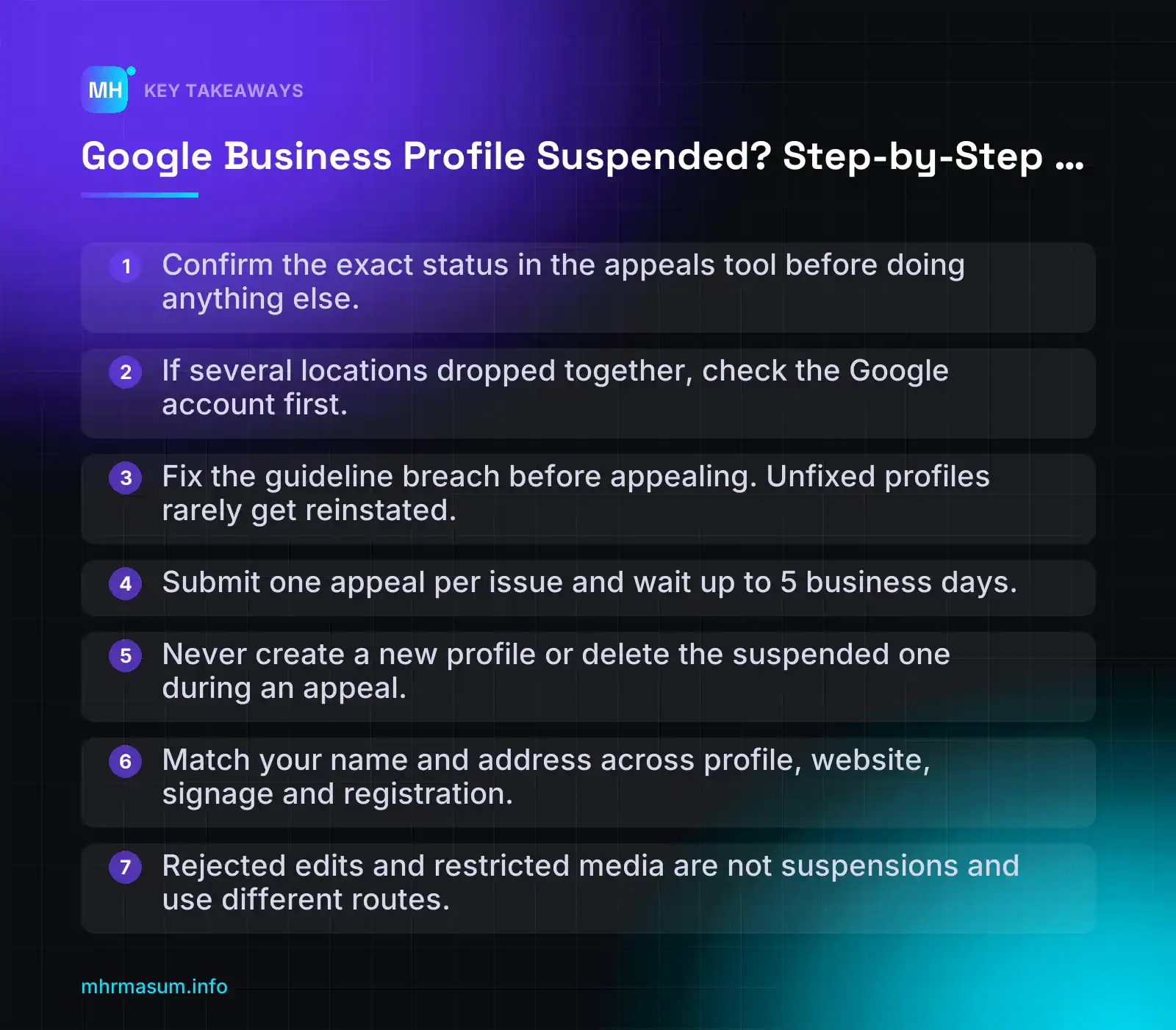
- Confirm the exact status in the appeals tool before doing anything else.
- If several locations dropped together, check the Google account first.
- Fix the guideline breach before appealing. Unfixed profiles rarely get reinstated.
- Submit one appeal per issue and wait up to 5 business days.
- Never create a new profile or delete the suspended one during an appeal.
- Match your name and address across profile, website, signage and registration.
- Rejected edits and restricted media are not suspensions and use different routes.
What a Suspended Google Business Profile Actually Means
“Suspended” is used loosely. Owners use it for anything from a vanished Maps listing to a rejected phone number edit. Google treats these as different problems with different fixes, so start by identifying which one you have.
Google states that it may suspend or disable profiles that do not follow its guidelines (Google Business Profile Help). The status decides which tool you use, whether you can appeal yet, and whether one appeal or several are needed.
Suspended vs disabled vs account restricted
- Suspended profile: Google has taken action on one profile, usually because of a guideline breach such as the name, address, eligibility or a duplicate. You appeal that profile.
- Disabled profile: a stronger action on the profile. It is usually linked to more serious or repeated policy problems. You still start with the appeals tool, but expect to provide stronger proof that the business is real.
- Account-level restriction: the problem is the Google account that manages the profile, not the profile itself. If the managing account is restricted, every profile linked to it is suspended, and you cannot create or claim new profiles until the restriction is lifted (Google Business Profile policies).
- Suspension caused by another Google product: a restriction on the same Google account in a different Google product can also suspend the profile. If you run Google Ads or Merchant Center from that account, check those for policy notices too.
Decision rule: if several locations went down at the same time, check the account before you look at any single profile. Google’s order is to lift the account restriction first from the My accounts page, and then appeal each profile (Fix suspended or disabled profiles).
Feature restrictions that look like a suspension
Some problems feel like a suspension but are content or feature decisions. The profile stays live while a specific field or feature is blocked.
- Rejected edits: a new name, category, address, phone number or website was not published. The old value usually stays on the profile.
- Restricted media: photos or videos were removed or not published.
- Review restrictions: Google may limit new reviews on profiles linked to suspicious review activity, and in some cases show a notice on the profile. Check the policy overview for the current wording.
These have their own appeal routes. Google also states that a suspended or disabled profile must be reinstated before you can appeal content decisions on it (Appeal content and profile restrictions). Fix the suspension first, then deal with edits and media.
| Status | What the public typically sees | What the owner can do | Where to fix it |
|---|---|---|---|
| Suspended profile | Profile missing from Search and Maps, or shown with limited information | Limited or no management. Can appeal | Appeals tool (all countries) |
| Disabled profile | Profile not shown | Cannot manage the profile. Can appeal if eligible | Appeals tool |
| Account-level restriction | All linked profiles suspended | Cannot create or claim profiles | My accounts page first, then the appeals tool for each profile |
| Restriction from another Google product | Linked profile(s) suspended | Same as account restriction | Resolve the restriction in that product or account, then appeal the profile |
| Review restriction | Profile visible. New reviews may be limited, and a notice may appear | Manage the profile normally, except reviews | Follow the notice in the profile. Check the policy overview |
| Rejected edits or restricted media | Profile visible with the old details. Media not shown | Full management, except the rejected item | UK and EEA: appeals tool. AU, US, BD and elsewhere: Contact us form |
One correction to many third-party guides: suspensions in the USA go through the appeals tool, not a contact form. Google’s regional table sends suspensions to the appeals tool everywhere. Only rejected edits and media are split by region (Google Business Profile Help).
How to confirm your status in the appeals tool
- Open the Business Profile appeals tool.
- Sign in with the Google account linked to the profile, not a personal or agency account that only has partial access. Then select Confirm.
- Pick the profile. The status shown applies only to the profile you selected, so check each location separately.
| Appeals tool status | What it means | What to do next |
|---|---|---|
| Eligible for appeal | Google has acted on the profile and you can appeal | Audit and fix the profile first, then submit one appeal with evidence |
| Submitted | Your appeal is under review | Wait. Decisions can take up to 5 business days. Do not send a second appeal for the same issue |
| Approved | The profile has been reinstated | Check the profile details and publish any pending edits carefully, one at a time |
| Not Approved | The appeal was denied | Re-audit the profile. You can request an additional review (covered later in this guide) |
| Can’t be appealed | This decision cannot go through the tool | Check whether the cause is an account restriction or an eligibility problem |
Google says decisions can take up to 5 business days, and that you should not send more than one appeal for the same issue before you get a decision (Google Business Profile Help).
If the tool shows “no moderated content or restricted access to appeal”, it usually means one of two things:
- You are signed in with the wrong Google account. Switch to the account that owns the profile, or the restricted manager account.
- The problem is not a suspension. The profile may be unverified, have a pending or rejected edit, have an ownership dispute, or simply rank lower. Check the profile dashboard for verification prompts before assuming the worst.
The Guideline Breaches That Trigger Most Suspensions
Most suspensions come back to a handful of rules in Google’s guidelines for representing your business. Find the breach before you appeal. An appeal on a profile that still breaks a rule is unlikely to succeed.
The examples below use fictional businesses.
Business name: keyword and location stuffing
Google requires the name to match the real-world name you use consistently on signage, your website and stationery. Keywords, locations, opening hours and taglines do not belong in the name field (Google guidelines).
| Wrong | Right | Why |
|---|---|---|
| Smith Plumbing Sydney Emergency 24/7 | Smith Plumbing | “Sydney”, “Emergency” and “24/7” are location, service and hours details. Use categories, service areas and hours instead |
| Bright Smile Dentist London | Invisalign | Bright Smile Dental | A service keyword and a location were added to the real name |
| Dhaka Best AC Repair Service | Coolair Services | A descriptive phrase is not the trading name |
One edge case: if your registered trading name genuinely includes a place, such as “Sydney Harbour Plumbing”, and it appears on your signage and documents, it is your real name. You will need proof of that, so make sure your signage, website and registration all match the profile.
“My competitor has keywords in their name, so it must be allowed.”
It isn’t. A spammy name that is still live has not been approved. It has not been caught yet. Google’s guidelines apply to everyone, and copying a competitor’s name only adds risk to your own profile. To deal with the competitor, report the breach through Maps with Suggest an edit. Do not copy them.
Addresses: virtual offices, PO boxes and co-working desks
Address problems are a common cause of suspension. Google’s rules (guidelines, policy overview):
- Virtual offices that the business does not actually operate from are not eligible.
- A service-area business cannot list a virtual office as its address unless that office is staffed during business hours.
- Co-working spaces are only acceptable if the business has clear signage, receives customers there during stated hours, and has its own staff present.
- PO boxes are not permitted. Google states that profiles using them are suspended.
| Wrong | Right |
|---|---|
| Smith Plumbing listed at a mail-forwarding “suite” in a city-centre virtual office | Smith Plumbing as a service-area business with the address hidden, based at its real workshop or home base |
| An accountant using a hot desk with no signage and no client visits | A dedicated co-working office with company signage, client meetings during listed hours and its own staff on site |
| “PO Box 123, Brisbane QLD” | The real street address, hidden if customers are not served there |
Service-area businesses showing an address or using a radius
Plumbers, cleaners, locksmiths and mobile mechanics usually serve customers at the customer’s location. If you do not serve customers at your address, hide it and set a service area instead (Google guidelines).
Service areas must be set by city, postcode or named area, not by a radius around your base.
Wrong:  Address shown: 14 Elm Road, Manchester (home, no customers visit)
        Service area: 50 km around Manchester

Right:  Address: hidden
        Service areas: Manchester, Salford, Stockport, Trafford
A hybrid business, such as a locksmith with a staffed shopfront that also visits customers, can show the address and add service areas. The test is simple: would a customer be served if they walked in during your listed hours?
Duplicate profiles and multiple profiles for one business
Google allows one profile per business for its central location and service area. Extra profiles for each suburb you serve, or a second profile created “just in case”, count as duplicates.
| Wrong | Right |
|---|---|
| Smith Plumbing has profiles for Parramatta, Bondi and Penrith, but only one real base | One Smith Plumbing profile with those suburbs as service areas |
| A new profile created while the suspended one is under appeal | Appeal the existing profile and wait for the decision |
| Separate profiles for each practitioner and the practice, with no clear distinction | Follow Google’s rules for practitioners and departments, with one profile per genuine, distinct presence |
Two mistakes make a suspension worse:
- Do not create a new profile while an appeal is under review. Both profiles can be suspended.
- Do not delete the suspended profile. Deleting it removes its content and reviews.
Ineligible businesses and risky edits
A profile is for a business that makes in-person contact with customers, either at its premises or at the customer’s location. Online-only businesses are not eligible (eligibility and ownership). A WooCommerce store with no showroom or collection point belongs in Merchant Center and organic search, not Business Profile. If that applies to you, see fixing Merchant Center disapprovals.
Also ineligible:
- Lead-generation listings that forward calls to whichever contractor pays.
- Fake or “ghost” locations created to rank in suburbs where the business has no presence.
- Rentals or properties listed as businesses, and temporary events. Check the eligibility page for the full list.
Edits can also cause trouble on a legitimate profile. Several significant changes in a short period, such as name, primary category and address together, can trigger a re-review or re-verification. Make one significant change at a time, and only when it reflects a real change in the business.
Mismatches raise risk too. If the profile says “Smith Plumbing & Gas” while your website, invoices and signage say “Smith Plumbing”, the inconsistency gives Google a reason to doubt the listing. Before you appeal, align the following everywhere:
Check:   Profile        | Website footer/contact | Signage | Registration
Name     Smith Plumbing | Smith Plumbing         | ✓       | ✓
Address  hidden (SAB)   | service areas listed   | n/a     | registered address
Phone    02 xxxx xxxx   | 02 xxxx xxxx           | van     | ✓
Website  smithplumbing… | —                      | van     | —
The same idea applies to your website as a whole. It should be a policy-compliant source of truth, as covered in this policy-by-policy site audit. If you want a second pair of eyes on a suspended profile before you appeal, you can book a free consultation.
What to Do (and Not Do) in the First 24 Hours
The first day after a suspension email is when most owners make the problem worse. The goal for day one is to diagnose and record, not to fix and resubmit.
Work through these steps in order before you change anything on the profile.
Triage steps
- Read the suspension email in full. Note the exact policy it names, such as eligibility, name, address or duplicate. Copy the wording into a document. That wording is the starting point for your audit.
- Find the Google account that owns the profile. Check whether it is your own account, a former employee’s account or an agency account. Only the owner or a manager of the profile can appeal, and Google asks you to sign in with the account linked to the profile.
- Check whether the account itself is restricted. If the managing account is restricted, every profile linked to it is suspended. You also cannot create or claim profiles. You have to lift the account restriction first from the My accounts page, then appeal each profile (Google Business Profile Help).
- Screenshot the current profile data. Capture the name, categories, address or service area, phone, website, hours, description, services and photos. Save the date with each screenshot. You will need this record to see what changed and to explain your fixes.
- Check what else is affected. Look at your other profiles, Google Ads, Merchant Center and any other Google product used by the same account. Google notes that a restriction on the account in another Google product can also suspend the profile (Google Business Profile Help).
- Note recent changes. List any edits made in the last few weeks, such as a move, rebrand, new phone number, new manager or new category. A recent edit is often the trigger.
What not to do
| Don’t | Why it is risky |
|---|---|
| Delete the suspended profile | Deleting removes the profile’s content and reviews. You lose the history you are trying to recover, and there is nothing left to reinstate. |
| Create a replacement profile | Google allows one profile per business for its central location and service area (Google Business Profile guidelines). A second profile for the same business is a duplicate, and both can end up suspended while the appeal is under review. |
| Send several appeals | Google says not to send more than one appeal for the same issue before you get a decision, and decisions can take up to 5 business days (Google Business Profile Help). Repeat appeals do not jump the queue. |
| Make lots of random edits | Unplanned edits can create new breaches, and they make it harder to show a reviewer what you corrected. Fix what the audit finds, once. |
| Hand logins to unknown “reinstatement” sellers | Giving full account access to a stranger puts your Google account, Ads billing and other properties at risk. Nobody outside Google can guarantee reinstatement. |
“If I just make a fresh profile, I’ll be back on Maps tomorrow.”
This is the most expensive mistake on the list. A new profile for the same business is treated as a duplicate, so it does not get around the original problem. It can also put the original appeal at risk.
Keep the business running while you wait
A suspension removes your Google listing, not your business. Make sure customers can still reach you through other channels.
- Website: Check that your phone number, address or service area, and contact form are easy to find. Put them in the header or footer as well as on the contact page.
- Google Ads: Campaigns that do not depend on location assets linked to the profile usually keep running. Check any location assets in your Ads account, because they rely on the linked profile.
- Apple Business Connect: Claim or update your Apple Maps listing so iPhone users can still find your hours and phone number.
- Bing Places for Business: Make sure your Bing listing is accurate. If you have not set up Bing yet, our Bing Webmaster Tools and IndexNow guide covers the website side.
- Existing customers: Email or message regular customers if they normally find you on Maps.
These channels will not replace Google Maps visibility, and they won’t change how Google treats your appeal. Their job is to keep enquiries coming in during the wait, not to improve rankings.
Audit and Fix the Profile Before You Appeal
Google tells you which policy it thinks you broke. It does not tell you which field caused the problem. An “address” suspension might be the pin location, a co-working space without signage, or a service area set up wrongly.
That is why you audit every field, not only the one you suspect. An appeal sent with one breach fixed and another still live is likely to be wasted.
Use Google’s guidelines for representing your business as the reference for each check below.
Field-by-field compliance checklist
| Field | What to check | Fix |
|---|---|---|
| Business name | Does it match the real-world name on signage, website, stationery and registration documents? Look for added keywords, locations, slogans or services. | Use the real name only. “Smith Plumbing”, not “Smith Plumbing – Emergency Plumber Sydney”. |
| Primary category | Does it describe what the business is, not every service it sells? | Pick the single most specific category for the core business. |
| Secondary categories | Are any of them unrelated, aspirational or added just to rank? | Remove categories that don’t reflect real, ongoing services. |
| Address | Is it a virtual office, PO box, mail drop or a co-working desk without signage and staff? Is the pin in the right place? | Use a real, staffed location, or hide the address and set up a service area (steps below). |
| Service area | Is it set as a radius, or does it cover areas you don’t really serve? | Use cities, postcodes or named areas that you actually serve. |
| Phone | Does it ring at this business? Is it a call-tracking or shared number used by other businesses? | Use a number controlled by the business that matches the website. |
| Website URL | Does it go to this business’s own site and the correct location page? Does it redirect somewhere unexpected? | Link to the homepage or the matching location page. Remove redirect chains. |
| Hours | Are the hours real? Do they claim 24/7 when no one answers at night? | Set the hours the business is actually staffed and open to customers. |
| Description | Does it include URLs, keyword lists, offers or claims you can’t support? | Write a plain description of what you do and who you serve. |
| Products or services | Do they list things you don’t offer, or other cities you don’t serve? | Keep only real, current products and services. |
| Photos | Are there stock images, other businesses’ photos, or text-heavy promotional graphics? | Upload real photos of the premises, team, vehicles and work. Include signage where possible. |
| Managers and owners | Is there anyone you don’t recognise, or an old agency or former staff member? | Remove unknown users and confirm who the primary owner is. |
If editing is locked while the profile is suspended, fix what you can. Record every correction with before-and-after screenshots so you can describe them clearly in the appeal.
Removing a non-compliant address and switching to a service-area business
Google’s guidelines are clear on this. A virtual office the business does not operate from is not eligible. A service-area business can only list a virtual office if it is staffed during business hours.
Co-working spaces need clear signage, customers received during hours and your own staff present. PO boxes are not permitted, and profiles that use them are suspended (Google Business Profile Help).
If you visit customers rather than receive them, hide the address:
- Sign in with the owner account and open the profile in Google Search or Maps.
- Select Edit profile, then go to the Location or Business location section.
- Turn off the option to show the business address to customers, or clear the address if the location isn’t valid at all.
- Open Service area and add the cities, postcodes or named areas you serve. Don’t use a radius.
- Save, then screenshot the result for your appeal notes.
Menu labels change from time to time, so follow the closest match in your dashboard. Online-only businesses with no face-to-face contact are not eligible at all, and changing the address won’t fix that.
Make your website and citations match the profile
Reviewers compare your profile against what exists elsewhere. If your website shows a different name, address or phone number, the profile looks less trustworthy, even when it is correct.
Check these places and make them match the corrected profile exactly:
- Website header and footer
- Contact page, including any embedded map
- LocalBusiness structured data
- Invoices, email signatures and printed stationery
- Major directories such as Apple Business Connect, Bing Places, Yelp, Yell, True Local or local chamber listings
Here is a minimal LocalBusiness example. Replace each value with your real details, and use a more specific type, such as Plumber, where one fits.
{
  "@context": "https://schema.org",
  "@type": "LocalBusiness",
  "name": "Smith Plumbing",
  "url": "https://www.example.com/",
  "telephone": "+61 2 9000 0000",
  "address": {
    "@type": "PostalAddress",
    "streetAddress": "12 Example Street",
    "addressLocality": "Parramatta",
    "addressRegion": "NSW",
    "postalCode": "2150",
    "addressCountry": "AU"
  },
  "openingHours": "Mo-Fr 08:00-17:00"
}
If you are a service-area business with a hidden address, leave the street address out of the schema. Use areaServed for the places you cover instead.
Schema won’t reinstate a profile on its own. Its job is to give one consistent version of your business across every source. Our WordPress technical SEO checklist covers how to add and test it. You can also run a free SEO check to spot conflicting contact details on the site.
Clean up managers, owners and access
Unknown managers are a security risk. They can also be the source of edits you didn’t make.
- Open the profile’s Business Profile settings, then People and access.
- Remove anyone you don’t recognise, including former staff and agencies you no longer use.
- Make sure the primary owner is a business-controlled account, not a personal account that belongs to someone who might leave.
- Review recent sign-in and security activity for the owner account at Google Account security, and change the password if anything looks wrong.
- Ask any current agency what edits they made recently, and when they made them.
If the suspension came from an agency’s restricted account, or you manage many locations, the process is different. We cover that in the multi-location section below.
If you would rather have the audit checked before you appeal, you can book a free consultation.
Collecting Evidence Google Can Verify
Your appeal is only as strong as the proof behind it. Google reviewers compare your documents against the profile, so each file should confirm the same business name and the same address shown on Google.
Google lists business registration, licences, tax documents and utility bills as examples. It also states that the business name and address on every document must match the profile (Google Business Profile Help).
Documents that match name and address exactly
Choose documents issued by a third party, such as a government body, utility company or bank. A document you produced yourself proves very little.
| Document type | What it proves | Check before you use it |
|---|---|---|
| Business registration certificate | The business legally exists | Registered name and address match the profile |
| Trade or professional licence | The business can operate in its category | Licence is current, not expired |
| Tax registration or tax document | The business is known to the tax authority | Hide or redact numbers you don’t need to share |
| Utility bill (electricity, water, internet) | The business occupies the address | Issued in the business name, recent, full address visible |
| Commercial lease | The business has a right to use the premises | Tenant name is the business, unit number included |
A document in a director’s personal name weakens the appeal. It shows that a person lives or pays bills at the address. It does not show that the business operates there.
A document at a different address causes the same problem. If your registered office is your accountant’s address but you trade from a shop, the registration certificate won’t confirm the shop. Pair it with a lease or utility bill for the shop.
Check that small details match:
- Unit, suite or floor number
- Street spelling and abbreviations, such as “Rd” vs “Road”
- Postcode or ZIP code
- Legal suffix, such as Ltd, Pty Ltd, LLC or Limited
If the profile has the wrong detail, fix the profile first (see the audit section above). Don’t pick documents to match a profile that is itself wrong.
When the trading name differs from the registered name
Many businesses trade under a name that differs from the registered company. Google’s guidelines say the profile name must reflect the real-world name used on signage, website and stationery (Google Business Profile guidelines). That is usually the trading name.
Your job is to show the link between the two names:
- A registration record that lists the trading name or business name against the company
- A licence or tax document that shows both names
- An invoice or bank statement header showing “Company Ltd trading as Brand”
- Signage photos showing the trading name, plus a document tying it to the company
Mention the relationship in one sentence in the appeal’s explanation field so the reviewer doesn’t have to guess.
Photos and video of the real location
Documents show the business exists on paper. Photos show that customers can actually find it. Take new photos rather than reusing old marketing images.
Photo checklist:
- Permanent exterior signage with the business name clearly readable
- The street address or building number in the same frame as the signage
- A wider shot showing the entrance in context with neighbouring shops or the street
- Interior showing the counter, reception, showroom or working area
- Staff at work, if they agree to be photographed
- For co-working spaces: your own signage, the reception and your staff present during hours
Shoot in daylight, keep images sharp and avoid filters or heavy cropping. A temporary banner or a printed sheet taped to the door looks weaker than permanent signage. The same principles of clear, verifiable visuals are covered in my guide to multimodal SEO and visual evidence.
Evidence for service-area businesses
Plumbers, cleaners, electricians and mobile services often have no shopfront. Your evidence needs to show a real operating business that travels to customers.
- Branded vehicle with the business name visible, ideally with the number plate in frame
- Tools and equipment with branding
- Uniforms or ID badges with the business name
- Trade licence or insurance certificate in the business name
- Utility bill or registration at the base address, even though that address is hidden on the profile
Before you appeal, confirm the profile setup. If you don’t serve customers at your address, the address should be hidden, and service areas should be set by city, postcode or named area, not a radius (Google Business Profile guidelines).
“I’ll use a virtual office address so my business looks bigger.”
This is one of the most common causes of address-related suspensions. A virtual office the business does not operate from is not eligible, and a service-area business can’t list one unless it is staffed during business hours (Google Business Profile guidelines). PO boxes are not permitted, and profiles using them are suspended (Google Business Profile policy overview). No evidence will fix an ineligible address.
Prepare files before you open the appeal
Collect everything in one folder first. Don’t start the appeal until your evidence is ready.
- Save documents as clear PDFs or JPG/PNG images
- Scan rather than photograph paperwork where possible
- Make sure every page is legible and nothing important is cut off
- Use descriptive file names
01-business-registration-brightsmile-dental-ltd.pdf
02-trade-licence-2026-brightsmile-dental.pdf
03-electricity-bill-sep-2026-unit-4-high-street.pdf
04-exterior-signage-with-street-number.jpg
05-interior-reception.jpg
06-trading-name-link-registration-extract.pdf
Numbered, descriptive names help the reviewer understand your file set quickly. They also help you track what you sent if you need to add evidence later.
How to File the Appeal: Step by Step
Suspensions are appealed through the Google Business Profile appeals tool. This applies in Australia, the UK, the USA and Bangladesh. Some third-party guides say US suspensions go through a contact form, but Google’s own table lists the appeals tool for suspensions in every region (Google Business Profile Help).
One check first: if the Google account that manages the profile is restricted, lift that restriction from the My accounts page before you appeal any profile (Google Business Profile Help). Account-level cases are covered in the next section.
Using the Google Business Profile appeals tool
- Open the Google Business Profile appeals tool.
- Sign in with the Google account linked to the profile. Using a different account is a common reason the profile doesn’t appear.
- Select Confirm to confirm the account.
- Choose the suspended profile from the list.
- Check the eligibility status shown for that profile (see the table below).
- Click Next.
- Add optional information, including your explanation and evidence.
- Tick the box confirming that all optional evidence is attached.
- Select Submit appeal.
The statuses you may see in the tool:
| Status | What it means | What to do |
|---|---|---|
| Eligible for appeal | You can submit an appeal | Proceed with your evidence ready |
| Submitted | Your appeal is under review | Wait. Don’t send a second appeal |
| Approved | The profile has been reinstated | Check the live profile and its details |
| Not Approved | The appeal was denied | See the “If Your Appeal Is Denied” section |
| Can’t be appealed | This decision can’t go through the tool | Check the account status and the help page for other routes |
Attaching evidence
Google has changed the evidence step during 2026, so follow the flow on your screen rather than an old screenshot. Before you start, read the current wording on the Fix suspended or disabled profiles page.
Depending on what the live page and the tool show you, evidence may be attached inside the appeal form, or through a separate evidence form with a time limit after you open it. Your folder from the previous section works with either flow. Upload, check each file name, then continue.
Google also lets you add evidence you left out of the original appeal (Google Business Profile Help). That is a way to fill a gap. It is not a reason to submit an incomplete appeal.
Writing the explanation field
Keep it factual. The reviewer needs to know what was wrong, what you changed and what you attached. Emotional pleading, threats about lost revenue and long backstories don’t help.
Business: Brightsmile Dental (registered as Brightsmile Dental Care Ltd)
Address: Unit 4, 12 High Street, [Town], [Postcode]

We operate from this address with staff present Monday to Friday,
9:00 to 17:00, and receive patients on site.

Changes made before this appeal:
- Removed "Best Dentist [Town]" from the business name. The name now
  matches our signage and website.
- Corrected the unit number to Unit 4.
- Removed a duplicate profile at the same address.

Evidence attached:
1. Company registration showing the trading name Brightsmile Dental
2. Current dental practice licence
3. Electricity bill for Unit 4, September 2026, in the company name
4. Exterior photo: signage and street number in the same frame
5. Interior photo: reception and treatment room
Adapt this to your case. Only list changes you actually made and files you actually attached. If you are unsure which changes are needed, my policy-by-policy audit approach uses the same principle: match each fix to a named policy.
Appealing 10 or more locations
If you manage more than 10 profiles, the tool asks whether you want bulk reinstatement for 10 or more locations (Google Business Profile Help). Answer this accurately. It decides whether you go down the bulk route or appeal profile by profile.
The status only updates for the profile you selected. If you appeal one location, the other suspended locations keep their own status. Track each location separately in a simple sheet:
Location | Store code | Policy named | Fixes made | Date submitted | Status
Leeds    | LDS-01     | Address      | Unit no.   | 2026-11-03     | Submitted
York     | YRK-02     | Name         | Keyword    | 2026-11-03     | Submitted
After you submit
Decisions can take up to 5 business days. Google asks you not to send more than one appeal for the same issue before you get a decision (Google Business Profile Help).
While you wait:
- Check the status in the appeals tool rather than resubmitting
- Don’t create a new profile for the same business, as both can end up suspended
- Don’t delete the suspended profile, as that removes its content and reviews
- Avoid further edits to the name, address or category unless Google asks
- Keep your evidence folder and explanation text for any follow-up
A suspended profile must be reinstated before you can appeal separate content decisions, such as rejected edits or restricted media (Google Business Profile Help). Deal with the suspension first, then anything else.
If you have a multi-location business or an unclear suspension reason and want a second pair of eyes before you submit, you can book a free consultation.
Account-Level Restrictions and Multi-Location or Agency Cases
Sometimes the problem is not the profile at all. If the Google account that manages your profiles is restricted, every profile linked to it is suspended.
While that restriction is in place, you also cannot create or claim profiles. Google says this directly in its policy overview (Google Business Profile Help).
Fix the account first, then the profiles
The order matters. A profile appeal sent while the managing account is still restricted is unlikely to get anywhere, because the underlying block is still there.
- Confirm the restriction is at account level. If every profile under one login went down together, or you see a notice about your account rather than a single location, assume an account restriction.
- Appeal the account restriction from the My accounts page. This is the route Google gives for lifting a restricted managing account (Google Business Profile Help).
- Wait for the account decision. Do not send repeat appeals for the same issue while one is pending (Google Business Profile Help).
- Then appeal each suspended profile in the appeals tool, signed in with the account linked to those profiles.
If you manage more than 10 profiles, the appeals tool asks whether you want bulk reinstatement for 10 or more locations. Remember that the status only updates for the profile you selected, so check each location separately.
Restrictions that start in another Google product
Google notes that a restriction on your account in another Google product can also suspend your Business Profile (Google Business Profile Help). The Business Profile may be fine while the account behind it is not.
Check these before you write a word of your profile appeal:
- Is the Google account itself disabled or locked? Try signing in to Gmail or your Google Account settings with the same login.
- Is there a Google Ads suspension on an Ads account linked to the same login? Look for policy or suspension emails in that inbox.
- Is a Merchant Center account under the same login suspended? If you sell online, see my guide to WooCommerce Merchant Center diagnostics for how to read those notices.
- Did a security alert happen recently? A hijacked login used for spam can get the whole account restricted.
If you find a restriction elsewhere, resolve it through that product’s own appeal process first. Then return to the Business Profile.
“Only one location broke the rules, so only one location will be affected.”
Not when the restriction lands on the managing account. One login that owns everything is one point of failure for everything.
How agencies and multi-location brands should set up access
Most overnight, chain-wide outages I’m asked to look at come down to how ownership was set up years earlier. Fix the structure, not just the symptom.
- Use an organisation account and business groups to hold locations, rather than one person’s personal Gmail.
- Keep at least two trusted owners on the business side, using company email addresses that will outlive any single employee.
- Give agencies and staff Manager access, not Owner access, unless they genuinely need ownership tasks. That is least-privilege access.
- Never let one agency login own every client’s locations. A restriction on that login can hit every client at once.
- Remove old users quarterly. Former staff and past agencies with live access are a real risk.
Audit bulk edits before pushing them
Bulk spreadsheet uploads and API-driven updates change many profiles in one go. One bad column can push the same violation to every location at once.
Before any bulk change, check a sample row against the representation guidelines:
Bulk edit pre-check (per row)
- Business name = real-world signage name (no city, no keywords)
- Address = staffed location, not a virtual office or PO box
- Service-area locations: address hidden, areas set by city/postcode/named area
- Primary category = what the location actually is
- Phone and website = this location, not a lead-gen or tracking domain
- Test on 1–2 locations first, wait for them to publish, then roll out
Which situation are you in?
| Scenario | Likely cause | First action |
|---|---|---|
| One location suspended, others fine | A violation on that profile: name keywords, address eligibility, category or a recent edit | Audit that profile against the guidelines, fix it, then appeal it in the appeals tool |
| Every location suspended overnight | Restriction on the managing Google account, or on that account in another Google product | Check the account and linked products, appeal the account restriction from My accounts, then appeal each profile |
| Many locations suspended after a bulk edit | The bulk change introduced a violation across all affected profiles | Identify the bad field, reverse it on every affected profile, then appeal (bulk reinstatement if 10+) |
If you run a franchise or agency portfolio and want a second pair of eyes on access and structure, you can book a free consultation.
If Your Appeal Is Denied
A “Not Approved” status is frustrating, but it is not always the end. What decides your next move is why the first appeal failed.
Sending the same appeal again with the same evidence rarely changes the outcome. Diagnose first.
Work out why the first appeal failed
| Reason | How to spot it | What to fix |
|---|---|---|
| The violation was still live | Keywords still in the name, address still a virtual office, wrong category still set | Correct the profile fully before any further request |
| Documents didn’t match | Trading name vs registered name differs, old address on a bill, unit number missing | Get documents where name and address match the profile exactly |
| Wrong account used | You appealed from a login that isn’t linked to the profile | Use the Google account that owns or manages the profile |
| Account restriction not lifted | Other profiles on the same login are also down | Resolve the account restriction first |
| Business is ineligible | Online-only, or no staffed premises customers can visit or be served from | No appeal will fix this; the business model has to change |
Google requires the business name and address on every document to match the profile (Google Business Profile Help). That single rule explains a large share of failed appeals.
Requesting an additional review
After a denial, Google provides a separate additional review form. This is your second, considered attempt, not a resubmission button.
Only use it when you have new, stronger evidence or a genuinely corrected profile.
- Fix every issue you identified in the table above.
- Gather documents you didn’t send the first time, such as a business licence, tax registration or a recent utility bill at the listed address.
- Where premises are part of the question, add clear photos of permanent signage, the entrance and the street context.
- Write a short, factual explanation. State what was wrong, what you changed and what each document proves.
- Submit once and wait for a decision.
A simple structure for that explanation:
Business: [Exact profile name]
Address on profile: [Exact address]
What changed since the last appeal:
- Removed "[keyword]" from the business name to match our signage
- Hid the address (we are a service-area business)
New evidence attached:
- Business registration certificate (name and address match)
- Utility bill dated [month/year] at the listed address
- Photos of permanent exterior signage
Keep it factual. Emotional pleas and threats to leave Google don’t help reviewers verify anything.
Other escalation routes
- Google Business Profile Community. Post your case on the Business Profile Community. Product Experts there can review your profile publicly, spot issues you missed and, in some cases, flag cases to Google staff. Be complete and honest; they will check your website and Street View.
- EU Digital Services Act dispute settlement. Businesses in the EEA can take a decision to a certified out-of-court dispute settlement body (Google Business Profile Help). This route is for EEA businesses only. The UK is not in the EEA, so UK businesses don’t have it, and neither do businesses in Australia, the USA or Bangladesh.
“If the appeal fails, just create a new profile for the business.”
Don’t. Creating a duplicate profile for the same business can get both suspended. Deleting the suspended profile is also a mistake, because it removes its content and reviews.
When to stop appealing
Some cases end in a “Can’t be appealed” status. When that is the status shown, further appeals for that decision are not an option.
Be equally honest about eligibility. These businesses cannot be reinstated without changing how they operate:
- Online-only businesses with no in-person contact with customers.
- Businesses using a virtual office they don’t operate from, or a service-area business using one that isn’t staffed during business hours.
- Profiles built around a PO box as the address.
If that is you, put the effort into channels you control instead: your website, organic search and other Google products. The WordPress technical SEO checklist is a good place to start, and a free SEO check will show where your site stands.
If your business later opens staffed premises or starts genuinely serving customers in person, that changes eligibility. At that point, a correctly set-up profile becomes possible again.
Country Notes: Australia, UK, USA and Bangladesh
The reinstatement process is mostly the same everywhere. Two things change by country: which route handles rejected edits and media, and which documents prove your business is real.
Google’s appeals help page has a regional table. Suspensions go through the appeals tool in every country. UK and EEA businesses can also use the tool for rejected edits (name, category, address, phone, website) and restricted media. Everyone else uses the Contact us form for those (Google Business Profile Help).
Some third-party guides say US suspensions go through a contact form. That is not what Google’s table says. Use the appeals tool for a suspension wherever you are.
| Country | Suspension appeal route | Rejected edits or media | Typical matching documents | Common pitfalls |
|---|---|---|---|---|
| Australia | Appeals tool | Contact us form | ABN record (ABR lookup), ASIC business name registration, council or trade licence, utility bill | Tradies showing a home address publicly; serviced or virtual offices |
| United Kingdom | Appeals tool | Appeals tool | Companies House certificate, VAT certificate, business rates bill, utility bill | Registered office address used as the trading address; assuming EU DSA rights apply |
| United States | Appeals tool | Contact us form | State business registration, IRS EIN letter, state or local licences, utility bill | Virtual offices, UPS-style mailboxes and PMB addresses |
| Bangladesh | Appeals tool | Contact us form | Trade licence, RJSC incorporation documents, TIN/BIN certificates, utility bill | Inconsistent English address spellings, unclear house and road numbers, Bangla vs English name mismatches |
Whatever the country, the rule from Google is the same. The business name and address on every document must match the profile (Google Business Profile Help). Check each document line by line against the profile before you upload it.
Australia
Use the appeals tool for the suspension. If a name, category or address edit is rejected later, or a photo is restricted, use the Contact us form instead.
Good documents to prepare:
- ABN record: a screenshot or printout from the ABN Lookup on the Australian Business Register, showing the entity name, trading name and state.
- ASIC business name registration: useful when the trading name on your signage differs from the legal entity name.
- Council or trade licences: for example a builder’s, electrician’s or plumber’s licence, or a food business registration.
- Utility bill: recent, in the business name, at the profile address.
The most common pitfall is with tradies and mobile services. If you work from home and customers do not visit, set the profile as a service-area business and hide the address (Google Business Profile guidelines). Define service areas by suburb, city or postcode, not by a radius.
Serviced offices are the other trap. A virtual office you do not operate from is not eligible. A co-working space only works if you have clear signage, receive customers during business hours and have your own staff present.
United Kingdom
UK businesses get the widest use of the appeals tool. Suspensions, rejected edits and restricted media can all be appealed through it (Google Business Profile Help).
There is one important limit. EEA businesses can take a decision to an out-of-court dispute settlement body under the EU Digital Services Act. The UK is not in the EEA, so that route does not apply to UK businesses. Do not plan your escalation around it.
Good documents to prepare:
- Companies House certificate of incorporation for limited companies.
- VAT registration certificate if you are VAT-registered.
- Business rates bill from the local council. This is strong evidence that you occupy the premises.
- Utility bill in the business name at the profile address.
Watch for the registered office mismatch. Many UK companies register at their accountant’s address. That address must not go on the profile unless you actually trade there. Use the trading premises, and make sure your rates bill or utility bill shows it.
United States
Use the appeals tool for suspensions. Use the Contact us form for rejected edits and restricted media.
Good documents to prepare:
- State business registration from the Secretary of State (or equivalent) showing the legal name and address.
- IRS EIN confirmation letter showing the business name.
- State or local licences: for example a contractor licence, a professional licence or a county business licence.
- Utility bill in the business name at the profile address.
If you file under a DBA (“doing business as”) name, include the DBA filing so the reviewer can connect the legal name to the name on your sign.
The biggest US pitfall is the address. Virtual offices, UPS Store-style mailboxes and private mailbox (PMB) addresses are not real business locations. PO boxes are not permitted, and profiles using them are suspended (Google Business Profile Help). If you have no staffed premises, switch to a service-area profile with the address hidden.
Bangladesh
Use the appeals tool for suspensions. Use the Contact us form for rejected edits and restricted media.
Good documents to prepare:
- Trade licence from the city corporation (for example Dhaka North or Dhaka South) or your local authority. Make sure it is current for the year.
- RJSC incorporation documents for limited companies: certificate of incorporation and, where useful, the memorandum showing the registered name.
- TIN and BIN certificates showing the business name and address.
- Utility bill (electricity, gas or water) at the profile address.
Most Bangladeshi evidence problems are about matching, not about missing documents.
- Inconsistent English spellings. “Mohammadpur”, “Mohammedpur” and “Muhammadpur” may be the same area, but a reviewer comparing text may not treat them as the same. Pick the spelling your documents use and use it on the profile and website.
- Unclear house and road numbers. Write the address in the same structure as your trade licence, for example: House 12, Road 5, Block C, Area, City, Postcode.
- Bangla vs English names. If your trade licence shows the name in Bangla and the profile uses English, the match is not obvious. Add a document that shows the English name too, such as a TIN certificate, bank statement or RJSC record.
Here is a simple matching check to run before you upload:
Profile name:     Rahman Dental Care
Trade licence:    Rahman Dental Care          ✔ match
TIN certificate:  Rahman Dental Care          ✔ match
Utility bill:     Dr. A. Rahman               ✘ person, not business

Profile address:  House 12, Road 5, Block C, Mirpur 10, Dhaka 1216
Trade licence:    House 12, Road 5, Block C, Mirpur 10, Dhaka 1216   ✔ match
Utility bill:     H-12, R-5, Mirpur, Dhaka                           ✘ partial
If a document only partly matches, either replace it or add a second document that closes the gap. I make no claims about how Google processes Bangladeshi appeals differently. Treat it exactly like any other country: clear, matching, verifiable evidence.
After Reinstatement: How to Avoid Getting Suspended Again
Getting the profile back is only half the job. The same problem that caused the first suspension can trigger a second one, and a repeat case is harder to explain.
“Once reinstated, the profile is safe forever.”
It isn’t. Reinstatement means the profile met the guidelines when it was reviewed. Google can still suspend or disable a profile later if it stops following the guidelines (Google Business Profile Help). A new edit, a user’s suggested change or a manager you forgot about can put you back where you started.
Post-reinstatement checks
Do these within the first few days after the Approved status appears.
- Check the profile is live on Search and Maps. Search the exact business name and open it in Google Maps. Check from a browser where you are not logged in.
- Check reviews have returned. Compare the review count with any screenshot you took before the suspension.
- Check photos and posts. Make sure your logo, cover photo and recent images display.
- Check every field. Name, category, address or service area, hours, phone and website should match what you submitted with the appeal.
- Watch performance. Use the Performance view in Business Profile to see whether searches, calls and direction requests come back over the following weeks.
If reviews or photos have not returned after reinstatement, Google’s help page tells you to contact Google Business Profile Help (Google Business Profile Help). Do not file a new appeal for this. The suspension is already resolved.
For rankings, separate profile visibility from website visibility. If organic traffic also dropped, check Search Console rather than relying on a rank tracker. My guide to Search Console-first rank reporting explains how to do this, and branded vs non-branded SEO in Search Console shows how to see whether branded searches for your business name have recovered.
Safe editing habits
Large or rapid edits are a common reason a reinstated profile gets reviewed again. Change the profile the way a real business changes: slowly and with evidence.
- Make one significant change at a time. Do not change the name, category and address in the same week. Wait until each edit is published before the next.
- Keep the name matching your signage. The name must reflect the real-world name used on signage, website and stationery. No keywords, no locations (Google Business Profile guidelines).
- Document moves and rebrands before you edit. Get the new signage up, the new utility bill or lease, and the updated registration first. Then make the edit.
- Update the website at the same time. The website, contact page and schema should show the same name, address and phone as the profile.
- Do not create a second profile for the same business, even for a “new branch” that is really the same location.
Keep a simple change log. It makes any future appeal much faster.
Date        Field       Old value                New value               Evidence kept
2026-11-04  Hours       Sat 9–1                  Sat 9–3                 Updated website hours page
2026-12-01  Address     Unit 3, 10 High St       Unit 7, 22 Market Rd    Lease, new signage photo, utility bill
2027-01-15  Category    Plumber                  Plumber (unchanged)     —
2027-02-10  Name        Smith Plumbing           Smith & Co Plumbing     Updated registration, signage photo
Ongoing monitoring routine
Most repeat problems come from things you did not do yourself: user suggestions, old managers, or a website that drifted out of sync. A monthly check catches them early.
| Check | What to look for | Action if wrong |
|---|---|---|
| Google updates and suggested edits | Changes to name, hours, phone, category or website you did not make | Reject incorrect suggestions; correct the field |
| Managers and owners | Former staff, old agencies or unknown accounts | Remove anyone who no longer needs access |
| Categories | Primary category still describes the core business | Revert any change that does not match what you actually do |
| Address mode | Storefront vs service-area setting still matches reality; service areas by city, postcode or named area | Hide the address if customers do not visit |
| Website NAP and schema | Name, address and phone on the site and in LocalBusiness schema match the profile exactly | Update the site and schema together |
| Review requests | No discounts or gifts for reviews; no gating (asking only happy customers) | Ask every customer the same way, with no incentive |
| Evidence folder | Licences, registration and utility bills are current | Replace expired documents now, not during an appeal |
On reviews, keep it simple. Ask all customers, never offer anything in return, and never filter who gets the link. Fake or incentivised engagement is against Google’s Business Profile policies (Google Business Profile Help).
For the website side of the check, my WordPress technical SEO checklist covers schema and contact page consistency. You can also run a free SEO check to spot mismatches quickly.
If you manage several locations or have already had more than one suspension, a review of your setup can save time. You can book a free consultation to go through it.
One decision rule covers almost every situation. If a change would make the profile describe the business differently from how it operates in real life, don’t make it.
Frequently Asked Questions
Why was my Google Business Profile suspended without warning?
Google usually acts after an automated or manual review finds a likely guideline breach, and it does not always send a detailed explanation. Common triggers are keywords in the business name, ineligible addresses, duplicate profiles and several major edits made close together. Start by confirming the status in the appeals tool, then audit the profile against Google's guidelines.
How long does Google Business Profile reinstatement take?
Google says appeal decisions can take up to 5 business days. Complex cases or appeals that need more evidence may take longer. Sending extra appeals for the same issue will not speed things up, so wait for a decision.
Should I create a new profile while my old one is suspended?
No. A new profile for the same business is treated as a duplicate, and both profiles can end up suspended. Appeal the existing profile instead. It also keeps the profile's history in place.
Will I lose my reviews if my profile is suspended?
Reviews are not normally shown publicly while the profile is suspended. Deleting the profile removes its content and reviews, so never delete it to start again. After reinstatement, check the profile carefully to confirm your reviews and details are visible.
What can I do if my appeal is not approved?
Re-audit the profile, because a denial usually means the breach is still there or the evidence was not convincing. Fix anything you missed and gather stronger proof, such as signage photos, utility bills or business registration documents. You can then request an additional review.
Can a Google Ads or Merchant Center issue suspend my Business Profile?
Yes. A restriction on the same Google account in another Google product can suspend linked profiles. If you run Ads or Merchant Center from that account, check both for policy notices and resolve them before appealing the profile.
Can an online-only store have a Google Business Profile?
No. Business Profiles are for businesses that meet customers in person, either at their premises or at the customer's location. An online-only WooCommerce store should focus on Merchant Center and organic search instead.
Final Thoughts
Start with diagnosis, not the appeal button. Confirm the status of each profile in the appeals tool. If several locations went down together, check the managing Google account first.
Next, fix the actual breach. Clean up the business name, hide ineligible addresses, replace radius service areas with named areas and remove duplicates. Make the profile match your website, signage and registration documents.
Then submit one appeal with clear evidence and wait for the decision. Once the profile is reinstated, make any further changes one at a time. Only change what reflects a real change in the business, so you do not trigger another review.
Want help applying this to your site? Run the free SEO check or book a free consultation with MD Harunur Rashid. Free SEO check · Book a free consultation