You publish a post, glance at the address bar and wonder whether that URL is helping or hurting you. SEO friendly URLs are one of the most misunderstood parts of WordPress SEO, and most of the advice online is either outdated or exaggerated.
Some site owners stuff every keyword into the slug. Others leave URLs as /?p=4821. And if you write in Bengali, or you are tempted by emoji, the rules feel unclear.
In October 2026, Google’s Gary Illyes addressed this directly in the new Non-Canonical Cabinet series. He covered what you can put in a URL, how Google treats non-Latin text and emoji, and how much URL keywords really count for.
This guide explains what those answers mean in practice. You will learn how a WordPress URL is built, which permalink structure to choose, how to write a clean slug, and how to handle Bengali text and emoji without creating duplicate or broken URLs.
It is written for small business owners, WooCommerce store owners and in-house SEOs in Australia, the UK, the USA and Bangladesh who want URLs that are readable, stable and easy to manage.
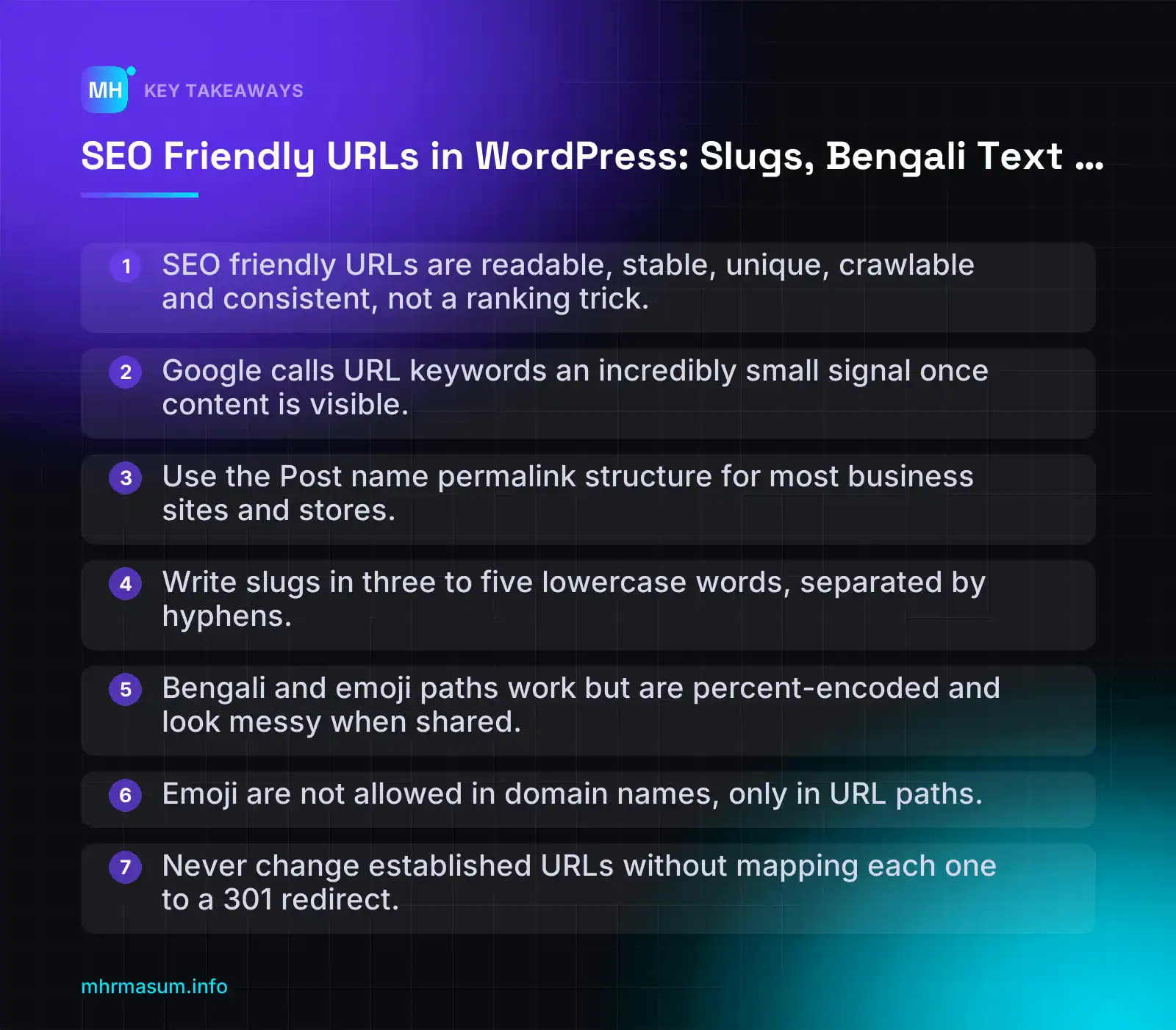
Key Takeaways
- SEO friendly URLs are readable, stable, unique, crawlable and consistent, not a ranking trick.
- Google calls URL keywords an incredibly small signal once content is visible.
- Use the Post name permalink structure for most business sites and stores.
- Write slugs in three to five lowercase words, separated by hyphens.
- Bengali and emoji paths work but are percent-encoded and look messy when shared.
- Emoji are not allowed in domain names, only in URL paths.
- Never change established URLs without mapping each one to a 301 redirect.
What makes a URL SEO friendly, and what Google said in October 2026
An SEO friendly URL is not a ranking trick. It is a web address that people can read, that Google can crawl, and that does not change or multiply without a good reason.
In practice, an SEO friendly URL has five qualities:
| Quality | What it means | Quick test |
|---|---|---|
| Readable | A person can guess the topic of the page from the URL alone | Read it aloud. Does it make sense without the page title? |
| Stable | The URL does not change when you edit the title, switch categories or redesign | Would this URL still be correct in three years? |
| Unique | One piece of content has one URL, not several variants | Do the version with a trailing slash, the uppercase version and the encoded version all resolve separately? |
| Crawlable | It uses valid characters and does not rely on fragments (#) or scripts to load content | Can you open it in a private window and see the full content? |
| Consistent | Your whole site follows the same pattern for case, slashes, separators and language | Do your blog, product and category URLs follow predictable rules? |
Notice what is missing from that list: a ranking boost. Google has been clear that URL keywords carry very little weight, and October 2026 gave us its most direct statement on the subject so far.
The Non-Canonical Cabinet episode in brief
Google Search Central launched a new YouTube series called The Non-Canonical Cabinet, presented by Gary Illyes and Cherry Prommawin. The trailer was released on 6 October 2026, and episode 1, “What can you actually put in a URL?”, went out on 14 October 2026 (Search Engine Journal).
The main points that matter for WordPress site owners:
- Domains and paths follow different rules. The domain name (example.com) is governed by domain registration rules. The path after it (/blog/my-post/) is governed by URL standards and is far more flexible.
- Emoji are not allowed in domain names. A 2017 ICANN Board resolution disallows emoji in internationalised domain names, with some ccTLD exceptions.
- Emoji are allowed in paths. Googlebot crawls them, and Illyes said “our system will actually process it”. Browsers percent-encode them, so a chicken emoji becomes
%F0%9F%90%94. Some browsers and social apps show “a string of gibberish” instead of the emoji. - Non-Latin domain names become Punycode. A domain in Bengali or Thai script is converted to an ASCII form starting with
xn--. - Hyphens versus underscores had its own chapter. Google’s written guidance still recommends hyphens between words, and that is the standard to follow.
- Keywords in URLs are a very small signal. More on this below.
Episode 2, released on 21 October 2026, covered robots.txt, including how to write rules for non-English and emoji paths. We come back to that in the troubleshooting section.
“Putting my main keyword in the URL will push me up the rankings.”
This is one of the most persistent SEO beliefs, and it is not supported by Google. Illyes called keywords in a URL “an incredibly small signal” (Search Engine Journal).
He explained that they only matter when Google has nothing else to go on, such as a brand-new site with no content. Once Google can see the content, URL keywords become “basically irrelevant” (PPC Land).
So do not rename established URLs just to add a keyword. The redirect risk is real; the ranking gain is close to zero.
Readable for people first, crawlable for bots second
If keywords barely matter, why spend time on URLs at all? Because URLs affect several things that do matter:
- Click confidence. Google shows the site name and a URL or breadcrumb path in results. A clear path like
/services/local-seo/tells searchers they are in the right place. A path like/?p=4821tells them nothing. - Shareability. Clean URLs survive being pasted into WhatsApp, email and Slack. Long encoded strings get cut off, look suspicious and get fewer clicks.
- Analytics grouping. In GA4 and Search Console, a consistent pattern such as
/blog/or/product/lets you filter and compare whole sections. Random structures make reporting painful. My guide to Search Console-first SEO reporting relies heavily on clean URL patterns. - Crawl efficiency. Fewer pointless URL variants means Googlebot spends its time on pages you actually want indexed.
- Avoiding duplicates. John Mueller explained that Google crawls raw and encoded bracket URLs separately, because under RFC 3986 a URL with a reserved character and the same URL with that character percent-encoded are not equivalent (Search Engine Journal). Sloppy URL handling creates duplicates you never intended.
The baseline for everything in this article is Google’s URL structure documentation (Google Search Central). It says:
- Google Search supports URLs as defined by IETF STD 66.
- Reserved characters must be percent-encoded.
- Non-ASCII characters should be percent-encoded in link
hrefattributes. - Use hyphens to separate words.
- Use descriptive words rather than long ID numbers where possible.
- Do not use URL fragments (#) to change page content. Use the History API instead.
Here is the same page written three ways:
Poor:     https://example.com/?p=4821
Poor:     https://example.com/Blog/SEO_Friendly_URLs_Guide_2026_Best_SEO_URLs/
Good:     https://example.com/seo-friendly-urls/
The good version is short, lowercase, hyphenated and readable. It does not rank because of the keyword. It works because it is clear, stable and has only one version.
If you want to see how your current URLs measure up, run your site through the free SEO check before changing anything.
How a WordPress URL is built: structure, base and slug
Before you edit a single slug, you need to know which part of the URL comes from where. In WordPress, different parts of the same URL are controlled by different settings, and changing the wrong one can alter thousands of URLs at once.
Here is the anatomy of three typical WordPress URLs:
| Part | Blog post example | Page example | WooCommerce product example | Where it is controlled |
|---|---|---|---|---|
| Domain | https://example.com | https://example.com | https://example.com | Settings > General (WordPress Address and Site Address) |
| Base | /blog | (none) | /product | Settings > Permalinks (custom structure or product base) |
| Parent path | (none) | /services | (none, unless category base is used) | Page Attributes > Parent, or the structure tag |
| Slug | /seo-friendly-urls | /local-seo | /cotton-panjabi | The URL / Permalink field in the editor |
| Trailing slash | / | / | / | Whether your permalink structure ends in a slash |
Put together, those become:
https://example.com/blog/seo-friendly-urls/
https://example.com/services/local-seo/
https://example.com/product/cotton-panjabi/
The slug is the part you edit most often. The structure and bases are site-wide settings you should set once and leave alone.
Choosing a permalink structure in Settings > Permalinks
Go to Settings > Permalinks in your WordPress dashboard. Under “Permalink structure” you will see six options. They control the URLs of posts, not pages.
| Option | Example | Pros | Cons |
|---|---|---|---|
| Plain | /?p=123 | Works on any server, never breaks | Tells people nothing; poor for sharing and reporting |
| Day and name | /2026/10/25/sample-post/ | Shows exact publish date; useful for news | Long; makes evergreen content look dated; URL implies the date even after updates |
| Month and name | /2026/10/sample-post/ | Slightly shorter than Day and name | Same dating problem for evergreen content |
| Numeric | /archives/123 | Stable; short | Not descriptive; no topic signal for people |
| Post name | /sample-post/ | Short, readable, timeless | No section grouping for posts unless you add a base |
| Custom Structure | /blog/%postname%/ | Flexible; can add a base like /blog/ for reporting | Easy to overcomplicate; some tags make URLs fragile |
Custom Structure uses structure tags. These are the common patterns:
/%postname%/                      → /seo-friendly-urls/
/blog/%postname%/                 → /blog/seo-friendly-urls/
/%category%/%postname%/           → /wordpress-seo/seo-friendly-urls/
/%year%/%monthnum%/%postname%/    → /2026/10/seo-friendly-urls/
/%post_id%/%postname%/            → /4821/seo-friendly-urls/
Be careful with /%category%/%postname%/. The post URL changes whenever you change its category. If a post sits in several categories, WordPress picks one by default (SEO plugins often let you set a “primary” category). Either way, a routine reorganisation can quietly change URLs.
The same screen also has optional Category base and Tag base fields. If left empty, WordPress uses /category/ and /tag/. WooCommerce adds its own product bases on this screen too, which we cover in the WooCommerce section.
One useful tip: simply clicking Save Changes on this screen flushes WordPress’s rewrite rules. If custom post types or product URLs suddenly return 404 errors after a plugin update, saving the permalinks page without changes often fixes it.
Why Post name is the safe default
Here is the decision rule I use:
- Most business sites, service sites and WooCommerce stores: use Post name (
/%postname%/). - If you want blog posts grouped for reporting: use
/blog/%postname%/, and decide this before launch. - News sites where the publish date is part of the story: a date structure can make sense.
- Avoid: Plain and Numeric for any public site, and category-based structures unless your categories are genuinely fixed.
Post name wins because it is short, readable and does not depend on anything that changes, such as the date, a category or an ID.
Pages work differently. They ignore the permalink structure and use their parent hierarchy instead. If “Local SEO” has “Services” set as its parent under Page Attributes, its URL becomes:
https://example.com/services/local-seo/Change the parent, and the URL changes. Rename the parent’s slug, and every child page URL changes with it. Treat parent pages as part of your URL structure, not just navigation.
Keep slugs unique across posts and pages too. With a Post name structure, a post and a page sharing the same slug can cause routing confusion.
Finally, a warning. Do not change the permalink structure on an established site without a redirect plan. One click in Settings > Permalinks can change every post URL on the site. Do not rely on WordPress to guess old URLs; map each old URL to its new one and use 301 redirects as described in Google’s redirects documentation (Google Search Central).
We walk through the full process in the section on changing slugs and permalinks safely. If you are also moving domain, read my guide to site migration SEO for WordPress first, and keep the WordPress technical SEO checklist open while you work.
Keywords in slugs: how to write a good slug without stuffing
The slug is the last part of a WordPress URL, the bit you control for each post, page or product. In example.com/blog/running-shoes-flat-feet/, the slug is running-shoes-flat-feet.
A slug should describe the page in plain words. It does not need to be a container for every keyword you want to rank for.
“If I put my main keyword in the URL, Google will rank the page higher.”
Google’s own engineers say otherwise. In Episode 1 of The Non-Canonical Cabinet, Gary Illyes called keywords in a URL “an incredibly small signal”. He said they only matter when Google has nothing else to go on, such as a brand-new site with no content. Once Google can see the content, they become “basically irrelevant” (PPC Land).
So write the slug for humans: the person scanning a search result, reading a link in a WhatsApp message, or checking a report in Search Console.
Slug writing rules
- Describe the page in 3–5 words. Choose the words that name the topic, not the whole headline. “How to Fix Slow WooCommerce Checkout Pages in 7 Steps” becomes
fix-slow-woocommerce-checkout. - Use lowercase only. WordPress lowercases Latin characters when it generates a slug. If a plugin or a hand-coded link introduces capitals, you create a second URL variant for the same page.
- Separate words with hyphens. Google’s URL structure documentation recommends hyphens between words (Google Search Central). More on this below.
- Remove stop words when the meaning survives. Words like “a”, “the”, “to”, “for” and “how” can usually go. Keep them when removing them changes or confuses the meaning.
shoes-for-flat-feetreads better thanshoes-flat-feetif the “for” matters to your readers. WordPress does not strip stop words by default, so you have to edit the slug yourself. - Use descriptive words, not IDs. Google’s documentation recommends readable words over long ID numbers where possible.
- Leave out dates, years and volatile adjectives. See the next point.
- Set the slug before you publish. In the block editor, open the post settings sidebar, click the URL (link) field and edit the slug. For existing content, use Quick Edit in the posts list. Changing the slug after publishing creates a new URL that needs a redirect.
Why years, numbers and “best” make a slug go stale
A slug like best-seo-plugins-2026 has a short life. In January you will update the article, and the URL will then be wrong.
You then have two bad options:
- Keep the old slug, so the URL says 2026 while the page says 2027. This looks neglected in search results and when people share it.
- Change the slug, which creates a new URL, needs a redirect, and resets the history that links and reports have built up for the old address.
The same applies to numbers (“7-ways”, “10-tips”) because lists grow and shrink. It also applies to words like “best”, “cheap”, “new” or “latest”, which are claims and not descriptions.
Use the title tag and H1 for the year and the number. Unlike the URL, you can change those freely.
Exception: keep the year when it is part of the subject and the page will never be updated to a different year. Examples are bangladesh-budget-2026-27 or an event recap. Each year should have its own page in those cases.
Hyphens vs underscores
Google’s URL structure guidelines recommend hyphens (-) instead of underscores (_) to separate words (Google Search Central). Episode 1 of The Non-Canonical Cabinet also has a chapter dedicated to hyphens versus underscores (Relevant Audience).
Beyond what Google says, there are practical reasons to prefer hyphens:
- Underscores disappear when a link is underlined in an email or document, so
flat_feetlooks likeflat feet. - WordPress already uses hyphens when it generates slugs. Mixing in underscores makes your site inconsistent.
If you have an existing site full of underscore URLs that is indexed and performing well, read the decision rule below before you change anything.
Good vs bad slug examples
| Problem | Bad slug | Better slug | Why |
|---|---|---|---|
| Auto-generated from a long title | how-to-choose-the-best-running-shoes-for-flat-feet-in-2026-a-complete-guide |
running-shoes-flat-feet |
Shorter, readable, and does not go out of date |
| Underscores | running_shoes_flat_feet |
running-shoes-flat-feet |
Google recommends hyphens as word separators |
| Keyword stuffing | running-shoes-best-running-shoes-cheap-running-shoes-dhaka |
running-shoes-dhaka |
Repetition adds nothing and looks spammy to people |
| Duplicate “-2” suffix | running-shoes-flat-feet-2 |
running-shoes-flat-feet (after freeing the original) |
The original slug is already taken by another post, page, attachment or trashed item |
| Year in slug | best-seo-plugins-2026 |
seo-plugins-wordpress |
The year stays in the title, where you can update it |
| Uppercase / ID only | Product-ID-48213 |
leather-wallet-brown |
Lowercase, descriptive words |
Fixing a “-2” slug: WordPress adds the suffix because the slug already exists. The culprit is often an image attachment with the same name, or a draft or trashed post.
- Empty the trash.
- Check Media for an attachment using that slug.
- Then edit the slug back to the clean version.
Only do this before the page has been indexed and linked. Afterwards, the “-2” URL needs a redirect like any other change.
Decision rule: don’t rename a ranking URL for a keyword
If an old URL is indexed, earns traffic or has backlinks, leave the slug alone, even if it is long, has underscores or lacks your target keyword.
Changing it means:
- adding a redirect;
- updating internal links;
- waiting for Google to process the change.
You also take on the risk that something in that chain breaks. All of that buys you a signal Google itself calls tiny.
Rename only when there is a real problem. Good reasons include:
- the slug is misleading;
- it exposes something it shouldn’t;
- it creates duplicates;
- you are already restructuring the site.
If you do rename, follow the redirect process later in this guide. The site migration SEO guide covers the larger version of this risk.
Bengali and other non-English slugs: native script, transliteration or English?
Many Bangladeshi site owners ask whether a Bengali-language article should have a Bengali URL. Google’s answer is yes, it can.
In an SEO Snippets video, John Mueller said non-English URLs are fine for non-English sites, and Google recommends them, as long as the URLs are valid and unique (Search Engine Land). The same applies to Hindi, Arabic, Thai, Chinese and any other script.
So the question is not whether Google accepts Bengali slugs. It is which option works best for your readers, your sharing channels and your reporting.
How encoding works: what Google sees vs what users see
URLs can only contain a limited set of ASCII characters. Any other character, such as Bengali letters, is converted to UTF-8 bytes. Each byte is then written as a percent sign plus two hexadecimal digits.
Here is the word ঢাকা (Dhaka):
Characters:  ঢ        া        ক        া
Code point:  U+09A2   U+09BE   U+0995   U+09BE
UTF-8:       E0 A6 A2 E0 A6 BE E0 A6 95 E0 A6 BE

Displayed:   example.com/ঢাকা/
Actual URL:  example.com/%E0%A6%A2%E0%A6%BE%E0%A6%95%E0%A6%BE/
Each Bengali code point takes 3 bytes in UTF-8, and each byte becomes 3 characters (%E0). Four visible characters therefore become 36 characters, about 9 times longer.
Browsers usually show the readable Bengali in the address bar. Google processes the encoded URL.
Many other places show the encoded form instead:
- some messaging apps;
- email clients;
- server logs;
- analytics exports.
Google made the same point about emoji in URL paths: some browsers and social apps show “a string of gibberish” instead of the character (Search Engine Journal).
Before you commit to Bengali slugs, test how a link looks when you paste it into Facebook, WhatsApp and Messenger.
WordPress storage and the 200-character trap
WordPress stores the slug in its encoded form in the post_name column of the wp_posts table. That column is varchar(200).
When WordPress builds a slug from a non-Latin title, it percent-encodes the text and limits the encoded result to 200 characters. Term slugs for categories and tags are also stored in a 200-character column.
The maths is simple: 200 ÷ 9 ≈ 22 Bengali characters, including vowel signs and the hasanta. A normal Bengali headline is longer than that, so WordPress silently cuts it.
The cut lands on a whole encoded character, but not necessarily at a sensible point. You can end up with:
- a word chopped in half;
- a consonant whose vowel sign was dropped;
- a conjunct left with a dangling hasanta.
The slug becomes ugly in the address bar and hard to recognise in reports.
What to do:
- Write Bengali slugs manually, with 2–4 words. Never accept the auto-generated slug from a long title.
- After publishing, check the result. Open the post’s edit screen or run a query on
post_name, and confirm the slug ends where you intended. - Verify the limit on your own installation. A plugin or custom code can change how slugs are sanitised.
SELECT ID, post_title, post_name, CHAR_LENGTH(post_name) AS len
FROM wp_posts
WHERE post_status = 'publish' AND post_name LIKE '%\%e0%'
ORDER BY len DESC
LIMIT 20;
Any result close to 200 is very likely a truncated slug. Change your table prefix if it isn’t wp_.
Reading encoded URLs in Search Console, GA4 and logs
Search Console, GA4 (for example in page_location or exported page paths) and server logs may show the encoded form. To make reports readable, decode the URLs before you share them.
// Browser console
decodeURIComponent("/%E0%A6%A2%E0%A6%BE%E0%A6%95%E0%A6%BE/")
// → "/ঢাকা/"
# Python, for a CSV export
from urllib.parse import unquote
unquote("/%E0%A6%A2%E0%A6%BE%E0%A6%95%E0%A6%BE/") # '/ঢাকা/'Add a decoded column to your exports, but keep the original encoded column as the join key. If you match data across tools, compare like with like. My Search Console-first reporting guide covers how to build that kind of report.
Edge cases that quietly create duplicate URLs
Two Bengali strings can look identical on screen but contain different bytes. Different bytes mean a different URL, and so a possible duplicate.
- Invisible joiners. ZWNJ (U+200C,
%E2%80%8C) and ZWJ (U+200D,%E2%80%8D) are used to control conjunct shapes. They are invisible but are still encoded into the URL. Recent WordPress versions strip some zero-width characters from slugs, but check your own slugs rather than assume. - Hasanta and composed forms. The same letter can be stored in different ways:
- য় as one code point (U+09DF) or as য + nukta (U+09AF U+09BC);
- ৎ (U+09CE) or ত + hasanta + ZWJ.
Different keyboards and converters produce different forms.
- Copy-pasted Unicode. Text pasted from Word, PDFs, social posts or older Bijoy-to-Unicode converters can carry hidden characters or unusual sequences. Type slugs directly instead of pasting them.
- Mixed-case hex.
%E0%A6%A2and%e0%a6%a2decode to the same character. However, tools and caches may treat them as different strings. WordPress generally stores lowercase hex, while browsers often send uppercase. - Double encoding. If a plugin encodes an already encoded URL,
%E0becomes%25E0. That is a broken URL, not just a variant.
MERJ’s guidance is a good baseline (MERJ):
- use UTF-8 everywhere;
- use one hex case consistently;
- never double-encode.
Mueller also confirmed that Google treats a raw reserved character and its encoded form as separate URLs (Search Engine Journal). That is another reason to output one form only.
Link with the encoded form
Google supports URLs as defined by IETF STD 66. Its documentation says non-ASCII characters should be percent-encoded in link href attributes (Google Search Central).
<!-- Recommended -->
<a href="https://example.com/%E0%A6%A2%E0%A6%BE%E0%A6%95%E0%A6%BE/">ঢাকা</a>

<!-- Avoid in href, canonical and sitemap -->
<a href="https://example.com/ঢাকা/">ঢাকা</a>
Apply the same encoded form to:
- XML sitemaps;
rel="canonical"tags;- hreflang annotations;
- redirect rules.
WordPress and the major SEO plugins normally do this already. Check the page source and the sitemap after any plugin change, rather than trust what the browser shows.
Decision table for Bangladeshi sites
There is no single right answer. Use this table to choose a slug strategy based on your audience and your site’s current state.
| Situation | Recommended slug style | Why |
|---|---|---|
| New site, audience searches only in Bangla | Short Bangla slugs | The slug matches the query language and reads naturally in the address bar. |
| New site, mixed Bangla and English audience | English or transliterated slugs (e.g. /dhaka-delivery/) |
The links stay short and readable everywhere. Bangla can still go in the title, H1 and content. |
| Bilingual site with separate Bangla and English versions | Bangla slugs on Bangla pages, English slugs on English pages, linked with hreflang | Each version is consistent with its language. Hreflang ties the versions together. |
| WooCommerce store selling mainly through Facebook, WhatsApp and Messenger | Short English or transliterated product slugs | When copied, encoded Bangla URLs often turn into long %E0%A6… strings. Customers find these confusing and they may break across lines. |
| Existing site with Bangla URLs that are already indexed and ranking | Keep them | Changing every URL risks traffic loss for little benefit. Only fix variants, duplicates and broken encodings. |
| Existing site with mixed, inconsistent or double-encoded URLs | Pick one form, then 301 redirect the others to it | This consolidates signals onto one URL per page. |
The slug is a small ranking factor at most. Consistency and crawlability matter far more than whether the slug is in Bangla or English.
How WordPress stores Bangla slugs
It helps to understand what WordPress does behind the scenes. That way, you know what to check when something goes wrong.
- When you type a Bangla slug, WordPress sanitises it and percent-encodes the UTF-8 bytes. It then stores the encoded string in the
post_namecolumn of thewp_poststable. - Each Bangla character is usually 3 bytes in UTF-8. That becomes 9 characters once encoded, for example
%e0%a6%a2. - The
post_namefield holds up to 200 characters. That means a Bangla slug longer than roughly 20–22 characters can be silently truncated.
Typed slug:   ঢাকা-ডেলিভারি
Stored as:    %e0%a6%a2%e0%a6%be%e0%a6%95%e0%a6%be-%e0%a6%a1%e0%a7%87...
Length:       each Bangla character ≈ 9 stored characters
Truncation is the most common reason a Bangla URL “looks wrong” after publishing. Keep slugs to two to four words, then check the saved permalink.
Step by step: setting Bangla slugs safely in WordPress
- Confirm the database charset. Go to Tools → Site Health → Info → Database. Check that the charset is
utf8mb4. Older sites onutf8orlatin1can corrupt characters. - Set the permalink structure once. Go to Settings → Permalinks and choose Post name, or a custom structure you will not change later.
- Type the slug manually. Don’t rely on the auto-generated slug from a long Bangla title. In the block editor, open the post settings panel, then edit the URL/slug field.
- Keep it short. Use two to four meaningful words. Drop filler words.
- Use hyphens, not spaces or underscores. WordPress converts spaces to hyphens. Check that pasted text did not leave stray characters behind.
- Save, then view the source. Check the canonical tag and internal links. They should contain the encoded form with consistent hex case.
- Check the sitemap entry. Open your sitemap (for example
/sitemap_index.xmlin Yoast or Rank Math). Confirm the URL there matches the canonical exactly.
Transliteration plugins
Some plugins convert Bangla titles into Latin-script slugs automatically. They can save time on new sites, but there are trade-offs:
- Transliteration quality varies, so check that the output is readable.
- Some plugins rewrite existing slugs when activated or when a post is updated. Test on staging first. Make sure the plugin only affects new posts unless you plan redirects.
- Deactivating the plugin later should not change saved slugs. Still, confirm this before relying on it.
Finding duplicate and variant URLs
Encoding problems rarely show up in the browser, because browsers display the decoded form. You need tools that show the raw URL.
In Google Search Console
- Open Indexing → Pages. Review Duplicate without user-selected canonical and Alternate page with proper canonical tag.
- Look for pairs of URLs that decode to the same Bangla text but differ in encoding or hex case.
- Use URL Inspection on both forms. Compare the Google-selected canonical with your declared canonical.
- Check Performance → Search results → Pages as well. If one page appears under two URL forms, signals are being split.
Search Console may display some URLs decoded and others encoded. Don’t assume two rows are different pages until you have compared the raw strings.
With a crawler
- Crawl the site with a desktop crawler such as Screaming Frog or Sitebulb.
- Export all internal URLs. Search for
%25, which signals double encoding. - Search for the same page appearing with both
%E0and%e0. - Check which source pages link to the wrong variant. Menus, widgets, page builders and hard-coded theme links are the usual culprits.
In GA4
GA4 often records page_location and page path values in encoded form. Two encodings of one page may appear as separate rows in Reports → Engagement → Pages and screens.
If you see this, fix the source links first. For reporting, you can still group the rows in Explorations. GA4 does not merge them automatically, so verify how your property records them before building dashboards.
Redirecting when you change or fix Bangla slugs
Sometimes you have to change a slug, for example to fix a truncated slug or to switch to English. When you do, always 301 redirect the old URL to the new one.
Using WordPress itself
- When you edit a published post’s slug, WordPress stores the old slug in the
_wp_old_slugpost meta. It then usually redirects requests for the old URL automatically. - This only works for posts and some post types, and only for slug changes. Do not rely on it for bulk migrations or structure changes.
Using a redirect plugin
- Most redirect plugins accept the decoded Bangla source URL and handle matching internally. Test both the encoded and decoded request after saving.
- Avoid creating separate rules for every hex-case variant unless testing shows they are needed.
Using server rules
Apache’s RewriteRule and Nginx’s location generally match against the decoded path. Your rule should therefore use the actual Bangla characters, and the config file must be saved as UTF-8.
# Apache (.htaccess), file saved as UTF-8
RewriteEngine On
RewriteRule ^ঢাকা-ডেলিভারি/?$ /dhaka-delivery/ [R=301,L]

# Nginx, file saved as UTF-8
location = /ঢাকা-ডেলিভারি/ {
    return 301 /dhaka-delivery/;
}
Server behaviour depends on version and configuration. Test every rule with curl -I using the encoded URL, because that is what crawlers send:
curl -I "https://example.com/%E0%A6%A2%E0%A6%BE%E0%A6%95%E0%A6%BE-%E0%A6%A1%E0%A7%87%E0%A6%B2%E0%A6%BF%E0%A6%AD%E0%A6%BE%E0%A6%B0%E0%A6%BF/"

Expected:
HTTP/2 301
location: https://example.com/dhaka-delivery/
After redirecting
- Update internal links to point directly at the new URL.
- Confirm the new URL is in the sitemap and the old one is not.
- Inspect the new URL in Search Console and request indexing for important pages.
- Keep the redirects in place long term. Do not remove them after a few weeks.
WooCommerce products and Google Merchant Center
Bangla product slugs add a few extra risks for stores, because product URLs are used in feeds, ads and social sharing.
Product and category slugs
- Product, category and tag slugs follow the same encoding and length rules as posts.
- Variation URLs with Bangla attribute values in query strings, such as
?attribute_pa_রং=লাল, multiply the encoding variants. Use English attribute slugs where possible, while keeping Bangla attribute names for display. - Check the
product-categoryandproduct-tagbase under Settings → Permalinks. Keep them consistent.
Product feeds
Merchant Center requires the link attribute to be a valid URL. Non-ASCII characters should be encoded. Check the current requirements in the Merchant Center product data specification.
- Make sure your feed plugin outputs the same encoded URL as the product’s canonical tag.
- Watch for double encoding. Some feed plugins encode a URL that WordPress has already encoded.
- In Merchant Center, review Products → Needs attention for landing page or URL errors after any feed or plugin change.
Correct feed link:
https://example.com/product/%E0%A6%B6%E0%A6%BE%E0%A6%A1%E0%A6%BC%E0%A6%BF/

Double-encoded (broken):
https://example.com/product/%25E0%25A6%25B6%25E0%25A6%25BE...
Common mistakes and how to fix them
| Mistake | What you see | Fix |
|---|---|---|
| Long Bangla titles used as slugs | Truncated slugs, cut mid-word | Set short slugs manually before publishing. |
| Hard-coded raw Bangla links in menus or page builders | Crawler finds unencoded and encoded versions of the same page | Re-insert links using the WordPress link picker, or paste the encoded URL. |
| Double encoding by a plugin | %25E0 in URLs, 404 errors |
Identify the plugin, then fix its setting or replace it. Redirect broken URLs that have been indexed or linked. |
| Pasting slugs from Word or old converters | Two URLs that look identical but don’t match | Retype the slug. Check for hidden characters such as ZWJ/ZWNJ. |
| Changing slugs without redirects | 404s in Search Console, lost rankings | Add 301 redirects from old to new URLs. |
| Server config saved in a non-UTF-8 encoding | Redirect rules with Bangla never match | Save config files as UTF-8, then retest with curl -I. |
Bangla URL checklist
| Check | Where | Done |
|---|---|---|
Database uses utf8mb4 |
Tools → Site Health → Info | ☐ |
| Slug strategy chosen (Bangla, English or transliterated) | Content plan | ☐ |
| Slugs are short and typed, not pasted | Post editor | ☐ |
| Canonical, sitemap and internal links use one encoded form | Page source and sitemap | ☐ |
No %25 double encoding |
Crawler export | ☐ |
| No duplicate URL variants | Search Console → Indexing → Pages | ☐ |
| Hreflang URLs match canonicals exactly | Page source | ☐ |
| Redirects tested with encoded URLs | curl -I |
☐ |
| Feed links match canonical URLs | Merchant Center → Products | ☐ |
Quick answers
Does Google rank Bangla URLs lower than English URLs?
No evidence suggests that. Google handles UTF-8 URLs. What hurts is inconsistency, meaning duplicate variants, broken encodings and missing redirects.
Should I convert my existing Bangla URLs to English?
Usually not. If the URLs are indexed, consistent and performing, changing them adds risk without a clear gain. Fix the variants and broken links instead.
Can I use Bangla in the title and H1 but English in the slug?
Yes. This is a common and sensible approach for mixed audiences. The title, headings and content carry the Bangla relevance signals.
Do I need to encode Bangla URLs myself?
Normally no. WordPress and the major SEO plugins handle encoding. Your job is to verify the output after theme, plugin or migration changes, and to avoid hard-coding raw URLs.
Emoji, brackets and special characters: what to allow and what to avoid
Most WordPress sites never have a problem with odd characters in URLs. Problems usually appear after a migration, a bulk import or a new filter plugin, when characters WordPress would normally remove slip back in.
This section covers what Google can handle, what it treats as a separate URL, and what you should keep out of your slugs.
Emoji in paths
Emoji cannot go in the domain name. A 2017 ICANN Board resolution disallows emoji in internationalised domain names, with some ccTLD exceptions (Search Engine Journal).
The path is different. In Episode 1 of The Non-Canonical Cabinet, Gary Illyes confirmed that Googlebot crawls emoji in URL paths and that “our system will actually process it”.
On the wire, the emoji is percent-encoded as UTF-8 bytes:
What you type:   example.com/recipes/🐔-curry/
What is sent:    example.com/recipes/%F0%9F%90%94-curry/
The catch is the people, not Googlebot. Illyes noted that some browsers and social apps show “a string of gibberish” instead of the emoji. That is what your customer sees when they paste the link into WhatsApp, an email or a support ticket.
My recommendation for business sites: don’t use emoji in slugs. There is no ranking reason to use them, and the shared link can look broken or suspicious. Keep emoji for titles or social posts if your brand needs them.
Reserved characters and raw vs encoded duplicates
Google’s URL structure documentation says Google Search supports URLs as defined by IETF STD 66. Reserved characters must be percent-encoded, and non-ASCII characters should be percent-encoded in link href attributes (Google Search Central).
John Mueller added an important detail: Google crawls raw and encoded bracket URLs separately. Under RFC 3986, a URL containing a reserved character and the same URL with that character percent-encoded are not equivalent (Search Engine Journal).
/shop/?color[]=red          ← raw brackets
/shop/?color%5B%5D=red      ← encoded brackets
Two different URLs to a crawler, same page to the user.
This matters most for WooCommerce. Some filter plugins and faceted navigation setups build array parameters with [], or join values with + or commas. If your theme links one form and the plugin’s AJAX history writes another, you can double the number of crawlable filter URLs without adding a single product.
What to check:
- Open a filtered category page, apply two filters, and copy the URL from the address bar and from the page source. Compare them.
- In Search Console, look at Pages and the URL Inspection tool for filter URLs with both
[and%5B. - Make sure filter pages carry a canonical to the clean category URL, or are kept out of crawling if they add no search value.
MERJ’s encoding advice is worth following: use UTF-8 throughout, use uppercase hex consistently (%5B, not %5b), and avoid double encoding, where % becomes %25 (MERJ).
Correct:          /blog/%E0%A6%A2%E0%A6%BE%E0%A6%95%E0%A6%BE/
Double encoded:   /blog/%25E0%25A6%25A2%25E0%25A6%25BE.../   ← broken
Characters to keep out of slugs
When you save a post, WordPress sanitises the slug. It lowercases letters, turns spaces into hyphens and strips most punctuation. That is why a hand-typed slug rarely causes trouble.
The characters come back when something bypasses that process:
- CSV or XML imports that write slugs exactly as they appear in the source file.
- Migrations from other platforms that preserve old URLs, including
.htmlor.phpendings. - Direct database edits or custom scripts that skip WordPress functions.
- Filter, search and tracking plugins that add parameters to category URLs.
| Character | What happens | Do this instead |
|---|---|---|
& |
Separates query parameters; breaks or splits the URL | Write “and” or drop it: salt-pepper-set |
? |
Starts the query string; everything after it stops being path | Remove it from slugs entirely |
# |
Starts a fragment; never sent to the server | Remove it; write “number” or the digit |
% |
Signals encoding; a stray one causes errors or double encoding | Write “percent”: 20-percent-off |
+ |
Can be read as a space in query strings | Use a hyphen or “plus” |
[ ] |
Raw and encoded forms become separate URLs | Keep out of slugs; control them in filter parameters |
| Spaces | Encoded as %20; ugly when shared |
Hyphens between words |
| Apostrophes | Straight and curly versions encode differently | mens-shoes, not men's-shoes |
| Uppercase | URL paths are case-sensitive; creates duplicate variants | Lowercase only |
.html, .php |
Ties URLs to old technology; makes future moves harder | End with the slug and your chosen trailing slash |
| Emoji | Works for Googlebot; may show as gibberish in apps | Plain words |
Google’s documentation also recommends hyphens between words rather than underscores, and descriptive words instead of long IDs.
Fragments (#) should not load different content
Anything after # stays in the browser. Google’s documentation says not to use fragments to change the content of a page; use the History API instead (Google Search Central).
Fine:    /size-guide/#mens         ← jump link within one page
Avoid:   /shop/#category=boots     ← JavaScript swaps in different products
Better:  /product-category/boots/  ← real URL, real content
If a single-page filter or tab plugin loads products through # URLs, those views will not be indexed as separate pages.
WooCommerce product, category, tag and attribute bases
A base is the fixed word WooCommerce puts in front of every product, category, tag or attribute slug. You choose it once, and it appears in thousands of URLs.
That is why the base decision matters more than any single slug: changing it later changes every URL in that group at once.
Default bases and the four product permalink options
All of these settings live at Settings > Permalinks in WordPress admin. According to the WooCommerce documentation, the defaults are (WooCommerce):
- Product category base:
product-category - Product tag base:
product-tag - Product attribute base: empty by default, so an attribute archive looks like
example.com/size/medium
Attribute archives only exist if you tick Enable archives? when editing the attribute under Products > Attributes.
WooCommerce offers four product permalink base options. Here is what each produces for a product called “Leather Wallet” in the “Accessories” category, with a shop page slug of shop:
Default:                 example.com/product/leather-wallet/
Shop base:               example.com/shop/leather-wallet/
Shop base with category: example.com/shop/accessories/leather-wallet/
Custom base:             example.com/item/leather-wallet/   (you choose "item")
WooCommerce advises keeping bases short and relevant. A base is not a place for keywords; /buy-cheap-leather-goods-online/ helps nobody.
Should you remove /product/ or /product-category/?
Plugins can strip the base so URLs look like example.com/leather-wallet/. It looks tidy, but it shifts the job of routing from WordPress core to a plugin.
“Removing /product/ makes my URLs shorter, so Google will rank them better.”
Google has said URL keywords are an incredibly small signal and become basically irrelevant once it can see content (PPC Land). A shorter path does not change that. Weigh the real costs:
- Slug collisions. A product called
contactor a category calledaboutnow competes with your pages for the same URL. One of them loses. - Plugin dependency. Your URL structure now exists only while that plugin is active, updated and compatible with WooCommerce.
- Mass 404s on deactivation. If the plugin is disabled, removed or breaks after an update, every product or category URL can stop resolving at once.
- Extra lookups. WordPress has to work out whether a single-segment URL is a page, post, product or term, which some plugins do with additional database queries.
My rule: keep the base unless you have a specific business reason, and if you remove it, test deactivation on staging so you know exactly what breaks.
Shop base with category: the duplicate trap
Putting the category in product URLs reads nicely, but it ties a permanent URL to a decision you will likely change.
- Recategorising changes the URL. Move the wallet from “Accessories” to “Gifts” and its URL changes. Without a redirect, the old URL breaks, along with backlinks and shared links.
- Multiple categories create ambiguity. A product in both “Accessories” and “Gifts” gets one category in its URL. Depending on your setup and SEO plugin, the product may also load under the other category path.
- Merchant Center feeds go stale. If product URLs change, feed links and landing pages must match again. See WooCommerce Merchant Center Diagnostics for the disapprovals this causes.
Test it yourself: open a multi-category product, swap the category segment in the address bar for its other category, and see whether it loads. If it does, check that the canonical tag points to one version.
/shop/accessories/leather-wallet/   ← canonical
/shop/gifts/leather-wallet/         ← loads? canonical must point above
For most stores, use /product/ or a short custom base such as /p/ or /item/. Let breadcrumbs and internal links show the category instead of the URL.
Keep the product base and category base different
Do not use the same word for both, for example shop as the product base and shop as the category base. A third-party guide reports that this breaks routing (TechEarl), and it matches how WordPress rewrite rules work: two patterns starting with the same word compete, and the first match wins.
Treat that as something to confirm on your own stack. After any base change, check one product, one category, one tag and one attribute archive, then go to Settings > Permalinks and click Save Changes to flush rewrite rules.
Decision rules
| Situation | Recommendation |
|---|---|
| New store, no traffic yet | Pick your final bases now: /product/ or a short custom base, plus short category and tag bases such as /category/-style words that don’t clash with blog taxonomies |
| Established store, defaults working | Leave them. Ugly but stable beats tidy but broken |
| Established store using shop base with category | Only switch if recategorising is causing real problems; plan 301s for every product first |
| Store relying on a base-removal plugin | Document it, keep it updated, and never deactivate it without redirects in place |
Changing a base does not create redirects for you. WordPress records old slugs for posts and products, but a base change is a structure change, so add explicit 301 rules:
# Example: product base changed from /shop/ to /product/
Source (regex): ^/shop/([^/]+)/?$
Target:         /product/$1/
Type:           301
Watch that the old pattern does not also catch your shop page or other URLs. The full process is in Site Migration SEO for WordPress.
Bangladeshi stores: Bengali or English bases?
Bengali product slugs can make sense if your customers search in Bengali. The base is a different question, because it repeats on every URL and every Bengali character encodes to three bytes.
English base:  /product/
Bengali base:  /পণ্য/  →  /%E0%A6%AA%E0%A6%A3%E0%A7%8D%E0%A6%AF/
City slug:     ঢাকা    →  %E0%A6%A2%E0%A6%BE%E0%A6%95%E0%A6%BE
A four-character Bengali word becomes 36 characters of encoding in shared links, logs, redirect rules and robots.txt. WordPress also stores slugs in encoded form, so long Bengali slugs reach length limits faster.
My practical rule for Bangladeshi WooCommerce stores:
- Use a short English base (
/product/,/p/,/category/-style words) for stability and clean redirects. - Choose Bengali, transliterated or English slugs based on how your customers actually search, as covered in the previous section.
- Keep one approach across the store, so you don’t end up with mixed patterns that are hard to redirect later.
If you are unsure whether your current bases are causing duplicates or 404s, run a free SEO check before changing anything, and work through the WordPress technical SEO checklist alongside it.
Trailing slashes, letter case and other duplicate URL variants
Most duplicate URL problems are not caused by slugs. They come from small differences in how the same page can be requested, such as a missing slash, a capital letter or an extra parameter.
Each variant is a separate address. If more than one form returns a 200 status, Google has to decide which one to treat as canonical. You want to make that decision yourself.
How WordPress handles trailing slashes
The trailing slash is set by your permalink structure in Settings > Permalinks.
/%postname%/makes the slashed form preferred, for example/seo-friendly-urls/./%postname%makes the unslashed form preferred, for example/seo-friendly-urls.
WordPress has a built-in canonical redirect. It normally sends a 301 from the non-preferred form to the preferred one, so /seo-friendly-urls redirects to /seo-friendly-urls/ on a slashed structure.
Do not assume this works on your site. Caching plugins, CDN rules, custom server configs and some headless setups can override it. Test the live site with curl.
“Google ignores the trailing slash, so it doesn’t matter which one I use.”
It does matter. /page and /page/ are technically different URLs. Google compares URLs as they are written, and the same logic applies to encoded characters. John Mueller explained that raw and percent-encoded bracket URLs are crawled separately because RFC 3986 does not treat them as equivalent (Search Engine Journal).
The homepage is the exception. https://example.com and https://example.com/ are the same request.
Choose one form and use it everywhere:
- Internal links in menus, content and templates
- XML sitemap URLs
- Canonical tags
- hreflang alternates
- Product links in your Merchant Center feed
- Ads final URLs and email links
Redirects should catch mistakes. They should not do the work your internal links ought to do.
Variants to check
Run these checks on your homepage, one post, one page, one product and one product category.
| Variant | Example to request | Expected result |
|---|---|---|
| http vs https | http://example.com/shop/ |
One 301 to the https version |
| www vs non-www | https://www.example.com/shop/ |
One 301 to the host in your WordPress Address setting |
| Slash vs no slash | https://example.com/shop |
One 301 to the form set in your permalink structure |
| Uppercase letters | https://example.com/Shop/ |
A 301 to lowercase, or a 404. A 200 means you have a duplicate. Behaviour varies by server and database collation, so test it. |
| index.php | https://example.com/index.php/shop/ |
A 301 to the clean URL, or a 404. It should never return a 200. |
| Encoded vs raw characters | /product/shirt-[blue]/ vs /product/shirt-%5Bblue%5D/ |
Only one form should be linked. Keep reserved characters out of slugs. |
| Hex case in encoding | %e0%a6%a2 vs %E0%A6%A2 |
Link the uppercase form consistently (MERJ) |
| Double encoding | %25E0%25A6%25A2 |
Should never appear. If it does, fix the source of the links. |
| ?add-to-cart | /shop/?add-to-cart=123 |
Canonical points to the clean URL. Never include it in the sitemap. |
| Tracking parameters | /shop/?utm_source=newsletter |
Canonical points to the clean URL. Never use it in internal links. |
Here is a healthy result for an http, www, no-slash request. It takes one hop and goes straight to the final URL:
$ curl -sIL http://www.example.com/blog/seo-friendly-urls

HTTP/1.1 301 Moved Permanently
Location: https://example.com/blog/seo-friendly-urls/

HTTP/2 200
content-type: text/html; charset=UTF-8
link: <https://example.com/blog/seo-friendly-urls/>; rel=canonical
A common problem is a chain of three hops: http to https, then www to non-www, then no slash to slash. Combine the host and scheme rules at server or CDN level so the first redirect goes to the exact final URL. WordPress then only needs to handle slash and slug corrections.
If you would like these variants tested across your whole site, our free SEO check includes them.
How to change slugs and permalinks safely: step-by-step with redirects
Changing a URL is not the risky part. The risk is changing it without a map and redirects, which leaves Google, customers and your ad accounts pointing at 404s.
Given how small the URL keyword signal is, ask whether the change is worth it at all. Gary Illyes described keywords in URLs as “an incredibly small signal” that becomes “basically irrelevant” once Google can see the page content (PPC Land). Good reasons to change a URL include broken encoding, truncated Bengali slugs, duplicate bases and real usability problems. A slightly better keyword is not a good reason.
Before you change anything
- Export every current URL. Download your XML sitemaps and run a crawl with a tool such as Screaming Frog. Sitemaps often miss orphan pages and filters.
- Record your top pages. In Search Console, go to Performance > Search results > Pages and export the last 16 months. In GA4, export landing pages. These URLs get priority checks later. Our guide to a Search Console-first SEO report explains how to set a baseline you can compare against.
- Build an old-to-new map in a spreadsheet with three columns: old URL, new URL and redirect type. Every row should map one-to-one to the closest equivalent page.
- Check for slug length limits. WordPress stores the slug in
post_namein its percent-encoded form, and the field is limited to 200 characters. Each Bengali character takes 3 bytes, which is 9 encoded characters. ঢাকা becomes%E0%A6%A2%E0%A6%BE%E0%A6%95%E0%A6%BE. That means a Bengali slug can be cut off at around 22 characters. Check the stored value in your database before you map it. - Take a full backup of the database and files.
Single slug changes in WordPress
When you edit the slug of a published post, WordPress saves the old slug in a _wp_old_slug meta field. If someone later requests the old URL, it redirects them to the new one.
“WordPress redirects every URL change automatically.”
It does not. In core WordPress, this only applies to non-hierarchical post types such as posts and WooCommerce products. Verify the behaviour on your own install, because themes and plugins can change it. It does not cover:
- Pages and other hierarchical post types
- Category, tag, product category and attribute terms
- Base changes in Settings > Permalinks
- Changes to the permalink structure, for example removing
/%year%/%monthnum%/
For everything on that list, add your own 301 redirects. Even for posts, test the old URL with curl -I rather than assuming it works.
Bulk and base changes: .htaccess, Nginx and plugin rules
Suppose you are shortening the WooCommerce product category base from product-category to category.
Watch for clashes first. WordPress already uses category as the default base for blog categories. Some developers also report routing problems when the product base and product category base use the same word (TechEarl, a third-party source). If you run a blog, pick a unique word such as shop-category, and test it on staging.
Apache (.htaccess). Place this above the # BEGIN WordPress block:
RewriteEngine On
RewriteRule ^product-category/(.*)$ /category/$1 [R=301,L]Nginx. Place this inside the server block, before the WordPress try_files location:
location ~ ^/product-category/(.*)$ {
    return 301 /category/$1$is_args$args;
}
No-code options:
- Redirection plugin: go to Tools > Redirection > Add new, tick Regex, set the source to
^/product-category/(.*)and the target to/category/$1. - Rank Math: go to Rank Math > Redirections and use a “Starts with” or regex source.
- Yoast SEO Premium: go to Yoast SEO > Redirects, which offers a REGEX tab.
Use only one redirect layer per rule. If the same rule exists in both the server config and a plugin, you can end up with loops or chains that are hard to debug.
Redirecting an encoded Bengali URL
Browsers send non-ASCII paths percent-encoded. A request for /ঢাকা-seo-guide/ arrives as /%E0%A6%A2%E0%A6%BE%E0%A6%95%E0%A6%BE-seo-guide/.
Match the form your tool actually sees. Apache’s RewriteRule and Nginx location match the decoded path, so an encoded pattern there will silently fail. The safest approach is to match the raw request, which is always encoded:
# Apache: THE_REQUEST holds the raw, encoded request line
RewriteCond %{THE_REQUEST} \s/%E0%A6%A2%E0%A6%BE%E0%A6%95%E0%A6%BE-seo-guide/?[\s?] [NC]
RewriteRule ^ /dhaka-seo-guide/ [R=301,L]

# Nginx: $request_uri is raw and encoded
if ($request_uri ~* "^/%E0%A6%A2%E0%A6%BE%E0%A6%95%E0%A6%BE-seo-guide/?(\?.*)?$") {
    return 301 /dhaka-seo-guide/;
}
The [NC] and ~* flags also catch lowercase hex variants. When you use a plugin, enter the source exactly as it appears in your crawl export. Then test the encoded URL with curl -I, because some plugins store and compare URLs decoded.
Avoid these redirect mistakes
- 302s for permanent moves. Google treats permanent redirects (301 or 308) as a strong signal that the target should be canonical. A temporary redirect suggests the old URL may come back (Google Search Central).
- Chains. If an old URL already redirects somewhere, update that rule to point at the new final URL. Do not stack a new rule on top of it.
- Everything to the homepage. Redirecting unrelated URLs to the homepage gives users and Google an irrelevant page, and Google may treat it as a soft 404. If no equivalent page exists, let the URL return a 404 or 410.
- Removing redirects too early. Google’s site-move guidance recommends keeping redirects in place for as long as possible (Google Search Central). Check the current wording before you plan a clean-up.
After the change
- Re-save permalinks at Settings > Permalinks > Save Changes to flush the rewrite rules.
- Update internal links. Run a dry run first and skip the GUID column:
wp search-replace 'https://example.com/product-category/' 'https://example.com/category/' --skip-columns=guid --dry-run- Clear every cache, including the page cache, the object cache and the CDN.
- Crawl the old URL list in list mode. Every row should return a single 301 to a URL that returns 200.
- Resubmit your sitemap in Search Console under Indexing > Sitemaps, and inspect your top pages with URL Inspection. The Indexing API is not a shortcut for normal pages, as our Indexing API guide explains.
WooCommerce extras
- Merchant Center: make sure the product
linkin your feed uses the new final URL rather than a redirecting one. Regenerate the feed, then watch Diagnostics for landing page and crawl issues. Our Merchant Center diagnostics guide covers the common errors. - Google Ads and Meta Ads: update final URLs and sitelinks. Redirects can keep ads running, but they can also strip parameters and slow down the landing page.
- hreflang: every alternate must point to the final 200 URL in every language version, not to an old address that redirects.
- Structured data and emails: check product schema
urlvalues, abandoned-cart templates and any links you control on marketplaces.
If the change also involves a new domain or HTTPS switch, follow our WordPress site migration guide as well. For a large store where mistakes are expensive, you can book a free consultation before you start.
Checking the results in Google Search Console and GA4
A slug change is not finished when you click Update. It is finished when Google has dropped the old URL, indexed the new one and moved the traffic across.
Use Search Console to check indexing, GA4 to check visitors, and Merchant Center to check products. Each tool shows a different part of the result.
URL Inspection and Page indexing report
Start with the URL Inspection tool at the top of Search Console. Check both addresses.
- Inspect the old URL. Once Google has recrawled it, expect it to show as not indexed with the reason Page with redirect. Click Test live URL to confirm that the redirect works now, not only at Google’s last crawl.
- Inspect the new URL. You want URL is on Google. Open the Page indexing details and compare the User-declared canonical with the Google-selected canonical. They should both be the new URL.
- If the new URL is not indexed yet, click Request indexing once. Do not keep requesting it. That will not make Google crawl faster.
“Search Console shows Page with redirect for hundreds of my URLs, so something must be broken.”
This is the wrong reading. After a slug or permalink change, Page with redirect is the status you want for the old URLs. It means Google followed your 301 and is not indexing the old address. It is only a problem if an important page you want indexed appears in that list.
Next, open Indexing > Pages and check these statuses over the following weeks:
| Status | What it means after a URL change | Action |
|---|---|---|
| Page with redirect | Old URLs that redirect correctly. | Expected. Spot-check a few to confirm they point to the right new page. |
| Not found (404) | Old URLs with no redirect, often category, tag or attribute archives. | Add a 301 to the closest matching page. Leave genuinely removed pages as 404 or 410. |
| Duplicate without user-selected canonical | Two forms of the same page return 200, for example with and without a trailing slash, or encoded and raw. | Redirect the extra variant and make sure every page outputs a self-referencing canonical. |
| Alternate page with proper canonical tag | A variant points its canonical to another URL and Google accepted it. | Usually fine. Investigate only if your main new URL appears here. |
Use the Validate fix button after you correct a group of 404s. Validation can take a while, so treat it as a progress tracker, not a way to speed things up.
For large changes, Google’s site move documentation and its redirects documentation are worth reading in full. I cover the same monitoring process for whole domains in Site Migration SEO: Fix a WordPress Domain That Won’t Index.
Comparing performance before and after
In Performance > Search results, add a filter with + Add filter > Page, then compare dates.
- Filter on the old URL with Exact URL. Set the date to Compare, for example 28 days before the change against 28 days after it.
- Repeat with the new URL.
- For a group of changed URLs, use URLs containing with a shared part of the path, such as
/product-category/, or a custom regex filter. - Add the old and new totals together. That combined figure is the real before-and-after comparison.
Do not expect clicks to switch over in a day. Impressions often stay on the old URL for days or weeks until Google recrawls and consolidates. Judge the change after a few weeks of data, not after the first few days.
For Bengali or emoji slugs, check how the URL appears in the Page dimension before you build a filter. If the filter finds nothing, try the other form, decoded or percent-encoded. You can also filter on an ASCII part of the path. For more on clean before-and-after reporting, see Rank Tracking Accuracy: A Search Console-First SEO Report.
GA4 landing page report and encoded Bengali paths
In GA4, go to Reports > Engagement > Landing page. The landing page path often appears in percent-encoded form, so a Bengali slug can look like this:
Slug as written:   /ঢাকা/
In GA4:            /%E0%A6%A2%E0%A6%BE%E0%A6%95%E0%A6%BE/
That is not an error. Each Bengali code point is 3 bytes in UTF-8, so ঢাকা (4 code points) becomes 36 encoded characters.
To read and group these paths:
- Decode a path quickly by pasting it into your browser’s developer console:
decodeURIComponent("/%E0%A6%A2%E0%A6%BE%E0%A6%95%E0%A6%BE/") // returns "/ঢাকা/" - Filter by a stable ASCII part of the path, such as
/product/or a category base, instead of the encoded slug. - Use content groups. Send a
content_groupparameter from your site, for example “Dhaka services” or “Product: Shoes”, so reports show readable names rather than encoded strings. - Combine old and new paths in an Exploration with a filter that matches both, so a renamed page does not look like a sudden traffic drop.
If you also track AI assistants as referrers, the same landing page grouping works there too. See Track AI Referral Traffic in GA4.
Merchant Center after changing product URLs
If you changed product slugs or the product base, your feed must send the new final URLs, not the redirected old ones. Check these points:
- Regenerate or resync the feed from your WooCommerce plugin, and confirm the
linkattribute shows the new URL. - Check the product diagnostics for landing page issues, such as pages that are unavailable or that redirect, over the following days.
- Make sure the new product page returns 200 to Google’s crawler and is not blocked by robots.txt.
The exact issue names change from time to time, so read the wording in your own account. For a full walkthrough, see WooCommerce Merchant Center Diagnostics: Fix Disapprovals.
Common mistakes, troubleshooting and robots.txt for non-English URLs
Most URL problems after a change come from a few predictable causes. Test with a raw HTTP request before you blame Google, because caches and browsers hide what is really happening.
curl -I https://example.com/old-slug/
# Look for: HTTP/1.1 301 and a single Location: header to the new URL
If you see more than one hop, a loop, or a 200 on the old URL, use the table below.
Troubleshooting table
| Symptom | Likely cause | Fix |
|---|---|---|
| Every product or category returns 404 after a base change | The rewrite rules were not refreshed. | Go to Settings > Permalinks and click Save Changes without editing anything. This flushes the rewrite rules. Then clear the page cache. |
| “Too many redirects” or a redirect loop | Two rules work against each other, for example a server rule removing the trailing slash while WordPress adds it, or a plugin redirect pointing back to the old URL. | Trace the chain with curl -I. Keep one source of redirects for each rule, and make the trailing slash match your permalink structure. |
URLs contain %25E0 instead of %E0 |
Double encoding. An already-encoded slug was encoded again, so % became %25. This is common with CSV imports and some redirect plugins. |
Re-enter the slug or redirect target once, in a single form. Check the stored value in the database or export. Redirect any double-encoded URLs that Google has already found. |
New slug ends in -2 |
The slug already exists, often on a trashed post, a draft or an image attachment. | Empty the trash or rename the conflicting attachment’s slug, then edit the slug again. |
| A page and a category with the same slug, and one of them shows the wrong content | The category base was removed (or a plugin strips it), so /shoes/ can match both. |
Rename one of them, or restore a category base. Keep the product base and category base different words. |
| You still see the old URL or old content after changing it | A page cache, CDN or browser has stored the old response. Browsers can cache 301 redirects aggressively. | Purge the plugin cache and CDN, then test in a private window or with curl. |
| Old category or tag URLs return 404 | WordPress only redirects old slugs automatically for posts, including products, using _wp_old_slug. It does not do this for taxonomy terms. |
Add manual 301 redirects for every renamed category, tag and attribute term. |
| A long Bengali slug is cut off | WordPress stores the encoded slug in post_name, which is limited to 200 characters. One Bengali code point uses 9 encoded characters, so roughly 22 code points fill it. |
Shorten the slug to a few key words before publishing. |
| Raw and encoded versions of a URL are both crawled | Under RFC 3986, a reserved character and its encoded form are not equivalent, so Google treats them as separate URLs (Search Engine Journal). | Link to one form consistently, keep a self-referencing canonical, and remove brackets and other reserved characters from slugs. |
The term redirect gap catches a lot of WooCommerce stores out. Check it after every category restructure. Remember that the `_wp_old_slug` behaviour depends on your WordPress version and plugins, so test a renamed post and a renamed term on your own site.
robots.txt rules for Bengali and emoji paths
In episode 2 of The Non-Canonical Cabinet (21 October 2026), Google covered robots.txt. The advice for non-English and emoji paths is clear: write the rule path in percent-encoded form. Google’s parser handles raw characters, but as reported, “other or older crawlers on the web might get confused” (Search Engine Journal, Search Engine Roundtable).
# Avoid: raw characters, which some crawlers may misread
User-agent: *
Disallow: /ঢাকা/খসড়া/

# Prefer: percent-encoded UTF-8, uppercase hex
User-agent: *
# /ঢাকা/  (Dhaka)
Disallow: /%E0%A6%A2%E0%A6%BE%E0%A6%95%E0%A6%BE/
# Emoji path: /🐔/
Disallow: /%F0%9F%90%94/
A few practical rules:
- Add a comment with the readable version above each encoded rule, so the next person can understand the file.
- Use uppercase hex consistently and never paste a double-encoded path (
%25E0). - Get the encoded form from your browser, not by typing it. Copy the URL from the address bar and paste it into a plain text editor. The encoded version usually appears.
- Remember what robots.txt does. It controls crawling, not indexing. Do not disallow an old URL you are redirecting, or Google cannot see the 301.
- Check the file in Search Console under Settings > robots.txt after you publish it.
If you are also writing rules for AI crawlers, the same encoding advice applies. See AI Crawler Control for WordPress.
Final checklist before publishing or changing a URL
- The slug is short, readable and lowercase, with hyphens between words, no brackets, no stop-word padding and no keyword repetition.
- You chose the script on purpose: native Bengali for a Bengali-language audience, or English for an English page. You did not mix scripts at random.
- A Bengali slug is well under the 200-character encoded limit and does not end in a
-2suffix. - Emoji appear only where you accept that some apps will show encoded text, and never in the domain name.
- The new URL returns 200 and outputs a self-referencing canonical in one form only (slash, case and encoding).
- Every old URL returns a single 301 to the new URL, including category, tag and attribute terms.
- Internal links, menus, the sitemap and the product feed use the new URL, so you are not relying on redirects.
- The permalinks were re-saved and caches purged after any base change.
- The robots.txt rules use percent-encoded paths and do not block URLs that redirect.
- The old URL shows Page with redirect and the new URL is indexed in URL Inspection, and you have set a date to review Performance and GA4 in a few weeks.
For a wider pre-launch review, use the WordPress Technical SEO Checklist. You can also run a free SEO check. If you are planning a large permalink or WooCommerce base change and want a second opinion on the redirect map, book a free consultation.
Frequently Asked Questions
Do keywords in a URL help SEO?
Only very slightly. Gary Illyes of Google described URL keywords as an incredibly small signal that matters mainly when Google has little else to go on, such as a brand-new site. Once Google can read your content, they become basically irrelevant, so write slugs for clarity rather than rankings.
Should I use hyphens or underscores in WordPress slugs?
Use hyphens. Google’s URL structure documentation still recommends hyphens to separate words, and WordPress generates hyphenated slugs by default. Underscores add no benefit and make your URLs inconsistent with the rest of the web.
Can I use Bengali text in WordPress URLs?
Yes. Non-Latin characters are valid in the URL path, and WordPress will keep them in the slug, but browsers and many apps percent-encode them into long strings when the link is copied or shared. Decide based on your audience and how often links are shared, then apply the same rule across the whole site so you do not mix encoded and English slugs at random.
Can I put emoji in a URL?
You can use emoji in the path, and Google says its systems will crawl and process them. They become percent-encoded strings, and some browsers and social apps show gibberish instead of the emoji. Emoji are not allowed in domain names, so for business sites plain words are the safer choice.
What is the best permalink structure for WordPress?
For most business sites and WooCommerce stores, Post name (/%postname%/) is the safest choice because it is short, readable and does not depend on dates, categories or IDs. If you want blog posts grouped for reporting, use /blog/%postname%/ and set it before launch.
Is it safe to change the slug of a published post?
It is safe only if you add a 301 redirect from the old URL to the new one and update your internal links. Do not rename established URLs just to add a keyword, because the ranking gain is close to zero while broken links and lost signals are a real risk.
How long should a WordPress slug be?
Aim for three to five words that name the topic, not the full headline. Drop numbers, years and filler words that may become outdated, so the URL stays accurate for years without needing a redirect.
Final Thoughts
Start by checking your current setup in Settings > Permalinks. If your site is new, choose Post name or /blog/%postname%/ now and leave it alone. If your site is established, do not change the structure without a full redirect map.
For new content, write short, lowercase, hyphenated slugs that describe the page. If you publish in Bengali or are considering emoji, decide on one rule for the whole site and test how your links look when pasted into WhatsApp, email and social apps.
Finally, review your URLs in Search Console for duplicate variants such as uppercase, encoded or trailing-slash versions. Clean, stable URLs will not rank a page on their own, but they make everything else in SEO easier to manage and measure.
Want help applying this to your site? Run the free SEO check or book a free consultation with MD Harunur Rashid. Free SEO check · Book a free consultation