Images are one of the biggest reasons a WordPress website becomes slow. Large PNG, JPG, WebP, and AVIF files can increase page size, delay loading, and negatively affect Core Web Vitals. At the same time, aggressive image optimization can create a serious problem: broken images in the Media Library, Elementor, Gutenberg, WooCommerce product pages, and blog posts.
That is why MHR Image Optimizer Pro was developed with one main goal:
Optimize WordPress images safely without breaking existing image URLs, thumbnails, post images, product images, logos, icons, or site icons.
The latest release, MHR Image Optimizer Pro v2.0.0 — Stable Release, includes safe compression, local format conversion, frontend WebP/AVIF delivery, restore tools, advanced exclusions, diagnostic checks, WooCommerce protection, and full reset options.
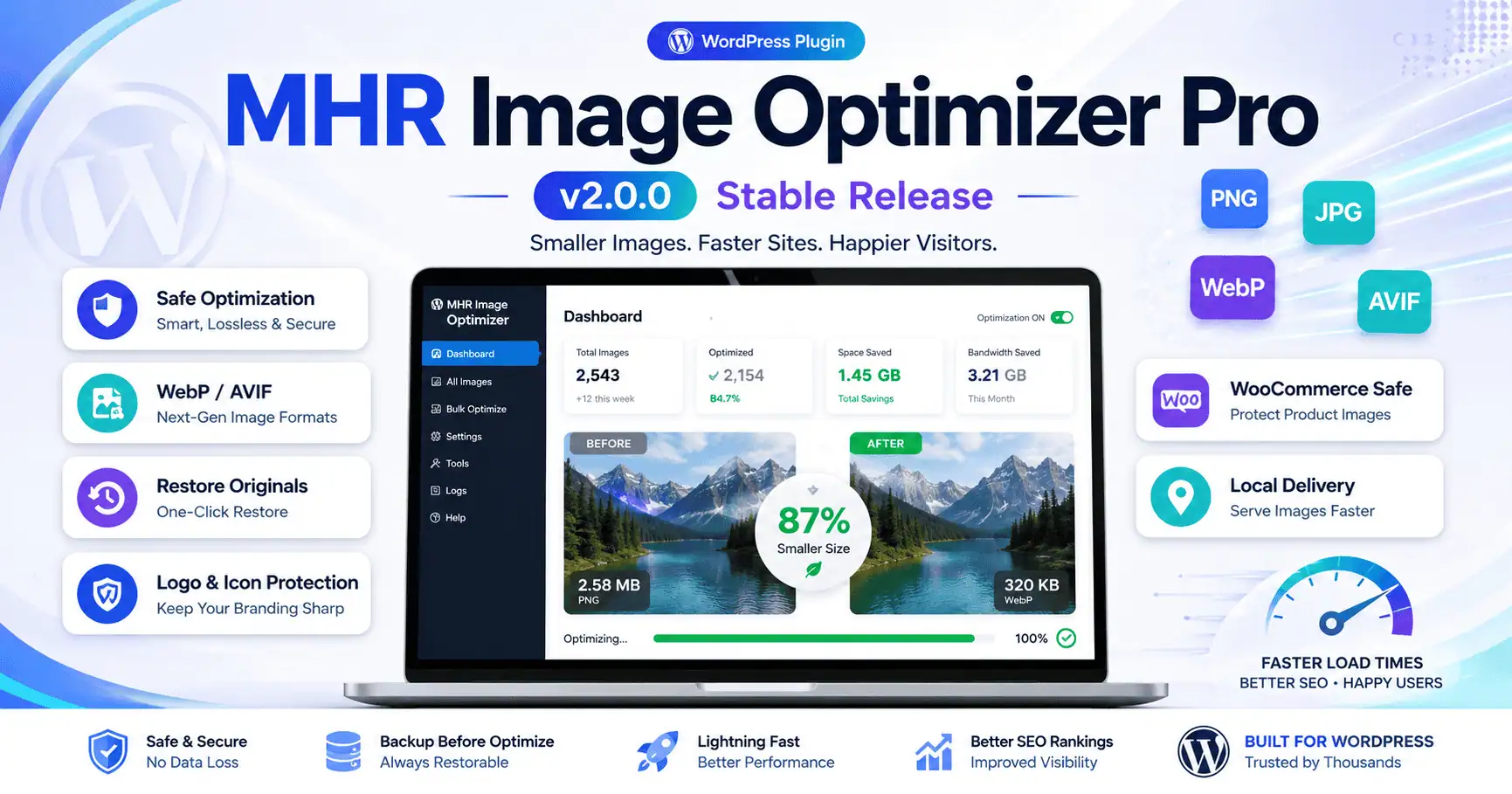
What Is MHR Image Optimizer Pro?
MHR Image Optimizer Pro is a WordPress image optimization plugin designed to reduce image file size, generate modern image formats, and improve frontend performance while keeping original media files protected.
Unlike many basic image compression tools, this plugin focuses heavily on safe optimization. It avoids overwriting critical images unless the optimized version is valid, smaller, and safe to use.
The plugin is especially useful for:
- WordPress business websites
- WooCommerce stores
- Elementor websites
- Gutenberg-based websites
- Portfolio websites
- SEO-focused blogs
- Local business websites
- Image-heavy websites
- Shared hosting websites
Main Features of MHR Image Optimizer Pro v2.0.0
1. Safe Image Optimization
The plugin optimizes images while protecting the original file from unnecessary damage.
It checks whether the optimized image is valid and smaller before replacing the active Media Library file. If the optimized file is larger, blank, damaged, or unsafe, the original image remains untouched.
This helps prevent the common problem where an “optimized” image becomes larger or breaks after conversion.
2. PNG, JPG, WebP, AVIF, and PNG Format Support
MHR Image Optimizer Pro supports major image formats including:
- PNG
- JPG / JPEG
- WebP
- AVIF
- PNG copy generation
The plugin can create modern image copies locally without forcing WordPress to replace the original attachment URL.
3. Local WebP and AVIF Delivery
The plugin can generate local WebP and AVIF copies inside your own WordPress uploads folder.
When frontend local delivery is enabled, the plugin can show a modern image format to supported browsers while keeping the original image as fallback.
This means:
- Chrome can load WebP/AVIF
- Unsupported browsers can still load the original JPG/PNG
- Existing post, page, Elementor, and WooCommerce image URLs remain safe
- No external CDN or third-party API is required
4. Auto Convert Images on Upload
The plugin can automatically create selected format copies when a new image is uploaded.
You can enable auto conversion for:
- WebP
- AVIF
- JPG
- PNG
This is helpful for websites that regularly upload blog images, product images, gallery images, or landing page assets.
5. Smart Savings Guard
The Smart Savings Guard prevents the plugin from replacing an image if the optimized output does not actually save space.
For example, if a 120 KB image becomes 150 KB after conversion, the plugin will skip replacement.
This protects the Media Library from unnecessary file size increases.
6. Logo, Icon, and Site Icon Protection
By default, MHR Image Optimizer Pro protects important branding assets.
The plugin does not optimize these by default:
- Website logo
- Header logo
- Footer logo
- Favicon
- WordPress Site Icon
- Apple touch icon
- Small icons
- Icon-style files
This helps avoid visual distortion, blurry logos, broken favicons, and branding issues.
7. Restore All Images to Original
MHR Image Optimizer Pro includes a powerful restore system.
The Restore All Images to Original button allows you to restore optimized images from plugin backups.
This is useful when you want to reverse previous optimization and bring Media Library files back to their original state.
8. Full Reset Option
The v2.0.0 Stable Release adds a stronger reset option:
Full Reset: Restore Originals + Delete Generated Copies
This option restores original images and removes generated WebP, AVIF, JPG, and PNG copies created by the plugin.
It is useful when you want to completely reset the plugin’s image changes.
9. Advanced Exclusion Rules
The plugin now includes advanced exclusion controls to protect sensitive images.
You can exclude images by:
- Minimum file size
- Minimum image dimensions
- Folder/path
- Filename keyword
Example protected keywords:
- logo
- icon
- favicon
- badge
- payment
- brand
- placeholder
- site-icon
- apple-touch-icon
This gives website owners better control over which images should not be optimized.
10. WooCommerce Image Protection
WooCommerce websites often depend on product images, gallery images, category thumbnails, and brand images.
MHR Image Optimizer Pro v2.0.0 includes WooCommerce protection options for:
- Product featured images
- Product gallery images
- Product category thumbnails
- Brand images
- WooCommerce-related thumbnails
This makes the plugin safer for online stores.
11. Media Library Status Badges
The plugin adds helpful status badges inside the Media Library.
Example badges include:
- Optimized
- Original protected
- Logo skipped
- Site icon skipped
- WebP ready
- AVIF ready
- Backup available
- Restore unavailable
These badges help administrators understand what happened to each image.
12. Optimization History Log
Each image can store optimization history including:
- Original file size
- Optimized file size
- Saved percentage
- Generated formats
- Restore status
- Error messages
- Protection/skipped reason
This makes troubleshooting easier.
13. One-Click Diagnostic Tool
The Diagnostic Tool checks important server and plugin conditions, including:
- GD support
- Imagick support
- WebP support
- AVIF support
- Upload folder writable status
- Backup folder status
- Broken image count
- Missing metadata count
This is useful before running bulk optimization on a live website.
14. Shared Hosting Safe Bulk Processing
Many WordPress websites run on shared hosting where long PHP processes can fail.
MHR Image Optimizer Pro uses batch/AJAX-based processing for safer optimization, restoration, cleanup, and reset tasks.
This reduces the risk of timeout errors.
15. Frontend Performance Improvements
The plugin helps improve frontend image delivery by adding performance-friendly attributes where suitable:
loading="lazy"decoding="async"- Width and height attributes from metadata
- LCP-safe first image handling
- Optional
fetchpriority="high"for the first image
This can help improve Core Web Vitals when configured correctly.
Why This Plugin Was Built
Many image optimization plugins focus only on compression ratio. But in real WordPress projects, image optimization must also be safe.
Common issues with aggressive image optimization include:
- Media Library thumbnails not showing
- Images appearing broken inside posts
- Elementor image widgets showing blank images
- Original URLs being replaced incorrectly
- PNG files being converted but not displayed properly
- WebP/AVIF copies being created but not delivered correctly
- Logos and favicons becoming blurry
- Product images breaking in WooCommerce
- Optimized images becoming larger than originals
MHR Image Optimizer Pro was built to solve these issues with a safety-first workflow.
Version Changelog
v2.0.0 — Stable Release
Release Type: Stable
Focus: Advanced protection, restore/reset tools, diagnostics, WooCommerce safety, and production-ready optimization.
Added
- Advanced exclusion by image dimensions
- Advanced exclusion by folder/path
- Advanced exclusion by filename keywords
- WooCommerce product image protection
- WooCommerce category and brand thumbnail protection
- One-click Diagnostic Tool
- Full Reset button: restore originals and delete generated copies
- Per-image optimization history
- Improved Media Library status badges
- Optional scheduled background optimization in small batches
- More stable shared-hosting-safe processing
Improved
- Image protection logic
- Generated copy handling
- Restore workflow
- Media Library visibility
- Elementor and Gutenberg safety
- WooCommerce compatibility
- Bulk processing stability
Included from Previous Versions
- Logo/icon/site icon protection
- Smart savings guard
- Restore all images to original
- Local WebP/AVIF/JPG/PNG copies
- Frontend local
<picture>delivery - Emergency broken image repair
- Upload auto-conversion
- LCP-safe frontend delivery
v1.8.0 — Protected Image Types + Restore All
Added
- Do not optimize logo by default
- Do not optimize icons by default
- Do not optimize WordPress Site Icon by default
- Protected Image Types settings
- Restore All Images to Original button
- AJAX-based batch restore system
Protection Covers
- WordPress custom logo
- WordPress Site Icon
- Logo filename patterns
- Icon filename patterns
- Auto optimization
- Bulk optimization
v1.6.0 — LCP-Safe Frontend Delivery
Added
- LCP-safe frontend image delivery
- Skip lazy loading for first frontend images
- Option to skip lazy load for first 0–5 images
- Fetch Priority option
fetchpriority="high"for the first delivered image
Improved
- Hero image handling
- Core Web Vitals support
- Frontend image loading control
v1.5.0 — Smart Savings Guard
Added
- Smart Savings Guard
- Minimum saving percentage option
- Skip larger generated copies
- Safer conversion replacement
Improved
- Prevented optimized images from replacing originals when the result is larger
- Improved protection for Elementor and Gutenberg images
- Better validation before replacing active attachment files
v1.4.0 — Cleanup Generated Copies
Added
- Cleanup Generated Copies tool
- Stale copy record scanner
- Shared-hosting-safe cleanup process
- Generated-copy metadata cleanup
Cleanup Supports
- WebP copies
- AVIF copies
- JPG copies
- PNG copies
Safety
- Does not delete original WordPress images
- Does not change post, page, Elementor, or Media Library URLs
v1.3.0 — Library Status Scanner + Frontend Performance
Added
- Library Status Scanner
- Total image count
- Optimized image count
- Missing/broken image count
- Estimated saved space
- Format copy counts
- Frontend performance delivery improvements
- Media Library generated copy links
Improved
- Lazy loading support
- Async decoding support
- Width and height metadata handling
- Frontend image output safety
v1.2.0 — Auto Convert + Local Image Delivery
Added
- Auto convert locally on upload
- Local JPG/WebP/AVIF/PNG copy generation
- Frontend local image delivery
- Safe
<picture>support - Reuse existing converted copies
- Manual and bulk local copy creation
Improved
- No external API dependency
- Better local image delivery
- Original image fallback protection
v1.1.0 — Pro Convert to Other Format
Added
- Generate JPG copy
- Generate WebP copy
- Generate AVIF copy
- Generate PNG copy
- Media Library quick conversion buttons
- Bulk Generate Pro Format Copies
- Server support check for WebP and AVIF
Safety
- Converted copies are created beside the original
- The active WordPress attachment URL is not changed
- Existing post and Elementor images remain safe
v1.0.3 — Safe Mode
Added
- Conversion no longer changes the WordPress attachment URL
- Safe converted copy generation
- Same-format compression with validation
- Improved backup search by attachment ID and filename
- Protection against damaged/blank files being saved as backup
Fixed
- Broken image issues caused by unsafe conversion
- False blank image detection
- Elementor/Gutenberg image safety problems
v1.0.2 — Emergency Restore Broken/Blank Images
Added
- Emergency Restore Broken/Blank Images tool
- Blank/transparent output detection
- Validation before replacing original files
- Restore from plugin backup folder
- Thumbnail regeneration after restore
Fixed
- Cases where damaged generated images replaced active images
- Broken image output after aggressive optimization
v1.0.1 — URL-Safe Repair System
Added
- URL-safe conversion mode
- Repair Media Library Images tool
- Individual Repair URL button in Media Library
- Metadata regeneration after repair
Fixed
- Broken post/editor image URLs
- Disconnected attachment file paths
- Missing original file copies where plugin backup exists
v1.0.0 — Initial Release
Added
- PNG/JPG/WebP/AVIF optimization support
- PNG to JPG/WebP/AVIF conversion
- Same-format compression
- Media Library Optimize button
- Media Library Restore button
- Bulk AJAX optimizer
- Backup original image before replacement
- Auto-optimize new uploads option
- Large image resize option
- Server support checker for GD, Imagick, WebP, and AVIF
Recommended Settings
For most WordPress websites, the recommended settings are:
- Enable WebP copy generation
- Enable AVIF only if the server supports it properly
- Enable local frontend delivery
- Keep logo/icon/site icon protection enabled
- Enable Smart Savings Guard
- Set minimum saving to at least 1%
- Exclude small images under 50 KB
- Exclude images under 300×300 px
- Enable WooCommerce protection for online stores
- Run Diagnostic Tool before bulk optimization
- Keep backups enabled
Final Thoughts
MHR Image Optimizer Pro v2.0.0 — Stable Release is built for website owners, SEO professionals, developers, and WooCommerce store managers who need faster websites without risking broken images.
It focuses on safe image compression, local modern format delivery, restore protection, WooCommerce compatibility, and advanced exclusion controls.
For WordPress websites where performance, SEO, and visual reliability matter, this plugin provides a balanced and safer approach to image optimization.