Managing a hotel, resort, room booking business, or multi-property accommodation service is not only about taking reservations. A real hospitality business needs to handle guests, rooms, payments, deposits, POS bills, invoices, property-wise reporting, staff, expenses, and daily operations from one place.
That is why I developed MHR HB CRM, a custom hotel and booking management CRM designed for property-based hospitality businesses.
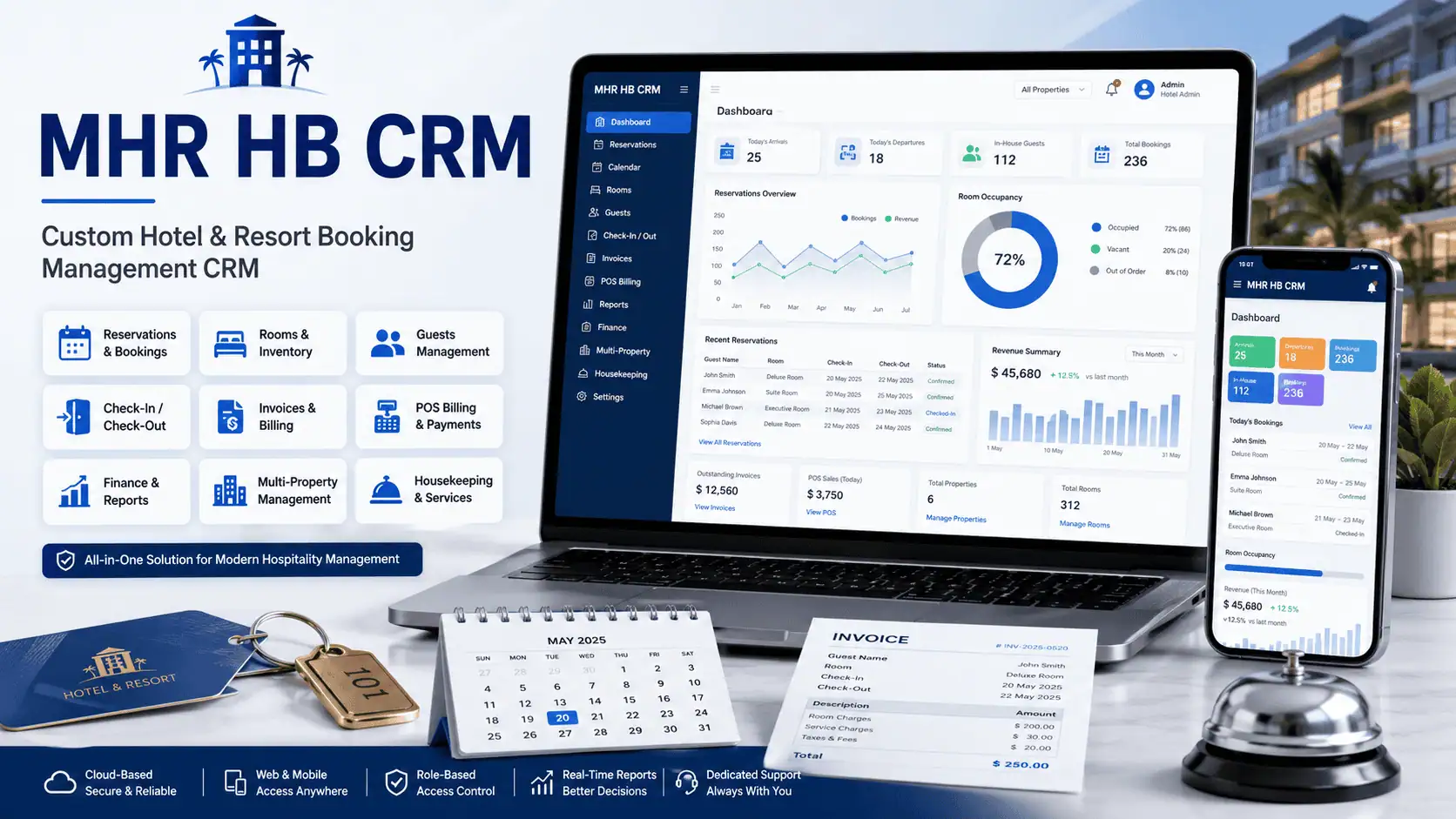
This CRM was built to solve real operational problems for hotels, resorts, travel accommodation businesses, and room booking platforms. It is not a generic CRM. It is focused on the hotel and resort booking workflow, where every room, reservation, payment, expense, invoice, and report needs to be connected properly.
What Is MHR HB CRM?
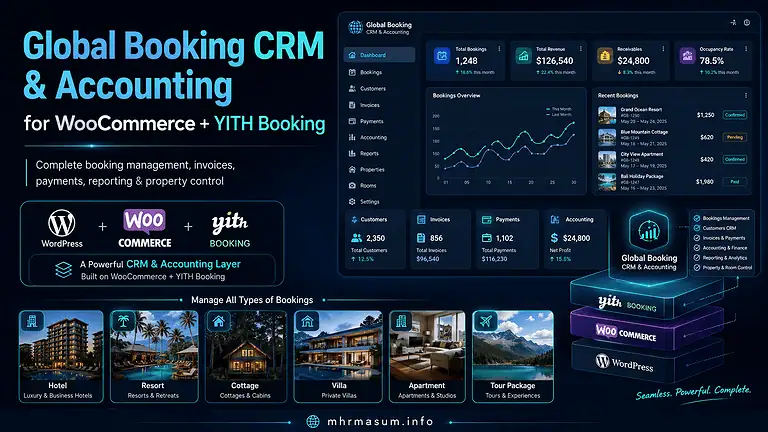
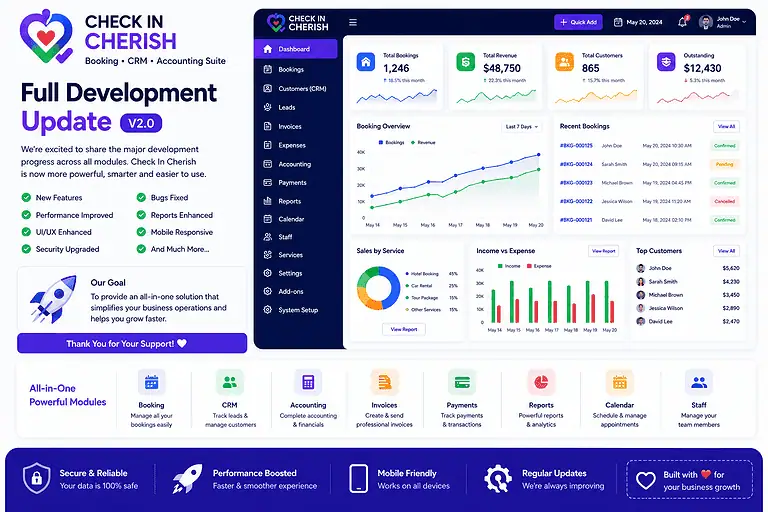
MHR HB CRM is a custom web-based CRM system for managing hotel, resort, and booking operations. It helps businesses manage reservations, guests, rooms, payments, POS orders, folios, invoices, expenses, reports, and property-wise user access from a single dashboard.
The system is designed for businesses that manage one or multiple properties. For example, if a company manages different resorts or room categories under different properties, the CRM can organize all data property-wise.
This means the business owner can see the full picture, while each team member can access only the property or department they are assigned to.
Why I Built This CRM
Most small and mid-sized hotel or resort businesses use a mix of phone calls, WhatsApp messages, spreadsheets, website bookings, payment screenshots, and manual invoices.
This creates many problems.
Reservations can be missed. Room availability can be confusing. Staff may not know which room is booked. Payments may not match with booking records. POS or extra charges may not be added to the final bill. Reports may not show the real business position.
MHR HB CRM was built to bring all these things into one organized system.
The goal was simple: create a CRM where a hotel or resort team can manage the full guest journey from reservation to checkout.
Key Features of MHR HB CRM
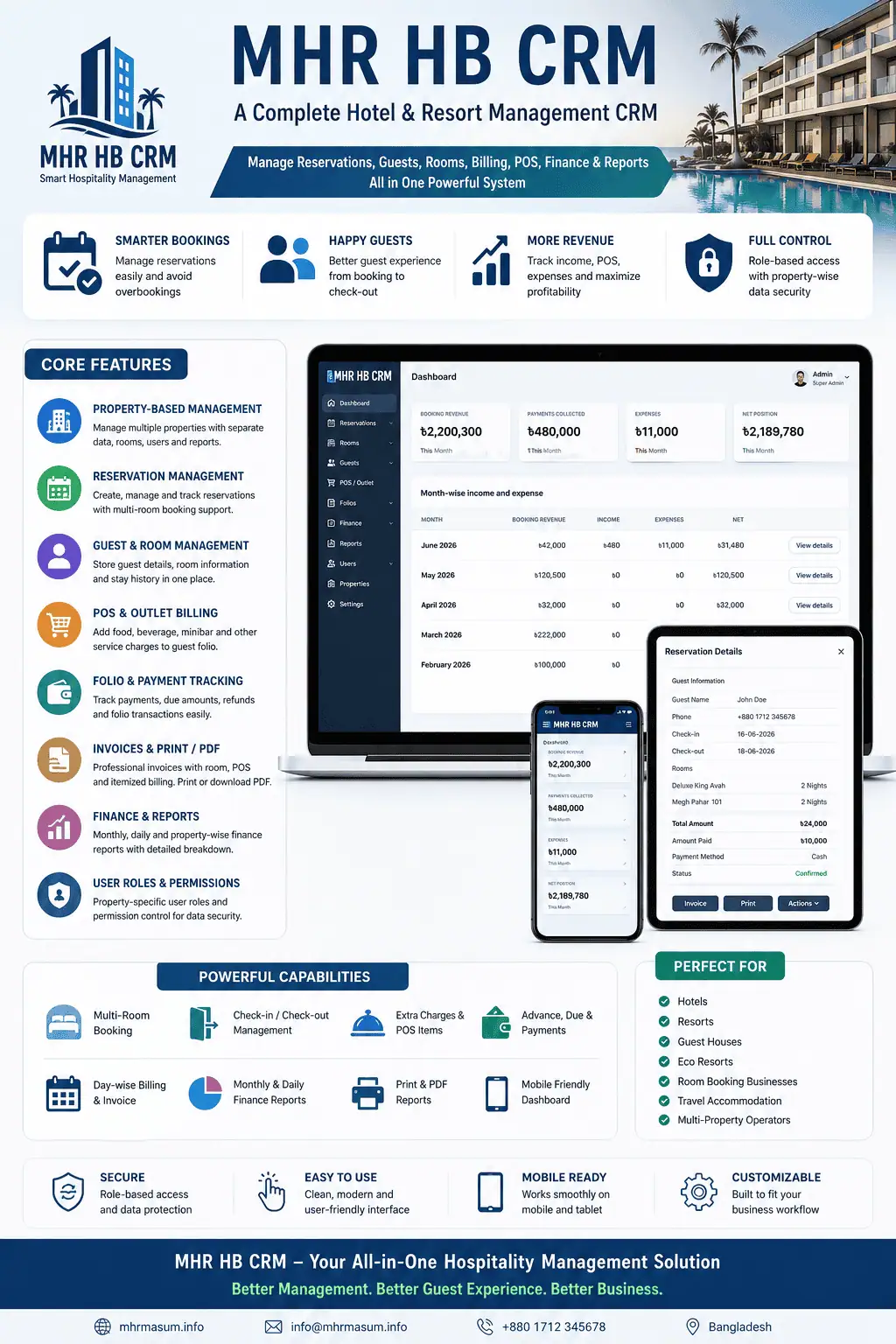
1. Property-Based CRM Management
One of the most important features of MHR HB CRM is property-wise data management.
The CRM supports multiple properties. Each room, reservation, guest, income, expense, POS order, and report can be connected to a specific property.
This is very useful for businesses that manage more than one resort, hotel, or accommodation brand.
For example, the CRM can manage:
- Property A bookings
- Property B bookings
- Property-wise rooms
- Property-wise income
- Property-wise expenses
- Property-wise staff access
- Property-wise reports
This makes business reporting cleaner and more accurate.
2. Property-Specific User Roles
MHR HB CRM includes user role management with property-specific access.
This means a user can have a different role for different properties.
For example:
- A user can be Manager for one property.
- The same user can be Front Desk for another property.
- Another user can access only finance-related data.
- Admin and Super Admin can control the full CRM.
This helps protect sensitive data and makes team management easier.
Supported user access can include:
- Super Admin
- Admin
- Front Desk
- Account Manager
- Team Lead
- Finance
- Staff
The CRM also controls what users can view, add, edit, or delete based on their role.
3. Reservation Management
The reservation dashboard is one of the core parts of the CRM.
From the reservation section, the team can create new bookings, select rooms, add guest details, manage payments, and track booking status.
Reservation features include:
- New reservation form
- Guest name, email, phone, and WhatsApp field
- Multiple room selection
- Check-in and check-out dates
- Auto night calculation
- Auto total calculation
- Room discount
- Extra guest stay charge
- Payment method
- Amount paid
- Guest list and reservation notes
- Check-in, checkout, cancel, reinstate options
- WhatsApp, email, PDF, invoice, and print options
The reservation form supports multi-room bookings. This is very useful for group bookings, family bookings, and resort package bookings where one guest may book more than one room.
4. Multi-Room Booking Support
Many hotel CRMs are designed around one room per reservation. But in real resort operations, one guest may book multiple rooms.
MHR HB CRM supports multiple room selection in a single reservation.
For example, one reservation can include:
- Deluxe King Avah
- Queen Odri
- Megh Pahar 101
- Megh Pahar 102
The CRM calculates the total room rate based on all selected rooms and the number of nights. It also checks availability to prevent booking conflicts.
5. Android and Mobile-Friendly Room Picker
The reservation form was improved for Android and mobile devices.
Native multi-select dropdowns do not always work well on Android browsers. So the CRM uses a clean tappable room picker card UI.
This allows the user to tap and select multiple rooms easily from mobile devices.
The room picker shows rooms property-wise, making it easier for the team to select the correct room under the correct property.
6. Guest and Room Tracking
The CRM connects guests with their rooms and reservations.
The system can track:
- Guest name
- Phone
- Room number or room name
- Property
- Check-in date
- Check-out date
- Booking status
- Payment status
- Notes
This gives the front desk team a clear view of who is staying, which room they booked, how much they paid, and whether any amount is still due.
7. POS and Outlet Billing
MHR HB CRM includes POS and outlet billing support.
This means a guest can have extra charges added during the stay.
Examples include:
- Breakfast
- Lunch
- Dinner
- Coffee
- Snacks
- Mini bar
- Laundry
- Spa
- Transport
- Other service charges
POS orders can be connected with the guest and room. These charges can then be included in the final checkout bill.
This is very important because many businesses lose revenue when extra charges are not properly added to the final invoice.
8. Folios and Extra Charges
The CRM includes a folio and payment section to manage guest balances and extra charges.
Folios can track open balances, paid amounts, refunds, and other guest-related charges.
This helps the business manage:
- Room charges
- Extra service charges
- Refunds
- Open balances
- Paid folios
- Guest dues
The system also supports bulk delete and admin-only delete permission for folios and other records.
9. Checkout Review With Itemized Billing
The checkout process is designed to show a clear final bill before the guest leaves.
The checkout review includes:
- Room charge
- POS and outlet charges
- Folio and other charges
- Total bill
- Advance or deposit payment
- Total paid amount
- Final checkout payable
- Due summary
- Checkout bill items
This gives the front desk team a complete payment picture during checkout.
If the guest has already paid everything, the CRM shows that no balance is due. If there is still a balance, the CRM shows the payable amount.
10. Full Guest Invoice, Room-Only Invoice and POS Invoice
MHR HB CRM supports multiple invoice types.
This is useful because some guests may want a full invoice, while others may need separate invoices.
The CRM supports:
- Full Guest Invoice
- Room-Only Invoice
- POS / Other Items Invoice
The full invoice includes room charges, POS charges, other charges, payment details, and balance.
The room-only invoice includes only room rent, discount, extra guest charge, deposit, and room payment.
The POS / other invoice includes only food, outlet, mini bar, service, and other extra charges.
This gives the business more flexibility and makes billing more professional.
11. Date-Wise Invoice Details
For multi-day stays, the invoice can show date-wise billing details.
For example:
16 June 2026
- Room charge
- Breakfast
- Coffee
- Extra service
17 June 2026
- Room charge
- Dinner
- Extra guest charge
This makes the invoice easier to understand. Guests can clearly see what was charged on each date.
12. Check In Cherish Branded Invoice
The invoice layout was customized for Check In Cherish branding.
The invoice includes:
- Check In Cherish business name
- Business address
- Phone number
- Website
- Guest billing details
- Invoice number
- Reservation number
- Order date
- Payment history
- Policy text
- Footer links
The footer includes linked text for:
- Check In Cherish
- Sofhor Tourism
- Privacy
- Terms
- Disclaimer
- Cancel & Refund
The invoice design was also improved for black-and-white printing. Strong colors were reduced, table headings were made lighter, and unnecessary background fills were removed.
13. Print and PDF-Friendly Design
Printing is important for hotel and resort operations.
MHR HB CRM includes print and PDF options for invoices, records, finance reports, monthly summaries, and dashboard items.
The print layout was improved to hide unnecessary screen elements such as:
- Sidebar
- Topbar
- Search bar
- Mobile menu
- Buttons
- Bulk select controls
- Action columns
- Delete buttons
- Filters
This makes the printed document cleaner and more professional.
The CRM supports black-and-white printer-friendly styling, which is practical for daily office use.
14. Finance Dashboard
The finance dashboard shows the financial position of the business.
It includes:
- Booking revenue
- Payments collected
- Income
- Expenses
- Net position
- Month-wise income and expense
- Day-wise finance details
- Booking details
- POS paid details
- Folio payment details
- Monthly income details
- Monthly expense details
The finance section is property-wise. This means the business can filter finance data by property and see accurate revenue and expense information.
15. Monthly Finance Details
The CRM includes monthly finance breakdowns.
For each month, the system can show:
- Booking revenue
- Folio and POS payments
- Income
- Expenses
- Net
- Daily breakdown
- Reservation-level details
- Income records
- Expense records
- POS payment records
- Folio payment records
This is helpful for business owners who want to understand monthly performance in detail.
16. Monthly Print and PDF Report
The monthly finance report can be printed or saved as PDF.
The monthly print includes:
- Daily finance breakdown
- Booking details
- Income details
- Expense details
- POS paid details
- Folio payment details
This makes accounting and reporting easier.
Instead of exporting raw data manually, the team can generate monthly printable reports directly from the CRM.
17. Reports Dashboard
MHR HB CRM includes a reports dashboard for business performance tracking.
Reports can show:
- Total revenue
- Active reservations
- Occupancy
- Top booking channel
- ADR
- RevPAR
- Expenses
- Profit or loss
- Revenue by channel
- Quarterly revenue
- Room type performance
This helps business owners understand how the property is performing.
18. Bulk Delete and Admin-Only Delete Protection
The CRM includes delete controls, but deletion is restricted.
Only Admin and Super Admin can delete important records.
Bulk delete is available for selected sections, but protected by permission checks.
This protects the CRM from accidental data loss by general users.
Delete permission applies to records such as:
- Reservations
- Guests
- Rooms
- Staff
- Finance transactions
- Income
- Expenses
- POS orders
- Invoices
- Payroll
- Deals
- Contacts
- Properties
- CRM users
- Folios
This makes the system safer for team-based use.
19. Website Booking Sync and Auto Room Creation
MHR HB CRM can support website booking import and sync.
When booking data comes from the website, the CRM checks the room information.
If the room already exists, the booking is linked to the correct room and property.
If the room is missing, the CRM can automatically create that room in the system and assign it to the correct property.
This reduces manual work and keeps website booking data connected with CRM operations.
20. Mobile App-Like CRM Experience
The CRM was improved to work better on mobile devices.
Mobile improvements include:
- App-style header
- Hamburger drawer
- Bottom navigation
- Mobile-friendly forms
- Mobile-friendly room picker
- Compact action dropdowns
- Responsive cards
- Better touch-friendly buttons
- Clean mobile layout for reservation forms
The goal was to make the CRM usable from a phone, not only from desktop.
This is important because hotel and resort teams often work from reception, property sites, or mobile devices.
21. Compact Reservation Actions
Reservation rows can have many actions, such as Call, QR, WhatsApp, Email, PDF, Invoice, Print, Check-in, Checkout, Reinstate, Cancel, and Delete.
To avoid a long messy button row, the CRM now uses a cleaner action system.
The main reservation row shows:
- Invoice
- Actions dropdown
Other buttons are inside the Actions dropdown.
This keeps the reservation list clean on desktop, tablet, and mobile.
Why This CRM Is Useful for Hotels and Resorts
MHR HB CRM is useful because it brings hotel operations into one system.
It helps reduce:
- Manual booking mistakes
- Room availability confusion
- Missing guest payment records
- Lost POS charges
- Unclear checkout balances
- Weak monthly reporting
- Uncontrolled staff access
- Poor invoice formatting
It also improves:
- Reservation management
- Guest communication
- Property-wise reporting
- Checkout billing
- Staff workflow
- Finance tracking
- Professional invoicing
Who Can Use MHR HB CRM?
This CRM is suitable for:
- Hotels
- Resorts
- Guest houses
- Eco resorts
- Room booking businesses
- Travel accommodation businesses
- Multi-property operators
- Small hospitality businesses
- Booking agencies
- Resort management companies
It is especially useful for businesses that need custom workflows instead of using a generic off-the-shelf CRM.
Technology and Customization
MHR HB CRM is a custom-built web application. It can be adjusted based on business needs.
The system can be customized for:
- Different property types
- Different user roles
- Custom invoice branding
- Custom reports
- Website booking sync
- Payment methods
- POS categories
- Room types
- Business-specific policies
- Mobile interface requirements
This flexibility is one of the biggest advantages of a custom CRM.
Final Thoughts
MHR HB CRM was developed to solve real hotel and resort management problems.
It is not just a contact management tool. It is a full hospitality-focused CRM that connects reservations, rooms, guests, payments, POS orders, invoices, reports, and property-based access control.
For a hotel or resort business, a proper CRM can save time, reduce mistakes, improve billing accuracy, and give owners better visibility into daily operations.
MHR HB CRM is designed for that purpose.
It helps hospitality teams manage the full guest journey from booking to checkout with better control, cleaner records, and professional reporting.
Need a Custom CRM for Your Business?
If your hotel, resort, travel business, agency, or service company needs a custom CRM, I can help you plan and develop a system based on your workflow.
A custom CRM can include booking management, customer management, invoicing, payment tracking, reporting, staff roles, automation, and mobile-friendly dashboards.
Visit mhrmasum.info to learn more about my work in SEO, digital marketing, WordPress, automation, and custom business systems.